
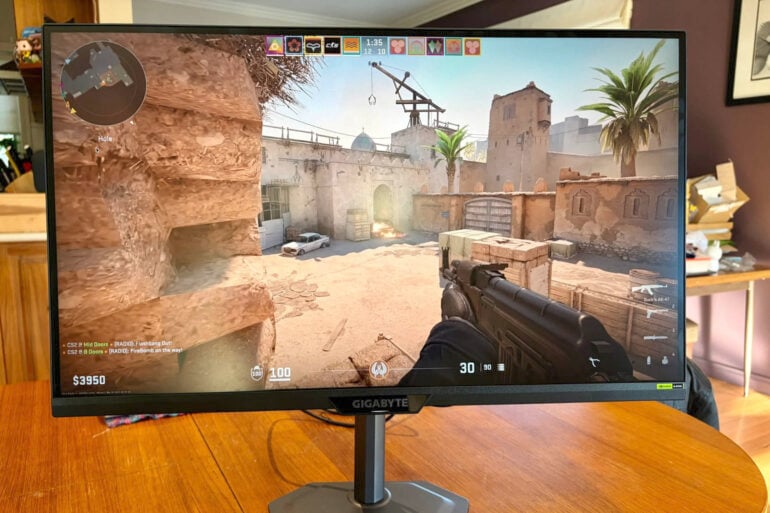
Combining 4K resolution with a wealth of first-person shooter-friendly features, the Gigabyte G27U gaming monitor offers a tactical advantage to gamers on a budget.
There was a time when gaming monitors focused solely on high refresh rates and low response times, especially when it comes to handling the fast-paced action of first-person shooters.
These days, gamers still care about such things, but they’re no longer prepared to make major sacrifices when it comes to aspects of picture quality such as resolution, colour accuracy and contrast.
If your budget won’t stretch to OLED, IPS gaming monitors have come a long way and offer great value for gamers looking for a step up in image quality.
Table of contents
Gigabyte G27U gaming monitor first impressions
At 27 inches, the Gigabyte G27U gaming monitor hits the sweet spot between delivering screen immersion and hogging desk space.
It’s built around a Super Speed In-Plane Switching (SS IPS) display, a technology optimised for high-performance gaming monitors by combining the colour quality of traditional IPS panels and the high-speed response times of traditional Twisted Nematic (TN) panels.
It boasts 3840 x 2160 pixel 4K (Ultra HD) resolution with a 160 Hz refresh rate, or a super-smooth 320 Hz refresh rate when dropping back to 1920 x 1080 pixel (Full HD) resolution.
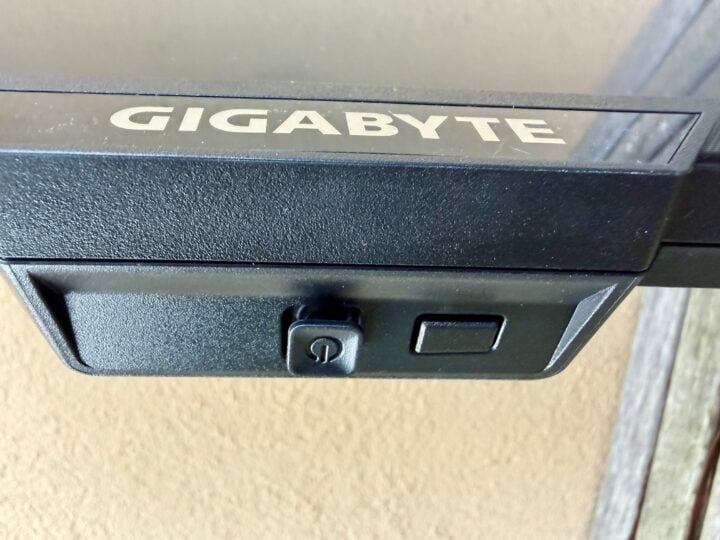
Interestingly, the monitor has a programmable button that can fast-switch between the two resolutions, depending on whether resolution or refresh rate gives you the winning edge. Gigabyte calls it “tactical dual mode”.
The panel also offers a low 1 ms Grey-To-Grey response time – the gold standard for modern gaming – meaning the pixels can change colour quickly to minimise motion blur during fast-paced action
It also delivers 350 cd/m2 brightness and 1000:1 contrast ratio, the latter of which falls short of OLED when it comes to revealing the finest details in the brightest highlights and deepest shadows.
When it comes to desk space, the monitor’s six-sided base plate is 190 mm deep and 250 mm across at its widest point. Plus, it’s less than 2 mm thick. This ensures it’s small enough to fit comfortably on even a modest desk, plus the entire unit is also surprisingly light, considering its size.
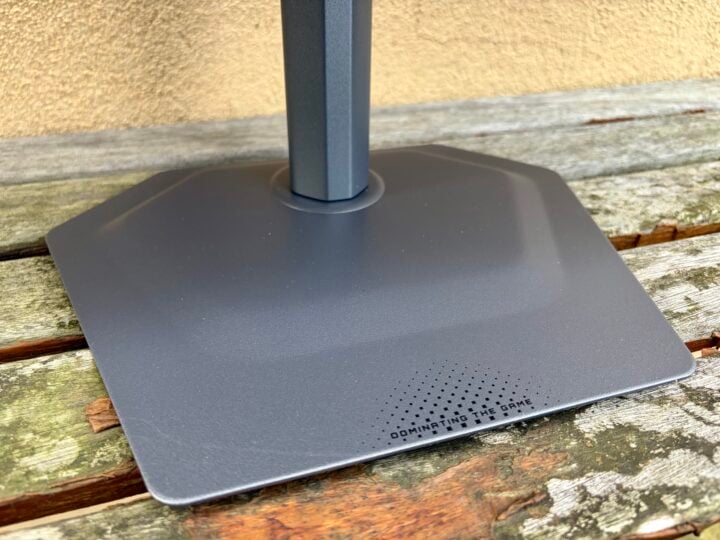
The stand is height-adjustable by 130 mm, sliding nicely to sit between 22 and 152 mm above the desktop. You can also swivel the screen 15 degrees left or right, and tilt it forward 21 degrees or back 5 degrees.
As an added bonus, you can pivot the monitor 90 degrees clockwise to portrait mode, which is handy for multi-display set-ups but perhaps not all that useful for gaming.
Gigabyte G27U gaming monitor specifications and price
| Display size | 27 inches |
| Display resolution | 3840 x 2160 pixel (Ultra HD) |
| Display technology | Super Speed In-Plane Switching (SS IPS) |
| Refresh rate (Max) | 160 Hz (Ultra HD) / 320 Hz (Full HD) |
| Contrast | 1000:1 |
| Brightness | 350 cd/m2 |
| Display Colours | 1.07 billion |
| Color Saturation | 95% DCI-P3/ 122% sRGB |
| Response Time | 1 ms GTG |
| Viewing Angle | 178°(H)/178°(V) |
| Pixel Pitch | 0.1554 (H) x 0.1554 (V) |
| Connectivity | 2 x HDMI 2.1 1 x DisplayPort 1.4 1 x USB 2.0 Downstream port (Firmware updates only) 1 x Earphone Jack |
| ESA Wall Mount | 100 x 100 mm |
| Dimensions | 612 x 515 x 192 mm with stand |
| Weight | 6.96 kg with stand |
| Price | $389 RRP |
| Warranty | 3 years |
| Official website | Gigabyte Australia |
Features
When it comes to connectivity, the Gigabyte G27U gaming monitor features two HDMI 2.1 video ports and one DisplayPort 1.4 – enough to do justice to high resolutions and frame rates. You’ll also find an old-school 3.5 mm headphone jack.
The ports face downwards at the back of the monitor, so that 90-degree pivot comes in handy when hooking things up. Gigabyte includes a power and DisplayPort cable in the box, but the stand doesn’t make any allowances for cable management.
Unlike more expensive monitors (like the Gigabyte G27UP), the Gigabyte G27U lacks a USB hub or built-in KVM switch, which would let you plug USB desktop peripherals into the monitor. Instead, it features a single USB-A port at the back solely for firmware updates.
When it comes to gaming-friendly features, the Gigabyte G27U supports Adaptive Sync in the form of FreeSync and G-Sync, to synchronise the refresh rate with the GPU’s real-time frame rate.
Gigabyte’s Aim Stabiliser Sync works in conjunction with Adaptive Sync to further reduce motion blur and eliminate screen tearing. Smart OD overdrive dynamically adjusts the voltage applied to the pixels to reduce ghosting and white trails.
In a nod to SS IPS’ contrast shortcomings compared to OLED, Black Equaliser mode enhances visibility in dark scenes by increasing the brightness of shadows and dark areas without overexposing bright areas. Night Vision goes a step further by switching to a thermal-style monochrome view.

On top of all these efforts to optimise image quality for gaming, Gigabyte also includes several ‘Game Assist’ features, such as overlaying on-screen timers, counters and a choice of custom crosshair overlays.

The programmable button can be used as a shortcut to quickly enable any of these Game Assist features. Using more than one at the same time requires diving into the monitor’s menus. Fiddling with the rocker switch to access these features, along with all the monitor’s settings, is less than intuitive at times.
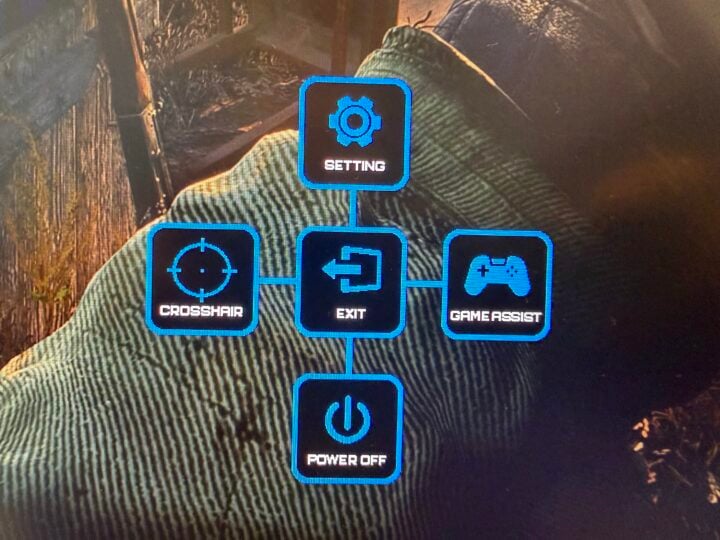
Keep in mind, competitive advantages such as crosshair overlays and night vision are considered cheating in some circles. Relying on monitor hardware rather than third-party software is more likely to render them undetectable by standard anti-cheat systems, but there are no promises. So it’s up to you to use them responsibly.
Who is the Gigabyte G27U gaming monitor for?
The Gigabyte G27U gaming monitor doesn’t force you to choose between higher resolution for visual quality or higher refresh rates for a competitive edge. That makes it an attractive monitor for those who like enjoy visually-rich AAA titles, but also need the benefits of 320 Hz for fast-paced competitive games.
Opinions on ‘Game Assist’ features vary, especially in first-person shooters, but feel free to ignore these features if you want to retain the moral high ground.
The post Gigabyte G27U gaming monitor review: Clicking heads in style appeared first on GadgetGuy.


0 comments:
Post a Comment