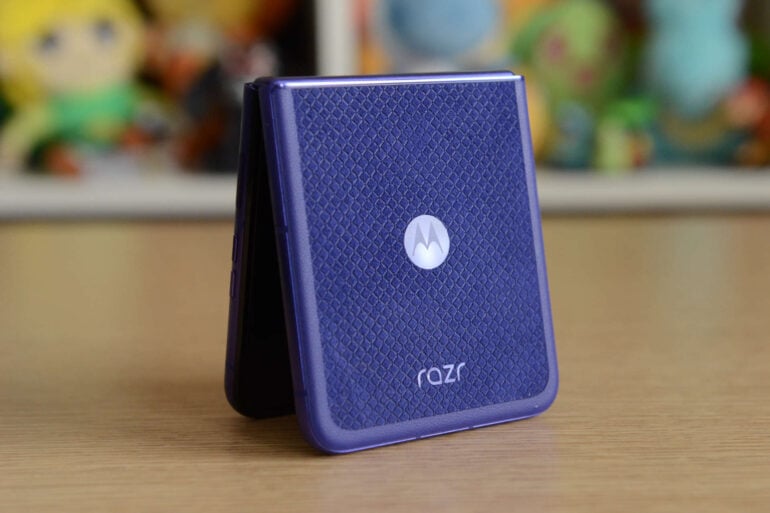
Where does a flip phone fit in the 2026 phone landscape? Once considered the potential future of phones, the foldable flip form factor (say that five times fast) has gone under the radar lately. Larger foldables are in vogue, especially the passport-shaped style adopted by Samsung and Apple in recent months. Even so, the Motorola Razr 70 Ultra is one of the better flip phones on the market. It’s just a bit overshadowed by other current trends.
Look at the foldable phone section of prominent tech retailers: the pendulum has clearly swung away from flip phones towards book-like foldables. When Samsung announced its annual folding phone refresh earlier in the year, it gave very little attention to the Galaxy Z Flip 8, as if it were the middle child sandwiched between the Galaxy Z Fold 8 and Fold 8 Ultra.
So too has Motorola embraced the larger foldable trend. It recently debuted one of the stronger first entries in the form of the $2,799 Razr Fold. As it stands, the $1,999 Motorola Razr 70 Ultra is a slick and stylish handset, but is it enough in a world awash with alternatives?
Motorola Razr 70 Ultra specifications and price
| Displays | 6.9-inch 1224 x 2992 Extreme AMOLED 165Hz main display 5,000 nits peak brightness 4.0-inch 1272 x 1080 Extreme AMOLED 165Hz external display |
| Dimensions | 88.12 x 73.99 x 15.69mm (closed) 171.48 x 73.99 x 7.19mm (open) 199 grams |
| Processor | Snapdragon 8 Elite |
| Storage and memory | 256GB storage 12GB memory |
| Cameras | 50MP rear wide camera: f/1.8 50MP rear ultra-wide camera: f/2.0, 122-degree field of view 50MP selfie camera: f/2.0 |
| Battery | 5,000mAh silicon-carbon |
| Connectivity | USB-C 2.0 Wi-Fi 7 Bluetooth 5.4 eSIM and physical SIM NFC |
| Network bands | 2G, 3G, 4G, 5G (sub-6) |
| Software | Android 16 Three years of OS updates Four years of security updates |
| Durability | IP48 |
| Price (RRP) | $1,999 |
| Warranty | Two years |
| Official website | Motorola Australia |
Design
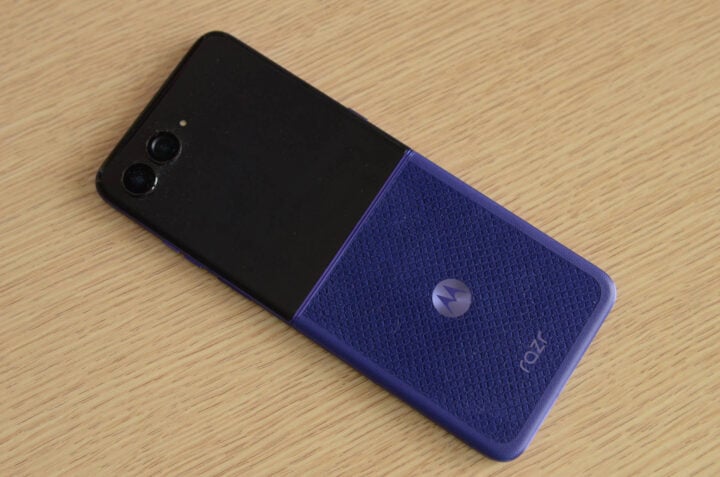
Motorola loaned me the ‘Pantone Orient Blue’ variant of its flip phone, which was quite the dazzler. Halfway between navy and purple, it’s bright enough to catch the eye, yet subtle enough not to dominate its surroundings.
Along the right side are the usual volume and power buttons. They’re well-positioned, making it easy to unlock the phone via the power button’s integrated fingerprint sensor. On the left side, Motorola’s AI key makes an appearance. I barely touched it; as I’ve said before, the fact that you can’t reprogram it to any shortcut you like hampers its utility.
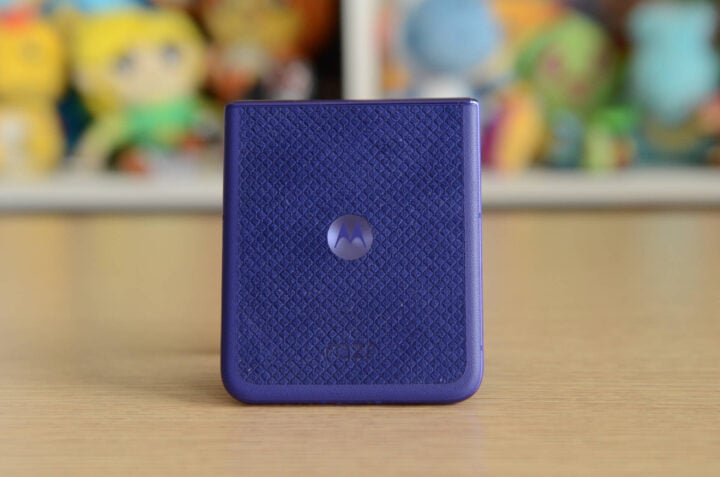
I also wasn’t sold on the fabric-like material used on the rear cover. Aesthetically, it looks nice and adds a bit of extra grip. From a practical perspective, though, I could hear my mum’s words ringing in my ears about how difficult it would be to keep clean.
Just after a couple of weeks, the soft surface caught a lot of lint and other miscellaneous particles that were tricky to remove. Once you add sweat and grime to the equation, I fear to think how it would look in a year’s time.
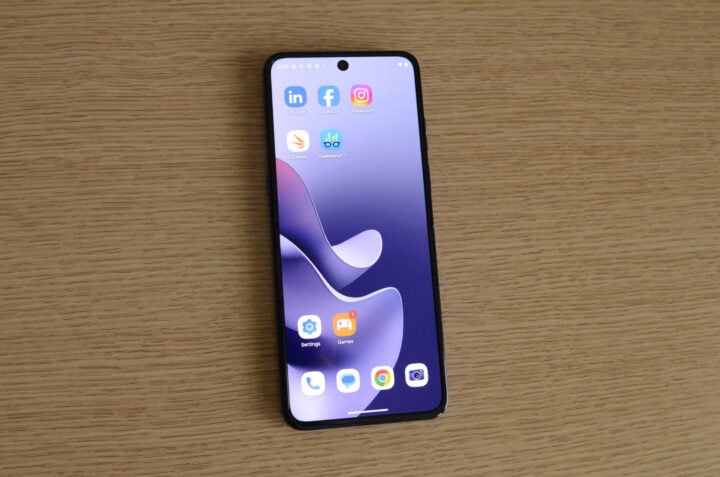
Obviously, I spent far more time looking at the Razr 70 Ultra’s sleek screens than anything else. Both the 4.0-inch outer display and 6.9-inch main screen looked a treat, sporting 165Hz AMOLED technology.
Motorola’s outer screen is fully functional, letting you access standard apps without opening the phone. It’s handy for sending a quick message on a condensed keyboard, but I generally preferred flipping open to the tall inner display.
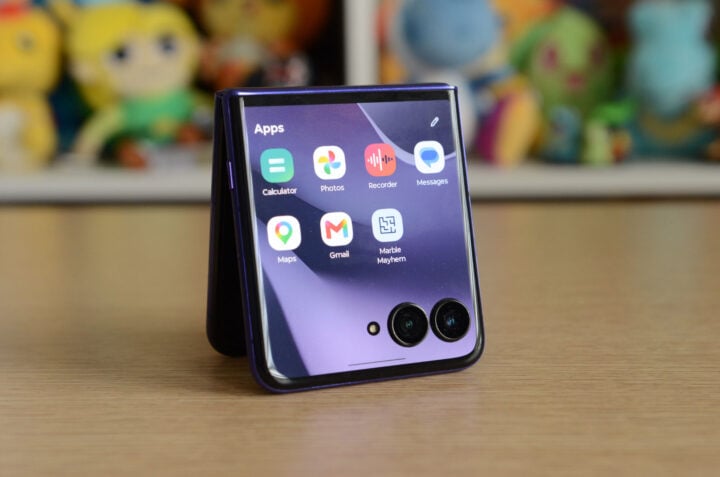
There wasn’t much of a crease to speak of, either. I could feel it by running my thumb along the screen, but it wasn’t visually obvious. Like any phone with foldable technology, you can see the crease when viewing the screen at an angle. Last I checked, though, everyone I know looks at their phone dead-on straight, so it’s a non-issue.
Performance
With the Snapdragon 8 Elite chipset and 12GB of memory in tow, the Motorola Razr 70 Ultra is one of the most powerful flip phones around. Swapping between apps is quick and responsive, keeping up with my whims. Once you start looking at phones in this price bracket, it’s tough to visibly discern everyday performance differences. No news is good news, as far as I’m concerned.
This is where benchmarking software helps sort things out. As expected, the Razr 70 Ultra blazes past last year’s Razr 60 (non-Ultra) model. Raw performance-wise, it’s roughly on par with the Razr Fold and last year’s Samsung Galaxy Z Flip 7, according to Geekbench 6 testing.
| Device | Geekbench 6 CPU Single-Core | Geekbench 6 CPU Multi-core | Geekbench 6 GPU |
| Samsung Galaxy Z Fold 8 Ultra | 3,712 | 11,513 | 25,049 |
| Samsung Galaxy S26 Ultra | 3,770 | 11,422 | 23,805 |
| Samsung Galaxy Z Fold 8 | 3,573 | 10,314 | 24,707 |
| iPhone 17 Pro Max | 3,768 | 9,443 | 45,451 |
| Motorola Razr Fold | 2,617 | 9,177 | 17,754 |
| Honor Magic V6 (Performance mode) | 3,604 | 8,132 | 23,208 |
| Motorola Razr 70 Ultra | 2,958 | 8,804 | 19,304 |
| Samsung Galaxy Z Flip 7 | 2,375 | 8,038 | 19,121 |
| Motorola Razr 60 | 1,035 | 2,755 | 3,181 |
For reference, Geekbench 7 is fairly new, so we’re still building a library of benchmarks for comparison. Here, the Motorola Razr 70 Ultra returned scores of 1,257 (single-core CPU), 6,743 (multi-core CPU), and 11,505 (OpenCL GPU).
On gaming-specific benchmarks, which test a phone’s graphical limits, Motorola’s latest flip performed reasonably well. On 3DMark’s Wild Life Extreme 4K test, the Razr 70 Ultra scored 5,676, sitting on the higher end of the scale.
If mobile gaming is your thing, this is a phone capable of running more resource-intensive software. For how long, though, is another question.
The phone couldn’t complete a 20-minute stress test version of Wild Life Extreme, interrupting the test with an overheating warning. Subsequent attempts saw the same outcome. I reverted to the 1440p Wild Life (sans ‘Extreme’) 20-minute benchmark, which fared better.
During this latter test, the Razr 70 Ultra maintained solid performance throughout the entire 20 minutes. Afterwards, the device was hot to touch, and the battery dropped by 13%.
It’s good to see a 5,000mAh silicon-carbon battery make its way into a flip phone. I easily got through an entire day without recharging, although I don’t spend as many hours on my phone as some do. If you’re gaming, though, the battery saps much quicker, as is the case with most phones.
It’s also worth noting that Motorola is only supporting the Razr 70 Ultra with three years of operating system updates, plus four years of security patches. It’s a strange decision when the $1,499 Motorola Signature gets seven years of both. The more you think about it, the more confusing it gets; the Razr isn’t lacking in power, so why not commit to more updates, like foldables from competing brands?
Dude, where’s my optical zoom?
Motorola phones have been on a hot streak when it comes to cameras. Its top-end handsets, like the Signature and Razr Fold, take fantastic pictures, and the brand’s mid-range devices aren’t slouches by any stretch.
The Razr 70 Ultra doesn’t reach the same lofty standards set by those phones, but it’s a capable shooter all the same. A combination of hardware choices and baked-in software processing means it’s not as versatile as some of Motorola’s other models.
I still think fondly about the Razr 50 Ultra’s 2x optical zoom, something the Razr 70 Ultra omits in favour of an ultrawide lens. Motorola isn’t the only culprit preferring ultrawide; Samsung’s Galaxy Z Flip never went down the path of a telephoto lens, and the Galaxy Z Fold 8 doesn’t have one either.
Based on conversations I’ve had with executives over the years, if a phone can only fit two rear cameras, the default setup is a main wide lens, supported by an ultrawide snapper. Which, if you spend any time scrolling Instagram and TikTok, you’ll get an idea why. Shooting in ‘0.5 mode’ is trendy, particularly in comedy skits, where the ultrawide camera amusingly distorts people’s faces into odd shapes.
Still, I yearn for a good optical zoom, and I’m always sad when an upmarket phone doesn’t have one.
Camera quality
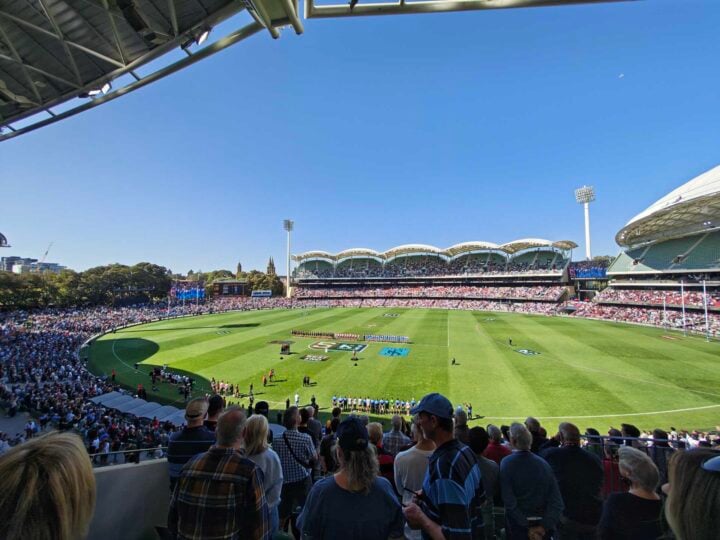
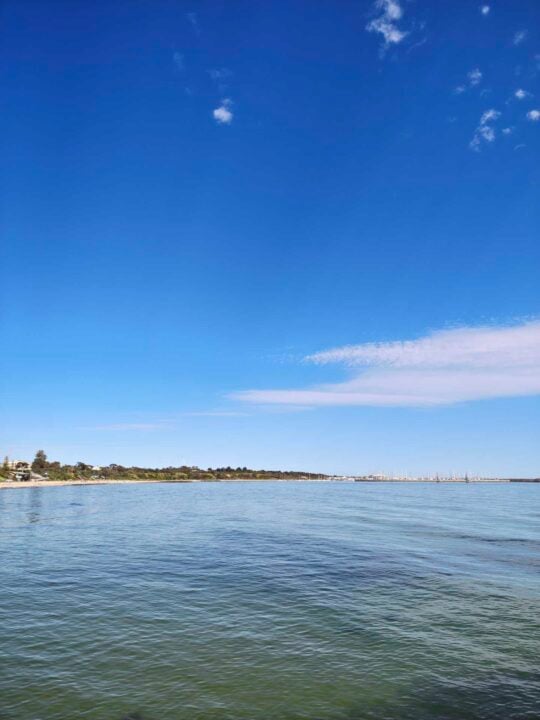
What you get with the Razr 70 Ultra is a reasonably good set of cameras that produce beautifully vibrant colours during the day. Its main camera in particular takes photos with crisp blue skies at the beach, while highlighting the pristine green turf of Adelaide Oval.
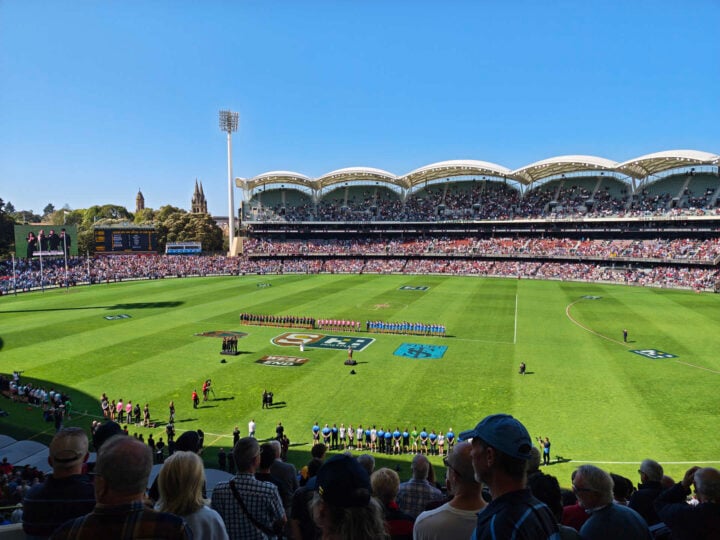
I did notice, however, some colour difference between the Razr 70 Ultra’s main camera and its ultrawide lens. Swapping to the ultrawide camera introduces a slight green tint to the colour temperature. It’s easily corrected in any decent editing software, but you’ll notice a difference straight out of the camera.

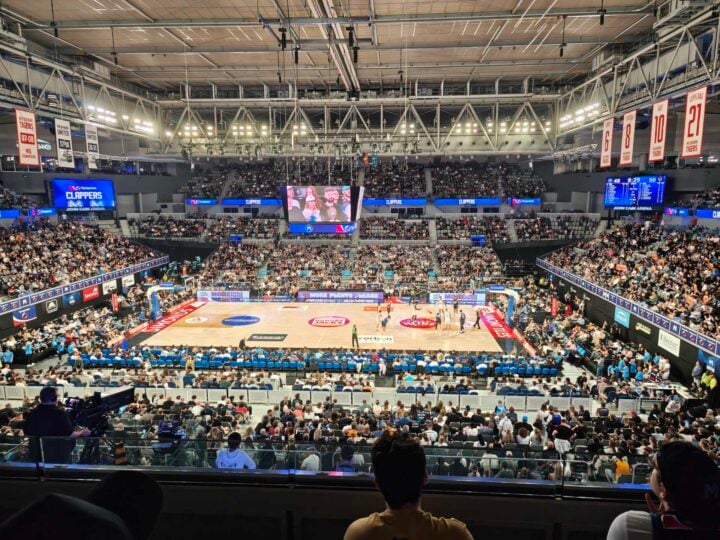
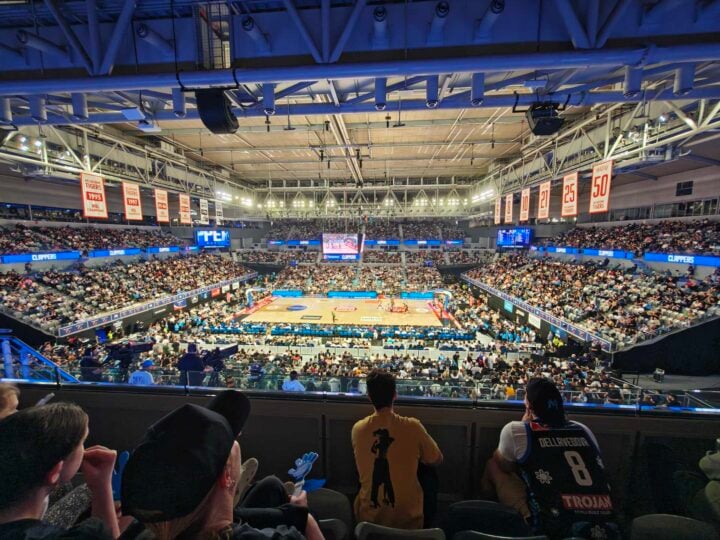
At night, Motorola’s flip phone works overtime to compensate for the lack of available light. While walking along Melbourne’s Docklands on a recent trip, I tried taking a photo of the cityscape, including Marvel Stadium. Compared to what I could see with the naked eye, the photo overexposed the night sky, making it look brighter than it was. I manually dialled down the exposure, which resulted in an image closer to real life, but the bright ‘Marvel Stadium’ signage remained overexposed.


One of the best things about flip phones (aside from how easily they fit in pockets) is how good they are at taking selfies. Using the generously sized outer screen to frame a shot using the main cameras should mean you get a better result than when using a standard phone’s lower-quality selfie lens.
As I found when snapping a family photo after a footy final, Motorola’s image processing system is overzealous. Rather than exposing for the people occupying most of the frame, it tried to evenly expose the entire photo, including the bright stadium lights in the background.
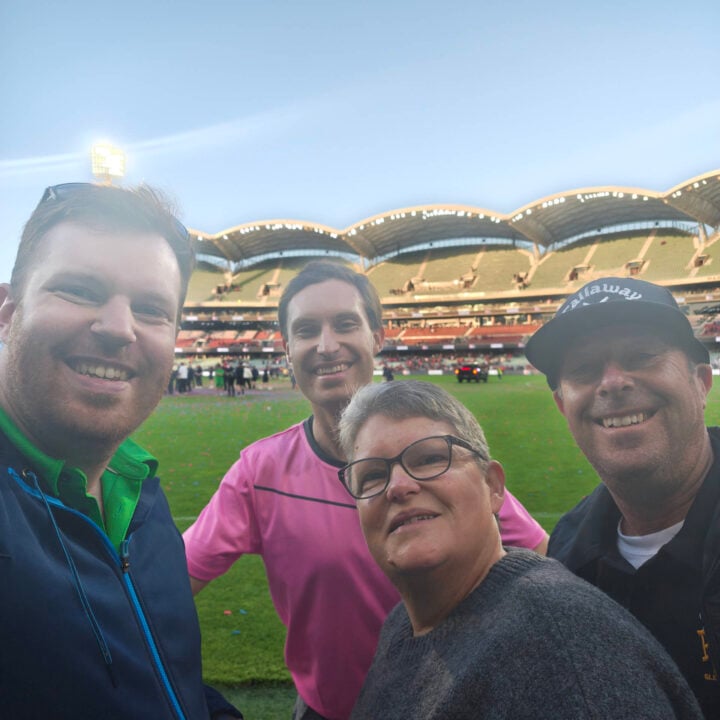
You can clearly see how the photo combines multiple exposures into one. There’s a ghost-like effect that makes it look like we were superimposed into the image after the event. This is not an issue exclusive to Motorola — nearly all modern phones try to average multiple exposures into one flat image — but it’s one of the more egregious examples I’ve seen.
So, for the best-looking photos, stick to evenly lit environments when you can.
Who is the Motorola Razr 70 Ultra for?
As far as flip phones go, the Motorola Razr 70 Ultra is a good showcase for the form factor. It’s slim, stylish, and fun to use. Once you add in the smooth everyday performance and sharp AMOLED screens, there’s not much else that could genuinely improve the core of this phone.
But at $1,999, it becomes a tough sell. Spend a few hundred dollars less, and you can get even more from a conventionally designed phone, like a telephoto camera with optical zoom. Alternatively, you could spend a few hundred dollars more and jump on the larger foldable phone bandwagon.
If a flip is your must-have form factor, keep an eye out for the inevitable discounts.
The post Motorola Razr 70 Ultra review: Stuck in the middle with you appeared first on GadgetGuy.