
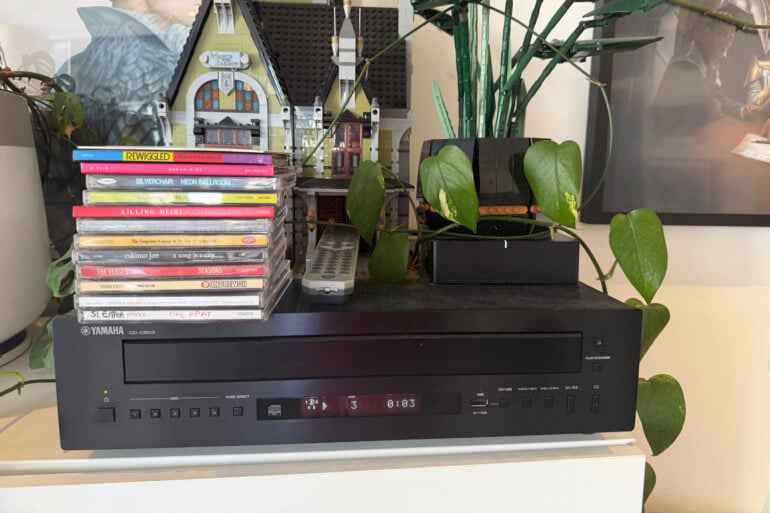
The ritual of putting on a piece of physical media can be so soothing. Taking a record out of the dust cover and then setting the needle can be meditative. Or, for me, selecting a physical CD, taking it out of the case, placing it in the CD player, and then flicking through the liner notes as the first song begins grounds me in the art. However, the convenience of digital cannot be denied. That’s why I love having a CD player integrated into my Sonos system. It allows me to have the best of both worlds, with barely any compromises.
If you’ve gotten back into physical media lately, here is my tip on how to make the most of all that is available to you (without spending audiophile money): Connecting a record player or CD player to a Sonos Port ($699) or Amp ($1,099) can give you multi-room audio using the physical media collection you’re so proud of.
How to connect a CD player to a Sonos speaker system
For most people, the Port will be the best fit. Here’s how to set it up:
- Plug the RCA cables from the record or CD player into the Sonos Port.
- Set up the Port in the Sonos app.
- Select your favourite album and start playing it on the CD player.
- Then stream the ‘Line In’ to at least one Sonos speaker you have in your home.
Then boom, you’re good to go.
This setup is best when you have multiple Sonos speakers at home (like the Era 100 and Era 300), or use Sonos for your home theatre setup, because then you can stream your record or CD player to every room in the house. It even works outside if you take your Sonos Play speaker around to the edges of your Wi-Fi network. If you don’t plan on using multi-room audio or streaming music as well, then this setup isn’t for you.
For my CD player setup, I use a Yamaha CD-C603, because I’ve always been a sucker for a five-disc changer. Plus, it’s super easy to use, and it looks sleek. It’s not as high fidelity as someone would want in an audiophile setup, but it’s more than good enough to use in a Sonos system. At $800, it’s definitely on the pricier side, but I enjoy the experience of using it so much that I think it’s worth every penny.
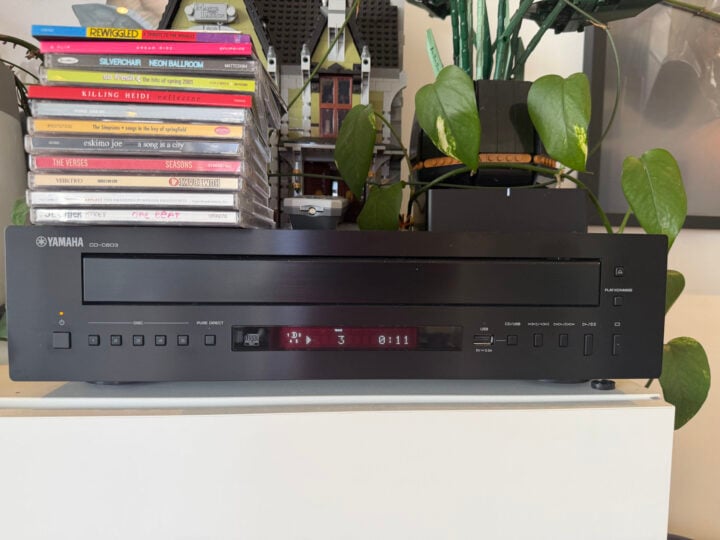
Streaming services don’t have everything, and nothing stays on there forever, as we’ve all learned the hard way. Being able to listen to the collections we’ve been building our whole lives will often be the superior option.
The Sonos Amp is for people who want to use their analogue speakers and components with Sonos. If you have a beautiful pair of standing analogue hi-fi speakers or outdoor speakers, you can connect them to the Sonos Amp to play music from streaming services. You can also plug your record or CD player into it to put the music through your analogue speaker and Sonos system. It’s essentially the Sonos Port, but more and with 125 watts per channel.
The post How to play CDs on your Sonos system and enjoy physical media appeared first on GadgetGuy.


0 comments:
Post a Comment