
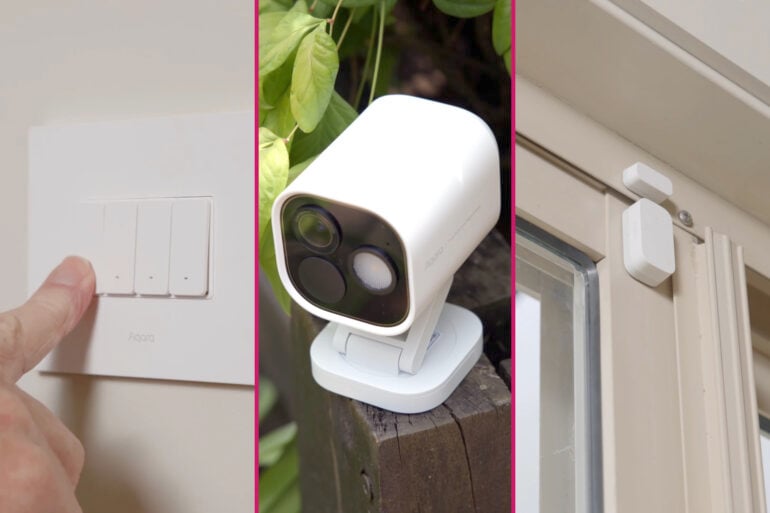
A modern smart home is all about automating the things that we do every day. Whether that’s turn on certain lights, set the air con to a certain temperature and fan speed, or even extend powered awnings, raise the shades, and – with a bit of clever configuration – set the pool robot to work.
This article covers my experience setting up my modern smart home using automation products from Aqara.
All about Aqara
Now, the broad steps and functions I cover in this walkthrough can apply to all sorts of home automation kit that’s currently on the market. But for my modern smart home, I used Aqara gear.
Aqara is a relatively new name to Australia, but the company has been designing and making smart home and IoT devices for almost a decade. It markets around 900 products and serves around 12 million users across 5 continents, and has won more than 300 international design and innovation awards.
Using a single brand of devices does have a bunch of advantages, since they can all be controlled through a single app, and they’re also going to work together smoothly.
But one of the reasons I chose Aqara is because the company makes interoperability a priority. So while all my new automation gear is Aqara, I can leverage Aqara’s support for Matter, SmartThings, Apple HomeKit, Alexa, and Google, to also access my older devices – and as you can imagine with a job like mine, I have a few. Aqara also lets me MAKE gear smart, basically anything that can be turned on or off via a wall switch, I can add to my Aqara smart home.
The role of the Aqara hub (and why it matters)
Many of Aqara’s smart home devices will work as standalone gadgets, and some communicate via the cloud and the app. But for full flexibility and control, I’ve started with an Aqara Hub M3.
This hockey puck-sized device packs a CPU and a whole lot of networking smarts, to act as a central bridge or, well, hub, to control all my Aqara devices and allow them to communicate with each other, not just with the Aqara app.
When I put together this system, I focused on how everything can work together, such as how a sensor detecting a person arriving at the house, can then trigger an automatic response from a completely different device
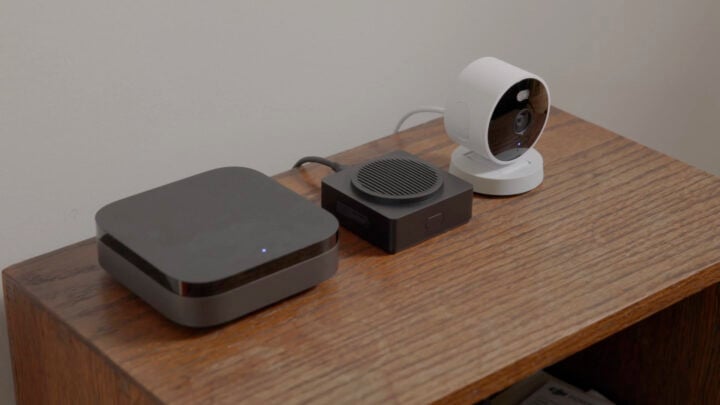
Since each Aqara device is connected to the hub, information can be passed between them. For example, when a door sensor detects the door opening, the hub gets that signal, which triggers a light to turn on, a security camera to record video, and even sends my phone a notification.
Beyond these simple triggers, I can also configure more precise conditions, such as turning on a light at a specific brightness based on the time of day.
Crucially, the Aqara Hub M3 lets me control other non-Aqara devices too, as long as they’re compatible with Apple HomeKit, Matter, Google Home, or Amazon Alexa. Obviously, this doesn’t just cover my older devices, it also covers new gadgets I might like to add further down the track.
Now, I’ve decided to use the Aqara app for my modern smart home, but another bonus of the Aqara Hub M3 is that it lets you integrate Aqara devices into other smart home systems. So if you already have a Google Home set up, you can add an Aqara Hub M3 and control a wide range of Aqara devices using the Google Home app.
To be honest, I didn’t realise how important the hub was until everything was running. It’s the bit that makes the devices feel like a system instead of a collection of gadgets.
Devices used in the setup
Sometimes a smart home can be about reducing the number of switches you flip, so a single tap in the app can switch on all the living room lights, and set their colour, and so forth.
But I wanted to take things to the next level. I wanted a modern smart home that responds mostly to time-of-day, and to the presence of people (such as me!). So when I left in the morning, and came home at night, the smart home automatically does those things I usually don’t think about. Switching on lights, setting AC temperature, extending awnings and opening or closing blinds, and so on.
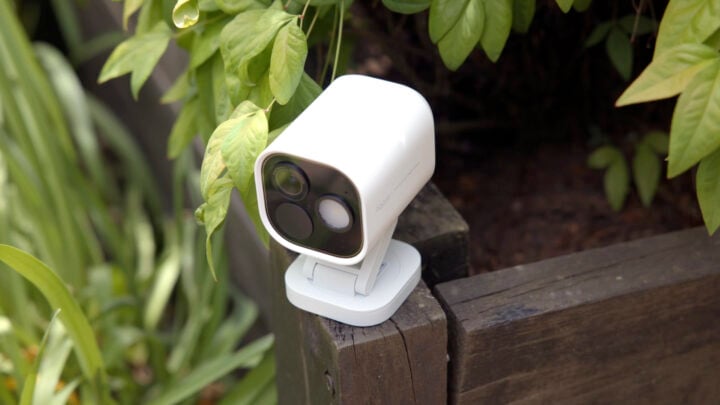
I also wanted to increase my peace of mind about certain aspects of running a full-sized home. That meant covering security, but Aqara also let me add some other things, such as a water leak sensor. Here’s the full list of everything that went into my modern smart home:
- Aqara Home app
- Aqara Hub M3
- Aqara Smart Lock U100
- Aqara Smart Video Doorbell G4 with Chime
- Aqara G100 camera
- Aqara Hub G5 Pro camera
- Aqara Roller Shade Driver E1
- Aqara Smart Light Bulb
- Aqara Temperature and Humidity Sensor
- Aqara Presence Multi Sensor FP300
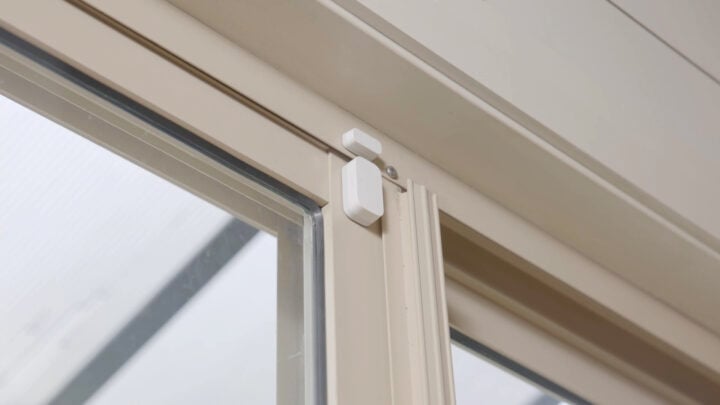
- Aqara Door and Window Sensor
- Aqara Water Leak Sensor
- Aqara Smart Wall Switch H2
- Aqara Wireless Mini Switch
Setting up
Installing this plethora of devices was even easier than I imagined. Aqara includes a full installation kit in the box but, for me, heavy-duty double-sided tape was the key. It lets me mount sensors, cameras, the doorbell and more, in a way that’s simple and durable, but also non-permanent.
This means I can take my kit with me if I ever move, or maybe more likely in the short term, I can upgrade individual devices if Aqara brings out an even more powerful or flexible new version.
For things like the Roller Shade Driver E1 and the Water Leak Sensor, installation took a bit of planning. And, of course, I had to pull the dishwasher out to mount the water leak sensor behind it. But as DIY jobs go, it’s simple stuff. A measure here, a check there, and then the device is ready to be added to the system.
It really is as straightforward as downloading the Aqara app, and creating an account for my modern smart home system.
Then I pair my account and phone with my Aqara Hub M3. The app provides easy-to-follow instructions for how to do this, which buttons to press or hold, how to add the hub to my Wi-Fi and so on.
A top tip here, for the hub to work I needed my home Wi-Fi to have its 2.4GHz network active, and my phone had to be able to temporarily join that network for setup. So I had my password and SSID to hand as well.
Once the hub is set up, the Aqara app is ready to start adding devices – or Accessories as they are called in-app – by tapping the plus icon and following the instructions.
Some devices appear automatically, but some need to be put in pairing mode. I was able to choose the device I knew I had, then follow the instructions for how to make it detectable.
All in all, it was a simple process, and since everything I was setting up was an Aqara product, it went smoothly.
Everyday automation in practice
As I’ve already mentioned, my goal with the system was to create sequences or chains of automation, so one simple action – such as unlocking the front door with my biometrics – then causes a bunch of automations to occur. This means I can just focus on what I want to do next, instead of first having to run around the house turning on lights or starting appliances.
My automations include:
- Blinds, lights, and AC turn on when the door lock is opened
- Lights turning on when movement is detected
- Devices switching off when rooms are empty
- Alerts appearing when doors or windows open
- Cameras activating when motion occurs
- Blinds opening and closing with sunrise and sunset
- AC, TV, and lights switching off as one at bedtime
- Door unlocking when face is recognised
- Voice alert broadcast from Hub speaker when water leak is detected, and notification sent to smartphone
Individual devices can do this or be controlled to do this via the app, but a little basic “programming” makes it all happen automatically.
It’s as simple as going to the Automation section in the app and tapping the plus icon to create a new sequence. It’s all about basic WHEN and THEN actions.
So WHEN a motion sensor detects movement in the lounge, THEN a smart plug connected to a corner lamp turns on. Really, you’re only limited by what occurs to you.
And those smart switches are key actually, to being able to add legacy devices like external floodlights and awnings.
You stop ‘using’ the technology pretty quickly. It just becomes part of how the house works.
Access and visibility
One of the most important aspects of a modern smart home is the way cameras and sensors connected allow you to check what’s happening at home, from anywhere.
With my Aqara app set up and logged in with an account, I can use my phone to check my doorbell camera, and security cameras. And it’s not just about being proactive – if an event occurs, such as a camera detecting a delivery, then I’ll get an alert on my phone, and a quick clip of what’s going on.
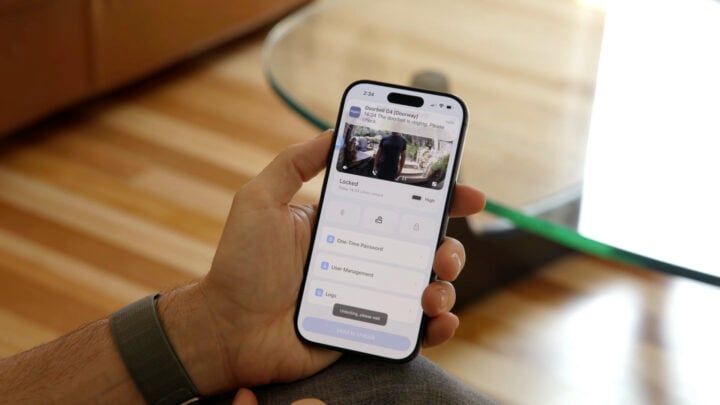
It’s also great for peace of mind, because with the app I can confirm my doors are closed, and everything that should be switched off actually is.
It’s not about monitoring everything — it’s about knowing what’s happening if you’re not there.
Final takeaway
I certainly have no regrets in getting my home up and running as a modern smart home. It wasn’t complex or overwhelming, in fact with a central hub to manage all my connected devices, it was surprisingly simple.
And while I can go mad with lots of devices – Aqara certainly has an impressively wide range – that’s not really what this is about. It’s about reducing those small daily tasks and letting the home respond on its own.
If there’s one main thing I’ve discovered in this process, it’s that the real value of a smart home isn’t in how many gadgets and devices you connect to it. It’s about having fewer things to worry about.
The post How I set up a smart home (and what I learned along the way) appeared first on GadgetGuy.


0 comments:
Post a Comment