SignTime will allow Apple customers who are d/Deaf or hard of hearing to use sign language when visiting the Apple Store or using Apple Support. The initiative has been used in the US and other territories for a while, but it’s only now coming to Australia and Japan. Fun fact: SignTime is called HandTime in Japan.
How does SignTime work?
To book a session with an interpreter, all you need to do is follow these steps:
Select your language from the drop-down menu (American Sign Language (ASL), British Sign Language (BSL), Auslan, Japanese Sign Language (JSL) or French Sign Language (LSF)
Give the site permission to access your camera and microphone and connect with the interpreter
The interpreter will then contact Apple Support and translate your conversation
In a statement, Sarah Herrlinger, Apple’s Director of Global Accessibility Policy and Initiatives, wanted to ensure that more people around the world can access the important service.
“At Apple, we build accessibility into everything we do and we are constantly working on ways to support our customers and help them get the most out of their technology,” Herrlinger said. “With SignTime, we’ve created a seamless, personalised experience for our signing customers and we’re excited to bring this service to our customers in Australia and Japan.”
For many d/Deaf and hard of hearing people, Auslan (or other sign languages) are often their first language, with English and other spoken languages being their second or third language, which can make subtitles and other forms of written communication less precise for their needs. That can be a real problem for someone purchasing an expensive computer or discussing a complicated technical issue.
This comes as part of a wider tech and entertainment industry push for better accessibility. Another recent notable inclusion of sign language speakers is Forza Horizon 5, which last year added ASL and BSL support for cutscenes. Hopefully, more games and technology companies will include Auslan in the near future.
Global gaming phenomenon Fortnite regularly features spectacular in-game concerts from some of the world’s biggest artists like Ariana Grande and Travis Scott. Soon, there’ll be some local talent on show, courtesy of The Kid Laroi and Fortnite teaming up to present the “Wild Dreams” interactive musical experience.
Perhaps best known for “Stay”, his hit collaboration with Justin Bieber that dominated Spotify Wrapped 2022, Kamilaroi man The Kid Laroi now lends his likeness to the virtual stage. As part of the Fortnite Icon Series, you’ll be able to visit the in-game Wild Dreams island to experience his rise to stardom.
The Kid Laroi Fortnite experience details
Starting from 10 AM AEDT this Saturday, 28 January 2023, Wild Dreams you can jump into Wild Dreams via Fortnite‘s Discover screen or using island code 2601-0606-9081. From here, you’ll encounter the cyber-themed city known as “Laroitown” where you’ll attend a Laroi concert, featuring well-known tracks, a new song releasing this Friday called “Love Again”, plus three unreleased songs.
Afterwards, you can then hang out with the digital likeness of Laroi at the Afterparty. This phase showcases his young career to date, soundtracked to the Wild Dreams mix. Plenty of people teamed up to make The Kid Laroi Fortnite event happen, with the in-game islands built by Alliance Studios, Team Atomic, and TheBoyDilly, featuring a video directed by Adrien Wagner and produced by La Pac. Alliance Studios previously created other local Fortnite experiences including the Soundwave Series: Tones and I, and Lands Down Under.
The Kid Laroi cosmetic packThe Rogue Laroi cosmetic pack
Of course, it wouldn’t be Fortnite without loads of digital collectibles to obtain, and Wild Dreams is no different. There are The Kid Laroi cosmetic outfits available to purchase in addition to unlockable music tracks, sprays, and artwork from completing in-game quests. These quests go live at the same time as Wild Dreams, but only last until 4 February Australian time. Meanwhile, the rest of the Wild Dreams content lasts until 8 AM AEST on 28 April 2023.
Dead Space: a horror game icon joins the fray
The Kid Laroi and Fortnite aren’t the only ones playing together: Isaac Clarke from the sci-fi horror game series Dead Space is also making an appearance. For $17.55, you get a cosmetic pack featuring the protagonist’s iconic armour and a series of Strange Transmission Quests that will net you up to 1,500 V-Bucks you can spend on other Fortnite goodies.
It comes ahead of this week’s launch of the Dead Space remake, about surviving a derelict ship filled with countless horrors. As with any cross-brand collaboration in Fortnite, it’ll look strange seeing such a gritty character running around a notably more vibrant world. Given the sheer range of popular media represented in Fortnite already, the genie’s well and truly already out of the bottle.
Virtual concerts are a unique way for artists and fans to connect in new ways while providing another revenue stream. Often dazzling in scope and presentation, the in-game concerts are cool activities to participate in, especially for the entry price of free.
In the meantime, Fortnite Chapter 4 Season 1 continues on, with Geralt from The Witcher series due out soon. Interestingly, The Kid Laroi’s in-game concert will cross over between seasons, with the current one slated to end on 10 March, while Laroi’s event lasts until the end of April.
Advanced Data Protection increases iCloud data security
A feature US users got with iOS 16.2, the rest of us now have access to Advanced Data Protection for iCloud. In a nutshell, it’s a new optional setting that enables end-to-end encryption for more native Apple apps that store data via iCloud. When turned on, it means data from apps like Photos and Notes are safe, even in the event of a breach, because Apple doesn’t have access to your data.
However, the end-to-end encryption from Advanced Data Protection means Apple can’t assist with data recovery if you lose access to your account. Instead, only devices you designate as trusted contain the encryption keys to access data, meaning you also need to assign a recovery contact or save a recovery key in case the worst happens.
Full support for the new HomePod smart speaker
iOS 16.3 preps iPhones for the recently announced HomePod 2nd gen smart speaker so you can take advantage of its new features while unlocking dormant functions of the HomePod Mini. This includes temperature and humidity sensors that allow you to operate Siri and set climate adjustment automations. Getting too hot? The HomePod will sense that and activate smart home-connected devices, like fans and air conditioners, in response.
Other HomePod features enabled by the latest software update include notifications for smoke and carbon monoxide alarms, and the ability to ask Siri to locate family members’ devices using Find My.
iOS 16.3 gets physical with Security Keys authentication
This one’s for the hardcore security-conscious types. Added with iOS 16.3, Security Keys for Apple ID enables the use of a physical security key as part of two-factor authentication. It’s another layer of security now supported by Apple as part of its commitment to data privacy. Continuing the privacy and security theme, Apple is beginning to offer free in-store Taking Charge of Your Privacy on iPhone sessions to help people get up to speed.
In terms of security keys, companies like Yubico produce devices you can plug into your computer or phone, or connect via NFC, to provide a hardware-based method of securing your logins. You can even ditch separate authenticator apps in some instances because the physical key serves the same purpose.
Full iOS 16.3 update notes and iPhone compatibility
With every software update, there are also several other changes that might fly under the radar. As listed on Apple’s support website, here are the full update notes:
New Unity wallpaper honours Black history and culture in celebration of US Black History Month
Security Keys for Apple ID allow users to strengthen the security of their account by requiring a physical security key as part of the two-factor authentication sign-in process on new devices
Support for HomePod (2nd generation)
Emergency SOS calls now require holding the side button with the up or down volume button and then releasing in order to prevent inadvertent emergency calls
Fixes an issue in Freeform where some drawing strokes created with Apple Pencil or your finger may not appear on shared boards
Addresses an issue where the wallpaper may appear black on the Lock Screen
Fixes an issue where horizontal lines may temporarily appear while waking up iPhone 14 Pro Max
Fixes an issue where the Home Lock Screen widget does not accurately display Home app status
Addresses an issue where Siri may not respond properly to music requests
Resolves issues where Siri requests in CarPlay may not be understood correctly
To update your iPhone, open Settings>General>Software Update, and then follow the prompts to install the new software. Devices already compatible with iOS 16 can update, including:
Nanoleaf, the company well-known for its smart light and modular smart home technology, recently announced five new devices that will take advantage of Matter, the smart home protocol enabling different brands’ products to connect seamlessly. One of the flashiest reveals involved the Nanoleaf 4D, a smart light kit with a camera that monitors your TV to help bathe your room in corresponding colours.
Revealed at CES 2023 earlier this month, the five new pieces of Nanoleaf kit include three entries in the Sense+ Controls range, the modular Nanoleaf Skylight ceiling fixture, and the Nanoleaf 4D TV pack. All of the new items are expected to launch this year in addition to the Matter-supported Essentials range announced last year.
Nanoleaf Sense+ Controls introduce an assistant
First up is the Sense+ Controls range, designed for a hands-free smart lighting system. Here, you’ll find three products: a hardwired Smart Light Switch, a Wireless Smart Switch, and the Nala Learning Bridge.
While the switches are fairly self-explanatory, the Nala Learning Bridge serves multiple functions. Nala is the name of Nanoleaf’s new smart learning assistant that automatically personalises lighting settings based on your preferences. This includes turning lights on or off, and adjusting brightness and colour settings, all without your manual input. The idea is that over time, Nala will implement usage data to manage your smart light system for you.
As well as supporting Matter, the Nala Learning Bridge also functions as a Thread Border Router, while also providing a colour-changing night light to help you navigate in the dark. At this stage, the Sense+ Controls range is scheduled to launch during Q3 this year.
Nanoleaf 4D: an immersive TV lighting experience
If you’re worried about why a smart light system would need or include a camera, don’t stress. Included in the Nanoleaf 4D TV Smarter Kit is a Screen Mirror Camera that sits in front of your TV pointed directly at it.
Why does it do this? Well, it provides info for the accompanying Smart Addressable Lightstrip to synchronise with the TV, mirroring the picture and lighting your room in matching colours. To do this, it uses Sync+ technology, which can also be used to beam different presets to other Nanoleaf smart lights, immersing your entire room in dazzling light shows.
The Nanoleaf 4D TV Smarter Kit launches in Q2 this year, with different length options suited to TVs between 55-65 inches and 65-85 inches.
Bask in the smart light glow of Nanoleaf Skylight
Operated over Wi-Fi, Nanoleaf Skylight is a series of modular square-shaped RGBW LED panels you can place on the ceiling to offer ambient lighting in over 16 million different colours. You can also opt for a more conventional white lighting if you choose. Along with several other Nanoleaf features, the Skylight panels also function as a Thread Border Router in addition to housing Sense+ sensors for smart light animations and automations.
With more smart home technology supporting Matter, it should theoretically make it even easier to play with fancy smart lighting. Nanoleaf 4D seems like a natural extension of the existing range of TV lighting technology and could create an even more immersive experience.
After an announcement-packed CES 2023, Samsung announced that it’s bringing the Odyssey G6 gaming monitor to Australia, offering QHD resolution and smart TV features.
While much of the Samsung 2023 monitor lineup doesn’t have confirmed local release details just yet, the Odyssey G6 is out now, adding to the company’s smart display range.
Samsung Odyssey G6 gaming monitor details
Available in 27-inch and 32-inch versions, the Odyssey G6 comes as a result of a survey Samsung conducted, indicating that behind work use, entertainment and gaming are the most common ways people use monitors. Both sizes have QHD resolutions of 2,560 x 1,440, a high 240Hz refresh rate, a DisplayHDR 600 rating, and 1000R curvature. Under the hood, it uses Samsung’s proprietary QLED lighting technology to drive the VA panel’s picture.
Adding to its gaming capacity, the G6 also features a 1ms response time and AMD FreeSync Premium Pro technology to limit screen tearing. Additionally, you can check gaming settings on the fly using Game Bar, which displays your frames per second count, HDR settings, and quickly adjust display settings. The monitor can also display content in either 16:9 or ultrawide 21:9 ratios, giving you more options when gaming.
One of the Odyssey G6’s big selling points is that it’s the first time Samsung has included its Smart TV Hub with 27 and 32-inch gaming monitors. Whether you want quick access to work cloud software or popular streaming apps, you can do so by connecting wirelessly to a Windows or Mac device. Not just that, but you can also use mobile mirroring technology like Samsung DeX and AirPlay 2 to cast device content to the display. Additional smart functionality includes in-built voice activation using Samsung Bixby.
You can pivot the monitor to suit your preferences
Another helpful feature if you’re running a multi-display workstation, the Samsung Odyssey G6 can swivel, tilt, and adjust to fit alongside your other monitors. While rotating a screen vertically may not be practical for most games, it’s something likely more helpful in a productivity context where you can stack windows to see everything at once.
Availability and pricing
Out now, the Samsung Odyssey G6 gaming monitor starts at $949 for the 27-inch model and $1,099 for the 32-inch size. You can find it on the official Samsung Online Store and many of the usual specialist tech retailers.
As for the rest of Samsung’s 2023 monitor range, the Odyssey OLED G8 is due out here in the next couple of months, while we’re waiting to hear about the Odyssey Neo G9 and Odyssey OLED G9 displays.
For a 1440p monitor with a 240Hz refresh rate and integrated smart TV features, the Odyssey G6 looks like a reasonably priced option for gamers who want an all-in-one display.
After much anticipation, Sony’s follow-up virtual reality (VR) headset, the PlayStation VR2, is almost here. Most importantly, we now know about each PlayStation VR2 game you can play once the device launches.
Confirmed for a 22 February launch, the PlayStation VR2 will cost $879.95 here in Australia, or $959.95 for a bundle including the platform-exclusive game Horizon Call of the Mountain. Unlike devices like the Meta Quest 2 that operate without additional hardware, you also need a PlayStation 5 to use the PlayStation VR2.
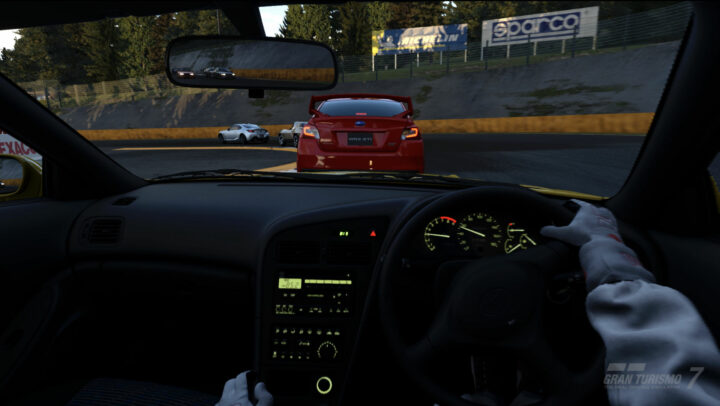
Alongside the tentpole release from Guerrilla Games and Firesprite, Sony recently revealed that the PlayStation VR2 game launch lineup includes more than 30 titles due out by the end of March. This includes brand-new games, ports from other VR platforms, and free updates to popular entries like Gran Turismo 7, Resident Evil Village, and No Man’s Sky.
Many of the software scheduled for release over the next couple of months come from independent developers with extensive VR experience. Other than immersive experiences from major studios, slapstick comedy is inherent to the format, so keep an eye out for Job Simulator and Vacation Simulator from Owlchemy, and What the Bat from Triband, known for their hilarious previous game What the Golf?
Launch window PlayStation VR2 game list
Gran Turismo 7
Here’s the list of games from Sony intended for release during the PlayStation VR2’s launch window through March. Bear in mind, release dates could change between now and then:
After the Fall (Vertigo Games)
Altair Breaker (Thirdverse)
Before Your Eyes (Skybound Interactive, launch window)
Cities VR (Fast Travel Games)
Cosmonious High (Owlchemy)
Creed: Rise to Glory – Championship Edition (Survios, launch window)
The Dark Pictures: Switchback (Supermassive, launch window)
Although the current PlayStation VR2 game list contains mostly remasters and upgrades of existing titles, it’s an impressive range nonetheless. One thing worth looking forward to is the substantial visual quality increase over Sony’s first VR gaming headset. Playing highly-acclaimed games like Moss and Tetris Effect: Connected through two 2000 x 2040 OLED HDR screens will be spectacular. Sony also confirmed that the popular rhythm game Beat Saber is coming to the platform, just not at launch.
Thumper
Aside from a decent PlayStation VR2 game launch window, content creation and safety are major areas of improvement. Similar to other recent VR headsets, Sony’s new device lets you set designated play boundaries and view your surroundings without needing to remove the peripheral. It also supports native gameplay broadcasting using a PlayStation 5 Camera, letting streamers share footage more easily.
You can pre-order the PlayStation VR2 now from gaming and tech retailers including Amazon:
With a paper-like colour display, the TCL NXTPAPER 10s tablet is designed to reduce eye strain and improve both the reading and writing experience on a tablet.
Tablets like Apple’s iPad and the Samsung Galaxy Tab aim to be jack-of-all-trades devices, but a vivid backlit screen isn’t always best suited to the task at hand. That’s why the etch-a-sketch style e-Ink displays, found on e-book readers like the Kobo and Amazon’s Kindle, are still popular with avid readers looking to avoid eye strain.
TCL’s NXTPAPER technology aims to offer the best of both worlds. While the NXTPAPER 10s features a backlit IPS LCD screen and runs Android, the display has a matte finish to reduce glare. It also uses a few other tricks to reduce eye strain, plus the finish on the display is designed to help a stylus glide more smoothly across the screen.
Before you even power up the TCL NXTPAPER 10s, the difference in the display compared to a normal tablet is clear. The matte finish ensures minimal glare so, unlike most displays, you can’t see your face reflected in the black screen.
It’s also clear that the 10.1-inch display is designed to be used in landscape mode, with a wide 16:10 aspect ratio. When you hold the tablet sideways, the front and rear cameras are at the top – with the protruding rear camera preventing the tablet from sitting completely flat on a table.
Held this way, the power and volume buttons sit at the top left corner, where they can be easily reached with your thumb and pointer finger. Speakers are built into each side of the screen to offer stereo sound, with a USB-C port on the left but no headphone jack.
Finally, you’ll find a micro-SD slot at the top and a connector across the bottom for attaching to an optional keyboard case. At 490 grams, the tablet is a little heavy for its size but it’s still comfortable to hold.
Fire up the tablet and the display looks a bit flat, dull and fuzzy compared to the bright, vivid super-crisp displays found on high-end tablets like the iPad and Galaxy Tab. That’s because, for better or for worse, TCL has deliberately toned it down to look more like a piece of paper.
The display uses 10 layers of protection to lower blue light output by 73 per cent, with a focus on retaining natural colour representation. The technology won the 2022-23 Best Product In Tablet Innovation award from the Expert Imaging and Sound Association in Europe.
TCL claims NXTPAPER has higher contrast for better viewing, compared to traditional e-ink screens, or typical LCD screens. It’s also lighter, thinner, and offers more than 65 per cent better power efficiency.
That said, the display makes a fairly poor first impression if you don’t appreciate all of this and you’re just expecting a normal tablet screen. Whether it’s right for you depends on how you’ll use the tablet.
The TCL NXTPAPER 10s is a little heavy for its size, but is still slender and comfortable to hold.
TCL NXTPAPER 10s tablet specs
Display size
10.1 inches, 16:10 aspect ratio
Display resolution
1920×1200 pixels
Display technology
TCL NXTPAPER IPS LCD
Chipset
MediaTek MT8768
GPU
650MHz PowerVR GPU
Rear camera
8 MP auto-focus
Front camera
5 MP fixed-focus
RAM
4 GB
Onboard storage
64 GB
microSD slot
Yes
Charging
USB-C 18 W
Battery
8000 mAh
Wi-Fi
Wi-Fi 802.11 a/b/g/n/ac 2.4 GHz + 5 GHz
Bluetooth
5.0 A2DP, LE
Operating system
Android 11
Security
Face Unlock
Dimensions
H 241 mm, W 158.6 mm, D 8.3 mm
Weight
490 gm
Features
Under the bonnet, the TCL NXTPAPER 10s packs a very modest MediaTek power plant accompanied by 4 GB of RAM. It has enough grunt for day-to-day tasks and basic content consumption, but it’s likely to frustrate those who tend to push their devices to the limit.
Likewise, the quality of the front and rear cameras is enough to get by but will disappoint those with an eye for detail. That said, it’s not a great screen for viewing photos or videos.
Fire up Netflix and the sound isn’t too bad, thanks to the stereo speakers. Yet when it comes to the picture, you lose a lot of detail in the dark scenes because the image is so dim and murky.
NXTPAPER’s strengths should shine through when reading on the screen but, rather than be impressed with the lack of glare, it’s easy to be frustrated by the fact the image is so dim and murky. If you expect it to look like a printed page, you’ll be disappointed.
Even at full brightness, the dull image creates contrast issues because the whites aren’t white enough. This actually makes it harder to read, even when inside. Take the tablet outside in the sunshine and it’s all but impossible to read what’s on the screen.
Dive into the menus and you can enable a dedicated monochrome reading mode, which is an improvement, but you’ll still probably want to override the automatic brightness option and turn it up to full brightness.
When it comes to content creation, the screen works with any passive stylus, although TCL doesn’t supply one in the box. A stylus does slide nicely across the screen, but it’s not that much of an improvement on the experience of writing with an Apple Pencil on an iPad – which offers a lot more functionality.
Alternatively, you can attach the optional keyboard case. At this point, the tablet engages PC mode to give Android a bit more of a desktop feel. Unfortunately, it’s a small, plastic, clackity keyboard which isn’t great to type on, plus the cover holds the screen at an awkward angle which you can’t adjust.
NXTPAPER technology’s efforts to create a paper-like experience come at the expense of overall image quality.
GadgetGuy’s take
While NXTPAPER technology is a great idea and the TCL NXTPAPER 10s is a noble effort, unfortunately there’s no use case where it’s a better option than the alternatives. While it might reduce eye strain, the dim, murky and washed-out image means it’s frustrating to use, whatever the task.
If you’re primarily interested in reading books, then you’ll find an e-Ink device like the Kindle Paperwhite is sharper, clearer and easier to read – with the added benefits of easy library access and extended battery life.
If you’re primarily interested in consuming multimedia, then you’d benefit from the improved brightness, contrast and overall picture quality of a normal tablet. For $499 you’ll find pretty decent Android tablets, while a few more dollars gets you into iPad territory.
If you’re primarily interested in a note-taking device, then you’d be better off with a tablet that supports an active stylus and a better keyboard cover.
TCL NXTPAPER 10s tablet: easy on the eyes (review)
NXTPAPER technology's efforts to create a paper-like experience come at the expense of overall image quality, meaning the TCL NXTPAPER 10s isn't for everyone.