
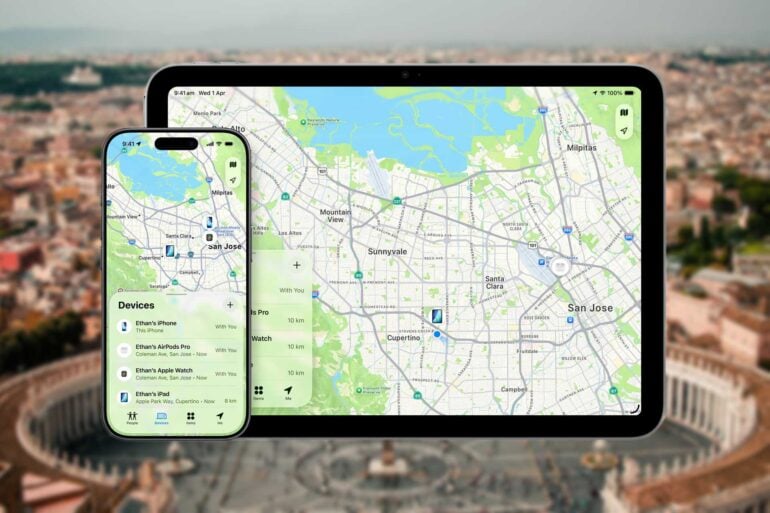
My wife’s iPhone 13 Pro recently travelled with us from home here in Canberra, to London, then Rome, then Assisi, then to Rome again, and then to… Algeria.
That last part of the journey was not with us.
In May, we returned from a few days in Assisi, Italy, to Rome. I’d never been to Italy before, so it was all new to me. I’d certainly recommend Assisi, especially in early May when the Spring Festival, Calendimaggio, is happening. We caught the train back to Rome, and then boarded the 64 bus to get to Campo de’ Fiori, the plaza normally populated by open-air markets, where Giordano Bruno was burned at the stake for heresy in 1600, and where our digs were for the next week or so.
My wife was navigating on her phone, trying to make sure we got off at the right stop on Corso Vittorio Emanuele II. The bus was incredibly crowded. It stopped. We got off. And her iPhone 13 Pro was gone.
Who did it? There was a suspicious-looking character with a full garbage bag on the bus. Or was it the charming pair of English and Australian men with whom we engaged in conversation, and who got off at the same stop, even helping us with our luggage, but who then disappeared very quickly indeed?
So there we were, somewhere near our destination. But all the details of our trip, and the tickets for tours we’d bought, were on her phone. Not mine. My wife remembered enough about where we were heading for me to find it on my phone. There we went, got greeted by the owner and received a briefing on the unit. All the while, I was jumping up and down internally to do something about the phone. My wife usually just lets the phone lock itself when she’s finished using it, so there was a good chance it was unlocked when it went into her pocket on the bus, distracted as she was by conversation and navigation. Which means, a good chance it was unlocked when it was lifted by whoever.
Which means, ready access to Apple Pay.
Tracking the lost device with Find My iPhone
Once we were free, we got to work. I whipped out the MacBook Air I had brought with me, and we went to Find My iPhone. I use Chrome on all my devices and sometimes access my wife’s accounts to do various things for her, so this worked! Chrome entered her logon details. We saw that her phone had gone back to somewhere near the train station on which we’d boarded the bus. I checked our bank accounts, and there had been no unexpected activity on them. After a while, it seemed clear that the phone had been locked, either by my wife or by the thief or by a simple time-out.
That was a relief!
We considered things briefly. The chances of recovering the phone? Less than one per cent. We weren’t going to chase criminals through a foreign city. So we decided to make sure things were secure. When you click on your device in iCloud’s ‘Find Devices’ and select one of them, in addition to it showing you a map with the location, it gives you three options: ‘Play Sound’, ‘Lost iPhone’ or ‘Erase’.
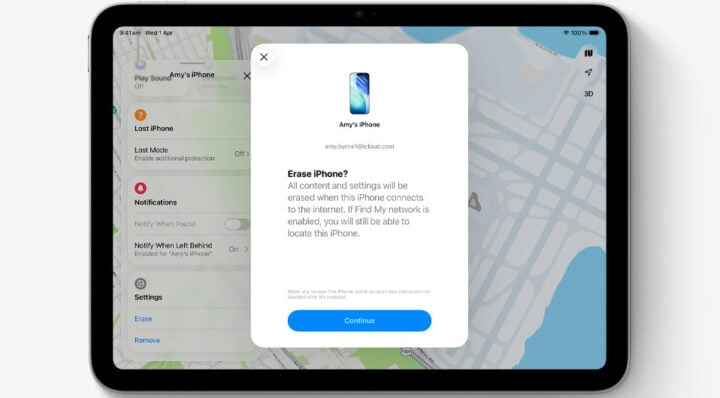
We mourned the phone for a few seconds, then clicked ‘Erase’. Damage limitation was now the objective. That popped up a two-factor authentication screen on the computer, asking us to enter the “verification code” which “has been sent to your devices”. By “your” it meant my wife’s. My wife’s only other Apple device was an ancient iPad Mini which was sitting in a drawer under our TV 16,000 kilometres away. Presumably the erase code had also been sent to the stolen iPhone.
Fortunately, there was a link under the authentication message: “Cannot access your devices?” We clicked on that and were delivered a message which cautioned us it might take a while to verify my wife’s identity if we proceeded. We clicked ‘Continue Anyway’, and the next step was for Apple to send an authentication code to my wife’s email address. We clicked ‘Send Code’, and then I went to Gmail on Chrome. I’ve accessed my wife’s email plenty of times. Hey, we’ve been married for more than forty years! We trust each other with this stuff!
But I’d never accessed her Gmail account using the MacBook Air. I normally used my Windows desktop computer. Gmail was suspicious. It wanted two-factor authentication … sending a code to my wife’s iPhone 13 Pro. Which of course was in the hands of some thief somewhere in Rome. It offered no other options.
I guess they call that a Catch-22.
The Italian job
We gave up on the ‘Erase’ strategy and selected ‘Lost iPhone’ instead. That did not require the same level of authentication. It simply made sure the phone was locked, and allowed us to place a message on the lock screen about who to contact should it be found. That we did. The next day, Find My iPhone had lost contact with it.
Reasonably confident that my wife’s information, while not erased, would be pretty secure, we did a little research. Apparently, phones with decent security, like iPhones, which are stolen, are usually sent somewhere to be broken down for spare parts to be resold. So, no identity theft, no attempts to empty our bank account.
It was a pain, but we reported the theft at Stazione CC Roma-Piazza Farnese to a nice policewoman, and when we got home, travel insurance covered some of the cost. It turned out that my Samsung Galaxy did have access to my wife’s email account. I must have previously used it at some point for that purpose. So we were able to retrieve all the necessary information about the rest of our trip, and we must have got the ‘Erase’ option started. Since by this time Apple had lost contact with the phone, the actual erasure would have to await someone switching it on. Even when switched off, the phone would have continued casting its presence for 24 hours, but then it would have disappeared.
The theft was on 11 May.
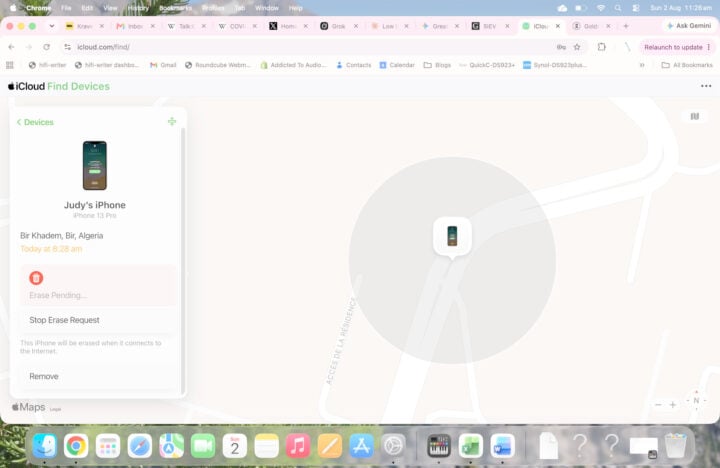
Then, the other day, 2 August, my wife received an email from Apple: “Judy’s iPhone was found near Bir Khadem Bir Algeria at 23:28 CET”. The time stamp was 8:28 am our time.
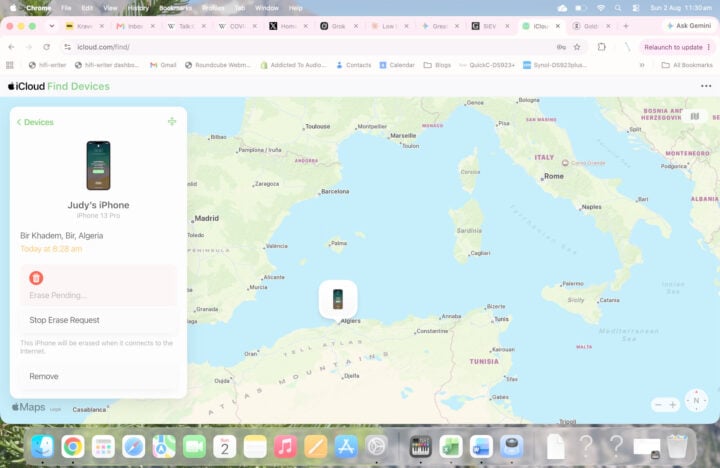
It took two and a half months for the stolen phone to make its way from Rome to Algeria, Birkhadem, a couple of kilometres from the centre of the capital, Algiers. It is around there that it will presumably be broken down for parts. I imagine that the people in Algeria powered it up briefly to make sure that the screen was in good nick. And then switched it off again, because it hasn’t appeared again since then.
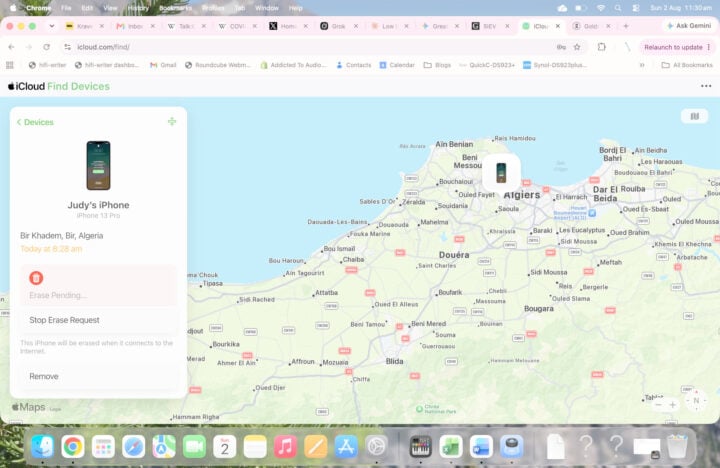
As I proofread this a couple of days later, Find My Phone has lost the location (it only holds it for 24 hours), and shows “Erase Pending…” If it does come online again, the Erase will likely start. I doubt that it will ever come online again.
What I learned about Find My iPhone
It turns out that Find My iPhone does in fact work! But it also turns out that if you’re away from your Apple devices, taking the strongest security actions in the event of theft may be very difficult.
I’d suggest that you take another Apple device with you, one that’s properly logged into your account and has accessed your emails and anything else you might be using (such as a venue booking app). You can pick up a second-hand iPhone SE Gen 2 for less than $200. Set it up and then you can leave it in your luggage, powered off. It won’t need a SIM. Just connect it to Wi-Fi in case of emergency. And then you’ll at least be able to protect your personal information by wiping your stolen phone, so long as it hasn’t been switched off.
The post Find My iPhone works well for stolen devices, but it’s complicated appeared first on GadgetGuy.


0 comments:
Post a Comment