Losses to scammers almost doubled last year in Australia, with investment and romance scams leading the way as people looked for love and financial security during the pandemic.
Older Australians suffered the greatest losses, with those aged over 65 accounting for a quarter of all money lost during the year.
Australians unwittingly handed over a record $323.7 million to scammers in 2021, leaping 84 per cent compared to 2020, according to the Australian Competition and Consumer Commission’s (ACCC) Scamwatch. There were 286,608 reports made to Scamwatch in 2021, up 32 per cent on the year before.
Scammers targeted the heart and the hip pocket, with investment scams causing the greatest losses, followed by dating and romance scams.
Throughout 2021, investment scams were consistently the most financially damaging type of scam. They cost Australians a record $177 million, more than double the previous year, with Australians aged over 65 the most impacted – losing $52 million.
Dating and romance scams were the second highest in terms of financial loss, up 56 per cent to $56 million. They were also one of the costliest scams, with 40 per cent of all reports resulting in money lost. Social networking sites were the biggest single source of money loss for these scams, accounting for $22 million.
Beyond investment and romance scams
Apart from investment and romance scams, other notable scams included losses to job and employment scams, which more than doubled in 2021 to $2.6 million. Meanwhile, losses to identity theft scams increased threefold to $10 million. Reports of malware and ransomware scams decreased by 6 per cent, but losses increased more than ten-fold to $1.5 million.
Scammers continued to leverage the global pandemic, state-wide lockdowns and remote working to their benefit in 2021, says Crispin Kerr – ANZ vice president at cybersecurity company Proofpoint. Investment scams stand out for inflicting the most significant financial damage on Australians, with older Australians unfortunately the most impacted.
“Investment scams can seem very attractive, and scammers can come across as legitimate in their promise of financial gain through the purchase of shares, funds, cryptocurrency or other high returns,” Kerr says. “However, the reality is that these get-rich-quick schemes enable scammers to steal personal and financial information to siphon funds for their own gain.”
Scammers also utilised social engineering, particularly during lockdowns when people were at their most vulnerable, to steal millions from Australians in dating and romance scams.
“The best thing to remember when it comes to scams is that if something sounds too good to be true, it most always is,” Kerr says.
“Trust your gut and if you are ever unsure if something is a scam it’s best to be cautious, block callers and delete any messages you receive from them. If the scam appears to be from a legitimate organisation like Australia Post or the ATO, contact that organisation directly to let them know and report the scam to the ACCC.”
“As scam activity increases into the new year, we urge Australians to learn how to protect themselves and their loved ones from potential scams, and to be extremely cautious.”
If you’re serious about your health, you know it’s not just about exercising and eating healthy, it’s about tracking the results of your own healthy behaviour, and using that data to build up the big picture of how your health is going, over time.
A smartwatch can be your ideal health companion for this, because not only does it include lots of sensors for tracking and monitoring what you’re doing at any moment, it can communicate with a health-tracking app, which will put all that data in context, and help you monitor your health over time.
The definition of a smartwatch has changed a little bit over time. At first, smartwatches combined an LCD display, onboard operating system and a few custom apps, to work as a sort of wrist-mounted remote control for your smartphone. The smartwatch’s home screen shows the time (because it’s a watch!) and buttons or touch display let you launch apps, or answer your phone to your wrist.
The latest smartwatches still get the watch functions, and software-based app support, but a newer watch has more biometric sensors, along with better technology to replace older sensors, such as using an ECG instead of an infra-red sensor to track your heartbeat.
With mobile data capability on your smartwatch, you can leave your phone at home. Pictured: Galaxy Watch 4 Classic
A latest-gen smartwatch also comes with its own LTE connection, which can be linked to your smartphone’s account. This means you can leave your phone at home when you go out running or biking, and the watch can still access data (some apps like this) and A-GPS (a faster version of GPS that uses cell phone towers as well as satellites). Depending on your phone provider, you may also be able to make calls from the watch.
How a smartwatch can keep you healthy
It’s very difficult to maintain a health plan unless you keep on top of everything that goes into it. You need to track fitness, mental wellbeing, body composition… you could fill notebooks with this stuff!
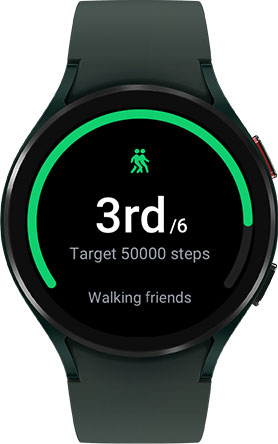
A smartwatch takes care of all the ‘counting up’ when it comes to exercise, by using its various sensors to record data like steps, heartbeat, blood pressure, and body composition. This data can then be shared (after you grant permission, of course) with a health app which will track that data for you and show you regular health summaries.
This lets you build up a bigger and more detailed picture of your health over time. It also lets you see where you need to pick up the pace (an extra 1km on your run might boost results), and where you need to step back (mindfulness exercises, and scheduling break-days). Sure, you can get all this data from separate biomonitor gadgets, such as pedometers and special bathroom scales, but a smartwatch puts everything you need on your wrist, ready to go.
Data and metrics that are tracked by your smartwatch
Galaxy Watch 4 records your fitness data, which a health app can track to provide a health summary.
Health tracking with a smartwatch works because sensors on the watch collect data, and the watch can provide that data to a compatible health app (with your permission).
Most good smartwatches have the following sensors:
Accelerometer, gyroscope: These are standard sensors that help with tracking outdoor activities like running, bike riding, and combine with mapping software to measure how far you’ve travelled, etc.
Barometer, geomagnetic sensor: The barometer is used to measure altitude, whenever it can’t get that info from the maps app. This is useful for apps that include ‘floors climbed’ as part of a step-counter. The geomagnetic sensor is for offline route guidance.
Optical heart rate sensor: This measures your heartbeat by shining a light onto your skin. It can be quite accurate, but you need to stop and ‘take a heartbeat reading’, it doesn’t just measure heartbeat during your day.
Some of the newer smartwatches, including the Samsung Galaxy Watch 4, include two additional sensors:
Electrical heart sensor (sometimes called an ECG): This heartbeat sensor can monitor your heartbeat constantly, without the need to stop and take a reading.
Bioelectrical Impedance Analysis (BIA) sensor: This a real mouthful of a name, but it basically measures how much water is in your body and uses this to calculate amount of body fat.
How a smartwatch can track body composition
The bioelectrical impedance analysis sensor works when you touch two fingers to your smartwatch, which completes an electrical circuit through your body. Don’t worry, you can’t feel it!
The resulting data gets fed through a bunch of medical equations to come up with what percentage of your body is fat. This is a much better way of working out if you are ‘too fat’ than weighing yourself and working out a BMI. People have different heights and weights that ‘break’ the BMI system, but there’s good evidence that staying below a certain percentage of body fat has a lot of health benefits.
Because you can put this data into your health app, you can track your body composition over time, and help prevent ‘panic dieting’ and yo-yoing your body weight.
Why a smartwatch with an Electrical heart sensor (ECG) is better
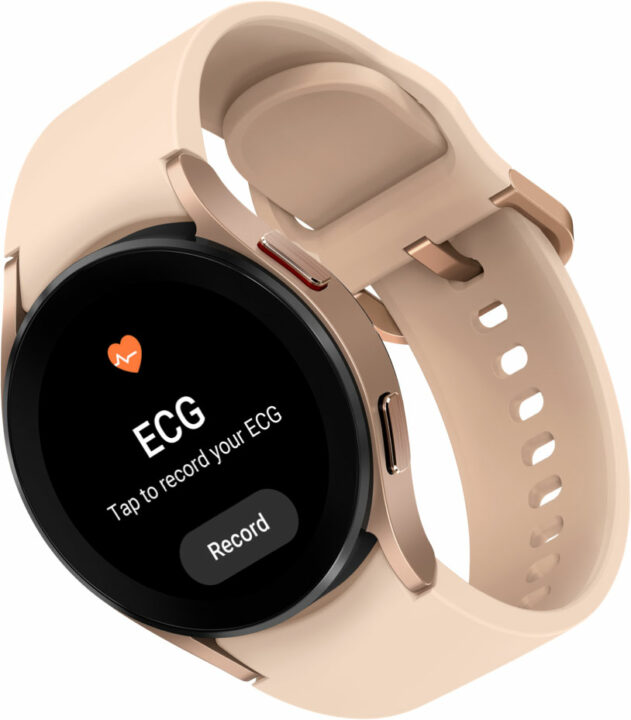
Track your heartbeat during an entire workout with the ECG feature on Samsung Galaxy Watch 4.
Heartrate sensors have always been a smartwatch’s weak spot, until now anyway. Previously, smartwatches could only measure heartbeat ‘on demand/, via an optical sensor. This is an accurate way to measure heartbeat, but it can’t work constantly.
To track heartbeat constantly, it used to be necessary to buy a chest-strap heat monitor and connect it to your phone (and thus health app) via Bluetooth. It was an extra device you had to remember to charge, and strap on properly, and calibrate – ugh! It’s fine for marathon runners, but overkill for even regular exercise.
The Electrical heartbeat sensor, such as you’ll find on Samsung’s Galaxy Watch 4, is a next-generation sensor that can take an electrocardiogram, or ECG, of your heartbeat (which is why you might see it advertised as “Smartwatch with ECG feature” or “Heartbeat sensor with ECG”). The main benefit is that it can track your heartbeat throughout a whole workout, rather than only when you stop and take a reading.
In fact, you can set up the ECG feature to monitor your heart constantly, and this can alert you to heartbeat irregularities so you can get to a doctor right away! Note that smartwatches with an ECG feature also still include an optical heartrate sensor. These sensors are still very accurate, and the advantage over the ECG sensor is that you can get a ‘spot’ reading very quickly.
How smartwatches go beyond working out: Fall detection and emergency help
The health tracking features in a smartwatch aren’t just for people who are out jogging or whitewater steeplechasing, or whatever. They also contain features that can be essential for those of us who need to take a little extra care when it comes to mobility.
For instance, a smartwatch can use its accelerometer (a hardware sensor) and a special monitoring app (built into its operating system and always on), to detect a sudden fall and abrupt stop. If the fall and the bump are hard enough, the watch will send you an alert asking if you’re okay, or if you’ve fallen and need assistance. If you don’t respond to the alert, the watch can use LTE (if it has it) or tell your phone to call 000.
Tips for staying fit with your smartwatch
If you’re not into keeping fitness diaries and logs by hand (who is?) then the easiest way to ‘stay fit’ is by using a health tracking app and your smartwatch.
Your smartwatch probably has an app from its manufacturer, but it will also support several of the most popular third-party apps. For example, the Samsung Galaxy Watch 4 supports Strava, one of the most popular health apps.
Set up your smartwatch with an app like Strava, and it will guide you through working out a fitness program that’s right for you. When it’s set up, the app (via the smartwatch and your phone too) will send you notifications and reminders of what you need to do each day. It will also let you know when you’ve completed a part of the program and show you regular summaries of your progress.
It’s important not to be (ahem) ‘offended’ by how a health app assesses your health.
The results in the app are impersonal, just a combination of what the sensors in your smartwatch said, and the app’s own algorithms for concepts like ‘overweight’ and ‘unfit’ and ‘can’t even run three steps without needing a lie down’.
That said, it’s important to get away from the pressure of ‘doing exercise’ by using mindfulness and meditation apps. These can work on your phone without a smartwatch, but your smartwatch can help out, especially if it has an ECG feature. After your meditation, for example, you can look over your heartrate results and see wow… going into a quiet room and not worrying about stuff for 20 minutes can actually work!
Measure body fat, steps walked, hours slept and general activity levels with a smartwatch.
If you find you don’t have time for an exercise program, you can also use simple trackers like step counters and basic level of activity monitors. Your smartwatch uses its sensors to track steps and whether you’re moving around enough during the day. And finally, the latest smartwatches have sleep-tracking features and use their onboard mics for snore-detection. Knowing when and for how long you snore can be an important indication that you may need to see a sleep specialist.
Tips for choosing the right smartwatch for your health
Everyone has different health needs, but the thing about health is, you might not need all those health apps and sensors when you start out, but if you keep looking after your health, the fitter you’ll get, and you’ll probably end up wanting more health-tracking features!
So it’s a good idea to choose a smartwatch that has the maximum number of the latest sensors. Remember too that many of these sensors are used for more than just exercise tracking – the ‘fall detection’ feature for instance. A smartwatch with LTE will be more expensive than one that uses your phone for data, but it does let you leave that phone at home. You might feel more motivated to get out on a run, especially if it means it’s the 20 minutes a day nobody CAN call you on the phone or bug you via social media.
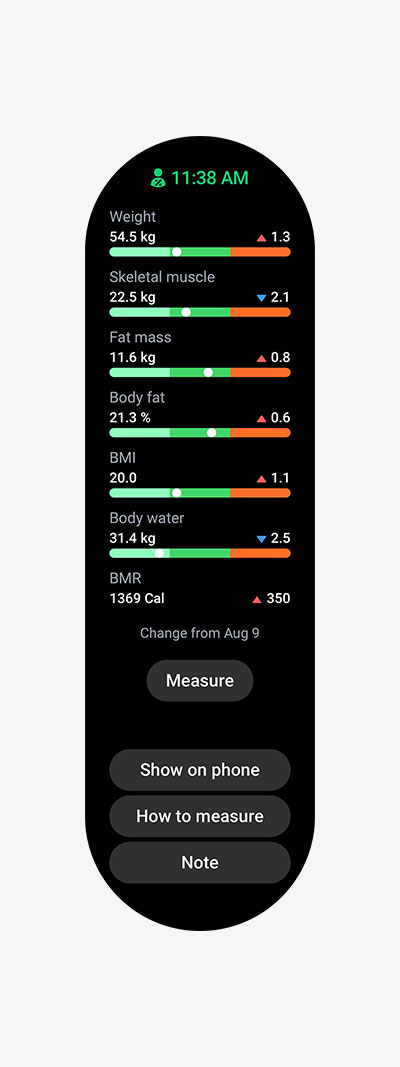
The bioactive sensor on Galaxy Watch 4 provides a suite of useful body measurements.
Oh, and let’s finish up with one more nod to the body composition sensor. The great thing about using this to measure body fat is that it gives a more useful kind of measurement (body fat percentage) than anything you can get from simply weighing yourself, and even better, it’s much more discreet! You just press two fingers against your watch, look at the screen, and you’re done. Nobody else needs to make it their business.
In today’s world, where work and home are sometimes closer than you’d like, you don’t have time for doing laundry the old way. Washing machines need to be smarter, and so Samsung’s smart washers are ready to rise (and rinse) to the challenge.
Washing machines have changed since the last time you bought one. A smart washer is able to anticipate your needs, and learn your laundry habits.
Advanced sensors
It’s not just about how heavy your load is, in kilos, but also how dirty it is. A smart washing machine can detect dirt, remember your preferences and usage, and communicate with your dryer to set up a dry cycle too.
And because set-and-forget isn’t enough (it’s the forget part that’s the problem!), a Samsung smart washer can communicate with a compatible mobile device via the SmartThings App. Rather that peering at complicated dials and buttons on the machine itself, you can use the app to control it from the couch. When the load is done, you’ll receive an alert, and you’ll also get reminders for when it’s time to do the next load – so the school uniforms will always be ready for Monday morning!
Quicker laundry, done more easily
Naturally, this new generation of Samsung smart washing machine is easier to use, faster to complete a cycle, quieter in operation, and more efficient in its use of power and water – so it doesn’t just save you time, it can also save you money.
A central control dial with minimalist adjacent display makes smart washing, simple.
And every machine in the smart washer and dryer range benefits from Samsung’s new styling, which combines familiar laundry-room ideas like a central control dial, with a sleek, minimalist design available in white, or platinum silver and even black.
What is a smart washing machine?
Smart washers can remind you to empty the drum so your laundry doesn’t get smelly.
When you combine a suite of sensors inside the washing machine, with external communication and control via an app, and top it off with some machine learning, you get a smart washing machine.
A sensor that detects a load’s weight is pretty standard, but Samsung smart washers can also analyse how dirty your clothes are. By doing this, the smart washing machine can recommend which cycle is best for you to choose.
Did you know, while washing machines have up to a dozen different cycles to choose (or more) most of us use just four (or less) out of the whole set? A Samsung smart washer will take note of this and adjust the controls to put your favourite cycles up front, making it easier to select them. No more clonking the dial all the way around just to get to ‘Quick 30’!
Washer-dryer communication
Once a load is done, you used to have to remember exactly what it was you just washed, and then ‘translate’ that up to your dryer. A load of cotton dainties goes on… mild? Or is it hot but not for too long?
A Samsung smart washer can communicate with a compatible dryer, and send information about the load, so the dryer sets itself up with the correct cycle for what you just washed. It means pulling the laundry out of the washer, shoving in the dryer, and hitting the start button. It couldn’t be easier!
Speaking of knowing what each load is, your Samsung smart washer knows that you tend to do the same washes each week. The washer can remember when these loads are done, and set up accordingly. Approach the washer on Wednesday, it remembers you’re doing the bed linens.
Clean user experience, in more ways than one!
Remotely select and schedule wash and dry cycles on a Samsung smart washer, and receive alerts via the SmartThings app.
All of this clever control is now accessed through a simpler, cleaner UX that combines the familiar ‘big washing machine dial’ in the middle, with a display that shows just the information you need right now, instead of a huge ‘control board’ of baffling options.
As mentioned, you can link your Samsung smart washing machine to the SmartThings app on your compatible phone (or even Samsung TV!) and receive notifications about when the next load of laundry is due – as well as when the current one has finished.
How a smart washing machine adds real value
We all know that every piece of clothing and linen has a ‘proper’ way to be laundered, as indicated on its tag. When a fabric is laundered properly, it looks better, works better, and lasts longer.
A Samsung smart washing machine can use its array of sensors plus a few other key features, to launder your clothes the way they should be laundered. For example, the BubbleWash system pre-mixes detergent so it can penetrate fabrics more effectively. This has an added benefit of needing less water to get a better clean.
A Samsung smart washer isn’t just more thorough, it’s also faster. And because it can communicate with a compatible dryer, you can be confident that fabrics are not being damaged or excessively worn during the drying process.
Combine all of these and a smart washing machine offers efficiencies that can save you real dollars, by using less water and less power, to get better results than an older machine.
How to use a smart washing machine (and how it’s different)
When all these things – sensors, water and detergent systems, communication with a dryer, app control – come together, you get Samsung’s AI Wash. Here’s how it looks in action.
Monday routine
Let’s imagine a typical household. It’s Monday afternoon, and you’re just getting back from your run, as you always do. You receive a notification on your phone – it’s the washing machine checking to see if it’s time to do an active-wear cycle. You jump out of your running gear and add it to the rest of the gym and sports stuff from the family. Then you bundle all this into the washing machine.
The AI Wash cycle is already set to Active Wear, which combines temperatures, soak time, spin time, and more, so the mostly synthetic fibres of active wear are cleaning in a way that’s thorough, but not damaging. You don’t need to flip through cycle options looking for the right one, or set temp, or spin, or anything. You just hit Start!
(Washing) machine learning
How did the washing machine learn to do this? Well, for the first few weeks after buying it, you used the machine’s control dial and touch controls to select an Active Wear cycle, every Monday. You also connected it to the SmartThings app on your Android phone to get notifications about when the wash was finished.
The washing machine learned your habits, not just the Monday afternoon Active Wash, but your Saturday morning school and work clothes wash, as well as a couple of others – so much washing for a growing family!
Now, instead of having to remember to get that wash on, you get a notification on your phone via the SmartThings app, reminding you it’s time to get those grotty school shorts in the machine.
Next on your washing machine’s self-taught schedule: The bed linens!
Samsung’s award-winning smart washers can help save time and energy.
How smart washing machines are quieter and save space in the laundry
AI Wash and all the smarts that come with your smart washing machine are amazing and make life easier, but really at the end of the day it’s all about the laundry. You want cleaner clothes, done quicker, with less water. And while we’re asking – it would be great if the machine could be quiet as well!
Samsung’s smart washers do indeed utilise quiet motor tech, while water injection systems push bubbles deeper into fabric for a more thorough clean. Samsung’s pre-foaming systems mean you can do this using less water and detergent, making the machine more efficient overall.
Washer dryer combos
For the ultimate in convenience, you can also choose one of Samsung’s smart combined washer-dryers, which do it all. Dirty clothes go in, clean and dry clothes come out. It’s the laundry Holy Grail!
A Samsung washer-dryer combines the benefits of smart washing with a crisp, dry laundry finish.
You can choose a Samsung smart washer in traditional white, but many models now come in black or platinum silver for a sleek modern look.
Finally, there’s that clever control layout. The traditional washing machine dial in the middle, so you know where to start. And then a row of touch controls flanking the intelligent display. It makes the washing machine look cleaner, and it makes it less fiddly to use, too. You can still access all the more-complicated options, but only when you need them, instead of having to battle a huge control panel every time you wash.
You would think for a GadgetGuy, I would have a smart house with everything automated. Since day two, I have had a Google assistant smart speaker, then another, then a smart clock radio, but that’s about it. Recently, I bought myself a couple of smart light bulbs and found them very useful. So when Laser corporation launched its Connect Smart Garage Door Opener, I figured it would make life easier around the house.
What is a ‘smart’ garage door opener?
The Connect Smart Garage Door Opener allows a ‘dumb’ garage door to be controlled by your smartphone or voice assistant. The app will also alert you to your garage door being open or closed. The system connects via Wi-Fi to the internet, and geofencing allows the garage door to detect your presence when approaching or leaving a virtual perimeter.
Turning into a driveway is not the best time to be searching for a remote to operate your garage door. That split second you look away could very easily distract you from avoiding something unexpected in the driveway. Therefore the simple use of your voice to ask Google or Alexa to open your garage door makes the process much easier. You can even set up zones using geofencing to open and close the door automatically when you enter or leave a pre-set area. Other features include the ability for family members to open the door without a garage remote. I find it useful to open the door when I come home from a bike ride. If your hands are full of shopping, no problems, just ask your smart assistant to shut the door. A friend needs to borrow a tool from your garage when you are on holiday? No problem, open and close the door from wherever you are.
In 1987, LASER started out in a Surry Hills garage importing and selling floppy disks and storage cases. Today, it is one of Australia’s fastest-growing and most trusted consumer IT and consumer electronics companies. Specialising in bespoke solutions, their product range spans more than 13 categories and 500+ products.
How to set up your smart garage door:
In the box, you will find 4 items. A smart door controller must be plugged into a power socket. A cable and instruction manual with really tiny writing (hint download the instruction manual above and read it on your computer). Also, there’s a door sensor that attaches to your garage door.
Before you go too far, we strongly suggest you check the compatibility with your garage door. The manual link above lists 1460 compatible Australian garage door models. There is also a QR code in the manual, which will take you to a list of the latest supported models.
The next task is to download the app and open an account. The Laser App supports all their smart products, including lightbulbs, power boards and secuirty cameras. It will also support some 3rd party products.
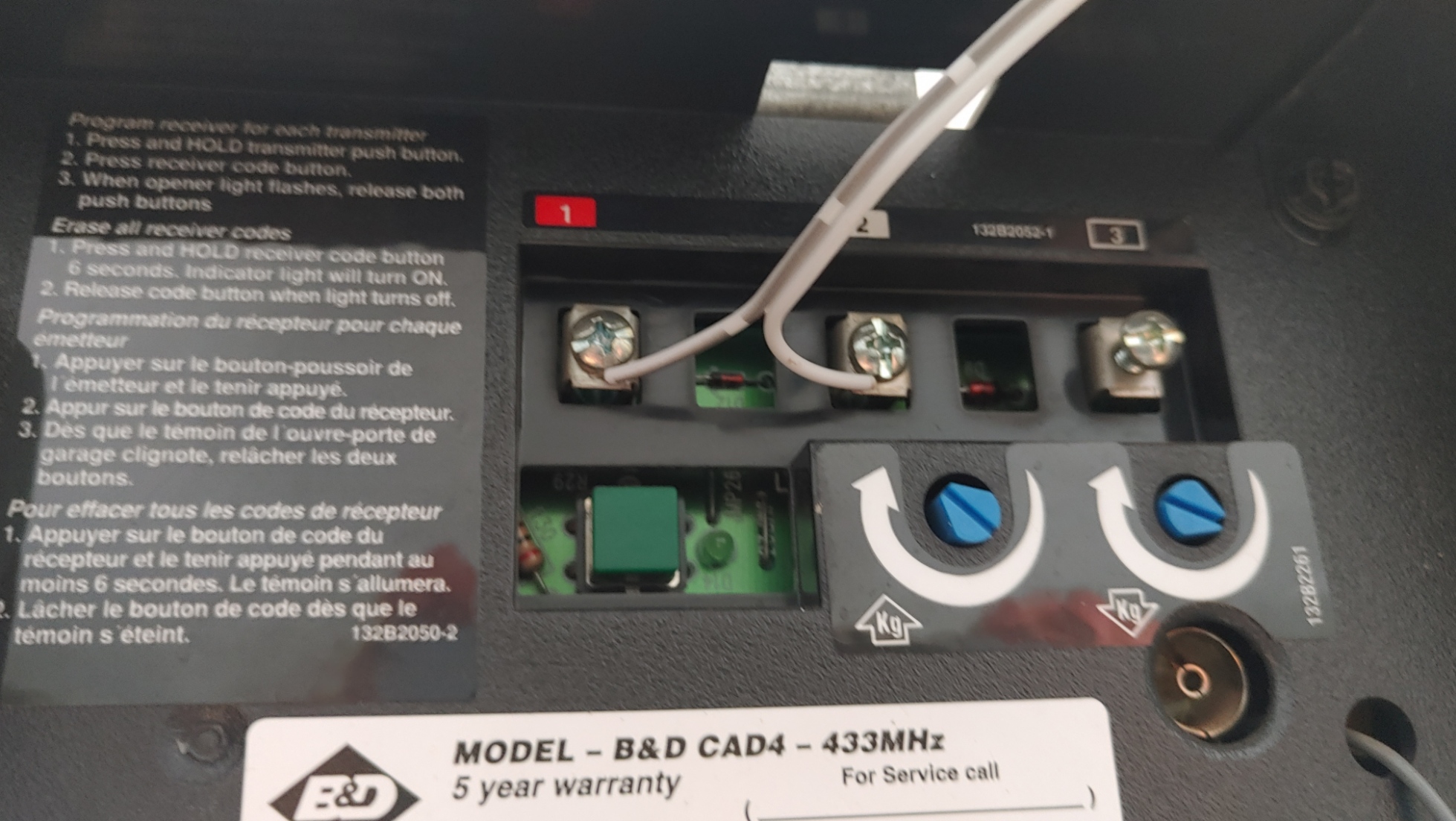
After that, connect the supplied wire to your garage door opener and then plug the controller in. From the app, add your garage controller as a device, and you are done. The whole process took around 10 minutes from opening the box to controlling the door.
Connect the supplied wire to your garage door to link the systems together
Activate voice control
Google Assistant, Amazon Alexa and Apple Siri are supported. So once you have done the initial setup, you might never use the Connect smart home App for control, and rather you could just use your voice instead. To do this, open your chosen smart assistant’s settings and add the Connect Smart Home app. Note that when your voice assistant asks for an access code, you set this up in the Connect smartphone App. We also recommend that you change the name of your garage door to “garage door”. Then simply ask your smart assistant to “open the garage door” or “close the garage door.”
Operation
How many times have you driven away from your home and thought, did I shut the garage door?
The Laser’s garage door sensor attached to the door (by double-sided tape) can answer that, and the app always shows if the door is open or closed. The app will also allow you to see this through a visual representation.
Always know if your garage door is open or closed
The app also supports an action list that would allow the door to be opened at a set time (perhaps to let a pet out or in) or open or close in certain weather conditions. This is also where you set the geofencing against your location changes.
GadgetGuy’s Take
Often, when you buy a tech product, it lists all the wonderful things it can do, but often there is a “but” when you get it running. For $49, if you have gone down the smart assistant route, this garage door opener is a steal. It is simple to install, easy to use, extremely convenient and most likely to improve the safety & security of your garage.
Laser Connect Smart Garage Door Opener
The Laser Connect Smart Garage Door Opener is simple to use, easy to sets up and does what it says on the box - and can be operated from your smartphone.
Features
9
Value for money
9
Performance
9
Ease of use
9
Design
9
Positives
Affordable price
Fairly simple setup
It does what it says on the box
Improves security and safety
Negatives
Instruction manual text is too small making it a pain to read