
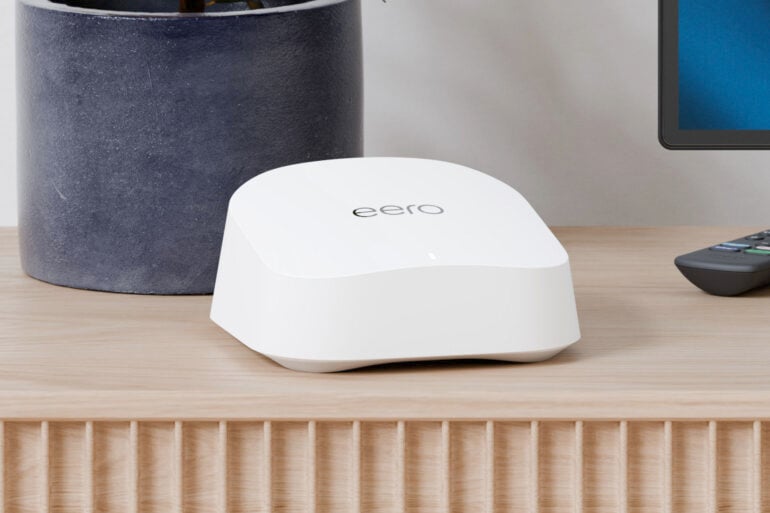
Is the eero 7 the industry standard against which all other Wi-Fi routers should be compared? If you look at the routers most internet service providers offer with their NBN plans, you find that Amazon’s eero 7 is among the most common.
Why, might you ask? Is it because they do the best deal? According to retailers we have spoken to, the real reason is that they have the fewest customer Wi-Fi router issues. As I found when reviewing the eero 7, its simplicity and reliability make it a great router for most people.
Table of contents
- Benefits of mesh Wi-Fi explained
- eero 7 features
- eero 7 specifications and price
- Using the eero 7
- Who is the eero 7 for?
- eero 7 FAQs
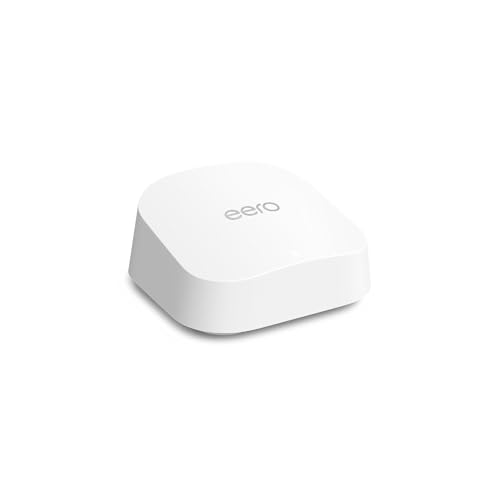
Benefits of mesh Wi-Fi explained
To set up a Wi-Fi network in your home, you need a Wi-Fi router. The router has an antenna that transmits the internet signal to your smartphone, laptop, TV, etc. A mesh router allows you to easily add another router around 10-15 metres away, which strengthens your coverage.
Need more coverage? Add another. As long as the additional mesh router has coverage from another unit or is connected to another unit via an Ethernet cable, more of your home benefits from a strong Wi-Fi connection. It’s not infinite, however; the speed of the internet connection drops the further you are from a mesh router as the radio signal deteriorates.
eero 7 features
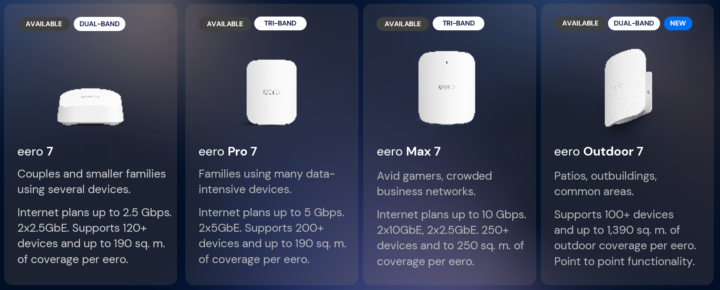
Amazon’s eero 7 is a dual-band (supporting the 2.4GHz and 5GHz network bands) mesh Wi-Fi 7 router with two Ethernet ports and can support up to approximately 120 devices. It’s the entry-level product in Amazon’s current Wi-Fi 7 lineup. As you go up the range, you get faster transfer speeds and support for connecting more devices.
The Wi-Fi range of the eero 7 is approximately 14 metres from the unit. This will, however, be affected by obstructions such as walls, ceilings, and furniture. To increase this coverage, simply add any eero product. It’s backward-compatible with previous-gen eero routers, but you’ll get the best results from the latest eero 7 range.
As part of the setup procedure, the eero app will actually tell you if your additional unit has enough coverage back to another eero unit to work correctly. As a guide, one unit will cover up to 190m², two units 380m², and three units 560m².
Dual-band routers suit 99 per cent of needs, except for those trying to get crazy speeds over Wi-Fi. An additional 6GHz band, supported on eero’s more premium tri-band models, enables faster speeds. To maximise throughput between devices, eero uses ‘TrueMesh’, resulting in the best speed for your devices, connecting them to the router with the highest quality connection at any given time. eero does not use extra channels for communication between routers, as they don’t need to.
Speaking of channels, eero has another smart feature called ‘TrueChannel’, which analyses interference from other Wi-Fi networks and selects the best frequency to maximise your performance. This is especially important if you live in a high-density setting, like a unit with lots of other Wi-Fi networks. This technology is all automatic, so you don’t have to do anything to get the best result.
As you walk around your house, assuming you have multiple eeros, a technology Amazon calls ‘TrueRoam’ ensures you have the best experience as your smartphone seamlessly hands from one eero to the next, selecting the best frequency to ensure the fastest, most reliable connection.
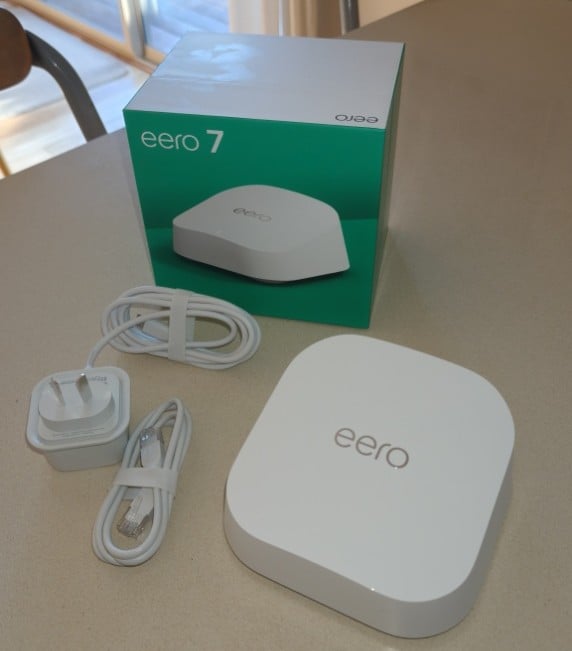
Each eero 7 has two Ethernet ports capable of speeds up to 2.5 Gbps, which is far more than the 50-500 Mbps NBN plan most people will subscribe to. Your first router must use one of these ports to connect to the NBN modem, but after that, these ports are free to be used to connect to printers, TVs, NAS (backup/shared storage), and similar devices.
The app to set up your eero makes all the difference; where once you needed some understanding of technology, the app now steps you through the process with explanations as you go. Adding an extra eero is equally seamless, and I know it sounds corny, but in my experience, it just works.
During the setup, you can choose your own network name or use a suggested name. If you are upgrading your Wi-Fi router, keep your old network name and password, and all your existing connected devices will automatically reconnect without updating their Wi-Fi passwords.
If you are not comfortable with technology, you could stop here, knowing that the little boxes you have set up will provide reliable internet, and you can forget about them. In the event that something goes wrong, such as an NBN outage, you will receive a notification from your eero on your smartphone.
However, if you want to take advantage of extra features, security, or parental controls, or keep an eye on your network, you can do so. eero offers an optional subscription service, eero Plus, which provides additional security, ad blocking, more parental controls, and access to third-party services like a VPN, Malwarebytes and 1Password. In Australia, eero Plus costs $16 per month or $160 per year.
For those setting up a smart home, the eero will work with Alexa and act as a hub for Bluetooth, Zigbee, Thread and Matter (as a controller only).
eero 7 specifications and price
| Network bands | 2.4GHz and 5 GHz (dual-band) supporting up to 120 clients |
| Wi-Fi support | Wi-Fi 7 (IEEE802.11a/b/g/n/ac/ax/be) |
| Ports | Two 2.5Gbps Ethernet ports One USB-C port |
| Speed | Wired: Up to 2.5 Gbps Wireless: Up to 1.8 Gbps Total combined speed: 5,000 Mbps |
| Power | 15 W USB-C power adapter (included) |
| Dimensions | 13 x 13 x 6 cm |
| Advertised range | One unit: Up to 190m² Two units: Up to 380m² Three units: Up to 560m² |
| Price (RRP) | Single unit: $299.99 Three-pack: $649.99 |
| Website | eero Australia |
| Warranty | 3 years |
Using the eero 7
How many devices connect to Wi-Fi in your home, and what NBN plan are you on? I recently switched from a 50 Mbps plan to a 500 Mbps plan, and as a heavy tech user, I have up to 70 devices connected to my eero. I admit I am using an eero Pro 7 as my standard Wi-Fi router, but the eero 7 would still exceed my heavy needs. My point being the eero 7 will meet the needs of the greater population.
If I had one complaint, it would be that each router has only two Ethernet ports. To get four ports, you need to spend much more on the top-of-the-line $1,099 eero Max 7.
Aside from that, the Wi-Fi is so reliable in my testing that, while I once would always plug my TV into Ethernet, it has had no issues using Wi-Fi.
Your eero will work perfectly well without subscribing to eero Plus, but if you do, there are some very good reasons to do so.
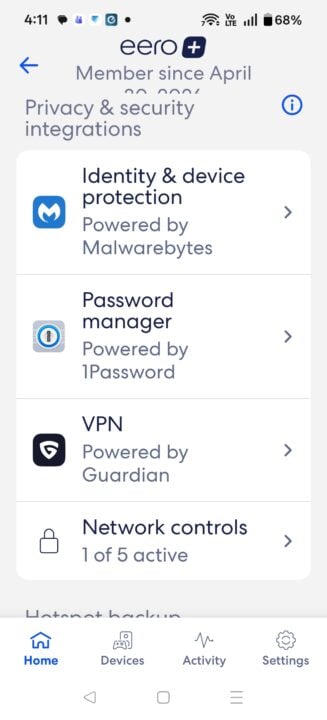
While the out-of-the-box eero systems are secure, eero Plus acts like a firewall for your entire home. It will block known phishing sites and malware at the router level. Every device in your home is protected, even ‘dumb’ smart home devices (like smart bulbs or security cameras) get a layer of protection.
Out of the box, you can pause the internet for specific devices, which is useful to limit your children’s screen time. eero Plus lets you filter content tailored to your children’s ages and interests, allowing you to block specific categories (like adult content or social media) and enforce SafeSearch on Google.
If you want peace of mind for continuity of internet service, eero Plus allows your eero network to automatically switch to a secondary source — like a mobile hotspot or a neighbour’s Wi-Fi — if your primary NBN or fibre connection goes down.
Other eero Plus services include VIP support, access to a password manager and ad blocking. Note that I recently had to disable ad blocking on one device because it was blocking some travel bookings we were making.
Who is the eero 7 for?
As much as you may want a fancy router with lots of settings to play with, the simplicity, reliability, and performance of the eero 7 range just make it an easy choice. NBN retailers are providing the eero 7 because of this, and indeed, I run eero myself for this reason.
Specifically, the eero 7, which supports the latest standards and offers the functionality most households will need at a value-for-money price point, is a simple decision. Its compatibility with other eero devices also makes it a good choice for upgrades and future compatibility.
eero 7 FAQs
According to retailers, the primary reason internet service providers offer the eero 7 is that it results in the fewest customer Wi-Fi router issues. Its simplicity, reliability, and automated features make it a highly dependable choice for the average household.
A single eero 7 unit has a Wi-Fi range of approximately 14 meters (covering up to 190 m²), though this can be affected by obstructions like walls and furniture. To easily expand your coverage, you can add any eero product from the eero 6 or eero 7 range; the companion app will even guide you through setup to ensure your additional units are placed within range to maximise performance.
eero Plus is an optional subscription service costing $16 per month (or $160 per year) that expands the router’s capabilities. While the eero 7 is secure out of the box, the subscription adds network-wide advanced security (blocking malware and phishing sites), age-tailored content filtering, ad blocking, a backup internet feature that switches to a mobile hotspot if the NBN goes down, VIP support, and access to premium apps like 1Password and Malwarebytes.
GadgetGuy occasionally uses affiliate links and may receive a small commission from purchased products.
The post Amazon eero 7 review: Wi-Fi simplicity for everyone appeared first on GadgetGuy.


0 comments:
Post a Comment