
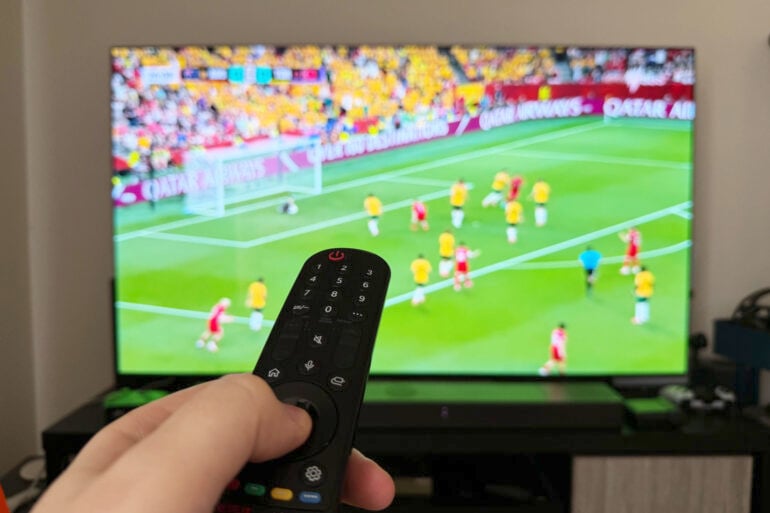
As Australia competes for glory at the FIFA World Cup, improving your patchy digital TV reception might offer the best way to watch the Socceroos battle through the group stage.
Many Australian lounge rooms have understandably abandoned free-to-air broadcasts in favour of streaming services. Streaming is superior in many ways, yet when it comes to live sport, Australia’s online simulcasts typically don’t quite match the picture quality of high-def digital TV broadcasts.
Of course, it might be a different story if Australians could watch the World Cup in Ultra HD 4K, like other parts of the world.
Once again, we’re stuck with Full HD 1080i/p, as only Foxtel and Kayo have embraced 4K sport locally. Meanwhile, Australia’s free-to-air broadcasters are still only dabbling in the new DVB-T2 standard required for 4K broadcasts, and may never make the leap to 4K now that fewer people rely on an aerial to watch television.
Where to watch the World Cup in Australia
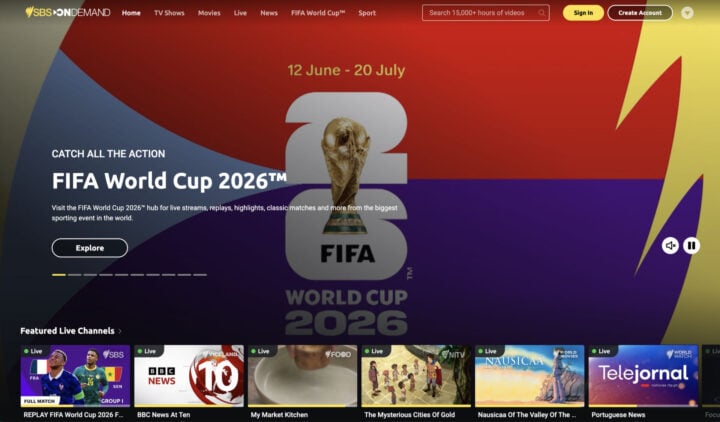
This year, SBS On Demand is streaming every World Cup match in Full HD 1080p25. That’s great for sports fans, but it’s not necessarily an improvement on the Full HD 1080i50 free-to-air digital TV broadcasts.
To get technical, the 1080i50 broadcast signal is 1920×1080-pixel resolution, “interlaced” at 50 frames per second. Interlaced means the screen only displays every second horizontal line, rapidly switching between the odd and even-numbered lines to build the entire image.
Meanwhile, the 1080p25 streaming is 1920×1080 “progressive”, displaying every line at once to create a smoother picture, but only at 25 frames per second.
In theory, 1080p streaming should look better but, in reality, the 1080i broadcast signal is a little more crisp and detailed when watching fast-moving sport. It’s not just about interlaced versus progressive, it’s also about how much they compress the streaming feed.
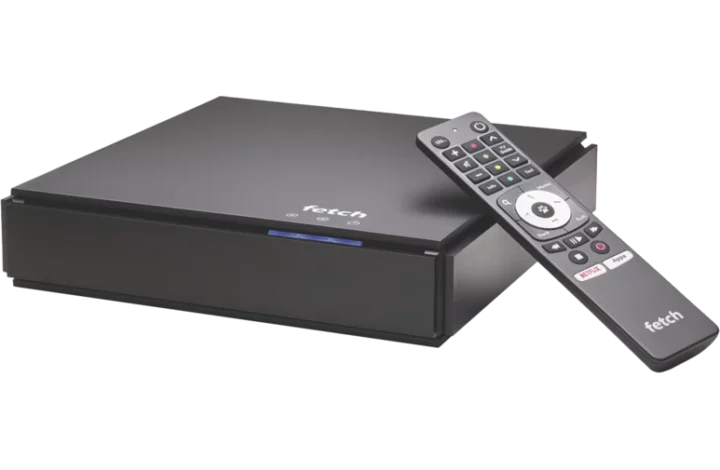
To be fair, your experience might vary depending on how you access SBS On Demand. The app is available for most smart TVs and built into some set-top boxes like Fetch TV Mighty and Fetch TV Mini, but the picture quality can vary between devices.
If you’re comparing streaming with broadcast TV, make sure you’re watching SBS HD free-to-air broadcasts on channel 30, not standard definition SBS on channel 3, which looks very shabby in comparison.
The larger your television, the more noticeable the difference – especially during wide shots of the field. Watching SBS On Demand streaming on my Fetch TV Mighty, the picture is a tad more murky and the motion not quite as smooth as the SBS HD broadcast. When the camera pans quickly to follow the ball down the ground, everything in the background becomes a bit blurry.
Improving your SBS TV broadcast signal
Of course, all of this is on the assumption that you can actually pick up a decent free-to-air SBS signal at your home.
Back in the analogue days, poor reception meant a fuzzy picture. In the digital TV age, it means that the picture freezes to the point of being unwatchable. At this point, streaming simulcasts are a godsend.
Like many people, my household doesn’t watch a lot of free-to-air television these days. Even so, the aerial on the roof still gets a good workout during SBS’ coverage of the World Cup and Tour de France, despite the challenges of trying to get decent free-to-air reception living at the bottom of a valley.
As a last resort, you might get a new aerial installed, but there are plenty of simple things you can do to improve your signal quality before you call in a professional.
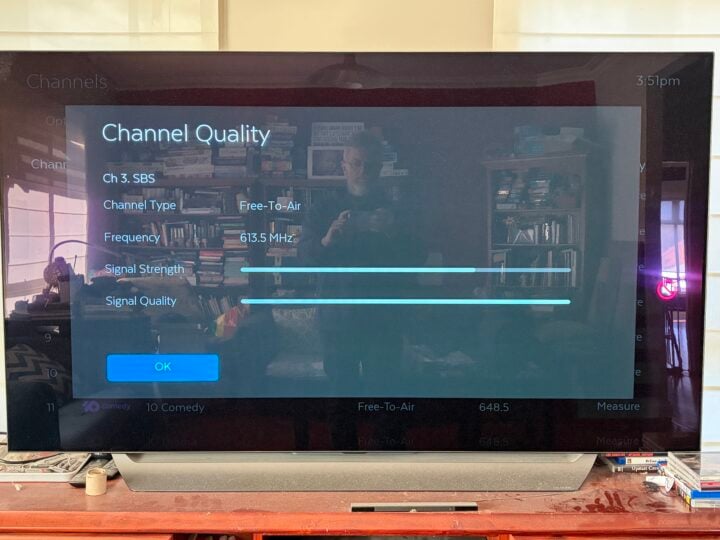
Most digital TV equipment lets you monitor the real-time signal strength and quality for individual channels. This offers a handy way to see if your efforts are making a difference.
Start by minimising the number of aerial cable splitters between your television and the aerial on the roof. This might include bypassing unused aerial wall sockets in some rooms, to ensure those you do use get a stronger signal.
The first time I crawled into my roof, I found a four-way splitter running aerial cables all over the house. Replacing it with a two-way splitter, only connecting the lounge room and master bedroom wall sockets, made a big difference.
If you’re using a splitter in the lounge room to connect your aerial to both your television and your set-top box, try removing the splitter and just running a cable into the set-top box. If you need to rely on splitters, try replacing passive splitters with powered splitters.
You also might benefit from a signal booster, but do everything you can to improve your signal quality first, otherwise you’re just boosting a bad signal.
Masthead amplifiers live in the roof, connected to the aerial, while distribution amplifiers live in the lounge room between the wall socket and the television. Masthead amplifiers tend to be more effective because they boost the signal before it weakens on the journey down to your lounge room.
If you do end up installing an amplifier, make sure it lets you adjust the gain because a signal that’s too strong can also cause the picture to break up. Ensure your amplifier includes built-in 4G/5G filters to block interference from mobile phone towers.
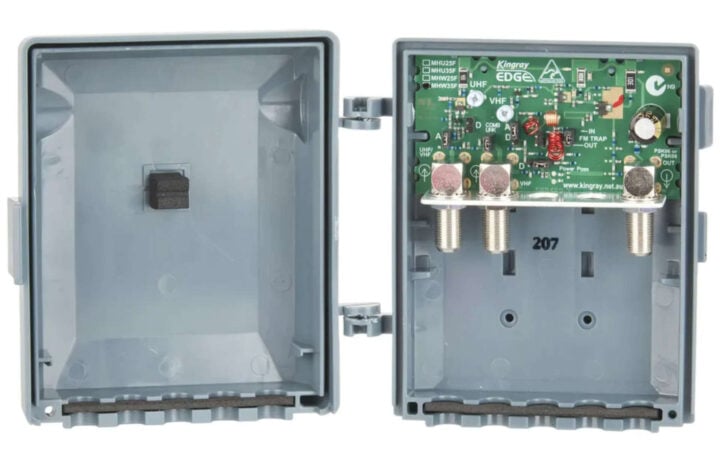
Getting things just right takes time. One night, watching the Tour de France, I spent half an hour in the roof painstakingly adjusting the gain on our new masthead amplifier. I had my wife on speakerphone, who was downstairs in the lounge room, constantly rating the picture quality from 1 to 5 so we could find the sweet spot.
Tackling local interference
With so much tech in the house, my lounge room has always been a hotbed of interference. If this sounds like your home, the first step is to move as much electrical equipment as possible away from your television, set-top box, aerial cables and wall socket – especially wireless equipment like Wi-Fi base stations and cordless phones.
Make sure the “flylead” aerial cables running from your television to the wall socket aren’t sitting directly alongside power cables. If there’s an electrical socket on the wall alongside the aerial socket, try not to use it.
Next, try upgrading from cheap flyleads to RG6 quad-shield cables, preferably with screw-in F-connectors. This helps block out electrical interference for nearby devices. You might need to plug your television and other AV gear into an isolator power board, which filters out electrical interference from devices such as your fridge or air conditioner.
Call in the experts for clear World Cup TV coverage
While each of these changes helped, getting a decent SBS signal at the bottom of a valley was always going to be tough. A few years ago, with the Tour de France fast approaching, I decided it was time to call in a specialist.
Enter Francis, who became my go-to antenna guy. The fact we’re on a first-name basis tells you a lot about the struggles we’ve been through over the years.
After running a few tests, Francis and I discovered that the dodgy aerial wall socket behind the television was a big part of the problem. The signal strength and quality improved significantly after he removed the wall plate, trimmed the cable and wired up a new socket.
We also decided to switch from a VHF aerial pointed at Mount Dandenong to a UHF aerial pointed along the valley to Melbourne’s CBD. This meant re-tuning my Fetch TV Mighty to pick up the UHF channels. At the same time, Francis replaced the cheap aerial cabling in the roof with decent RG6 quad-core shielded cabling.
All of this made a big difference but, a few years later, I called upon Francis again to help improve things before the Tour de France. This time, we decided to run a quad-shield cable up through the walls all the way from the lounge room to the aerial.
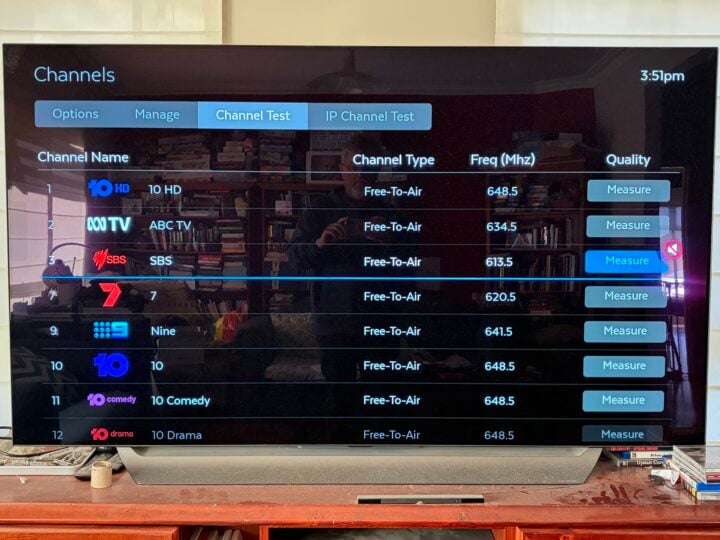
Getting the Fetch TV Mighty to rescan for the UHF channels coming from the city, we discovered that it insisted on sticking with SBS’ weaker VHF signal from Dandenong – explaining why my SBS reception was still so much worse than the other channels.
We knew the Fetch box was looking at the wrong SBS signal because it was listed as 184 MHz, while all the other UHF channels were in the 600 MHz range (you can check the frequencies in your area at ozdigitaltv.com, plus myswitch.digitalready.gov.au is a useful resource).
There’s no simple way to force the Fetch TV Might to favour one signal over another, so Francis used brute force. He unplugged the aerial, scanned for channels and waited until it was about a quarter of the way through before reconnecting the aerial.
This meant it missed all the 100 MHz VHF broadcasts coming from Dandenong, but still picked up Channel 31 at 557 MHz before discovering all the 600 MHz UHF broadcasts from the city.
It’s been a long journey and, even now, some days my SBS signal is better than others. When it’s prepared to cooperate, SBS HD still offers the best picture quality when it comes to watching the World Cup.
The post How to boost your digital TV reception for a picture-perfect World Cup appeared first on GadgetGuy.


0 comments:
Post a Comment