
Resh Sidhu, Adobe’s vice president of creative, trained as a graphic designer on Photoshop 4.0. At a press briefing at Adobe MAX 2026 in Miami Beach, she recalled the hours she’d spent masking images, and said that watching the new tools in the keynote made her wonder “where were these 20 years ago?”
This year’s Photoshop update is aimed at exactly that kind of fiddly work: lighting, cleaning up, checking edits and fine-tuning AI results so you don’t have to keep re-prompting. Most of it is available now, with more in the Photoshop beta app.
I also got a hands-on demo of the new tools at MAX, and here’s what stood out.
What’s new in Photoshop now
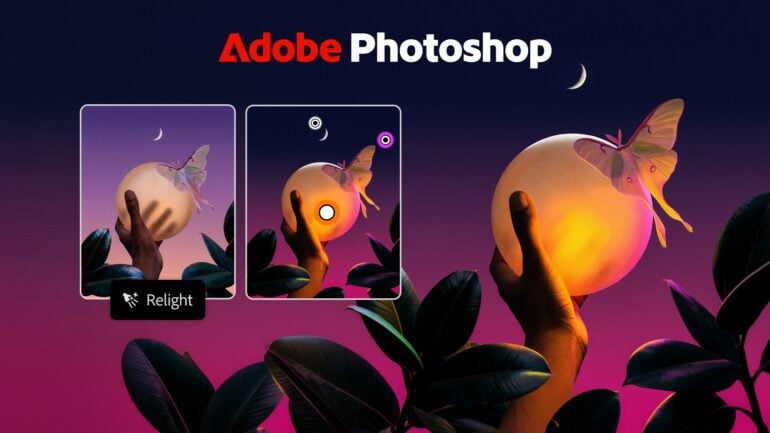
Relight adds new light sources to a photo that blend into the scene. You can move each light and change its colour and brightness, and because it’s non-destructive, you can go back and adjust it later. It’s a job that would otherwise take a lot of manual dodging, burning and masking, or just having to re-shoot altogether. I also liked that you can change the colour of the light, creating a whole new look, or just tweak the colour temperature. Laslty, the AI has the ability to remove the original light that’s baked into your photo, meaning you can start lighting from zero rather than needing to work around the lighting that’s already there.
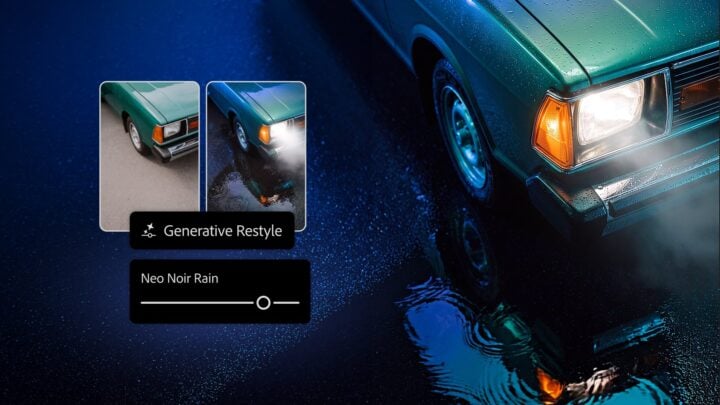
Generative Restyle tackles one of the most annoying parts of AI editing: prompting again and again until the effect looks right. You describe the change you want, convert the result to a layer, and Photoshop gives you a custom slider to dial the intensity up or down without prompting again. Because it calculates not only the final result but every step in between, it’s doing a lot of work and can take a few minutes to process.
Some examples I saw included changing a photo of a house from daylight to night-time, and a shot of a couple in a forest from autumn to summer. You will lose some resolution and detail in the final output. However, you can use the mask tool to restore selected areas of the original shot with full detail in your final version.
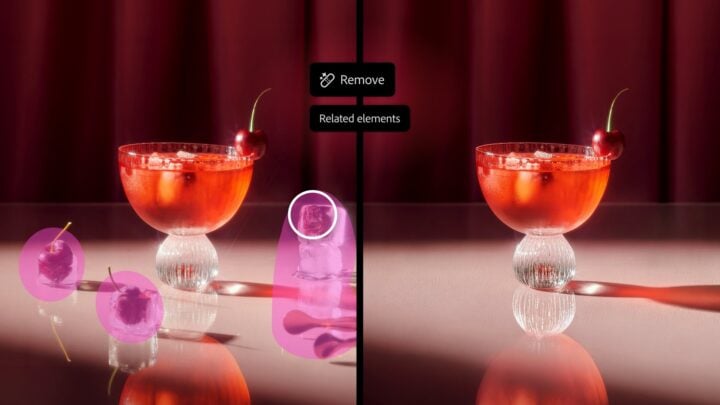
The Remove Tool now detects related elements when you take something out of a picture, such as its shadow, reflection, footprints or the waves around it, so the background is rebuilt more convincingly. If you’ve ever removed a person from a beach shot and left their shadow behind, you’ll see the appeal.
I was impressed with how well it removed the waves trailing behind a boat on the ocean. However, it could not remove the associated power lines when removing a power pole. It appears that the tool needs to be trained for specific objects. My Adobe demonstrator said that the Remove Tool will evolve in the future so it can understand more elements across a wider range of objects.
Quick Compare adds an on-canvas split-screen slider for checking before and after, rather than switching layers on and off by hand.
AI Assisted Editor is a simplified, AI-first editing mode built around generative tools and plain-language prompts. You can switch to the full Pro Editor, with layers and precision tools, at any time.
Adobe also said on stage that this is the most stable Photoshop release yet, with 40 per cent fewer crashes.
In the Photoshop beta app
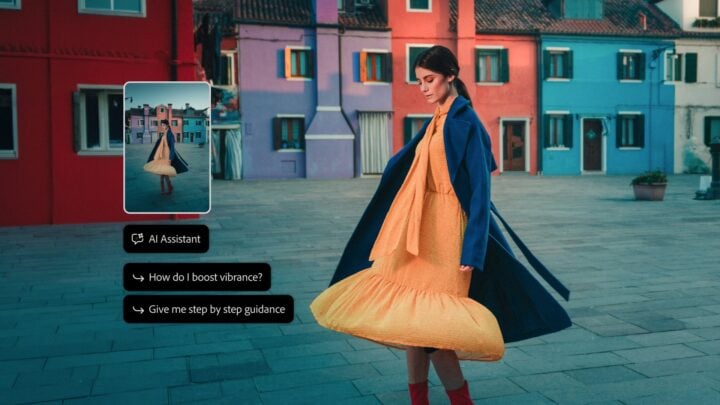
More experimental features are in the separate Photoshop beta app. That’s where you’ll find Photoshop’s AI Assistant, powered by the same Adobe Creative Agent that runs the assistants in Premiere, Illustrator and Firefly, which you can direct in plain English.
Adobe CTO Ely Greenfield told journalists the advantage of an assistant inside the app is context. It knows what you’ve selected and can tap into your history in Photoshop, so you can hand work over quickly.
The other beta features are:
- Mockups: places an image or design onto an object or surface.
- Camera Angles: explore new viewpoints of a whole image by interacting with it on the canvas.
- Generative Recompose: reworks an image into a new aspect ratio while keeping its structure, handy for social formats.
- Convert to Text Layers: pulls text out of a flattened image into an editable type layer.
- Remove Ambient Effect Only: removes lens flare, haze and stray shadows or reflections without removing objects.
- Timelapse: records your editing process so you can share it.
Photoshop outside Photoshop
Adobe also previewed local MCP (Model Context Protocol) integrations that will let you direct a third-party AI agent to work in Photoshop files on your own computer. Layers stay editable, so you can step in at any point. They’re due in private beta in early 2027.
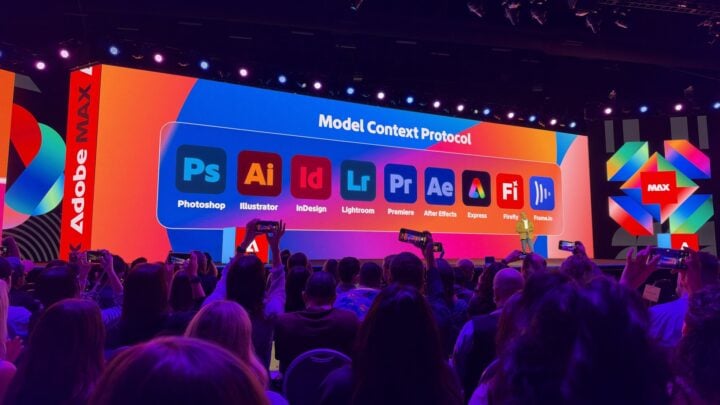
Greenfield suggested that jobs such as organising files and renaming layers might be better handled from whichever tool you use to manage the overall project, without opening Photoshop at all.
Google’s latest image models will keep coming to Photoshop, and Adobe and Google DeepMind are exploring a customised Google image model that could allow near-real-time edits: prompt a change and choose from variants without breaking your flow. There’s no timeline for that yet.
On Windows, Adobe says it has rearchitected Photoshop to run faster on Arm-based PCs, including Microsoft’s new Surface Laptop Ultra with NVIDIA RTX Spark, and the Remove tool uses on-device generative AI on these machines.
We looked at the performance gains last month: Adobe Photoshop and Premiere get up to 2x faster on NVIDIA RTX Spark
Availability
Relight, Generative Restyle, the updated Remove Tool, Quick Compare and AI Assisted Editor are available now to Photoshop subscribers. The AI Assistant and the other beta features are in the Photoshop beta app, and the MCP integrations are due in private beta in early 2027. Adobe hasn’t said how many generative credits the new features use.
Read more from MAX 2026: Adobe Firefly: what’s new, and who it’s really for
Valens Quinn attended Adobe MAX 2026 in Miami Beach as a guest of Adobe.
The post Adobe Photoshop: what’s new, and what will actually save you time appeared first on GadgetGuy.


0 comments:
Post a Comment