This is default featured slide 1 title

Go to Blogger edit html and find these sentences.Now replace these sentences with your own descriptions.

This is default featured slide 2 title

Go to Blogger edit html and find these sentences.Now replace these sentences with your own descriptions.

This is default featured slide 3 title

Go to Blogger edit html and find these sentences.Now replace these sentences with your own descriptions.

This is default featured slide 4 title

Go to Blogger edit html and find these sentences.Now replace these sentences with your own descriptions.

This is default featured slide 5 title

Go to Blogger edit html and find these sentences.Now replace these sentences with your own descriptions.

Sunday, 9 July 2023

Motorola Edge 40 review: a mid-range phone that looks the part

With slender premium styling, backed by a mid-range price tag, the Motorola Edge 40 lays the groundwork for Motorola’s next generation of flagship handsets.

Motorola is certainly prolific when it comes to producing smartphones, to the point where shoppers might understandably struggle to see the differences and know which is right for them. The new Motorola Edge 40 is the successor to last year’s Moto Edge 30, with the same $699 price tag.

That doesn’t mean the Moto Edge 40 is Motorola’s new top-of-the-line flagship handset. Right now, that honour probably still belongs to the $1399 Moto Edge 30 Ultra, which outguns the standard Edge 30 as well as the $599 Edge 30 Neo, $899 Edge 30 Fusion and $999 Edge 30 Pro. It’s fair to assume we’ll see similar iterations of the Moto Edge 40 over the next six months, with the Edge 40 Pro already available in some countries.

So, if you’re after premium specs and prepared to spend more than $699 then you might want to hold off until we see the full Moto Edge 40 family in Australia – especially when not every aspect of the standard Edge 40 is an improvement on its predecessor.

Motorola Edge 40 first impressions

Out of the box, the Edge 40 is certainly easy on the eyes. It sports a 6.55-inch pOLED display, but still looks and feels elegant thanks to a slender 7.58 mm body and rounded edges incorporating an “endless display” with curved screen edges.

The result is the slimmest of bezels, with the screen only interrupted by a punch hole front camera rather than a notch. Adding to the elegant look, the sandblasted aluminium frame is matched with a choice of vegan leather or matte acrylic back, depending on which colour you opt for.

The handset’s minimalist look features subtle volume and power buttons along the right-hand edge, along with USB-C at the bottom but no 3.5mm headphone jack. There’s a fingerprint reader built into the display, along with support for Face Unlock.

When it comes to the screen, you still enjoy the 1080×2400 resolution of last year’s Moto Edge 30, but it switches from AMOLED to pOLED while retaining HDR10+ and a 144 Hz refresh rate which is impressive in this price range.

With these changes, the handset is a fraction thicker and heavier than its predecessor, but in return, it bumps up the battery from 4020 to 4400 mAh, which should deliver more than 24 hours. It supports 68W TurboPower charging along with 15W wireless charging. 

The Edge 40 also swaps out the Qualcomm Snapdragon 778G+ 5G power plant for the MediaTek Dimensity 8020, both of which are solid mid-range performers. It sticks with 8GB of RAM but downgrades it from LPDDR5 to LPDDR4X, sacrificing a little power efficiency but not enough to be a deal-breaker.

Motorola continues to include a basic transparent protective case in the box, which tries not to cramp the handset’s style but in return, leaves the edges more exposed in the event of a fall than you might like.

What’s more comforting is that Motorola has managed to increase the ruggedness rating from a splash-resistant IP52 up to IP68, meaning it can survive dunking in 1.5 metres of fresh water for up to 30 minutes.

Motorola Edge 40 8/256GB Viva Magenta
  • Fluid design and underwater protection
  • 50MP and f/1.4, the widest smartphone aperture
  • Blazing-fast 68W TurboPower charging
  • Borderless 144Hz display + Dolby Atmos audio
  • Performance powerhouse

Motorola Edge 40 specifications

Display size 6.55 inch, 20:9 aspect ratio
Display resolution 2400×1080 pixels, 402 ppi
Display technology pOLED, HDR10+, 144 Hz refresh rate, 1200 nits peak brightness
Bands 2G, 3G, 4G, 5G (sub-6 only)
Chipset MediaTek Dimensity 8020
Rear cameras 50 MP
1/1.5″ optical format
f/1.4 aperture
1.0 µm pixel size | Quad Pixel Technology for 2.0 µm
Omni-directional PDAF
Optical Image Stabilisation
13 MP Ultrawide angle (120° FOV)
Macro Vision
f/2.2 aperture
1.12 µm pixel size
Front camera 32 MP
f/2.4 aperture
0.7 µm pixel size | Quad Pixel Technology for 1.4 µm
RAM 8 GB LPDDR4X
Onboard storage 256 GB UFS 3.1
microSD slot No
Charging USB Type-C port (USB 2.0)
68W TurboPower charging
15W wireless charging
Battery 4400 mAh
Wi-Fi Wi-Fi 6 802.11 a/b/g/n/ac/ax
2.4 GHz | 5 GHz
Wi-Fi hotspot
Bluetooth 5.2
Operating system Android 13
Security Fingerprint reader, Face Unlock, ThinkShield, Moto Secure
Ruggedness IP68
Dimensions Vegan Leather 158.43 x 71.99 x 7.58mm
Acrylic 158.43 x 71.99 x 7.49mm
Weight Vegan Leather 171g
Acrylic 167g
Colours Vegan Leather: Eclipse Black, Nebula Green, Viva MagentaAcrylic: Lunar Blue
Price (RRP) $699
Warranty 1 year
Official website Motorola Australia

Features

As you’d expect, the Motorola Edge 40 runs the latest version of Android 13, with minimal bloatware, which is likely to appeal to Android fans. Motorola is promising an additional two years of platform updates, which means you’ll get Android 14 and Android 15 in time, along with five years of security updates.

Speaking of security, you’ve got Lenovo’s ThinkShield suite for protection and management at the hardware and software level (similar to the Lenovo ThinkPhone by Motorola). There’s also Moto Secure, an app that serves as a security and privacy hub. This includes the ability to create a secure folder for storing apps and files where others can’t access them.

It’s also a 5G chipset, ensuring you can take advantage of Australia’s fastest mobile broadband networks. As you’d expect, it only supports sub-6 GHz 5G and not the US-centric millimetre wave version.

When it comes to photography, the Moto Edge 40 retains the 50 MP main shooter with optical image stabilisation and the same 1.55-inch sensor. It also switches from f/1.8 aperture to f/1.4, letting in more light but offering a slightly shallower depth of field.

Compromises are made elsewhere, scaling down the ultrawide lens from 50 MP to 13 MP, and losing the 2 MP depth sensor. The front still sports a 32 MP selfie camera.

When it comes to multimedia, the pOLED display offers deep, rich colours while bringing HDR content to life thanks to the high screen brightness. The whites may be too cool for some tastes, but you can easily adjust the colour temperature and saturation. Meanwhile, the earpiece doubles as a second speaker, so you can get true stereo sound with good stereo separation.

Quality

Despite forgoing a Snapdragon processor, the Motorola Moto Edge 40 holds its own with GeekBench 6 scores of 1130 single-core, 3725 multi-core and 4605 GPU OpenCL. It’s more than enough grunt to keep things humming and support the needs of people shopping in this price range, although rivals like the Pixel 7a pack more punch.

When it comes to photography, that 50MP main shooter figure sounds impressive but we all know that megapixels aren’t everything. Thankfully, it also takes advantage of a larger sensor and pixels than Motorola’s budget models, resulting in crisp images with plenty of detail and good colours. It offers particularly impressive low-light performance. 

Switching across to the ultrawide lens naturally sees a drop in picture quality due to the lower megapixel count, plus the colours are a tad muted and the low-light performance takes a serious hit.

Who is the Motorola Edge 40 for?

The Motorola Edge 40 is for those who want to venture into premium design territory without breaking the bank. Yet while it looks the part, it’s made a few compromises – particularly in the camera array – to keep the same $699 price tag as its predecessor.

All up, you still score plenty of premium features at a mid-range price point, with the added bonus of a longer battery life and IP68 ruggedness to help protect your investment. It’s a solid mid-range handset but, if your sights are set a little higher, wait to see what else the Edge 40 range delivers in the months ahead.

GadgetGuy occasionally uses affiliate links and may receive a small commission from purchased products.

Motorola Edge 40
With premium styling and a mid-range price tag, the Motorola Moto Edge 40 is a great fit for the hand and the wallet.
Features
8
Value for money
8.5
Performance
8
Ease of use
9
Design
9
Positives
Slender, lightweight design
IP68 ruggedness
Good low-light camera performance
Negatives
Ultrawide lens drops down to 13 MP
No 3.5 mm headphone jack
8.5

The post Motorola Edge 40 review: a mid-range phone that looks the part appeared first on GadgetGuy.


Friday, 7 July 2023

We test out the BMW iX1 its most affordable EV yet

BMW’s new iX1 marks a new entry point into its electrified vehicle range. So, for those who want to hop into a fully electric premium compact SUV, this could be their ticket. 

However, is the iX1 able to compete with alternatives in the market? More importantly, does it deliver on BMW’s traditional values? We had a chance to take the iX1 through the hills and bends of rural Victoria and made a video about it too. Be sure to check out what we liked and how it handled.

Inside and out

Overall, the iX1 is a lovely vehicle to spend time in. Its cabin is well-appointed, and it really does feel premium. It gets the latest in-car entertainment system, found in its more expensive vehicles, as well as a number of safety and comfort features. We liked the huge curved display and the new floating centre console is refreshing and has some practical places to put your things.

Charging stats

The iX1’s drivetrain features two synchronous motors, a 67 kWh high voltage battery, 230 kilowatts of power and 494 Newton metres of torque. The driving range is rated to be 400 kilometres (ADR/8) on a single charge and there are maximum charging rates of 22 kilowatts AC and 130 kilowatts DC. The iX1 draws 18.3 kilowatt-hours per hundred kilometres and that’s around what we found during our road test.

Charging-wise, you can go from 10 to 80 percent state of charge in 29 minutes, and just 10 minutes will add about 120Km of range using the 130kW DC mode.

Both Mode 2 fast charge and Mode 3 public charging cables are included, which can be stored in a panel beneath the 490 cubic metres of rear storage. There’s no front trunk, however, as this is where one of the two motors sits.

The iX1 on the road

With a dual-motor setup, driving the iX1 is probably more fun than you might think for an SUV. It dispatches 0-100km/h in just 5.6 seconds, feels planted, with plenty of grip and feels flat around the bends. Yes, you can have a Hans Zimmerman orchestral soundtrack that simulates what an EV ‘might’ sound like to spur you on, or just drive in serene silence.

There are a few different regenerative braking modes, the most intensive of which can feed back 130 kilowatts into the battery. We also like the adaptive regenerative braking mode that applies the best settings depending on the driving situation. For example, if you’re in stop-start traffic, the regeneration will be low, however, if you’re driving down a hill in the countryside, it will be set to maximum.

EV features

Like other electrified BMW’s, the iX1 shares the same conventional design of the new petrol-powered X1. However, there are some EV-centric enhancements to improve aerodynamics including a slot-less front grill, air ducts for circulation around the front wheels, the removal of exhaust pipes, and it’s 35 millimetres lower to the ground to allow more undercarriage space for the batteries. 

Some cool tech includes the ability to unlock the car with your mobile phone thanks to BMW Digital Key Plus, and you can use all of the various cameras around the car to record driving incidents as well as what’s happening around you while parked to protect it. You can even tune into the live feeds from your app whenever you want.

Comparisons

The iX1 is priced at an MSRP of $84,900 AUD. If you’re looking around this budget, then you’re probably also considering the dual-motor, long-range versions of the Tesla Model Y (from $78K) and Polestar 2 (from $82K). The iX1’s pricing is fairly closely matched to both the Tesla and Polestar, however, the iX1 is arguably more ‘premium’ and akin to the Mercedes EQA. However, the less powerful single motor EQA 250 costs about $86K and you’ll to stretch up to around $106K for the dual motor EQA 350 4MATIC variant. So, with this in mind, the BMW iX1 is a competitive and well-appointed premium electric SUV for the price.

Another positive is that both M Sport and xLine model options (BMW iX1 xDrive30 M Sport & BMW iX1 xDrive30 xLine) share the same price. This means you can go for something with a sporty edge, or focus on a more luxe look without having to spend more on one or the other.

M Sport and x Line versions of the BMW iX1
The x Line (left) and M Sport (right) versions of the BMW iX1 cost the same

There is a single option pack for an additional $4,700, called the ‘Enhancement Package’ that includes metallic paint, panorama glass sunroof, Harman/Kardon Hi-Fi system, front row active sports seats with lumbar support and massage function. This also comes in a different upholstery option.

You can find both models in BMW dealerships around the country, and if you order now, deliveries will be expected around December.

BMW iX1 xDrive30 equipment highlights

Motor 2 x current-excited synchronous motors, one front, one rear
Charging Membership 3-Year Chargefox membership, complimentary use of Fast and Ultra-Rapid (DC charge) public charging stations
Safety Acoustic protection for pedestrians, Active protection
Lighting Adaptive LED headlights
Suspension Adaptive M suspension with M specific steering function
Air Conditioning Automatic air conditioning, 2-zone
Vehicle Operation Automatic tailgate operation
Display BMW Head Up Display
Sound System BMW Iconic Sounds Electric
Cockpit BMW Live Cockpit Professional with 10.25” instrument display and 10.7” high-resolution curved widescreen control touch display feat. BMW Operating System 8
Drive System BMW xDrive all-wheel-drive
Energy Management Brake energy regeneration
Access System Comfort Access with Digital Key Plus
Driver Assistance Driving Assistant Professional
Stability and Control Dynamic Stability Control (DSC), Anti-lock Braking System (ABS), Braking Assistant, Cornering Brake Control (CBC), Dynamic Traction Control (DTC)
Seating Electric Seats with memory function on driver’s seat, Seat heating, front row
Charging Cables Flexible Fast Charge cable, Mode 2, includes domestic plug, Public charging cable, Mode 3
Interior Finish M headliner, anthracite
Navigation Navigation guidance with augmented view
Parking Assistance Parking Assistant Plus
Steering Wheel Sport leather steering wheel with multifunction buttons

BMW iX1 xDrive 30 xLine styling includes: 

  • 19″ light-alloy wheels V-spoke style 867 Bicolour
  • Radiator grille frame in Pearl Chrome
  • Radiator grille struts in high-gloss black
  • Bumper trim elements, front/rear and right/left Pearl Chrome
  • Entry sills (front): aluminium inserts with ‘BMW’ inscription
  • Roof Rails, aluminium satinated
  • Mirror caps in Satin Chrome
  • Optical front and rear underride protection in Aluminium Matt
  • Window recess cover in Aluminium satinated

BMW iX1 xDrive 30 M Sport styling includes: 

  • 19″ M light-alloy wheels Double-spoke style 871 M Bicolour 
  • M-specific radiator grille in satinated aluminium 
  • Front bumper panel with M-specific design, in vehicle 
  • colour with inserts in black high-gloss 
  • Rear bumper panel with M-specific design, in vehicle 
  • colour Side sill covers with M-specific design, in 
  • vehicle colour 
  • with inserts in black high-gloss 
  • M identification on the sides 
  • Entry sills: Aluminium inserts with ‘M’ inscription 
  • (front) 
  • Mirror caps in body colour 
  • M Roof Rails High-Gloss Shadow Line

More car news and reviews on GadgetGuy

The post We test out the BMW iX1 – its most affordable EV yet appeared first on GadgetGuy.


Thursday, 6 July 2023

Left behind: the iPhones Apple stops supporting with iOS 17

In the recent WWDC keynote, Apple made headlines with its release of the Apple Vision Pro mixed reality headset, as well as the latest iPhone software update, iOS 17. This update promises a host of cool new features to the millions of iPhone users across the globe. However, as was the case in last year’s move, Apple is once again leaving a portion of its loyal customer base behind.

With the introduction of iOS 17, Apple has decided to exclude the iPhone 8 and iPhone X from the list of compatible devices. These two models, released in 2017, miss out on the latest operating system, leaving users in a state of technological stagnation.

It is worth noting that Apple’s decision to exclude these older models is not unprecedented, as the company has historically always had a cut-off point beyond which it no longer supports older devices. For example, the original iPhone and iPhone 3G received two major iOS updates, while subsequent models usually enjoyed software updates for five to six years. The iPhone 6s, for instance, defied expectations by becoming the first generation to witness a seventh iOS version.

However, this year’s decision to abandon the iPhone 8 and iPhone X is a reminder that Apple, like all major tech companies, continues to have limits when it comes to supporting older devices. While the introduction of iOS 17 is highly anticipated by many, it’s just as much a disappointment for those being left behind. For those that are still more than happy with their iPhone 8 or iPhone X, to enjoy all the latest innovations will require an upgrade to a newer device.

Which iPhones are compatible with iOS 17?

Any iPhone from 2018 onwards can run the upcoming software update, including the iPhone XS through to the recent iPhone 14 Pro Max. Anyone with these phones benefits from the upcoming new features like live voicemail transcription, improvements to the Health app, and family check-in services. If you have an older phone? No dice.

More than just fancy new features, software updates are important for securing your device and data. Incremental updates close up dangerous vulnerabilities that threaten your privacy. Unfortunately, upgrading to a new phone is costly, prohibitively so for many people. One solution is to consider purchasing a refurbished phone. This way, you can get a more recent model for cheaper and in like-new condition.

iPhone iOS 17 compatible chart - Statista
A history of iOS compatibility. Source: Statista.

Another consideration when upgrading to a new phone is what you do with your old device. Australians generate a lot of e-waste per capita, and MobileMuster estimates that only eight per cent of phones get sold or traded when upgrading. Fortunately, you have multiple options at your disposal. One is to trade in your old iPhone to Apple. If it’s a recent enough model, you’ll get some value towards an upgrade. At the very least, it ensures the phone gets properly recycled.

Another method for all types of phones is to use the Boost Trade-In app. By just following a few simple tests, you can assess your device for trading in, its value, and even receive an Aus Post label to send it away. Take for example, my iPhone X 256GB, which at the time cost $1,829. Boost Mobile is currently offering $220 as a trade in for it, and when you take that off the price of a refurbished iPhone 12, I’m looking at a changeover of $579 for a like-for-like capacity iPhone with better hardware and is compatible with iOS 17.

How does Apple compare to others?

Between five and six years of software support for a phone is actually pretty decent by modern standards. It wasn’t that long ago that Samsung only guaranteed three years of OS upgrades, which has thankfully since increased. Plenty of budget phones only offer between two or three years of software upgrades, albeit usually with longer security update commitments.

As phones like the Nokia G22 and G42 encourage users to repair devices at home, saving money and prolonging hardware life, it’s important that software support follows suit. If manufacturers are truly committed to reducing e-waste, then OS updates need to last the distance too.

iOS 17 is exciting, there’s no doubting that. However, plenty of us get left behind when software support stops for older phones. As users, we need to make informed decisions based on our own needs and circumstances when considering an upgrade. At the same time, tech companies need to meet us halfway, if not to consider their customers during tough economic times, then to at least commit to a sustainable future of long-term device use.

Read more phone news on GadgetGuy

The post Left behind: the iPhones Apple stops supporting with iOS 17 appeared first on GadgetGuy.


Wednesday, 5 July 2023

Sensibo Air Pro review: every breath you take

Giving your dumb air conditioner a smart overhaul, the Sensibo Air Pro helps you keep your cool while also keeping an eye on your home’s air quality.

The smart home revolution has made it easier to manage a high-tech household but, realistically, it can be hard to justify replacing expensive household appliances just so you can control them from afar.

This is where internet-enabled sensors like the original Sensibo Sky come in handy. It hangs on the wall and mimics your aircon’s infrared remote, so you can control the air from your computer, smartphone, tablet or smart assistant. Better yet, it features built-in sensors for measuring the temperature and humidity, so it can automatically adjust the aircon during the day.

The original Sensibo Sky is handy for staying cool while managing your power bill, but these days people are also concerned about what they’re breathing. That’s where the new Sensibo Air Pro comes in, adding sensors to monitor air quality in your home.

Sensibo Air Pro first impressions

The palm-sized Sensibo Air Pro is smaller and has a more elegant design than the original Sensibo Sky. This means it won’t look too out of place on the wall, in line of sight with your aircon so the Sensibo can beam infrared commands at it.

There’s a tiny mounting slot on the back, so you can hang the unit on a screw in the wall. Alternatively, there’s a square of strong mounting tape in the box so you can stick the Sensibo on the wall. It casts a fairly wide infrared beam, so it doesn’t necessarily need to be on the opposite wall and might even be able to sit upright on a flat surface.

One complication is that you need to get power to the unit. There’s a recessed micro-USB slot on the bottom and it comes with a 120cm USB cable and AC adapter. This means you need to install the Sensibo within reach of a power point, which could leave an unsightly USB cable snaking across the wall.

Another complication is that you now have two devices vying for control of your aircon: the Sensibo and the old infrared remote. If you place the Sensibo near the aircon then it can pick up the infrared commands coming from the remote. This ensures that the Sensibo app can keep track of the aircon’s current status, even if someone turns it on or off with the remote while you’re out.

Its setup is pretty straightforward: download the Sensibo app, create an account, configure the Sensibo Air Pro and link it to your Wi-Fi network. Pointing your infrared remote at the Sensibo and pressing the ‘on’ button should be enough for it to figure out the make and model of your aircon. 

From here, it can configure all the aircon’s controls, similar to a universal remote in the lounge room. This way you can send commands to the unit even when you’re away from home, and it can relay those commands to your aircon via infrared.

Of course, that relies on your aircon working with an infrared remote. The box says “make any air conditioner or heat pump” smart, but the fact is that not every aircon system can accept infrared commands.

If you have a split-system or portable AC unit then you’re almost certainly okay. But if you have central air conditioning or heating with ducts spread around the house, which is controlled via a wall panel, then you’re probably out of luck. It’s worth checking with the manufacturer if you’re not sure.

Thankfully, the Sensibo Air Pro setup worked with my split system first go, unlike when I tested the original Sensibo Sky when the initial set-up process failed to correctly identify two different split systems. 

Sensibo Air Pro specifications

Size 65 x 65 x 17 mm
Connectivity WiFi 802.11 b/g/n @ 2.4GHz
Bluetooth BLE
Sensors TVOC (Total Volatile Organic Compound)C02  equivalent (using TVOC)TemperatureHumidity2 Infrared receivers
Power 5V⎓1A micro-USB adapter
Price (RRP) $219
Warranty 1 year
Official website Sensibo

Features

Remote access allows you to control your aircon from afar, such as turning it on using your smartphone when you’re almost home. Yet Sensibo Air Pro’s most useful features are linked to its sensors which can track conditions in the room.

Like the original Sensibo Sky, the new Sensibo Air Pro features temperature and humidity sensors. This lets you check conditions from your smartphone but, more importantly, it lets you create automations that adjust your aircon during the day. Responding to the actual conditions, rather than remembering to manually turn your aircon on and off, can keep your home cooler while also curbing your power bill. Sensibo also sells room sensors that can automatically turn the air on and off as people come and go. 

Additionally, geofencing lets you control the aircon depending on the location of your phone. You could use this to automatically turn it on when you’re almost home or to ensure you don’t accidentally leave it running when you go out.

What makes the Sensibo Air Pro special is that it adds sensors for detecting carbon dioxide (CO2) and Total Volatile Organic Compounds (TVOC).

Sensibo Air Pro smart AC device

The carbon dioxide detector can indicate where you have poor ventilation and low oxygen levels, as high levels of CO2 can impair your mental capabilities, make you ill and even be life-threatening. While it’s not specifically a carbon monoxide detector, Sensibo says it can also detect faulty or improperly used fuel-burning appliances like gas/wood heaters and stoves.

Meanwhile, TVOC refers to a somewhat vague collection of particles in the air. According to Sensibo: “Many VOCs come from electronic devices, cleaners and disinfectants, pesticides, air fresheners, paints and solvents, glue, new furniture and carpets, construction materials and plywood. VOCs can irritate the eyes, nose and throat, and can cause difficulty breathing.”

The Sensib app offers an overview of conditions in the room, with the ability to control the aircon and dive down into more granual detail

Realistically, none of these is likely to be a major ongoing problem in your typical home. They’d be more of an issue in the workplace, where you really should have professional-grade ventilation and air quality monitoring.

It’s worth noting that it’s not a smoke detector and it doesn’t measure particulate matter in the air, so it’s not designed to monitor air quality issues created by events like nearby bushfires. Nor does it detect dust and pollen. That said, the Sensibo app can tap into pollution alerts for your area.

The app also can show you historical graphs for temperature, humidity, CO2 and TVOC readings in the room, plus it can send you alerts if they reach dangerous levels. It can also automatically turn on your aircon or a separate Sensibo Pure air purifier to improve the quality of the air.

Some advanced features require a US$2.49 monthly Sensibo Plus subscription. It can unlock advanced automations, AC statistics, health check, pollution updates, the ability to detect open windows and an auto shut-off feature when you leave the house.

Quality

Put to the test, the Sensibo Air Pro does a reliable job of controlling your aircon from afar, once you find the right place to install the sensor – which is especially important if someone might also be using the handheld remote while you’re away.

Creating schedules is particularly useful, such as setting the temperature in bedrooms at night, or in the living area when people get up in the morning and arrive home at the end of the day. 

For some people, the best feature will be the ability to adjust the air according to the exact temperature and humidity in the room, as judged by the Sensibo’s built-in sensors. If your aircon isn’t very accurate and reliable in this department, or takes its measurements in an inconvenient location in your home, the Sensibo could make a big difference to the conditions in the room and your power bill.

Sensibo Air PRO - Smart AC Controller with an Air Quality Sensor. Detecting Indoor Air Quality. Maintains Comfort and Saves Energy. Works with Amazon Echo, Google Home, & Apple HomeKit. Known as AirQ
Sensibo Air PRO – Smart AC Controller with an Air Quality Sensor. Detecting Indoor Air Quality. Maintains Comfort and Saves Energy. Works with Amazon Echo, Google Home, & Apple HomeKit. Known as AirQ
  • SMART AC CONTROL WITH AIR QUALITY SENSOR – The Sensibo AirQ is a smart AC controller with a built-in air quality sensor, designed to maintain an ideal temperature while continuously monitoring your air quality. Turn your existing home cooling or heating system into a smart connected device in just minutes.
  • HEALTHIER LIVING – Maintaining a high level of air quality in your home or office and boost your energy levels. Monitor the room for unhealthy air with a device that’s designed to sync harmoniously with your existing remote controlled air conditioner or mini split / ductless / heat pump system.
  • REDUCE COOLING COSTS – Sensibo Air PRO has smart climate features that work to maintain a consistently comfortable climate in your home. Replace hot and cold fluctuations while reducing cooling bills by up to 40%, while maintaining a good air quality at home.

Reacting to real-time conditions would also make it useful for automatically turning on the aircon for your pets when you’re not around.

The added air quality monitor features of the Sensibo Air Pro are very telling. For example, in my open kitchen/dining area, the CO2 levels sit steady at a very low 400 parts per million when the windows are open and/or the aircon is circulating the air. TVOC is also steady at a very low 9 parts per billion. Turn off the aircon, close the windows and you’ll see both of them slowly creep up.

The air quality degrades quickly if you light a gas cooktop without remembering to turn on the exhaust fan and/or open a window. With the Sensibo sitting only 20cm away from the pan, levels steadily climbed to CO2 504 and TVOC 193 over 30 minutes – although the readings wouldn’t have been as high elsewhere in the room.

While that sounds significant, both figures are still well within Sensibo’s definition of “good” air quality. CO2 becomes moderate at 1000 and high at 2000, while for TVOC it’s 500 and 1500.

Who is the Sensibo Air Pro for?

A Sensibo makes the most sense for people with very old and/or basic aircon systems which don’t offer remote access or let you create schedules. These features alone might make it worth the money if they will help curb your power bill in the summer, and perhaps the winter if you have reverse-cycle aircon which can heat and cool.

The extra air quality features of the Sensibo Air Pro are harder to justify, especially if you need to pay for the subscription. Realistically, CO2 and TVOC levels are not a major concern for your average person in your average home. I would have needed to cook up a feast with all the gas jets running and no ventilation to even hit moderate air quality – at which point anyone with an ounce of common sense would at least crack a window.

That said, if you have particular health concerns or there is something particularly unhealthy about your environment, then the Sensibo Air Pro might be a good fit for your home. Keep in mind, If you just need to monitor the air quality there are cheaper options, so it’s worth doing your research.

GadgetGuy occasionally uses affiliate links and may receive a small commission from purchased products.

Sensibo Air Pro
Controlling your aircon from afar, the Sensibo Air Pro can curb your power bills and help keep your air quality in check.
Features
8
Value for money
8
Performance
9
Ease of use
9
Design
9
Positives
Control aircon from afar (including smart assistant integration)
Create schedules and respond to current conditions
Monitor CO2 and TVOC levels
Negatives
Detects TVOC but not smoke, dust and pollen
Some features require subscription
Doesn't support central aircon that lack an infrared remote
8.6

The post Sensibo Air Pro review: every breath you take appeared first on GadgetGuy.


Tuesday, 4 July 2023

HyperX Cloud III review: put your head in the clouds

Buying a new gaming headset is a stressful experience because you never know what you’re getting until you bring it home and open the box. But the HyperX Cloud III is the most well-named and well-advertised headset I’ve ever put on my head.

Lightweight, soft and extremely comfortable, the HyperX Cloud III is an absolute delight to use. While its microphone has some minor issues with picking up noise, and the sound quality is largely the same as the previous-gen headset, the comfort and durability of the HyperX Cloud III make it worth it at an attractive price.

HyperX Cloud III first impressions

The picture on the box led me astray. The gunmetal-black HyperX Cloud III is unassuming, but once you open up the packaging and get a closer look, a soft, sleek black leatherette is wrapped around cloud-like memory foam on both the headband and the ear cups. The rest of the headset is a sturdy metal that is also surprisingly flexible and feels like it’s made to last.

Setting up the HyperX Cloud III is as easy as plugging in the mic and then plugging the headset into your computer, Nintendo Switch, PlayStation, Xbox or mobile. The headset comes with three different styles of connectors (USB-A, USB-C and 3.5mm) so you can easily switch the headset to different devices. 

Also, it’s just really comfortable. As soon as I put it on my head it felt great. I didn’t need to spend time adjusting the way the ear cups sat on my piercings or hair, which is a first. The HyperX Cloud III feels as if a headset and a cloud had a baby.

Specifications

Driver Dynamic, 53mm with Neodymium magnets
Frequency 10Hz-21kHz
Materials Aluminium frame
Memory foam and premium leatherette ear cushions
Microphone Uni-directional, noise-cancelling condenser
Connectivity USB-A, USB-C, 3.5mm
Price (RRP) $159
Warranty 2 years
Official website HyperX Australia
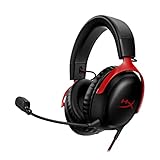
HyperX Cloud III – Wired Gaming Headset, PC, PS5, Xbox Series X|S, Angled 53mm Drivers, DTS, Memory Foam, Durable Frame, Ultra-Clear 10mm Mic, USB-C, USB-A, 3.5mm – Black/Red
  • HyperX Signature Comfort and Durability
  • Angled 53mm Drivers, Tuned for Impeccable Audio
  • Ultra-Clear Mic with LED Mute Indicator
  • DTS Headphone:X Spatial Audio
  • Compatible with: PC, PS5, PS4, Xbox Series X|S, Xbox One, Nintendo Switch, Mobile

Features

A simply-designed wired headset, it comes with a detachable microphone and a mic mute button on the left cup, and a volume dial on the right. The microphone also has a small red light to indicate whether or not your microphone is muted. This feature is great because the mic mute button has no indicator of its status. Before I realised the light was there, I was spending lots of time testing to see if I was muted or not in Discord calls.

The mic also boasts noise-cancelling capabilities and DTS Headphone:X Spatial Audio that allows for surround sound if you install the Ngenuity software. Unfortunately, the software is only available on Windows, but it isn’t a requirement to use the headset.

At $159, the HyperX Cloud III seems simple, but the comfort it offers in combination with this simplicity is perfect if you’re looking for a no-fuss wired gaming headset.

Performance

While it is simple to set up and use, comfortable for long periods of time, and has relatively good natural noise cancellation, the sound quality of the HyperX Cloud III doesn’t threaten premium-level headsets like the SteelSeries Arctis Nova Pro X. Also, its microphone is quite sensitive, occasionally picking up unwanted sounds.

Thanks to the memory foam cushioning, leatherette finish and overall lightweight build, this is easily the most comfortable headset I’ve ever used. I have worn this headset for a maximum of around five hours continuously and can definitely see myself wearing it for longer periods of time for gaming, entertainment, and even work.

HyperX Cloud III front angle

A closed-back headset, it provides good natural noise cancellation, which is also great for when you’re in a crowded space. It won’t block out loud noises, but it’s fantastic for muffling quiet background sounds and ambient noises.

As for the sound quality, it’s perfectly fine while playing games, watching YouTube and talking in a voice call, but it can be a little tinny if you’re listening to music. Other than that, its audio performance holds up well against other affordable headsets, without punching too far above its division. The DTS Headphone:X surround sound is also good, but definitely not necessary if you can’t (or don’t want to) install the Ngenuity app.

Another thing going for the headset is the improved detachable microphone. It’s flexible and overall does a great job of transmitting your voice without picking up minor background noises. I got a lot of comments on my voice sounding clearer in comparison to when I was using my old headset, the HyperX Cloud II.

HyperX Cloud III microphone
An improvement over the Cloud II’s microphone, it’s not perfect at blocking loud background noise.

Unfortunately, it does have a tendency to pick up high-pitched and loud background noises. It also picks up the sound of the click from the mic mute button being switched on and off, depending on your voice settings. So, while its noise-cancelling qualities keep most unwanted sounds away, it doesn’t keep everything out.

But overall, the HyperX Cloud III delivers on its promise of being an extraordinarily comfortable headset at a good price.

Who is the HyperX Cloud III for?

The HyperX Cloud III is a fantastic mid-range gaming headset that prioritises comfort without compromising too much on quality. People who want a sturdy, lightweight wired headset will be pleasantly surprised by the price, comfort and simplicity of the Cloud III. It’s a no-frills piece of hardware that is great for gamers on any platform – especially if you have multiple devices you want to use it with.

GadgetGuy occasionally uses affiliate links and may receive a small commission from purchased products.

HyperX Cloud III
The HyperX Cloud III is a great gaming headset that delivers on being comfortable and lightweight, without sacrificing quality.
Features
9
Value for money
9
Performance
8
Ease of use
10
Design
10
Positives
The memory foam and leatherette make for an extremely comfortable experience.
Flexible and sturdy.
Highly versatile, with three different connectors for multi-device compatibility.
Negatives
Sound quality is roughly the same as the previous-gen headset.
The microphone tends to pick up on loud and high-pitched background noises.
9.2

The post HyperX Cloud III review: put your head in the clouds appeared first on GadgetGuy.


Amazon Prime Day is nearly here: all the best tech deals

It’s nearly time for one of the biggest online retail events of the year: Amazon Prime Day. Across two big days, the sale is known for being one of the best times to grab a tech deal.

Some of the major brands participating this year include the likes of Bose, Ecovacs, Nintendo, and Samsung. Tech and video games are just a couple of the categories that feature prominently during Amazon Prime Day. As is always the case, many Amazon devices will go on sale, providing an opportunity to affordably bolster your smart home setup.

To help guide you through the chaos of the retail giant’s big sale, here’s everything you need to know before it starts. Some early sales are already live, which we’ll highlight and help you find a bargain.

Contents

What is Amazon Prime Day?

Around the world, Amazon holds a limited-time sale exclusively for its Prime members. During this time, products from both Amazon and third-party sellers see deep discounts rarely seen at any other time of the year. Comparatively, the Black Friday sales held in November are a similarly large-scale online event, albeit hosted by many different retailers.

To access the many sales active during Prime Day, you need to sign up as an Amazon Prime member. There’s a 30-day free trial available for new users, and it costs $9.99 per month thereafter. In addition to access to exclusive sales, the membership also grants you free delivery on eligible items, access to the Prime Video streaming service, and plenty of other perks.

When does Amazon Prime Day take place?

Amazon Prime Day 2023 takes place on Tuesday 11 July starting at 00:01 AM AEST and runs until 11:59 PM AEST on Wednesday 12 July. However, Australians benefit from overseas sales too. According to the official sale announcement, we can also access Prime Day deals from Germany, Japan, the UK and the US until 5:00 PM AEST on Thursday 13 July.

An important thing to remember is that even during Amazon Prime Day, there are many limited-time deals that pop up. Some products remain discounted throughout the entire event, while others are blink-and-you’ll-miss-it “Lightning deals”. This latter variety often includes popular big-ticket items like video game consoles and devices from major brands. It’s worth checking back regularly, as these offers usually only last for an hour or sell out in a matter of minutes.

To make the most of the sales, it’s worth downloading the official Amazon Shopping app (available on iOS and Android) to your phone. From here, you can add items to your wishlist ahead of time and receive notifications when they’re discounted.

Early Amazon Prime Day 2023 deals

Commonly the case with any major sale event, you can find early discounts on products before the actual start date. At the time of writing, you can see and purchase a range of early deals now, including devices from Ecovacs, Roborock, Sony, and Amazon.

Up to 51% off Amazon Echo, Fire TV, and Kindle devices + more

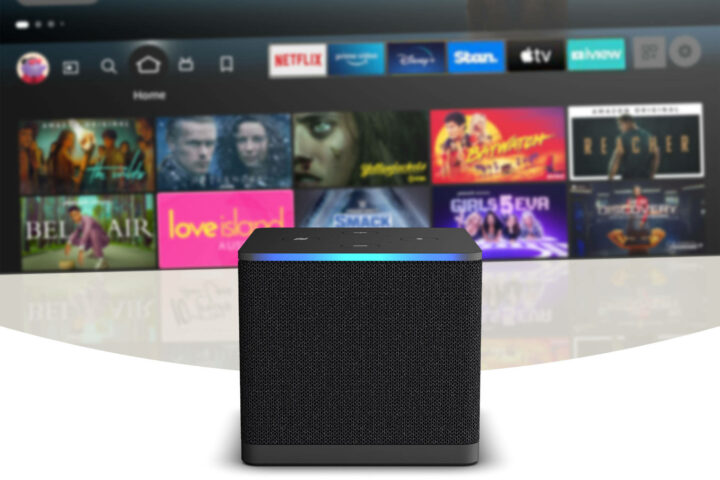
Fire TV Cube - Amazon Prime Day 2023
Amazon Fire TV Cube

Save up to $600 on select Ecovacs robot vacuums

Ecovacs regularly has sales across different retailers, so expect more devices to pop up during Amazon Prime Day.

Take 29% off this popular Roborock robot vacuum

Another popular robot vacuum brand, we also expect to see more Roborock devices discounted once the sale starts proper.

Roborock Q7 Max - Amazon Prime Day 2023
Roborock Q7 Max

Grab a discounted 4K Sony TV


We’ll update this article as Amazon Prime Day kicks into gear. Prices are correct at the time of writing, although it’s likely that stock and prices may change throughout the sale.

Find more deals on GadgetGuy

GadgetGuy occasionally uses affiliate links and may receive a small commission from purchased products.

The post Amazon Prime Day is nearly here: all the best tech deals appeared first on GadgetGuy.