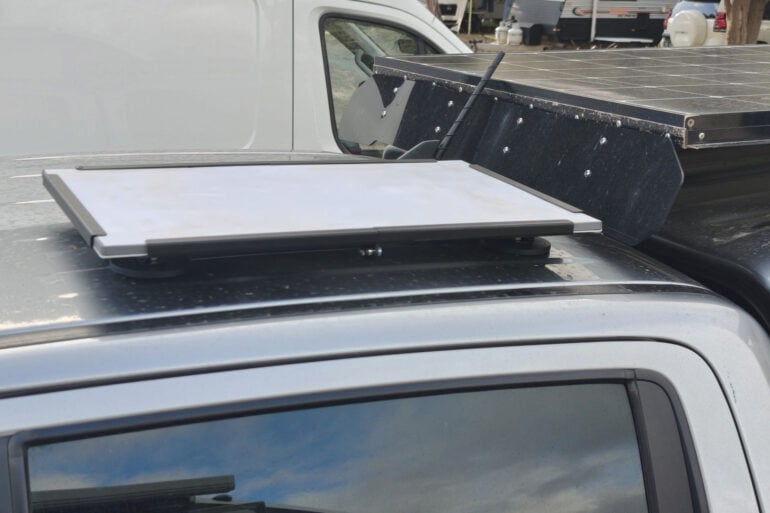
There is no question that Starlink makes an amazing remote internet access product, with internet speeds often exceeding what you have at home, even when the nearest supermarket may be a two-day drive away. Where Starlink falls short is in its accessory range. I recently travelled with the one accessory my Starlink was missing: a roof mount for Starlink Gen 3.
No matter whether you have a Starlink Gen 3 or a Starlink Mini, out of the box from Starlink, you simply place the Starlink on a surface with a clear view of the sky, wait a few minutes, and you have reliable, fast internet.
If, however, you are travelling and using Starlink out of a vehicle as I did in 2024, every time I stopped for the night, I would pull the Starlink out and place it on the roof of my ute. In the morning, before setting off, I would put it away. Back then, the third-party accessory market had not taken off, and Starlink did not allow internet access while the car was moving.
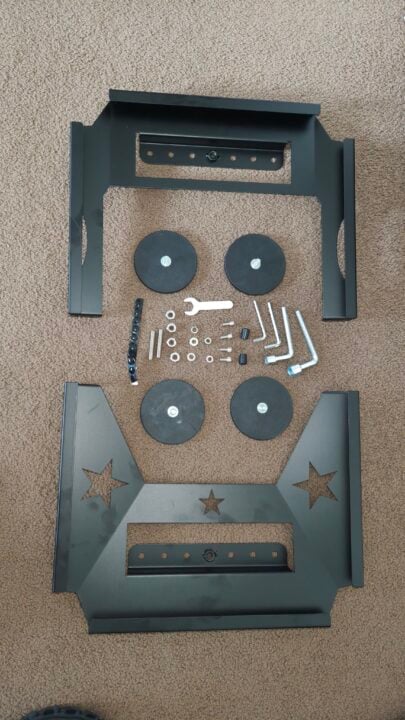
Included in the box. Image: Angus Jones.
Now, all that has changed; lots of accessories are available, and Starlink can be used on the move. This means you need to look for a suitable mounting solution. Parts4Star came to our rescue, and I now have a magnetic quick‑release roof mount for my Starlink. The Gen 3 Starlink dish is much bigger than the Mini, which was not available when I purchased my Starlink (I would probably go with the Mini now).
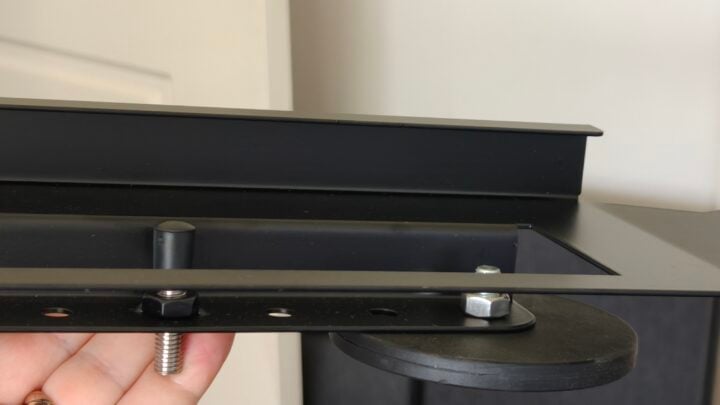
The Parts4Star mount has four large magnets, which allow you to attach the antenna to your roof. Each magnet is on a thread, so the Magnet can be adjusted in and out, allowing a firm connection with a rounded roof (I thought my roof was flat: it’s not).
Adjustable magnetic mount Image: Angus Jones.
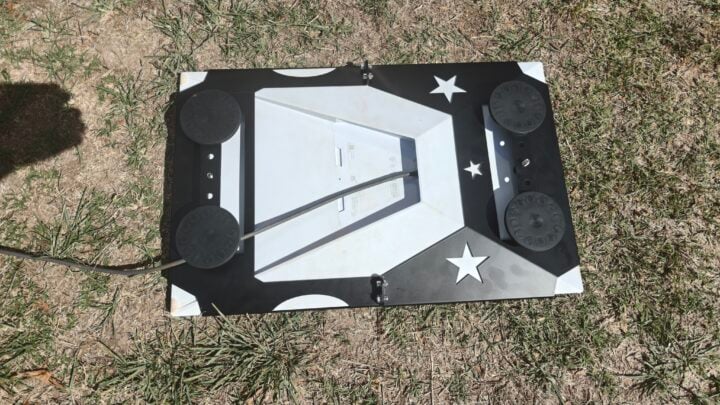
Once secured on the roof, you then run your antenna cable back into your vehicle. In my case, I use the air ram hole in my ute canopy. The mount also helps protect the antenna with four-sided coverage, although not on the corners. Assembly was simple, although for some reason, my kit was missing instructions.
This steel mount is removable, as once back in the city, I do not want the Starlink on my roof. Other mounts are available that connect to a roof rack, making the solution more permanent and secure. The magnetic mount has no security, so anyone could remove it. Quick release also means the Starlink can be easily transferred between vehicles or even to a house.
Underside of the Starlink magnetic mount. Image: Angus Jones.
If you do want internet whilst driving, this is now possible with the mount firmly holding your Starlink to the roof. On a trip, I attach the Starlink before I leave and remove it when I return, so it is no longer a daily chore.
If you have adjusted the magnets to contour to your roof, there is a fair amount of pulling power to dislodge them, so highway speeds are no issue for the Starlink dismounting. Before I had this mount, the wind once blew my Starlink off the roof.
Thanks to third-party accessory providers like Parts4Star, my Starlink is now more user-friendly.
Optus is the latest Australian mobile telco to confirm price increases, specifically across its postpaid phone plans.
Starting on 18 May, Optus will raise the price of its Choice Plus postpaid plans by $5 each. As a result, the telco’s cheapest postpaid plan will cost $60 per month. Optus is also adding more data to each plan, including up to 480GB for its priciest option.
Data from the ACCC’s latest Communications Market Report indicates that Australians use 14.5GB from their mobile plans each month on average. The consumer watchdog regularly encourages people to shop around to avoid paying for data they don’t use.
At this stage, Optus’ prepaid plans aren’t affected by any price increases. Telstra recently announced a price hike across its postpaid and prepaid SIM plans, with some plans costing nearly 13 per cent more.
By comparison, the Optus price increase isn’t quite as steep. But with the Small Choice Plus Plan set to rise by roughly nine per cent, it’s still higher than the current 3.7 per cent inflation rate.
Mobile plan
Old monthly price
Old data allocation
New monthly price
New data allocation
Small Choice Plus Plan
$55
50GB
$60
60GB
Medium Choice Plus Plan
$65
200GB
$70
240GB
Large Choice Plus Plan
$85
400GB
$90
480GB
Optus’s revised postpaid plans.
According to a statement provided to WhistleOut Australia, an Optus spokesperson said the adjusted pricing is to support work on “significant, ongoing investments in our network to improve coverage, speed and resilience”.
To compare the current cheapest postpaid phone plans in Australia, check out the widget below.
GadgetGuy occasionally uses affiliate links and may receive a small commission from purchased products.
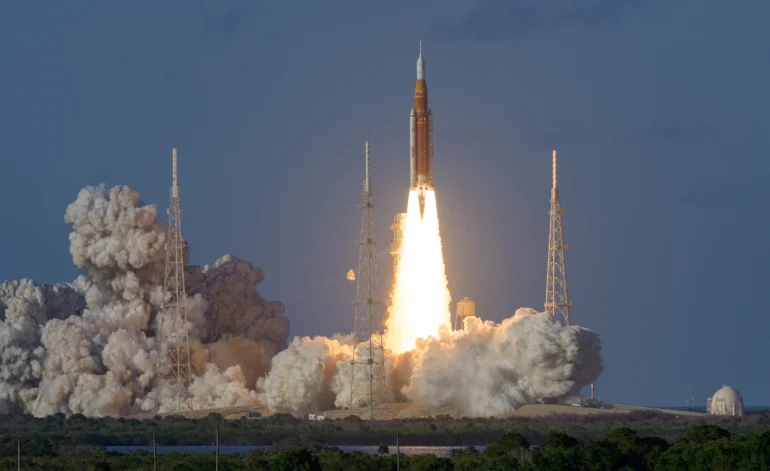
Artemis II lifted off from Kennedy Space Center on 1 April 2026, carrying NASA astronauts Reid Wiseman, Victor Glover, and Christina Koch alongside Canadian Space Agency astronaut Jeremy Hansen. The crew is travelling on a free-return trajectory around the Moon and back, targeting a distance record that will put them further from Earth than any human has ever been – roughly 252,000 miles beyond the lunar surface. They don’t land, but that’s not really the point for this mission. This is a test of the Orion spacecraft and its systems with a live crew, paving the way for an actual lunar landing mission in 2028.
How to watch Artemis II live from Australia
NASA+ and YouTube: free 24/7 live coverage
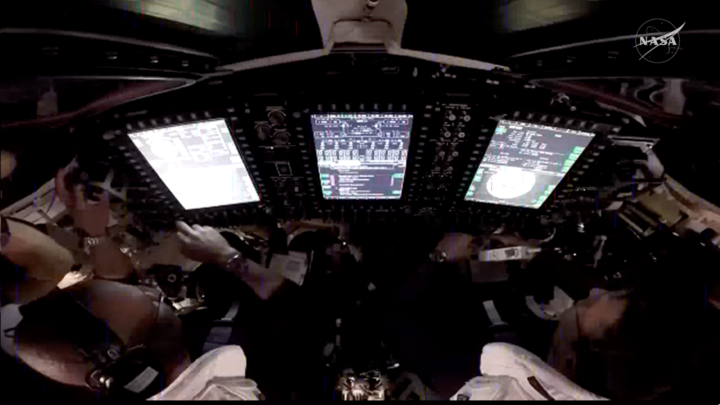
The simplest starting point. NASA is running 24/7 coverage on its YouTube channel throughout the entire mission, with live commentary, telemetry data, and video feeds. NASA+ carries highlights coverage of key moments including the lunar flyby, far-side pass, and splashdown being the ones to bookmark. Search for “NASA” on YouTube and hit subscribe, or go to plus.nasa.gov.
The Artemis mission blog at nasa.gov publishes rolling written updates at every major milestone. Useful if you want quick facts without sitting through a stream.
You’ll find some amazing views live streaming on Nasa’s Youtube channel, including in-capsule shots! (Source NASA)
How to track Artemis II in real time: NASA’s AROW orbit tracker
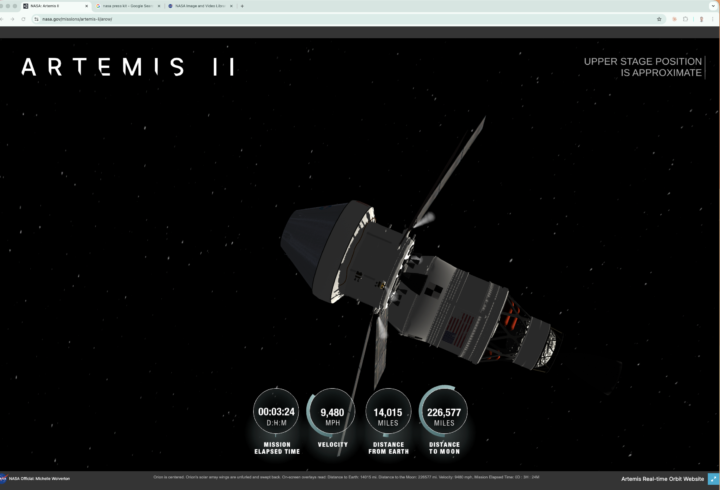
This is the coolest one. NASA’s Artemis Real-time Orbit Website (AROW) lets anyone track exactly where the Orion capsule is at any moment with stats like distance from Earth, distance from the Moon, mission elapsed time, and current trajectory. The data feeds directly from sensors on the spacecraft via Mission Control in Houston, updating continuously from around one minute after launch through to reentry.
On desktop, the Unity 3D engine provides views of Orion from multiple camera angles, including from cameras mounted on the spacecraft’s own solar arrays. (Although there may be a bug right now as I can’t seem to access all views).
AROW is NASA’s 3D tracker for Atremis II mission. Source: NASA
On the NASA app (iOS and Android), there’s an augmented reality layer where you can point your phone at the sky and it shows you exactly where Orion is relative to your location. That feature activates roughly three hours into the mission.
Best Artemis II tracking websites in 2026
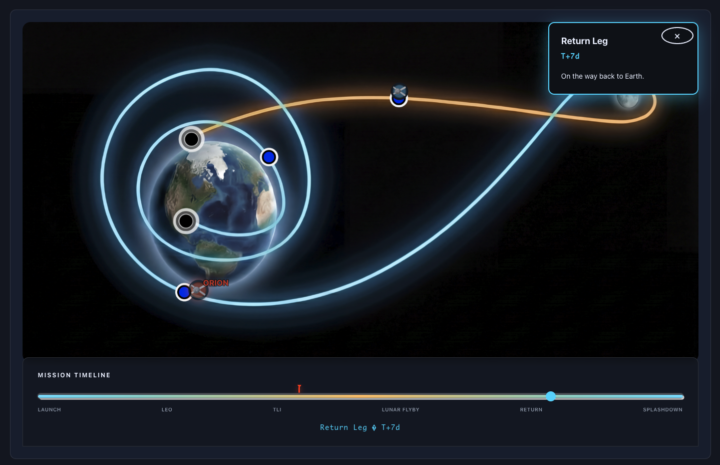
Several independent developers have built their own dashboards that are genuinely good. artemislive.org uses NASA JPL planetary data to display the free-return trajectory and live spacecraft telemetry in a clean 3D view. artemistracker.com links directly to the NASA stream alongside its own 3D Orion timeline. jasperbernaers.com/artemis-ii-tracker adds crew profiles, a full mission timeline, and a live space weather monitor showing solar radiation data. This is relevant because the crew is beyond Earth’s protective magnetosphere for much of the mission.
Keep in mind that some of these sites may still be updating with the latest Atremis II info.
The view from Atremistraker.com (Source: Atremistraker.com)
Watch Artemis II through a telescope: live from Earth
The Virtual Telescope Project is tracking Orion from Earth and streaming it live on YouTube. It’s an unusual experience as you are actually watching a crewed spacecraft move across the sky as a point of light in real time. Search “Virtual Telescope Project Artemis II” on YouTube.
If you own a Unistellar smart telescope, the company is running a citizen science program where your scope automatically tracks and records the spacecraft using live ephemeris data from NASA.
Artemis II photos and mission updates: where to find them
NASA is releasing crew-uploaded images daily via images.nasa.gov, processed and published as they come in. NASA’s accounts on X and Instagram will push alerts at each major milestone throughout the mission.
Artemis II mission schedule: key dates and events to watch
The lunar flyby and far-side pass are the emotional high points of the mission. I’m stoked to witness the moment the crew gets a view of the lunar far side that no human has seen with their own eyes since Apollo! Splashdown in the Pacific wraps the mission around 11 April. All times will be published on the NASA Artemis blog closer to each event.
As someone who spends time at international press events, it’s fascinating watching how the cameras used there have changed. A few years ago, it was all ENG-style crews with shoulder-mounted rigs. Then came a wave of compact mirrorless setups. More recently, the DJI Osmo Pocket 3 became a near-ubiquitous sight at automotive launches and tech briefings. Now I’ve noticed something else is appearing alongside it: the Insta360.
Journalists and content creators are choosing 360 cameras as working tools at events, not just for capturing outdoor action. The question is: what’s driving that decision? And with the Insta360 X5, has the company made an 8K 360 camera good enough to justify a place in a serious content creator’s kit? I wanted to find out.
360 cameras built their name in action sports. Strapped to motorcycle helmets, mountain bike handlebars, ski poles, or a backpack, they brought a first-person immersive perspective to footage that was simply not possible with conventional cameras. The ability to record in every direction simultaneously opened up angles that transformed what action content looked like, and gave those activities a new kind of audience on social platforms.
The Insta360 X5 essentially allows you to film everything and then choose the view you want later in the edit, or AI can do this for you. Image: Valens Quinn.
The early cameras were limited, though. Image quality was modest, battery life was short, and the editing workflow was awkward enough to limit broader adoption.
Moving forward to today, the image quality, battery life, and editing tools have matured, and the Insta360 X5 represents the current high point of that evolution. It uses two lenses: one facing forward, one facing back, each covering roughly 180 degrees. The two feeds are stitched together in-camera to produce a seamless equirectangular image that captures everything around you simultaneously. At 8K resolution, there is enough detail to reframe the footage significantly in post without visible quality loss.
The practical implication is a shift in how you approach filming, so, rather than deciding your framing before you shoot, you capture everything and decide what you want in the edit. For event coverage, interviews, vehicle walkarounds, and behind-the-scenes work, this opens up new possibilities.
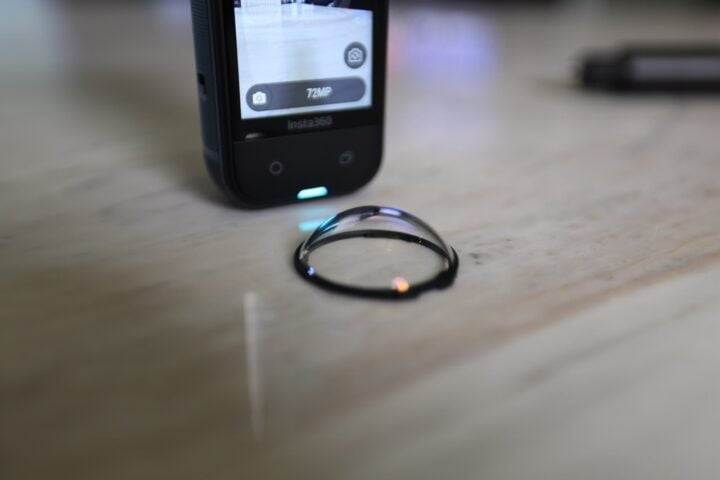
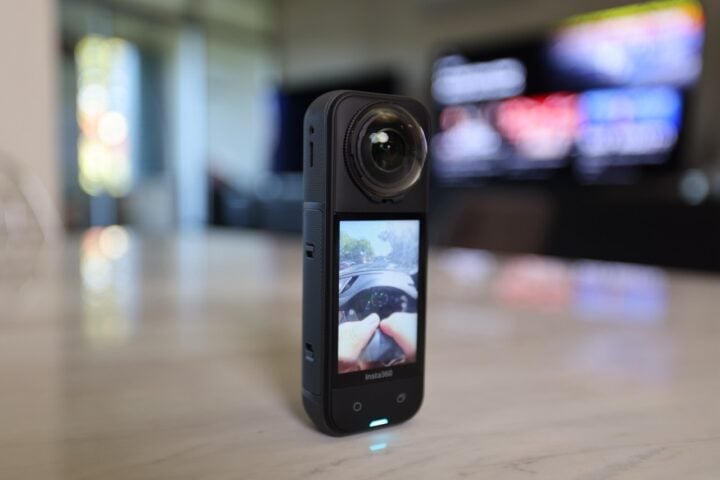
The X5 is Insta360’s current flagship, and it takes a big step up from the previous model. The most significant improvement is the sensor, which is now a dual 1/1.28-inch CMOS sensor, 144 per cent larger than those in the X4, with more detail and better performance in lower light. The lenses are now replaceable, a first for this series and a practical advantage for anyone who has ever cracked a lens dome on an action camera.
Insta360 X5 specifications and price
Max video resolution (360°)
8K 30fps (supersampled from 11K)
5.7K modes
5.7K 60fps | 5.7K+ 30fps
Reframe output
Up to 4K widescreen (16:9 / 9:16)
Codec
H.265 / H.264
Colour profiles
Standard, Vivid, Flat (I-Log, 5.7K only)
Max photo resolution (360°)
72MP
HDR
Supported
Sensor size
Dual 1/1.28″ CMOS (144% larger than X4)
Stabilisation
FlowState (6-axis gyroscope), Horizon Lock
Weight
200g (7.06 oz)
Waterproofing
IP68, 15m / 49ft without housing
Lenses
Replaceable 170° fisheye; Wide Angle Mod available
I primarily use the X5 for social videos that need to work in both 16:9 for YouTube and 9:16 for Instagram and TikTok. The ability to reframe a single 8K 360 clip into either orientation in post is very handy for anyone publishing across multiple platforms.
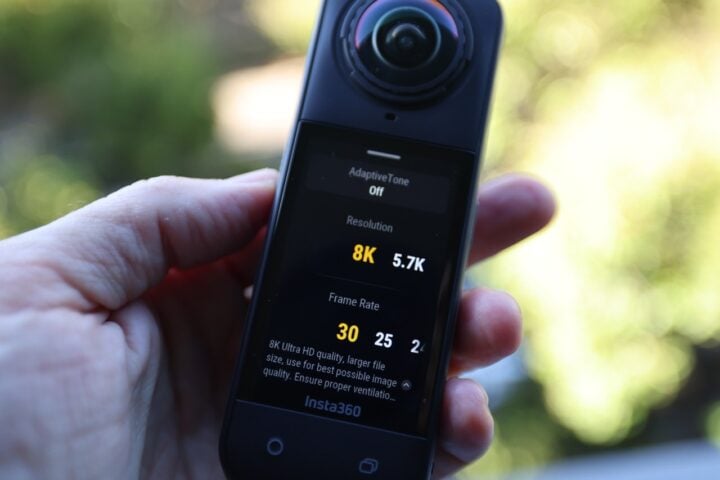
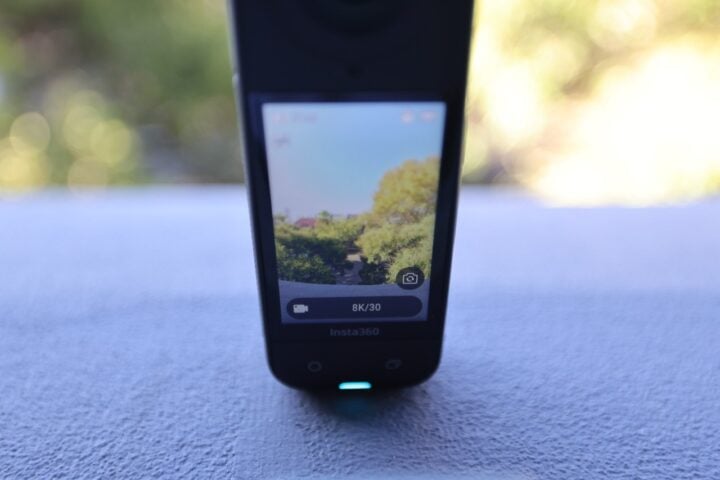
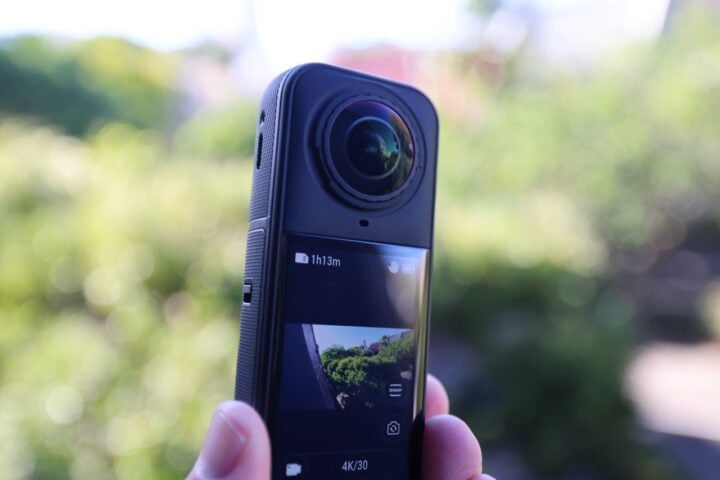
The Insta360 X5 records in 8K / 30fps, and there are many other modes to choose from as well. You can also swipe the screen to scroll the view in 360 degrees or show a selfie or outward-facing view. Images: Valens Quinn.
Apart from filming a range of outdoor activities, the camera also went with me to a recent car press launch, and this is a great example of an alternative use. At this event, I needed to film a few different things: inside and around a new vehicle, through the presentation space, into and out of interviews and maybe a bit of the on-stage presentation. Lastly, a bit of ‘behind the scenes’ footage couldn’t hurt.
To start with, the Insta360 X5 meant I could hold up the selfie stick, walk around the car, and know that I had every angle covered. It played a similar role to a compact camera on a gimbal. Next, I could capture the reveal as a wide shot, with some of the crowd’s reaction, and my own reaction simultaneously. For behind-the-scenes footage, I used FPV-style tracking shots as I moved through the hall, with wide establishing shots of the venue, all from one run.
At a recent launch event, I used the X5 to grab footage of the vehicle from lots of interesting angles. Image: Valens Quinn.
The Essentials Bundle: what you get
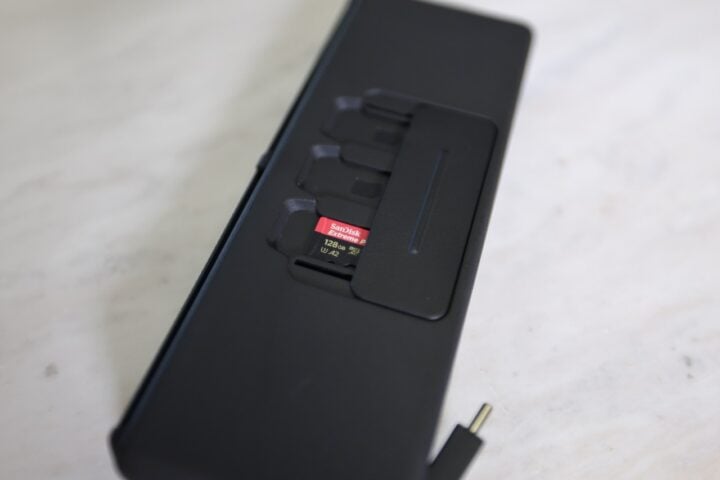
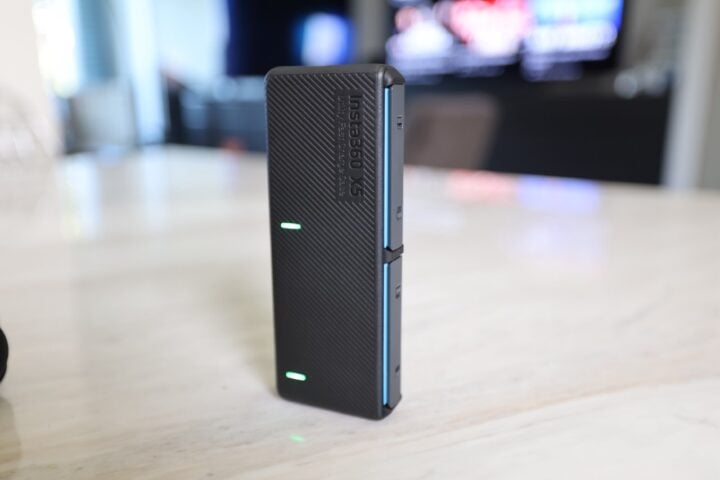
I tested the Essentials Bundle, priced at $1,109.99 in Australia. Alongside the camera itself, the bundle includes an additional battery, the Utility Fast Charge Case (which charges the camera and a spare battery simultaneously, and has little cut-outs for storing MicroSD cards), a 114cm invisible selfie stick, standard lens guards, a protective rubber lens cap, and a carry case.
At $929.99 for the camera alone, the Essentials Bundle represents roughly $180 of additional value for practical accessories. The fast-charge case is worth paying extra for, as it lets you charge two batteries in parallel for less downtime between shoots. The spare battery also matters: at 88 minutes per charge in 8K 30fps mode, having a second cell ready is the difference between a half-day and a full-day camera.
The recharging case includes spaces for two batteries to be charged at the same time, plus 3 x MicroSD card slots. Images: Valens Quinn.
Beyond the Essentials Bundle, Insta360 offers a range of configurations, including cycling, diving, and creator-focused bundles, so it’s worth checking what suits your workflow before committing.
Shooting with the Insta360 X5
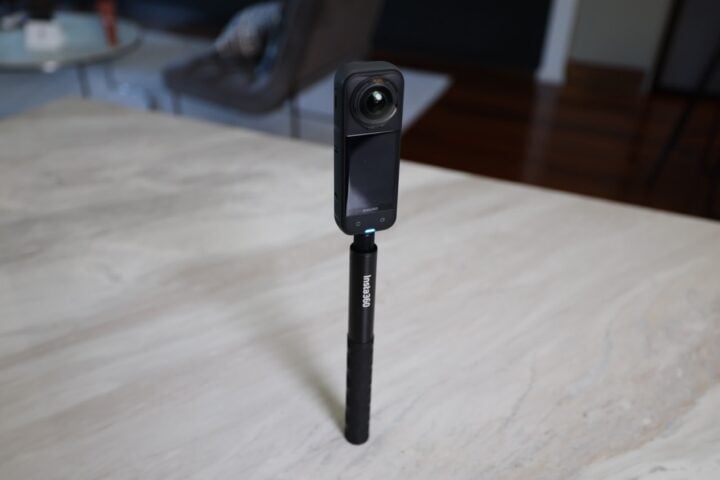
I really like how the Insta360 opens creative possibilities. Used well, you can produce footage that looks like it came from a crew of several operators. The invisible selfie stick effect, where the mount is automatically removed from the stitched image, is a handy trick, and the stick’s extendable length gets the camera into all sorts of places. And the selfie-stick removal happens automatically, making for clean floating-camera shots that look expensive and effortless.
That said, using a 360 camera effectively requires a shift in how you think about shooting. The twin 180-degree lenses see everything, which means the operator is always in frame. You can’t stand behind the camera. For walkarounds and selfie-style footage, this is fine. For traditional over-the-shoulder interview setups, you’ll need to get your head around it. To avoid recording myself, there’s a ‘single lens’ mode that only films from the outer 180-degree camera, so I used this.
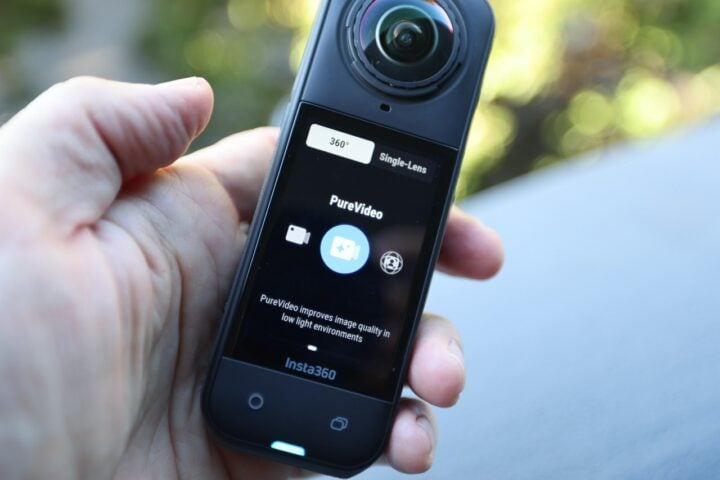
The PureVideo mode (left) is suggested when shooting in lower-light conditions. The 180-degree mode gives you a traditional 16:9 view on the screen and only uses the outward (or inward) facing camera. Images: Valens Quinn.
Footage quality in good light is excellent. The 1/1.28-inch sensors produce crisp, detailed 8K imagery that holds up well when reframed. In lower light conditions, quality degrades more noticeably. The X5 is better than the X4 in this regard, thanks to the larger sensors, but it is not a low-light specialist. Indoor event footage lit with stage lighting is workable; dimly lit corridors or evening exterior shots should be thought through a bit more.
The PureVideo mode takes advantage of the X5’s larger sensor and helps reduce noise in darker scenes, such as my robot footage. You can also use various De-warping settings to reduce the ‘fisheye’ effect. Image: Valens Quinn.
However, when filming darker scenes, the X5 suggests switching over to PureVideo mode, which raises the ISO and applies noise reduction for a cleaner image.
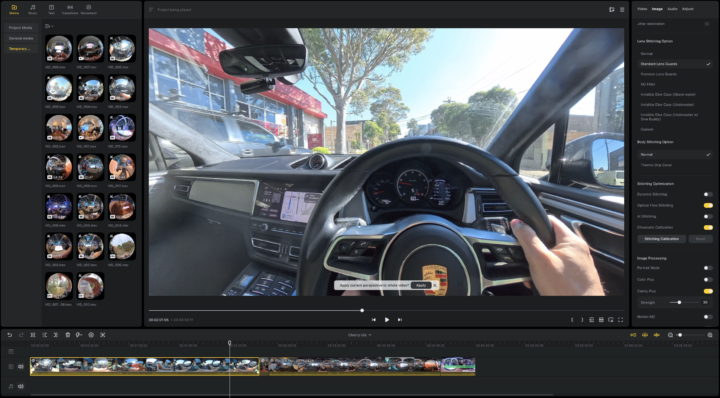
The FlowState image stabilisation does a great job of smoothing out my driving footage. However, you might notice a slight drop in clarity as it needs to crop the image slightly. Image: Valens Quinn.
The FlowState stabilisation is impressive in motion. Walking quickly, turning, or moving through a crowd, the footage remains smooth and usable without any additional post-processing. Horizon Lock keeps your horizon level even in dynamic movement. I also tried brisk walking, running, driving and mountain biking with FlowState enabled, and the results were surprisingly smooth with no obvious artifacts or wobble effects.
Also worth noting about the lens optics is that the fisheye lens produces a distinctive wide-angle look. This can be corrected to a more natural rectilinear field of view in Insta360 Studio, and there are different modes to choose from that vary between ultra-wide and linear, but your best results will probably come in post-production.
Audio on the Insta360 X5
The X5 features a four-channel spatial audio system with a built-in steel mesh wind guard on the rear microphone. Four audio modes are available: 360-degree Spatial (which captures directional audio from all around for VR applications), Stereo, Voice Enhancement, and Auto Wind Noise Reduction in both strong and weak variants.
For professional content work, the built-in microphones are adequate for ambient capture and scratch audio, but any serious production should be supplemented with external recording. Insta360 offers a Mic Adapter (3.5mm and USB-C) for wired external mics.
The Creator Bundle includes two Standard lens guards, which give you added peace of mind and prevent scratches, but they can catch the light at certain angles and degrade your footage. Images: Valens Quinn.
More interesting is the Insta360 Mic Air, a wireless Bluetooth lapel microphone launched alongside the X5. At 7.9g, it is barely noticeable on a subject, connects directly to the X5 via Bluetooth, and records at 48kHz/24-bit with built-in noise reduction. The X5 supports dual-track audio recording where the camera simultaneously captures its own built-in microphone and the Mic Air feed as separate channels, giving you flexibility in post. For solo operators who need clean interview audio without a separate recorder, this is the answer.
Practical considerations
At 200g, the X5 is compact and light. It disappears into a bag, sits comfortably on the selfie stick for extended shooting, and attracts minimal attention at events, which can be an asset in environments where a large camera rig would draw unwanted interest.
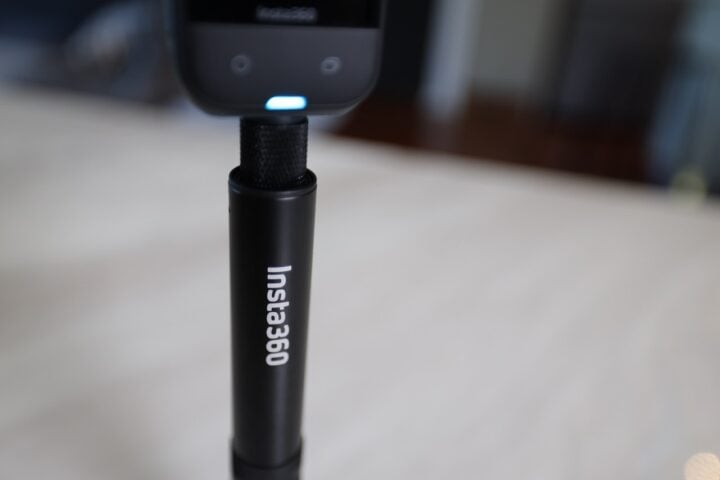
The Insta360 selfie stick extends to about 1.14m and is a fantastic way of accessing vantage points that you’d otherwise miss. Plus, the software makes it invisible and creates a ‘floating’ camera effect. Images: Valens Quinn.
The IP68 waterproofing to 15m without any housing is a significant improvement over the X4’s 10m rating. For most working conditions (rain, splashes, brief submersion), this means the camera simply doesn’t need additional protection. It’s a more capable outdoor tool than it looks. And of course, this all comes in very handy if you’re out enjoying nature, on the ski slope, beach, hitting the trails or asphalt. Thankfully, if you’re wearing gloves or otherwise have your hands occupied, you can start the recording with your voice or a hand gesture.
Battery management is an important part of using the X5 on a full shooting day. The 208-minute rating in 5.7K mode is generous, but shooting at 8K 30fps brings that down to around 88 minutes, or even less depending on visual enhancements that you might have enabled. The fast-charge capability (approximately 20 minutes to resume shooting) mitigates this considerably. With a spare battery and the fast-charge case, a full event day is manageable without much stress.
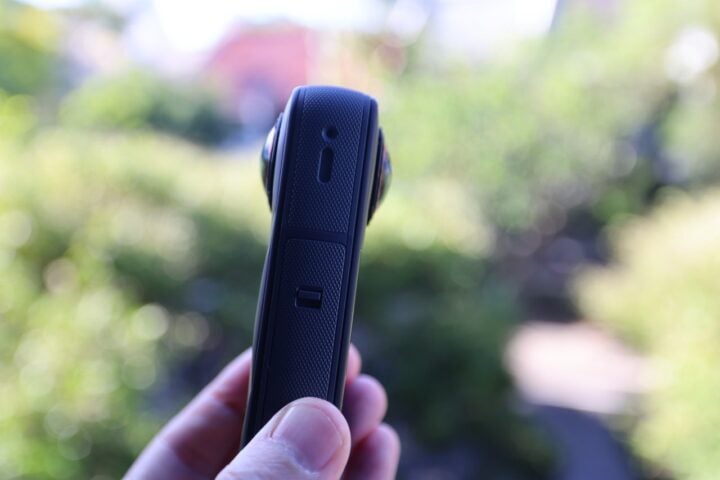
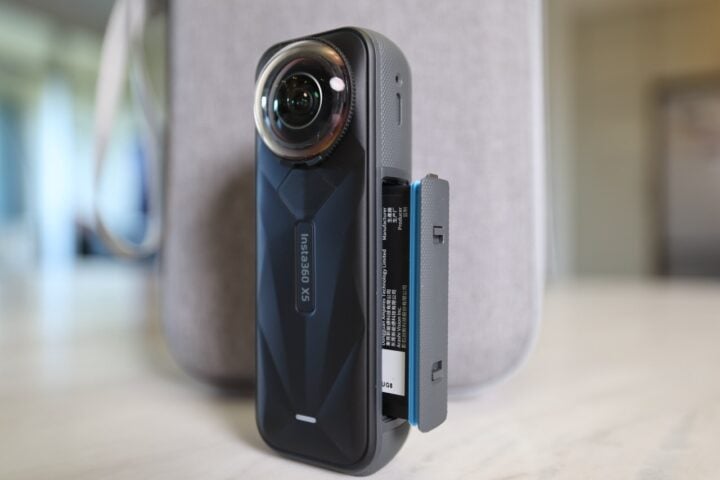
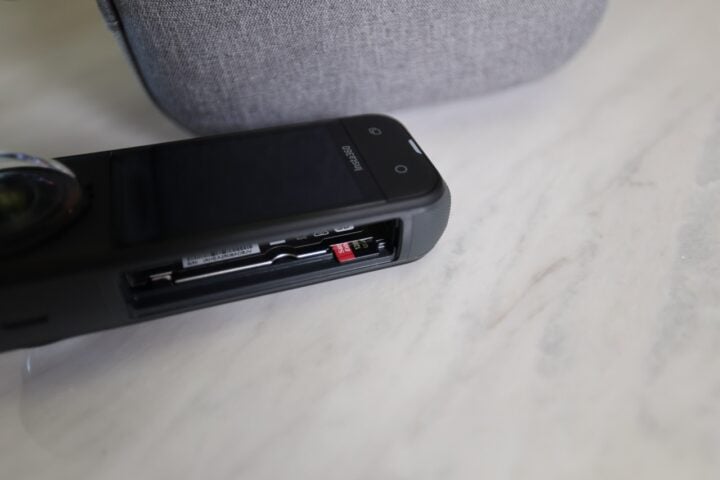
It took me a minute to find the MicroSD card slot — you need to remove the battery first, and then it’s tucked away inside the compartment via a small sleeve. Images: Valens Quinn.
Storage is via microSD, with support for cards up to 1TB. The camera records in H.265 (HEVC), which produces smaller file sizes for the resolution but requires decent hardware or software for smooth playback and editing. I-Log, Insta360’s flat colour profile for grading headroom, is available in 5.7K mode. It is not available in 8K, which is a limitation for those wanting maximum flexibility in colour work at full resolution. There is no 10-bit option in any mode, so there’s only so far you can push things during grading or when matching other cameras.
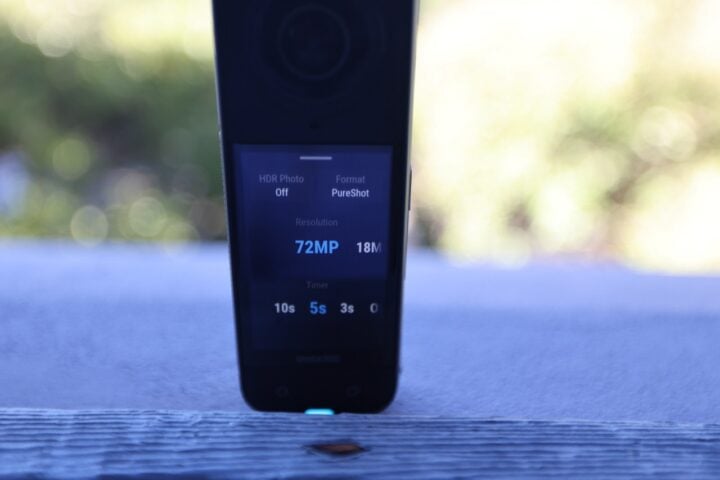
There’s a still camera mode too, with the ability to capture a massive 72-megapixel image in 360 degrees. Image: Valens Quinn.
Editing Insta360 X5 footage
Editing 360 footage is quite different from conventional video. Before you can work in a standard non-linear editing (NLE) program like DaVinci Resolve or Adobe Premiere, you first need to use Insta360 Studio, the company’s free desktop software, to reframe your clips. In Studio, you select your output framing: moving the virtual camera around the 360 sphere to find the angles you want, setting keyframes for camera movement, and exporting standard video files.
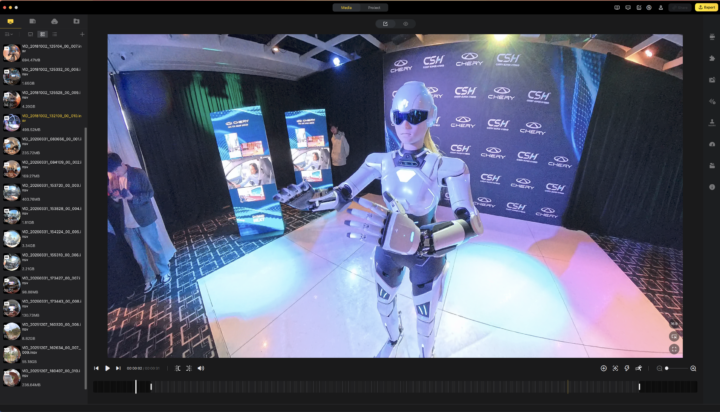
Insta360 Studio also supports automated subject tracking, which can lock to a person or object in frame and follow them through a clip automatically. In my experience, the tracking works reasonably well, though for more demanding or precise editorial work, manual keyframing gives you more control.
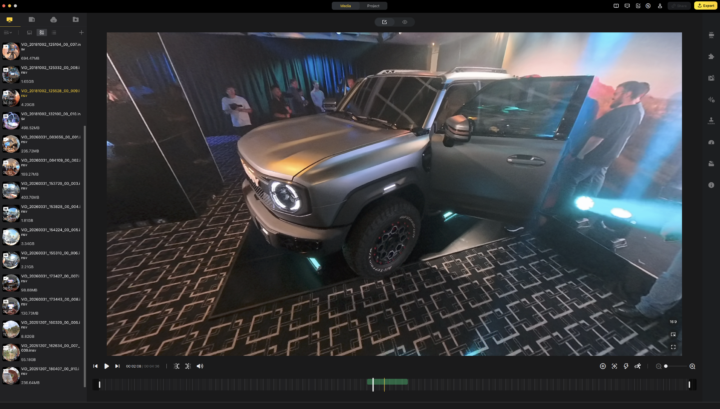
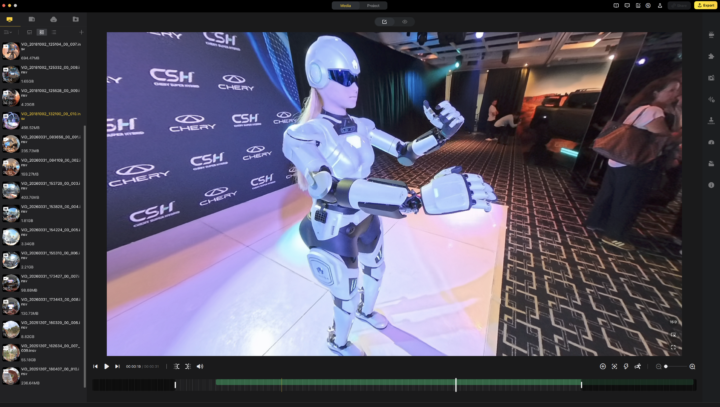
The Insta360 Studio desktop app (Mac version shown) is where you can choose your view, or let the AI (DeepTrack) keep your desired subject in the frame, like the robot shown here. You can also manage your media, apply loads of transitions, text and movement effects, all to a timeline. Image: Valens Quinn.
Once clips are exported from Studio, they can be brought into DaVinci Resolve for colour grading, audio work, and cut in the normal way. There is currently no direct native workflow from INSV files into Davinci Resolve, though this appears to be on Insta360’s roadmap, but this has been a long time coming. Adobe Premiere, however, does have an Insta360 plug-in for a more direct workflow.
Insta360 Studio is competent rather than exceptional. It does what it needs to do, though those accustomed to the refinement of professional NLEs will find it basic. I’d rather not have to learn a new editing tool and just do the work in my editing suite. However, with practice, the reframing tools are perfectly functional.
Who is the Insta360 X5 for?
The Insta360 X5 is a great addition to any content creator’s kit, particularly for those who work across events, press situations, and social platforms where versatility and speed matter more than traditional cinematic control.
And as an action camera, it is a fantastic way to introduce new, creative dimensions into your videos, and has evolved into a very feature-rich system in its own right.
Regardless of which way you go, what it offers that few camera types can match is the freedom to capture everything and decide what you want in the edit. The footage quality at 8K, with substantially improved sensors over the previous generation, is good enough to hold up at professional output resolutions, although the final resolution is often reduced once tracking and stabilisation are applied.
The limitations are manageable, too. The editing workflow is more involved than conventional footage. The fisheye look doesn’t suit everything, but at least there are different wide-angle modes. I-Log is restricted to 5.7K. For those wanting cinema-quality grading, this is not that camera.
But for content creators operating across social and editorial channels, covering events, or building flexible libraries of footage that can serve multiple platforms and formats, the Insta360 X5 is the most capable and practical 360 camera that I’ve seen. It represents a real evolution over the X4, and at $929.99 for the Standard Bundle, or $1,109.99 for the Essentials Bundle with the accessories, you can really put it to work.
It’s also clear that 360 cameras are becoming the new normal in content capture, and the Insta360 X5 is the reason why.
GadgetGuy occasionally uses affiliate links and may receive a small commission from purchased products.
Insta360 X5
The Insta360 X5 opens new dimensions to your filming and is a feature rich way to film everything so you can pick what you want later for your final edit.
Performance
8.5
Features
9.2
Value for money
8
Ease of use
8
Design
8.5
Positives
Dramatically larger 1/1.28 inch sensors deliver 8K quality with far better low-light performance than the X4
So many shooting modes to capture the moment
Invisible selfie stick effect is one of the most useful tricks available on any camera
Replaceable lenses are a great way to protect your investment and change up your shooting scenarios
Compact and lightweight at 200g
Insta360 Mic Air integration brings clean wireless audio via Bluetooth
Negatives
Editing workflow requires Insta360 Studio as an intermediate step for pro workflows
I-Log flat colour profile only available in 5.7K, not accessible in 8K mode, no 10-bit colour mode
Low-light footage degrades more noticeably than dedicated cinema cameras
Requires a rethink of shooting technique: the 'capture everything' approach has a learning curve