This is default featured slide 1 title

Go to Blogger edit html and find these sentences.Now replace these sentences with your own descriptions.

This is default featured slide 2 title

Go to Blogger edit html and find these sentences.Now replace these sentences with your own descriptions.

This is default featured slide 3 title

Go to Blogger edit html and find these sentences.Now replace these sentences with your own descriptions.

This is default featured slide 4 title

Go to Blogger edit html and find these sentences.Now replace these sentences with your own descriptions.

This is default featured slide 5 title

Go to Blogger edit html and find these sentences.Now replace these sentences with your own descriptions.

Tuesday, 5 July 2022

ASUS ROG Flow Z13: A powerhouse tablet for gamers, finally? (review)

7.6

Striking the balance between power and portability is something that PC makers constantly wrestle with, especially when it comes to gaming laptops. After all, high performance parts generate heat and consume a lot of power – all of which fly in the face of portability and battery life. 

ASUS, however, has done the seemingly impossible. The ROG Flow Z13 packs one of the most powerful mobile chips in the Intel 12th Gen Core i9 12900H as well as Nvidia’s RTX 3050Ti graphics card into a 13-inch Windows tablet that isn’t much bigger than a Surface Pro 8.  

The Z13 has a built-in multi angle kickstand as well as a detachable keyboard and Pen included in the box. The Z13 even supports ASUS’ external GPU dock accessory with a mobile RTX 3080 that, when connected to the Z13, will rival the performance found on larger gaming laptops. 

So has the Z13 cracked the portable gaming code? 

Gaming tablet shown on angle and rear side

Design

At 302 x 204 x 12mm in size and 1.18kg in weight (1.53kg with the keyboard cover), the Z13 is only a little heavier and thicker than the Surface Pro 8 and a good deal lighter than most gaming laptops. 

It looks and feels premium as well with an aluminium frame that’s been tastefully stylised with cut-outs and etchings. By far the slickest design touch is the transparent window on the back that shows off some of the motherboard and is illuminated by RGB lights. 

While the Z13 is a little too heavy to hold as a tablet, the built-in sturdy kickstand meant I could comfortably angle the Z13 on my lap or prop it up on a table with an Xbox controller paired, making for an enjoyable way to play PC games. 

One other major selling point of this tablet format is the fact that the components are placed behind the screen, and that means that the keyboard folio always stays cool and comfortable to the touch, no matter what you’re running on the device. That’s not the case with other gaming laptops. 

Snapping on the detachable keyboard feels just as satisfying as it does on the Surface Pro. Although I would’ve prefered slightly larger keys and a trackpad, the keys offer a surprising amount of travel and, coupled with a slightly taller 16:10 screen, the Z13 doubles as a decent productivity machine. 

Picture of a 2-in-1 gaming laptop with keyboard attached to tablet body

Display and speakers 

The 13.4-inch display uses a regular IPS LCD panel with a resolution of 1920 x 1200 and a refresh rate of 120Hz. It’s not as pixel dense as something you would find on a premium ultraportable, but it’s sharp enough and gets plenty bright at over 500 nits. 

There’s also a 4K 60Hz display option, but that resolution seems like overkill for a display of this size and will likely result in shortened battery life.  

The stereo speakers are average at best. They don’t get particularly loud and are seemingly devoid of any low end while their placement right on the bottom sides of the tablet means the sound can be muffled easily. Although gamers will mostly be playing with headphones on, it is a disappointing result given how great the onboard speakers sound on other tablets like the Surface Pro 8 and iPad Pro. 

The webcam is well below the likes of what you’ll find on Surface though in line with what you would expect from a gaming laptop, amounting to some grainy video calls. The webcam doesn’t support Windows Hello to log you in with face recognition, but its side-mounted power button has a built-in fingerprint sensor that worked reliably in my testing. 

Ports and connectivity 

The Z13 has only three USB ports (2x Type-C and 1x Type A) and a headphone jack as well as a microSD card reader hidden under the kickstand. While that’s more ports than what you would find on other thin and light tablets, it’s a little underwhelming as far as gaming laptops go. 

Both of the USB Type-C ports are on the one side with top one being Thunderbolt 4 and the bottom one being USB 3.2 with support for DisplayOut. It would’ve been nice to have a USB-C port on either side to make charging more convenient. 

Underneath the Thunderbolt 4 port is ASUS’ proprietary PCIe port, which is where you can plug in the powerful but very pricey XG mobile external graphics dock – more on this later. In addition to boosting the graphical performance of the Z13 to mobile RTX 3080 levels, the dock provides a bunch of extra ports including 4x USB ports as well as HDMI 2.1, DisplayPort, Ethernet and even a full size SD card reader slot. 

Battery life 

ASUS claims the Z13 has over 10 hours of battery life, but I couldn’t get anywhere close to that. When used as a laptop for productivity with the screen running at 120Hz, the Z13 lasted under 5 hours. Dropping the refresh rate down to 60Hz didn’t make much of a difference to the runtime.  

Compared to the more than 8 hours you get with other thin and light notebooks and even gaming laptops like ASUS’ own G14, this is an underwhelming result.

The Core i9 chip doesn’t exactly sip on power when in standby either. I left the Z13 sleeping on 55 percent battery on a Friday evening and when I returned to use it on Monday morning, the battery had run itself down to just below 10 percent. 

The Z13 does at least include a 100w fast charger in the box, juicing up the battery to 50 percent in just 30 minutes. 

People playing videogames on a tablet with controllers

Performance 

The i9 12900H is the very same beefy CPU you’ll find in the best and fastest laptops on the market but the big difference is that it’s been throttled to keep temperatures down. While single core speeds remain unaffected, multicore speeds were around 10 to 20 percent slower in synthetic benchmarks. This is still a very impressive result considering we’re talking about such a power hungry and hot chip in a compact 13-inch tablet form factor but those who need all the performance that the Core i9-1200H has to offer should consider a full size gaming laptop. 

For the GPU, the Flow Z13 series is available with Iris Xe graphics and an optional Nvidia GeForce RTX 3050 or RTX 3050Ti discrete GPU, which is the model I reviewed. Both RTX chips are Max-Q variants, running at 35W stock and up to 40W with Dynamic Boost. ASUS also added a MUX switch to the design, which helps the performance in certain games. 

With the 3050Ti discrete GPU inside the review unit, I was able to play demanding titles like Metro Exodus and Red Dead Redemption 2 at 42fps (frames per second) at the display’s native resolution of 1920 x 1200 and with graphical settings set to high. While older titles such as Witcher 3 will hit a smooth 60fps, you’ll want to drop down the graphical settings to medium in more current AAA titles. 

Mobile eGPU 

If you have $1699 burning a hole in your pocket, you can invest in ASUS’s XG Mobile eGPU for a significant boost to performance. The advantage in using ASUS’s proprietary connector is that it gives you a more direct PCIe connection to the CPU that utilises the full 8 lanes of PCIe Gen 3 instead of the four lanes you get with a Thunderbolt based external GPU. This means you should get all the performance that the mobile variant of the RTX 3080 GPU has to offer without any real bandwidth limitations. 

Connecting the XG Mobile eGPU, the frame rates more than doubled across the board with Red Dead Redemption 2 and Metro Exodus delivering a consistent 103fps at the same settings and resolution. Meanwhile, games like Shadow of the Tomb Raider almost tripled in performance, hitting 150fps and far exceeding the Z13’s 120Hz refresh rate display.   

ASUS’s proprietary connector is a chunky one and the cable is very short, making for some messy ergonomics. It isn’t exactly plug and play either. After connecting the XG Mobile, you’ll be prompted to close down all active applications that are using the GPU and thereafter it will take 20 seconds or so for the eGPU to initialise. You’ll also need to remember to remove the XG Mobile from the system tray before safely removing the connector. 

Computer screen

GadgetGuy’s take

Cramming components that you would normally expect to find inside a big and bulky gaming laptop into a relatively svelte 13-inch Windows tablet makes the ROG Flow Z13 nothing short of an engineering marvel. I love being able to just turn on the Z13, pair a controller and get straight to gaming without having the keyboard get in the way. It’s also nice to have the option of plugging in a beefy external GPU when I want that extra performance. 

However, the Z13 compromises battery life to get there, falling notably short compared to other detachable notebooks and gaming laptops. 

The biggest issue with the Z13 is one of price. The discrete RTX 3050Ti graphics model of the Z13 retails for $3499 and ASUS’s external GPU accessory adds another $1699 to the total. The reality is that the 3050Ti graphics chip doesn’t deliver the performance that PC gamers expect at this price. Springing for the eGPU accessory adds bulk, weight and cost to the equation that makes choosing a similarly powerful gaming laptop a less complicated and less expensive choice.

More gaming news and reviews on GadgetGuy

More ASUS news and reviews on GadgetGuy

ASUS ROG Flow Z13
The ASUS ROG Flow Z13 is an interesting but ultimately flawed device that makes it tough to recommend.
Features
8
Value for money
6
Performance
8
Ease of use
7
Design
8.8
Positives
Solid build quality
Pen and detachable keyboard included in the box
Multiangle kickstand makes impromptu gaming sessions convenient
Runs surprisingly cool and quiet under load
Charges quickly with included 100w fast charger
Negatives
High price to pay for portability
Discrete RTX 3050Ti graphics is meagre compared to laptops at its price
Asus's eGPU accessory is absurdly expensive
RAM is capped at 16GB and not upgradeable
Average battery life and standby times
Weak speakers
7.6

The post ASUS ROG Flow Z13: A powerhouse tablet for gamers, finally? (review) appeared first on GadgetGuy.


Monday, 4 July 2022

Caravanner’s guide to connecting to the internet anywhere [updated]

We live in a very connected world. Our reliance on the internet is on par with running water and electricity. So what happens when we decide to travel Australia and live the life of a nomad? How do we stay connected? This guide will look at the latest technology available for caravaners and travelers including options coming in the near future. Also, our findings are a bit different that what’s being promoted in the caravan and 4WD industries.

Connection considerations

The Australian Federal Department of Communications found that as of 2021, more people are watching online subscription services like Netflix and Stan than traditional free-to-air TV. So, clearly, streaming video via the internet is now more popular than using an TV aerial.

While mobile phone networks claim 90+ percentage of coverage, this can be a little misleading. The figure actually refers to the population, not the landmass. In fact, 73% of Australia is without phone coverage.

mobile coverage map of Australia
Telstra coverage March 2022

A satellite phone, data or messaging system will work anywhere in Australia, however its antenna needs a clear view of the sky. Otherwise, there may be reception issues when it rains, during storms, etc.

For the best two-way UHF reception, the better the antenna quality and the higher you place your antenna, the better the reception. The same goes for a mobile phone external antenna set up.

UHF antennas have different characteristics that suit different terrains, either for flat or hilly landscapes.

A mobile data solution would require a dual antenna setup to receive and send data at a reasonable speed. Some routers have dual antennas built-in and, and you can tell if it’s a true dual system because of the two antenna cables.

Regardless of your mobile phone network, a 000 call will succeed if any carrier has mobile phone reception. If there is no reception, your mobile phone is useless.

On main roads in remote Australia, the distance between roadhouses can be up to 300km with possibly nothing in between.

The windscreen and metal shell of a vehicle will also reduce your signal if trying to access the internet from inside too. And if you do manage to get a few bars of service, your ability to communicate via text, voice and video will depend on your available speed.

Wi-Fi calling

Wi-Fi calling is a key feature supported on the some carrier networks, but not many sub-carriers offer it. This is a cool feature where supported mobile phones can make and receive mobile calls over the internet via Wi-Fi instead of the mobile phone network. So, if you were in a town where your carrier had no coverage, but the caravan park had Wi-Fi, you could use that Wi-Fi for the accessing the web, mobile calls and SMS. Popular handsets that support this include Apple iPhone 7 onwards, Samsung Galaxy S8 onwards and Google Pixel 2 or newer.

Another way you can use Wi-Fi calling is to have a 3G/4G modem/router with high gain external antenna. A high gain external antenna would more likely connect to a mobile phone tower when you are in a fringe area of coverage. Connecting to your Wi-Fi router, say in a 50-metre range of your router, would allow you to make and receive calls and SMS from your handset. The height of the antenna will also make a difference.

Person using a CB radio in their car

Communication ranges

  • UHF Radio – 1 watt power up to 7km, 5 watts of power for up to 17km
  • 3G or 4G mobile phone – in a perfect environment may allow you to make a call 24km from a mobile phone tower. (Note that a 5G signal is designed for about 500m). Internet is available at high speeds, capable of streaming video. A high gain directional antenna may extend this to 35km.
  • VHF marine radio – 25 watts may go as far as 100km
  • Low Frequency (LF) radio – 2000 km or more
  • Satellite – anywhere in Australia that has a wide clear view of the sky. Internet is available at very low speeds

Long range internet access

Of the different communication types listed above, only some are practical and affordable ways of accessing the internet. We’ve listed them below, along with some advantages and disadvantages. We’ve had to rule out radio solutions, as they can’t carry the internet, however, you can hop over to our sister publication, Small Business Answers, if you are interested in learning more about buying a portable UHF radio.

Caravan park, internet café or motel

Sign for Free Wi-Fi

If parked up in a town, chances are a free Wi-Fi will be available somewhere close by. It’s simply a matter of finding a Wi-Fi network, connecting your device and entering your details.
Advantages: unlikely to cost you anything extra. You don’t need any special equipment other than a smartphone, PC or tablet.
Disadvantages: Connection may be slow or limited, and you have to share with everyone else who wants to use it. No coverage once you drive 50 metres down the road. You may need to give up some personal information like your email address.

Your 4G Mobile phone

Like in the city, you can use your mobile to make and receive calls and access high-speed internet and share your connection (hot spot) with other devices such as a PC, Tablet or Smart TV.
Advantage: You already own one, so there is no extra cost beyond having the right amount of data included in your plan
Disadvantage: Coverage is limited, and the built-in smartphone antenna will not work well in a vehicle and in fringe mobile areas. Mobile phone coverage is only 27% of Australia’s landmass.

Cel-Fi

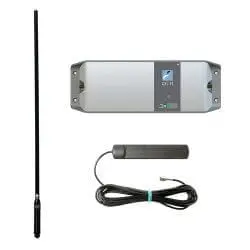
Cel-Fi gadget

Check our our GadgetGuy article article to learn more. The Cel-Fi is a 3/4G repeater that repeats a mobile signal to your mobile phone. It does not boost the signal, but because it can use a choice of high gain antennas, it will allow your phone to make calls in fringe areas.
Advantage: This allows you to have a better chance of making and receiving calls in low signal strength areas, especially if the smartphone is in the car. Simple to use as once installed anyone in range of Cel-Fi will benefit
Disadvantage: Very slow internet speeds as only has one antenna. Needs to be configured on installation to suit the specific carrier you are using as a different antenna is used for Optus versus Telstra.

3G/4G Internet Modem or Hotspot

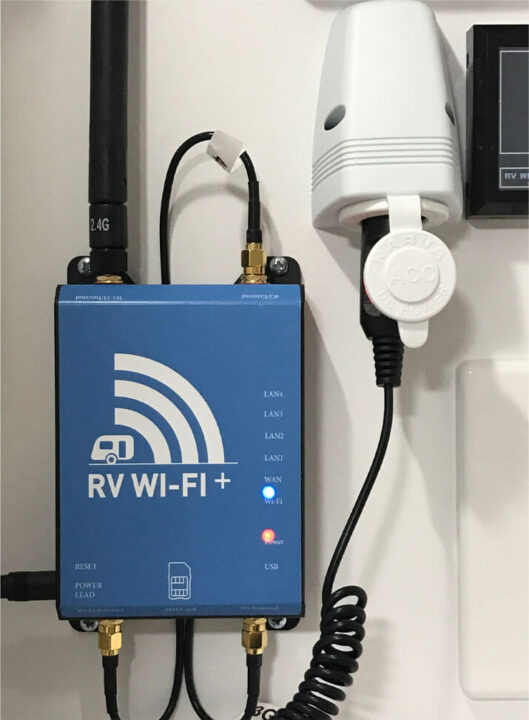
NetGear's RV Wifi

This standalone Wi-Fi modem router requires its own SIM card/data plan. Many models, such as a Netgear hotspot to a specialised RV Wi-Fi, are available from leading retailers. Only consider models that support external antennas to maximise any available phone coverage.
Advantages: Allows for high-speed internet based on coverage. Will support Wi-Fi calling from a supported smartphone.
Disadvantages: You need to pay for a separate SIM plan. Mobile phone coverage is only 27% of Australia’s landmass.

4G internet modem with a big pole and directional antenna

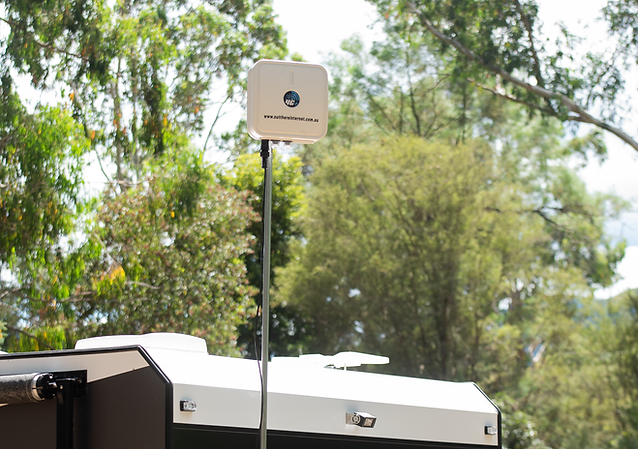
The company Out there internet sells a kit specially designed for remote mobile (data) reception. It uses a 3.6m pole with an all in one directional antenna and modem.
Advantage: An all in one kit that maximises reception when at camp.
Disadvantages: This is expensive at $1800. It can only be used while stationary. Mobile phone coverage is only 27% of Australia’s landmass.

An alternative solution using a D-Link G415 smart router at a third of the price can be found here.

Directional antenna on top of camper

Satellite phone


Looking like a large mobile phone with an antenna, these devices will give you peace of mind in remote areas of Australia.
Advantages: It will work anywhere in Australia with a clear sky view. Great in an emergency.
Disadvantages: Expensive to operate. Internet speed is very slow. When used for voice, there is a noticeable delay

Satellite communicator

Satellite communicator


These satellite devices allow a standalone modem type unit to send an SOS, share position, text messaging, weather, and in the case of the Iridium Go, voice and data.
Advantages: Lightweight emergency device. Stay in touch with your position and SMS with friends. Economical for purpose.
Disadvantages: Except Iridium Go, no voice or data.

Better technology coming soon

Although the Australian Government keeps handing out subsidies to the mobile phone networks to build new towers, the landmass coverage will remain small and centred around where most people live. So if you want to be connected almost always, a satellite phone has been the only real option for caravaners and travellers.

The current five Australia-wide available satellite offerings:

  • Optus MobileSat uses 1 Satellite with voice and data at 2.4kBps
  • NBN Sky Muster does not allow a mobile installation, fixed address only
  • Inmarsat – 3 satellites in a very high orbit that support voice, SMS and data at 384kBps
  • Iridium –  66 satellites in a low orbit that support voice, SMS and data at a very low speed of 2.4kBps
  • Thuraya use satellites 2 satellites and offers Voice SMS and data at a speed of 444kbps

However, some new players are about to come to town, or should that be the outback, including Starlink, Amazon’s Kuiper, Telesat and OneWeb. They are all developing solutions based on Low earth orbit satellites (LEO).

First off the block and already offering limited coverage in Australia is Starlink from Elon Musk of Tesla and SpaceX fame. The Starlink plan will set you back $139 a month for speeds between 50Mbps to 350Mps (NBN’s most popular speed for a wired solution is 50Mbps) with low latency and unlimited data. If you wish to roam or use yourDtarlink receiver away from a fixed address you will need to pay an additional $35 a month. To achieve this coverage and speeds, StarLink plan to launch 12,000 satellites, so it helps to own your own rocket business! Elon Musk is expected to announce a vehicle version soon, having previously quoted availability for the end of 2021.

Starlink satellite dish

Thanks to Elon, we could soon be driving around Australia in our caravans with Internet access up to 7 times faster than at home. This really will allow us to work from anywhere.

Also see our article Starlink high-speed internet now available for RVs and wanderers for more information.

GadgetGuy’s recommendation for caravan internet

When touring Australia, you will want to stay in touch via voice and social media. You will want to watch the latest Netflix series and keep up with the breaking news. All this means you’ll ideally need high-speed internet and the ability to make calls. We assume you already have a mobile phone. Based on that, GadgetGuy’s recommendation for caravan internet is to purchase a 4G Wi-Fi hotspot and attach two external antennas. Mount this solution in the car so you will always have an improved reception solution with you.

Our picks for a mobile plan is either Telstra or Boost. They have exactly the same coverage, which ranks higher than anyone else. A 12-month plan will allow you to use your data allowance only when travelling, and if you run out, you simply renew.

Assuming you are within mobile coverage of a base station, your Wi-Fi signal will reach your caravan or swag when your vehicle is parked next to them. When available, those on the road a lot should definitely investigate Starlink’s solution or similar LEO satellite internet. You will be streaming 4K movies or the national news within the year from anywhere in Australia. You will also make many friends from fellow travellers who want to borrow your Wi-Fi connection. Happy connected travels!

More how-to guides on GadgetGuy

The post Caravanner’s guide to connecting to the internet anywhere [updated] appeared first on GadgetGuy.


Starlink high-speed internet now available for RVs and wanderers [Updated]

[We’ve updated this article to include a new ANZ coverage map and Starlink is also now available for vehicles (RVs, boats, planes) while in motion, not just from stationary locations.]

Starlink, the satellite-based internet company owned by Elon Musk, has just announced a new service for RVs. Previously, you needed to register a fixed address to have a Starlink account and hardware and you were only guaranteed service at that address. Now, Starlink roaming has been switched on. Assuming your Starlink hardware is within the coverage area, you can have high-speed internet at different locations as you travel.

With the new service, touring or working in remote areas of Australia is now possible with much faster download speeds than even a cable-based NBN connection at home. Now you really can work from anywhere in Australia with high-speed, low latency connectivity.

Where does Starlink roaming work in Australia?

In just this past week, SpaceX has launched 3 rockets, each carrying 53 satellites. This takes the number of Starlink satellites in orbit to over 2400. The final number is expected to be around 12,000 satellites. As of May 2022, coverage is available in Australia, south of Geraldton in the west and south of Bundaberg in the east. As of July 5th, the coverage has increased by about 5%, nearly all of which is in the eastern side of Australia. See the two maps below for the before and after results. Otherwise, all of New Zealand is covered. As you would expect, with so many new satellites being launched every month, coverage will increase quickly.

Map of satellite coverage in Australia
Starlink is available to roughly half the landmass of Australia, with more coming soon
[Updated] Coverage July 2022

Your Starlink satellite dish must have a clear view of the sky, and trees, buildings, hills etc., will block reception. The satellites are moving, not stationary, so the dish will constantly readjust itself to keep a connection.

Note that Starlink is still building out its network of moving satellites. Thus expect interruptions to the service, especially if you do not have a 360-degree uninhibited view of the sky. With more satellites, we expect more tolerance for locations with trees and objects in the way.

How can I use Starlink for remote travel?

Although you can find videos on YouTube of people managing to get Starlink internet coverage in a moving vehicle, the current offer is designed to offer reception while stationary.

To sign up, you need to visit the Starlink website and register your interest and provide your location. If they can support the capacity in your location, you will immediately go through to payment, after which you will be sent your hardware. According to Australian forums, this takes around 2 weeks on average.

The current Starlink dish and router

Starlink is a self setup arrangement, although many companies will do the installation for a fee.

If remote travelling, you could set up a bracket on your vehicle, caravan or motorhome, where you would attach your dish when stationary and remove it when on the move. However, it would appear that most people are simply placing the dish on the ground and running a cable back to their vehicle/caravan.

Once the unit is powered, it finds satellites and uses a supplied router for you to connect to via Wi-Fi. Netflix in the middle of the Simpson desert, no problems!

One small issue – we have heard rumblings that Foxtel Now is blocked when using Starlink as the internet connection is interpreted as coming from a different country.

Update: On June 30, 2022, the US government FCC authorised Starlink to offer satellite internet to vehicles in motion. This paves the way for a new range of antenna solutions for this purpose and mobile availability within Australia.

How does Starlink compare to other internet options?

In a recent GadgetGuy post, Caravanner’s guide to connecting to the internet anywhere, we covered the basics of remote internet access options. This post showed that Starlink was superior from a download speed and response perspective, plus you get unlimited data. But how does Starlink compare from a cost point of view?

We will assume that you are constantly changing location so that rules out the NBN’s Sky Muster since it does not support roaming.

Solution Downloads Cost per month Hardware cost Speeds up to Comment
Iridium Go Unlimited $209 From $1400 2.4kBps Slow but mobile
Telstra Mobile 400GB $85 From $99 300Mbps Need 3G/4G reception
Starlink Unlimited $174 $1074 250 Mbs Reception across half of Australia, more soon

Note fixed address Starlink is $139 per month + roaming of $35 per month

Just as a point of comparison, a download speed of 250Mbps with Telstra cable broadband NBN with unlimited downloads will cost you $140 a month. Sky Muster (NBN Co’s satellite up to 25Mbps download) is available for $70 per month with unlimited download.

GadgetGuy’s take

Many Australians in outback areas have struggled to get high-speed internet which StarLink solves. For Australia’s grey nomads and travellers, this provides a superior solution that will allow remote schooling or work from anywhere.

As each month goes by, more satellites come online, improving coverage, capacity, and reliability. We also expect to see a truly mobile solution soon with access available from your moving vehicle in any part of Australia you wish to roam.

More Starlink news on GadgetGuy

The post Starlink high-speed internet now available for RVs and wanderers [Updated] appeared first on GadgetGuy.


Sony expands into PC gaming gear with ‘Inzone’ brand

As part of Sony’s plan to diversify its gaming portfolio beyond PlayStation consoles, the company revealed the Inzone brand and a range of PC gaming headsets.

Sony described Inzone as a new gaming gear brand for PC players, starting with three headsets engineered to deliver high-quality audio and 360 Spatial Sound. Included within the range are the wireless Inzone H9 and Inzone H7 headsets, plus the wired Inzone H3 model. Available locally from late July this year, all three headsets include a flexible flip-to-mute boom microphone for chatting with other players. Importantly, all headsets are also compatible with the PlayStation 5.

Inzone H9 and H7 offer a wireless PC gaming audio experience

The main difference between the two wireless Inzone headsets is that the H9 model features noise cancellation and soft-fit leather ear pads. This premium-level headset includes multiple noise-cancelling microphones to help keep unwanted sound out when gaming. It also uses the same Dual Noise Sensor Technology as seen in Sony’s popular 1000X series headphones. As a result, a full battery charge lasts 32 hours, while the H7 features a longer 40-hour battery.

For comparison, the Inzone H7 headset is functionally very similar to the H9, sans noise cancellation and smooth nylon ear pads instead of leather. Both headsets can wirelessly connect to a PC via a USB dongle over a 2.4GHz connection, plus hook up to a phone at the same time using Bluetooth.

Wired headset and Hub PC software

Although wired, the Inzone H3 headset still offers many of the same audio features as the wireless versions. Through the Inzone Hub PC software, each headset takes advantage of Sony’s 360 Spatial Sound for Gaming, providing virtual 7.1 channel surround sound. Sony designed the soft headband of the Inzone range to spread evenly over players’ heads to provide comfort during long gaming sessions.

Sony Inzone PC gaming headset range

Full details of the Inzone headsets are as follows:

Inzone H9 Inzone H7 Inzone H3
Personalised 360 Spatial Sound Yes Yes Yes
Noise Cancelling/Ambient Sound Yes No No
Microphone Bidirectional Boom Bidirectional Boom Unidirectional Boom
Battery Life 32 hours 40 hours N/A
Connectivity Wireless (2.4Ghz + Bluetooth) Wireless (2.4Ghz + Bluetooth) Wired
Earpads Soft-fit Leather Smooth Nylon Smooth Nylon
Price $449.95 $349.95 $149.95

Alongside the PC gaming audio line, Sony also revealed the Inzone M9 4K and M3 1080p gaming monitors. Not much is known about local release details for the displays, but they start at $529 USD and are expected to ship beginning in August.

Sony increasing its gaming gear for PCs makes sense considering the company is bringing more games over from console, including the upcoming The Last of Us Part I remake. The asking price for the headsets seems competitive, although the true test will be how they perform in the wild. Watch this space.

More gaming news and reviews on GadgetGuy

More Sony news and reviews on GadgetGuy

The post Sony expands into PC gaming gear with ‘Inzone’ brand appeared first on GadgetGuy.