
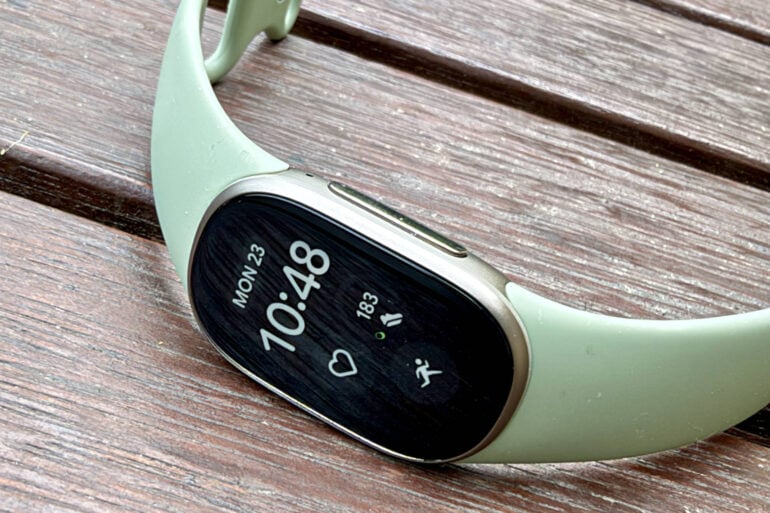
Determined to be your fitness consigliere, the Google Fitbit Edge wristband is keen to coach you through your week.
New Fitbit hardware has been scarce since Google finished digesting the consumer wearables pioneer. Most of the effort has gone into bringing Fitbit-style features to Google smartwatches like the Pixel Watch 5, as well as transitioning the Fitbit app to the Google Health app.
That’s finally changed, with the recent arrival of two new Fitbit bands in the form of the $269 Google Fitbit Edge and screen-less $199 Google Fitbit Air. Technically, they’re the successors to the old $260 Fitbit Charge 6 (which I didn’t review, but I did look at the Charge 5).
The arrival of the new Fitbit Edge and Air coincides with the Australian launch of Google Health Coach, powered by Gemini to help you achieve your health and fitness goals (just as Siri has gone on a health kick with the Apple Watch Series 12).
First impressions
While they look very similar, the new Google Fitbit Edge offers a number of significant upgrades over the old Charge 6.
For starters, the Fitbit Edge sports a larger 1.34-inch AMOLED display, even though it looks more slender than the Charge 6 thanks to the Edge’s thinner bezel with rounded corners. The Edge also replaces the Charge 6’s haptic side button with a physical button.
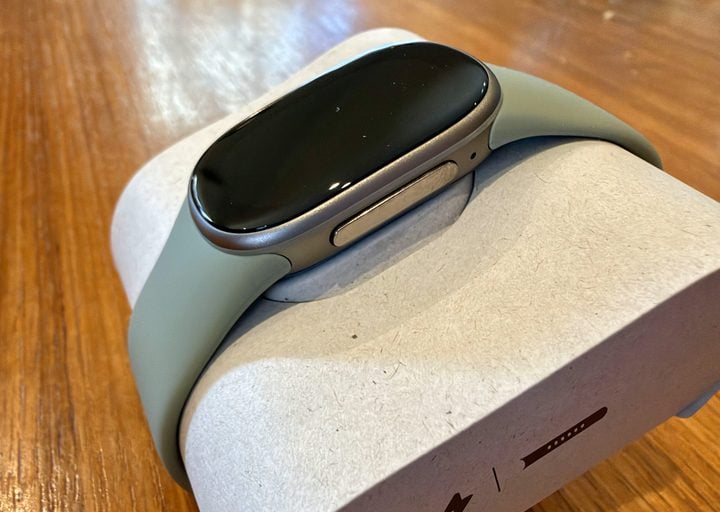
Google doesn’t release screen resolution stats, but nothing appears to have change there. It’s still around 320 pixels per inch, but the screen is brighter, which also helps boost the contrast.
Compared to the Pixel Watch, the Fitbit Edge’s slim design is perhaps suited to slender wrists. Especially if those wrists like to wear something fashionable, although personally I’ve always been more of a technobogan who puts substance before style.
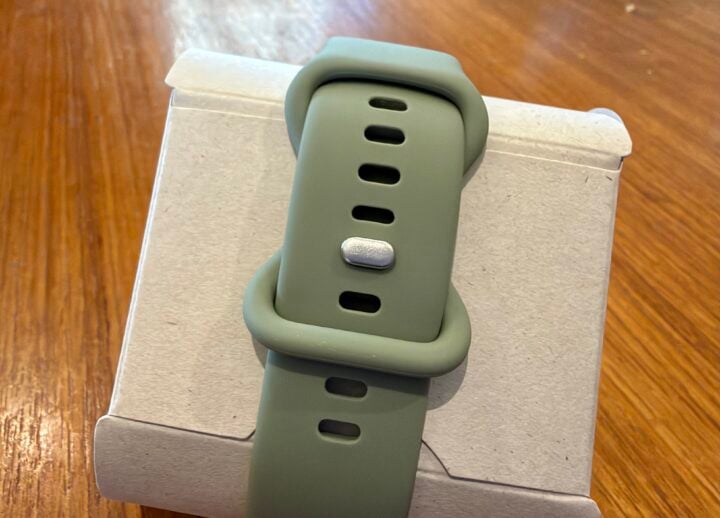
If you’re more of a fashionista, you’ll appreciate that the aluminium body comes in four different colours with a matching silicone “action band”.
Unlike the Apple Watch, there’s no option to mix and match bands at the checkout, although Google sells a wide range of spare Fitbit Edge wristbands, as do some third-party vendors.
The Edge features an always-on display so you can glance at the time, although it’s disabled by default in order to conserve battery.
Without the always-on display enabled, the screen is quite slow to wake when you turn your wrist. Even with it enabled, the screen still goes to sleep with a static display, which can be frustrating if you’re trying to swipe the screen without realising it is asleep. Sometimes it even takes a few taps to wake it.
When it is awake, you’re presented with a Pixel Watch-like interface. Swipe down for settings, up for notifications and left/right through features and readouts. The side button takes you back to the home screen, with a second press opening the list of apps.
While Google manages to fit a lot onto each screen, the onscreen buttons feel a bit small if you’re used to wearing a smartwatch with more screen real estate. Most apps reveal limited information, expecting you to go to your smartphone for the full breakdown.
Like Fitbits of old, the Edge is compatible with both Apple iOS and Google Android smartphones. This means it might catch the eye of some iPhone owners who lament Apple’s lack of a fitness band option (although there are reports Apple is working on a screenless band).
Google Fitbit Edge specifications and price
| Display size | 1.34 inches |
| Display technology | Colour AMOLED |
| Chipset | Ambiq AP5 MCU |
| Storage | 64MB NOR flash memory Saves 7 days of detailed motion data, minute by minute Saves daily totals for the last 30 days Stores heart rate data at 2-second intervals |
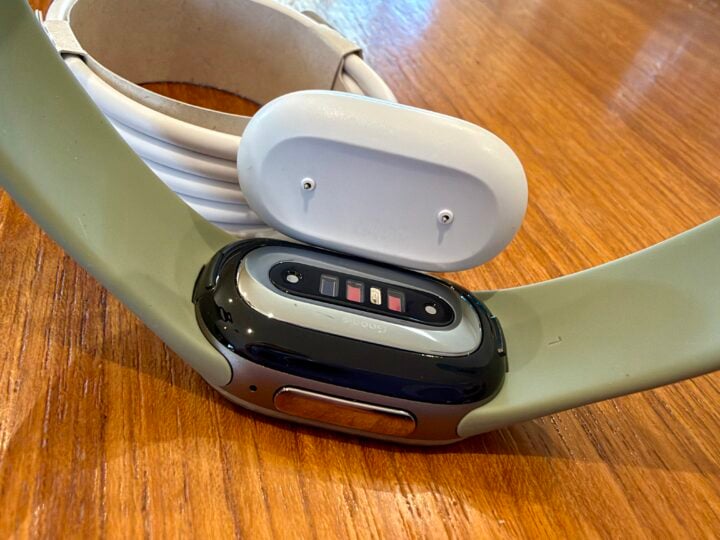
| Sensors | Altimeter Accelerometer Gyroscope Red and infrared sensors for oxygen saturation (SpO2) Multipurpose electrical sensors compatible with ECG app Photoplethysmography (PPG) optical heart rate sensor Ambient light sensor Far-field skin temperature sensor GPS, Galileo, GLONASS, BeiDou, QZSS |
| Connectivity | Bluetooth 5.4 |
| Ruggedness | IP68, waterproof to 5 ATM, Gorilla Glass |
| Smartphone compatibility | Android 11 and above Apple iOS 16.4 and above Either requires Google Account and Google Health app |
| Battery | 65mAh Up to 7 days of battery lifeCharge to 100% in about 90 minutes Charge 5 minutes for up to 1 day of battery life |
| Dimensions | Diameter: 39.22 x 25.56 mm Height: 11.58 mm |
| Weight | 17.7 gm (plus band) |
| Colours | Matte Black Aluminium Case/Obsidian Active Band Satin Silver Aluminium case/Fog Active Band Satin Pyrite Aluminium case/Olive Active Band Champagne Gold case/Canyon Active Band |
| Included wristband | Small fits wrists 130–170 mm aroundLarge fits wrists 170–210 mm around |
| Price | $269 RRP |
| Warranty | 2 years |
| Official website | Google Australia |
Features
While it tells the time, some key features are held back to ensure the Google Fitbit Edge is not a poor-man’s Pixel that might cannibalise smartwatch sales.
The Edge supports mobile notifications and quick replies to messages, but there’s no built-in microphone, speaker or easy access to Gemini. The latter is is surprising, when bringing Gemini to life seems to be the primary goal of all Google hardware these days.
Under the bonnet, the band is not actually running Wear OS and there’s no app store for installing third-party apps. You’re limited to the pre-installed Alarm, ECG, Exercise, Google Maps, Health, Media, Stopwatch, Timer and Weather.
Nor can you download extra watch faces. A handful are pre-installed, with few looking like a traditional analogue watch face, but you do have granular control over which complications are on show.
There are universal media controls via Bluetooth-connected phones, but like the old Charge 6, there is no offline music storage, which will frustrate runners. Nor is there Ultra-Wideband.
What’s more disappointing is that Google has also ditched the Charge 6’s support for NFC contactless payments, which will frustrate shoppers.
Of course, that’s the glass-half-empty view if you were hoping for a budget Google Pixel watch. On the plus side, the Fitbit Edge gains a barometric altimeter for elevation and floor tracking, along with upgraded GPS accuracy (surprisingly, the new Fitbit Air lacks GPS and relies on your phone).
The Edge’s onboard battery is good for up to a week, which seems a bit optimistic, compared to two or three days from the Pixel Watch. It drops back to three-ish days with the always-on screen enabled. Five minutes on the custom charger buys you another 24 hours, which is handy if you want to wear it for sleep tracking, then top it up while you get ready for your day.
Health and fitness features
Of course, health and fitness features are the big attraction with the Google Fitbit Edge. This includes the new Google Health Coach designed to offer health trend insights and recommendations along with personalised fitness plans.
For starters, you’ve got automatic activity recognition for more than 40 exercise modes, along with sleep tracking. It’s worth noting that, unlike most smartwatches, it’s not designed for issuing interval training real-time instructions. It also lacks hourly reminders to move, which is no great loss.
Broader wellbeing features include AFib detection and high/low/irregular heart rate notifications. There is also menstrual cycle tracking, insulin resistance and blood pressure trends, which are estimates because it can’t directly measure these things.
Having replaced the old Fitbit app, the Google Health app brings together your most important insights on the main Today tab. Meanwhile, the Vitals tab breaks down your key metrics.
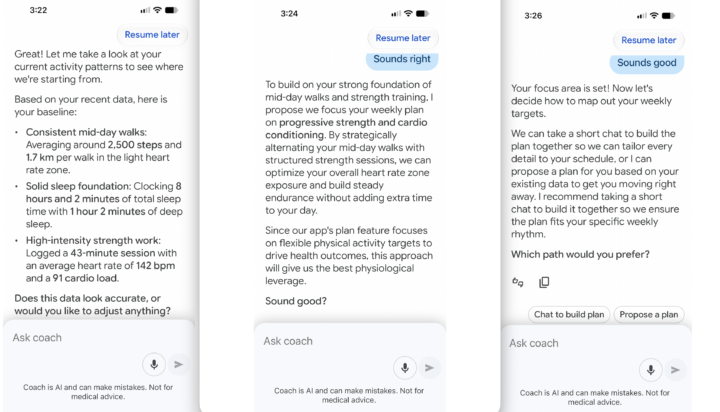
Google Health Premium ($14.99 p/m or $149.99 p/a) adds the ability to set goals with Google Health Coach and get ongoing advice. The set-up lets you simply type or talk to the virtual coach to clarify your main goals and then build a tailored plan, which the coach can generate or you can flesh out together in a five-minute chat.
It’s actually worth waiting a few days before you do this, so it can gather a few insights into your exercise and sleep routines. Having seen my daily walks, weekly gym session and mixed sleep quality, it made the not unreasonable assumption that I’m not a professional athlete but rather an Average Joe trying to maintain a basic level of fitness.
As such, it recommended building on my walks and strength training with progressive strength and cardio conditioning, which I think is what I would have asked for if I knew how to explain what I wanted. This process would have been much harder if the coach was working from scratch without these initial insights into my activity.
I asked it to propose a weekly plan, but first it wisely asked about injuries and limitations (I decline to mention my occasionally dodgy knee). Surprisingly, it didn’t ask about my height and weight, which you think would be important when determining how hard I should push myself.
The result was plan to alternate between mid-day walks and strength work, although it might have thrown in more cardio if I’d told it my gym sessions are actually a mix of strength, core and cardio. I perhaps should have chosen Workout rather than Strength Training when I selected my gym activity.
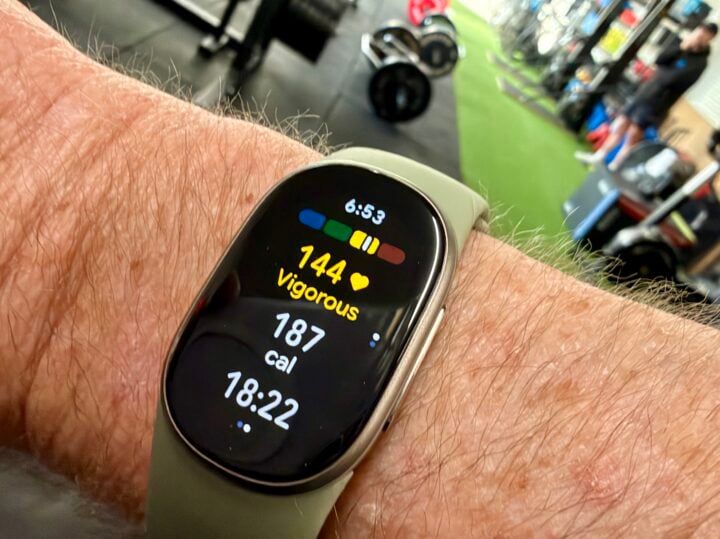
Speaking of the gym, I like that the Strength Training screen offers a real-time view of my cardio zone. It’s not as detailed as the Pixel Watch but still more than you get from the Apple Watch.
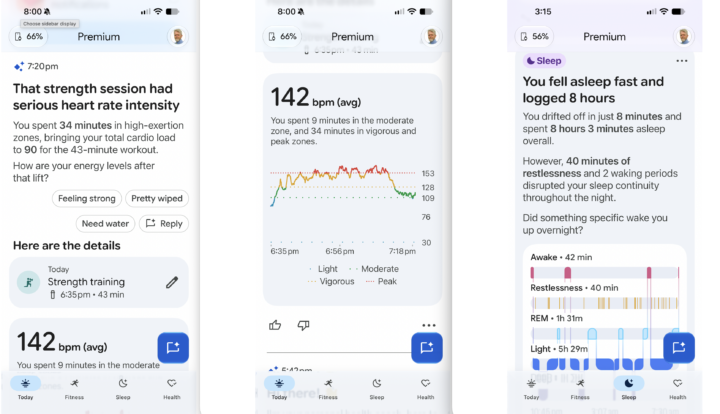
Afterwards, the app gave me a summary and asked how I was feeling, presumably to decide if it should push me a bit harder or back off a tad. After a rough night’s sleep, it also asks if something in particular kept you awake.
Building on this, Google Health Coach can give you daily pep talks, such as exercise recommendations based on your sleep quality, readiness score and what you’ve got planned for the week.
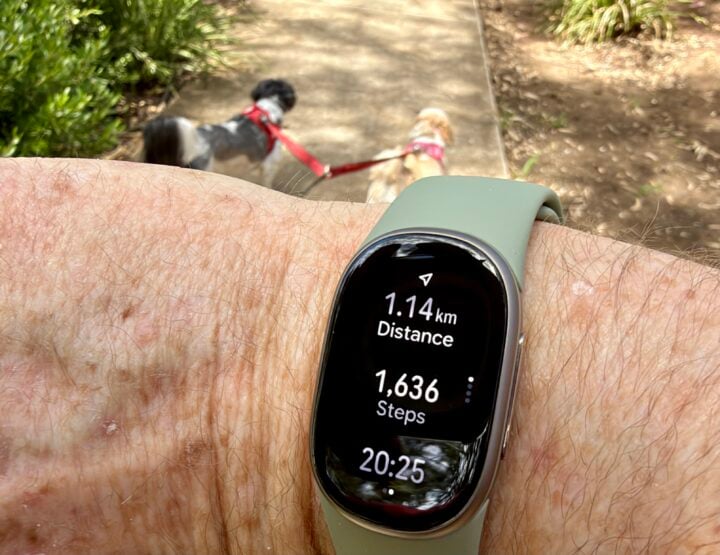
It auto-detected my daily walks with the dogs, without needing me to confirm when it detected that we were out. I appreciated that it offered some genuinely useful tips in the mornings, like “rain rolls in about 1pm, get your outdoor activity done while conditions are still dry”.
If you wear the Fitbit Edge to bed at the end of the day, it automatically starts sleep tracking, but it’s up to you to activate and deactivate sleep mode, which turns off the display. It’s a surprising oversight compared to the smarter Pixel Watch 5.
Who is the Google Fitbit Edge for?
If you’re primarily concerned about health and fitness rather than broader smartwatch features, the Google Fitbit Edge has you covered. It’s frustraing that Google has stripped out a few strategic features to make it less practical as a poor-man’s Pixel, but that’s understandable.
Packing a broad range of insights and holistic advice into a compact and affordable design makes Edge a great fit for many wrists, whether you’ve got an Android or Apple smartphone in your pocket. The Google Health Premium trial gives to time to decide if Google Health Coach’s premium features and insights are worth the money.
The post Google Fitbit Edge review: Push yourself appeared first on GadgetGuy.


0 comments:
Post a Comment