This is default featured slide 1 title

Go to Blogger edit html and find these sentences.Now replace these sentences with your own descriptions.

This is default featured slide 2 title

Go to Blogger edit html and find these sentences.Now replace these sentences with your own descriptions.

This is default featured slide 3 title

Go to Blogger edit html and find these sentences.Now replace these sentences with your own descriptions.

This is default featured slide 4 title

Go to Blogger edit html and find these sentences.Now replace these sentences with your own descriptions.

This is default featured slide 5 title

Go to Blogger edit html and find these sentences.Now replace these sentences with your own descriptions.

Monday, 23 November 2026

Get up to $1,500 off ASUS laptops with these Black Friday deals

Get up to $1,500 off ASUS laptops with these Black Friday deals

If you’ve been waiting for the perfect time to get a new laptop, your time has arrived. As part of the 2026 Black Friday sales, you can save up to $1,500 on ASUS PCs for creators, gaming, work, and everyday use.

With prices as low as $299 for some devices, now’s the time to act on that PC upgrade you’ve been putting off for so long. There’s a good mix of discounted laptops made for work and play, ranging from the do-it-all Zenbook line, to the high-end ProArt P16 workhorse.

Many of the Black Friday deals are live now on the ASUS eStore, while some are extremely limited time only offers. Check out the highlights below and snap up a bargain before you miss out.

Creator laptops

ASUS Zenbook A14: $2,699 (was $3,699)

Model with Asus Zenbook A14 Snapdragon X2 Elite laptop

On sale via the ASUS eStore

For a powerful laptop the weighs less than a kilo, it’s hard to look past the ASUS Zenbook A14. During the 2026 Black Friday sale, you can save $1,000 on the Snapdragon X2 Elite model with 32GB of memory and a 1TB SSD.

With these specs, you get a laptop that can run the Adobe suite smoothly, power through local AI workloads, and still have plenty of battery left at the end of the day.

This laptop also sports ASUS’ stylish Ceraluminum hybrid material, which is nice on the eyes and durable. It doesn’t show up smudges and scuffs, which is great for a PC you’ll take wherever you go.

ASUS Zenbook DUO: $5,119 (was $6,399)
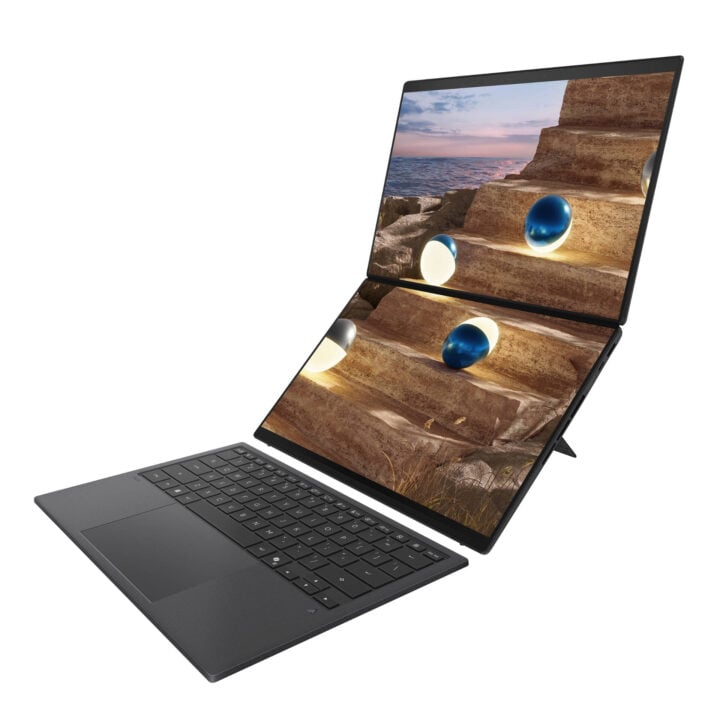
Asus Duo UX8407AA laptop

On sale via the ASUS eStore

Why settle for one screen when you can have two? As its name implies, the ASUS Zenbook DUO sports two full-sized 14-inch 3K OLED displays, and they look an absolute treat.

Just over $1,000 off for Black Friday, the DUO is a creative powerhouse. Doubling as an all-in-one laptop and a tablet for drawing, its twin screens are useful for just about anything you can think of.

When editing video, you can have the timeline on the bottom screen, and the preview on the top screen. Or digital artists can keep one screen for reference images while their work sits on the other. And, for the times you only have room for a conventional clamshell laptop, pop the included keyboard over the bottom screen and away you go.

There’s a lot of power in the Zenbook DUO, too, with an Intel Core Ultra X7 chip, plus 32GB of memory and a 1TB SSD. If you need a versatile machine for creative work, this is a top pick.

ProArt P16: $7,699 (was $9,199)
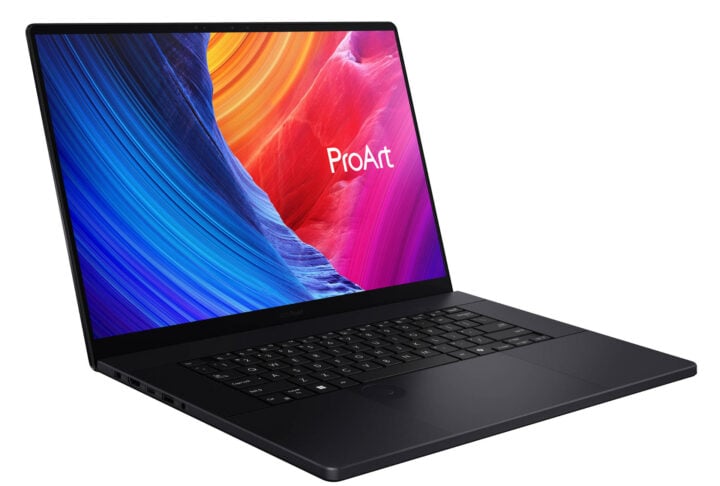
Asus ProArt P16 H7606 laptop facing right

On sale via the ASUS eStore

Creators who have the need for speed, look no further than the ProArt P16, a top-of-the-line laptop with a dedicated GPU. For Black Friday, this beast of a machine is $1,500 off.

Equipped with a 4K OLED screen, a Ryzen AI 9 HX 370 chip, 64GB of RAM, and an Nvidia RTX 5080 GPU, the ProArt P16 isn’t messing around. To top it off, you also get a 2TB SSD to help keep your project files where you need them.

If you do high-end visual effects, 3D rendering, or rely on complex local AI models, the ProArt P16 is ready for you.

Gaming laptops and handhelds

ASUS TUF Gaming F16: $2,799 (was $3,999)
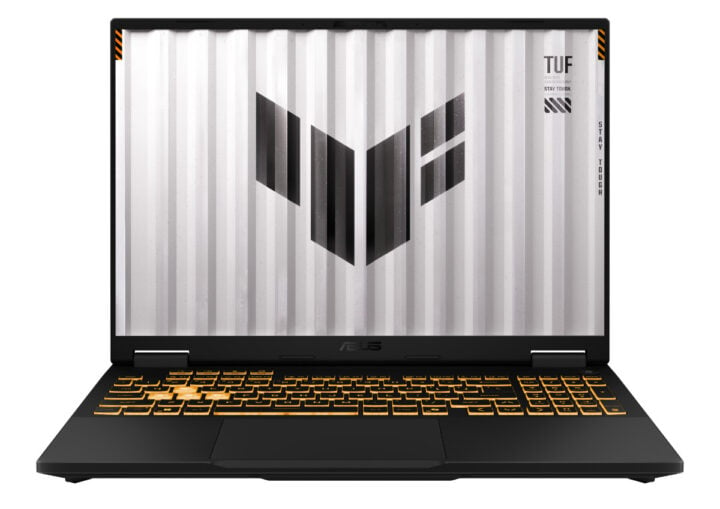
asus tuf gaming f16 laptop backlit keys

On sale via the ASUS eStore

If you prefer a slightly bigger 16-inch screen, then the ASUS TUF Gaming F16 laptop is a nice $1,200 off during Black Friday. This speedy laptop runs an Intel Core i7 chip with an Nvidia RTX 5070 GPU, providing plenty of power for gaming at home or on the move.

With such processing strength under the hood, you’re also set for a machine that can take on photo and video editing, in addition to complex local AI workloads.

ASUS’ modular design means you can upgrade the F16’s RAM and SSD later down the track, giving the laptop an even longer lifespan. A gaming laptop that will last you years? That’s a pretty sound investment.

ROG Zephyrus G16: $3,999 (was $5,499)
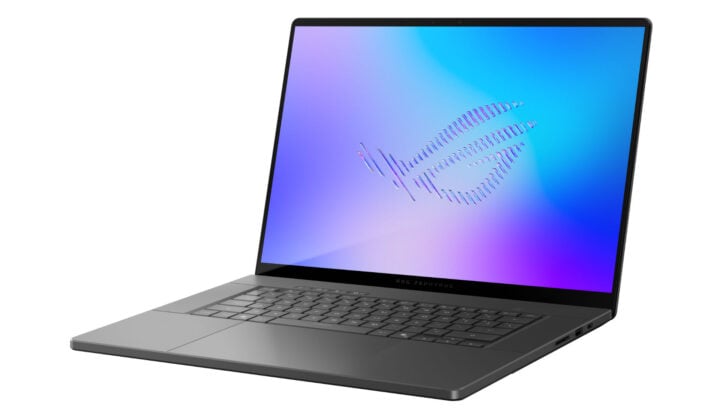
Asus ROG Zephyrus G16 2025 laptop

On sale via the ASUS eStore

Bringing together power and style, the ROG Zephyrus G16 might not look like your standard gaming laptop, but it sure has the grunt of one.

Housed in a sleek aluminium chassis, this slim gaming PC has an Intel Core Ultra 9 chip with an Nvidia RTX 5070 GPU. You’ll get plenty of frames with that combo, while the 16-inch 2.5K OLED screen will bring out every crisp detail of the latest games.

$1,500 off during Black Friday means now’s a good time to jump onboard.

ROG XBOX Ally: $799 (was $999)
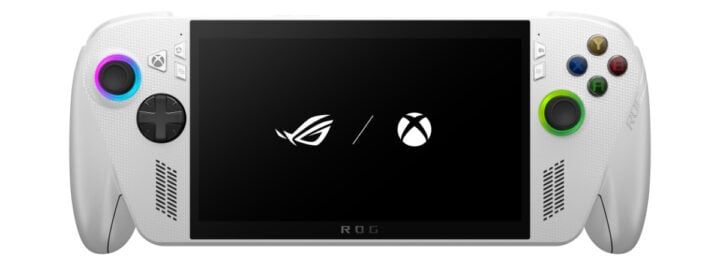
ROG Xbox Ally white

On sale via the ASUS eStore (23 Nov – 6 Dec)

Save $200 on the ROG XBOX Ally, a handheld gaming PC optimised for playing your favourite games on the go.

Combining the power and versatility of a PC with the comfortable form factor of console gaming, the ROG XBOX Ally is a great way to make a dent in your backlog. It doesn’t matter which PC platform you use — Steam, XBOX, Epic Games Store — you can access any of them on this nifty handheld.

Whatever you choose to play looks great on the ROG XBOX Ally’s smooth seven-inch screen. With the XBOX-styled controller grips, you’re also set for a console-quality experience, wherever you are.

Lifestyle and everyday laptops

ASUS Chromebook CM14: $299 (was $599)
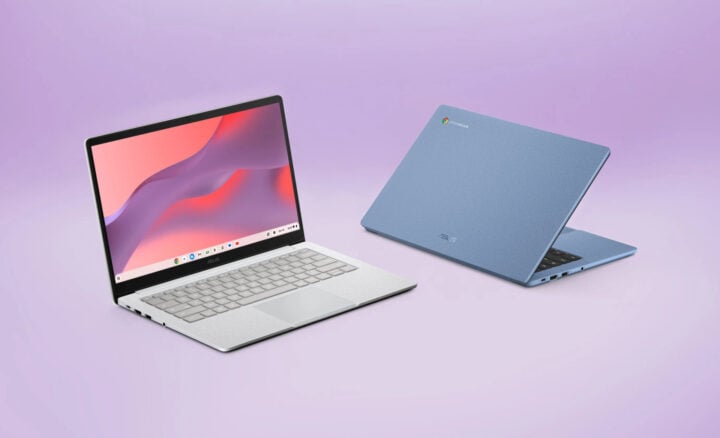
Asus Chromebook CM14 hero image

On sale via the ASUS eStore

Ideal for schoolwork, sorting out home admin, and watching videos, the ASUS Chromebook CM14 is even more affordable this Black Friday.

Equipped with plenty of ports and a 14-inch anti-glare screen, ASUS’ Chromebook is your one-stop-hub for entertainment and getting stuff done. And at $299 this Black Friday, it won’t leave a gaping hole in your wallet.

ASUS Vivobook S16: $1,624 (was $2,499)
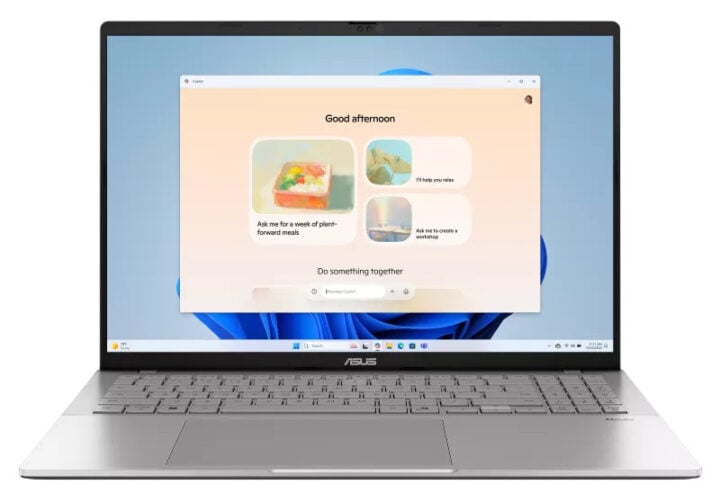
Asus Vivobook S16 S3607 laptop

On sale via the ASUS eStore

Made for everyday use, the ASUS Vivobook S16 is the all-around PC that’s as comfortable at home as it is at work.

Slim and speedy, this laptop comes with a 16-inch OLED display, an Intel Core Ultra 5 chip and 16GB of RAM, a great mix for tackling daily admin and keeping up with fast-paced workdays.

ASUS Vivobook Go 15: $599 (was $899)
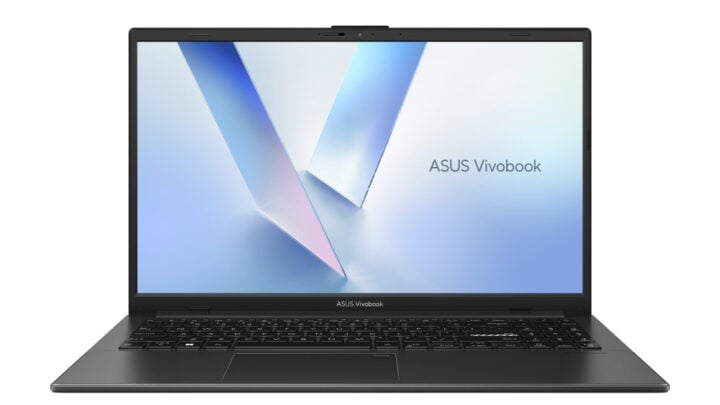
Asus Vivobook Go 15 E1504TA

On sale via the ASUS eStore

For a Windows PC built to keep you productive and entertained at a low price, the ASUS Vivobook Go 15 has you covered.

Suited to first-time PC users or anyone who needs a machine to take care of the essentials, this laptop sports a big 15.6-inch screen, providing plenty of space for videos, documents, and web browsing.

During Black Friday, the ASUS Vivobook Go 15 is $300 off, so it costs even less to bring this reliable PC home.

The post Get up to $1,500 off ASUS laptops with these Black Friday deals appeared first on GadgetGuy.

Sunday, 22 November 2026

Which eero is right for me? How to choose the best mesh router

Which eero is right for me? How to choose the best mesh router

If your home Wi-Fi is overdue for an upgrade, you’ve probably heard that a mesh system is the way to do it, swapping the single router for two or three small units that work together to spread one Wi-Fi network through the whole home. Well, eero is a leading example of mesh Wi-Fi right now, and this guide walks you through the process of choosing an eero system perfectly suited to your particular home.

Why now is the time to upgrade your router

Recent research from OpenSignal found that 64 per cent of Australians are still using a router on Wi-Fi 5 or older. That’s fine, except when those same Aussies are using older routers on their new high-speed NBN plans.

The extreme end of this is NBN Co’s report that 26 per cent of households on 500Mbps plans are still using Wi-Fi 4! That’s a standard from 2009 that tops out at around 100Mbps in the real world, so while the speed at the wall is half a gigabit, the devices on the Wi-Fi are only getting about a fifth of that speed, which you’re still paying for. And that’s with perfect Wi-Fi conditions.

Of course, you don’t need to be on a super-fast NBN plan to benefit from an eero system upgrade. As well as giving your devices raw speed, eero provides the latest security features, and maybe most importantly, helps make your Wi-Fi signal much more consistent throughout your home. Wi-Fi dead spots and dropouts will become (almost) a thing of the past.

How to choose an eero system

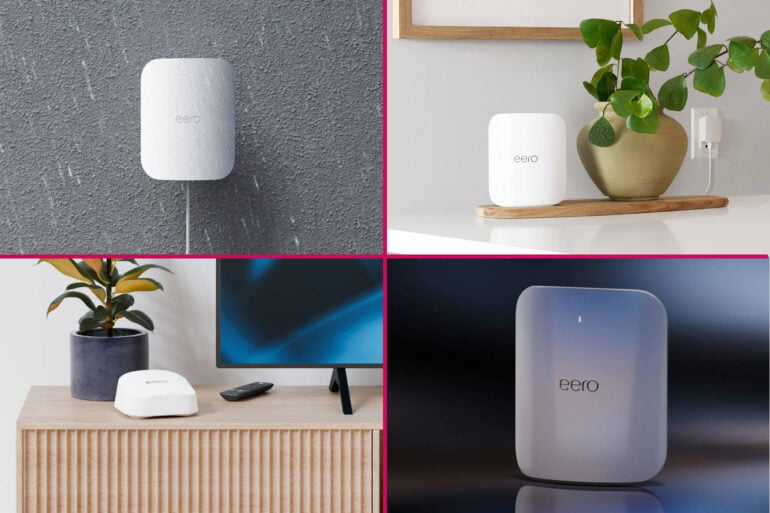
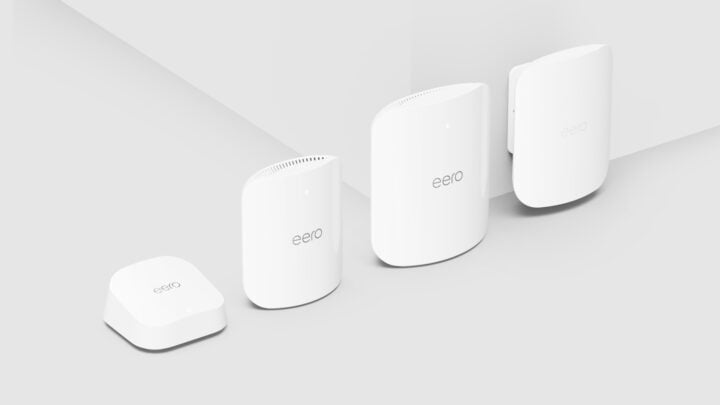
eero Wi-Fi 7 range

Choosing a mesh system like the eero used to be about counting devices. But who even knows how many devices they have on their Wi-Fi these days? From the phones to the TV to the tablets, the Echo smart speaker, the doorbell, the list grows and grows. So think about it in terms of the size of your household, both literally (as in floor plan area) and how many people live there.

There are three indoor eero models, and they differ in how fast they are, how many devices they can juggle, and, to a lesser extent, how much range they have.

The everyday pick: eero 7

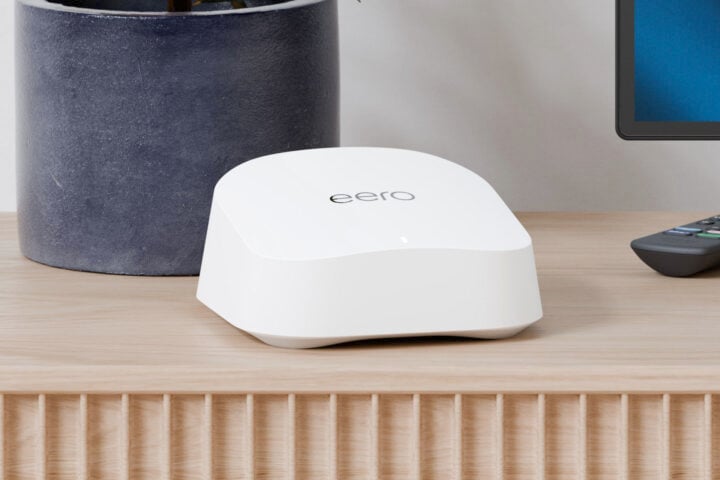
Amazon eero 7 router close-up on TV cabinet

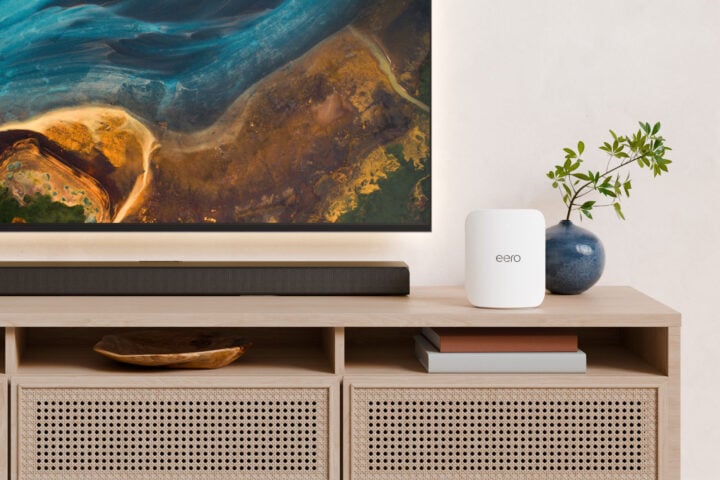
For an apartment or an average-sized family home, the eero 7 is a good place to start. It’s what eero calls its most affordable Wi-Fi 7 router, but it’s no slouch.

Two 2.5 gigabit Ethernet ports mean it supports internet plans of up to 2.5Gbps, which covers the very fastest NBN fibre plans, and eero says it delivers wired speeds of up to 2.3Gbps and wireless speeds of up to 1.8Gbps to more than 120 devices.

A single eero 7 covers up to 190 square metres and a three-pack up to 560 square metres, according to eero, so if your house is, how shall we say, ‘rambling’, you can position the units all the way from the NBN box in the living room to reach the kids’ bedrooms in the east wing. If your house is more, you know, normal, a two-pack will probably do.

For the busy household: eero Pro 7

Eero 7 Pro mesh Wi-Fi router on TV cabinet

Some homes are no bigger than average, just a lot busier. If four people are streaming, gaming, and video calling at once, or you run a small business from the spare room, the eero Pro 7 has extra features that will be worth it.

Its two 5 gigabit Ethernet ports support internet plans of up to 5Gbps, with wired speeds of up to 4.7Gbps, wireless speeds of up to 3.9Gbps, and capacity for 200 devices on a single unit, eero says. One unit covers the same 190 square metres as an eero 7, and a three-pack goes just as far. It’s also tri-band, which means a third radio band to spread the traffic across.

For power users: eero Max 7

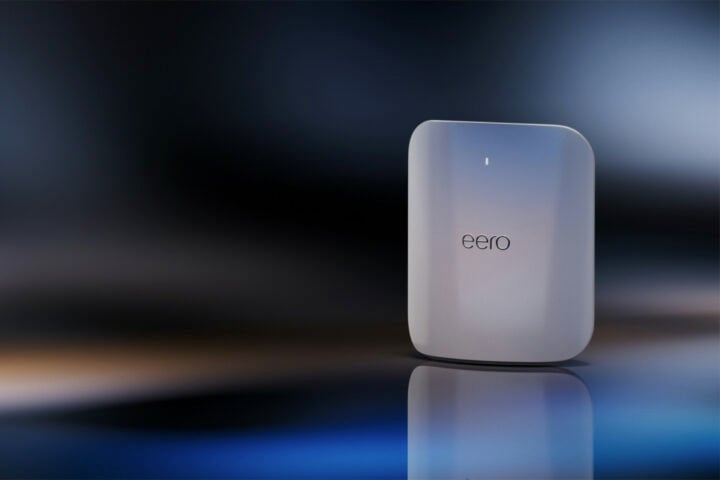
Amazon Eero Max 7 mesh router launch

Okay, you guys know who you are. You know what ‘Ethernet backhaul’ is and you have multi-room audio and IP cameras in the public areas. You also have a multi-gigabit internet plan, other serious smart home tech, and a couple of gaming PCs or network storage devices plugged in via that Ethernet. So for you, the eero Max 7 is the best choice.

Two 10 gigabit Ethernet ports carry wired speeds of up to 9.4Gbps, while wireless goes as hard as 4.3Gbps, with support for more than 250 devices, eero says. Each eero Max 7 unit by itself covers up to 230 square metres, giving the widest coverage of the three indoor models, so this is the pick for larger homes too.

For large properties and outdoor areas: eero Outdoor 7

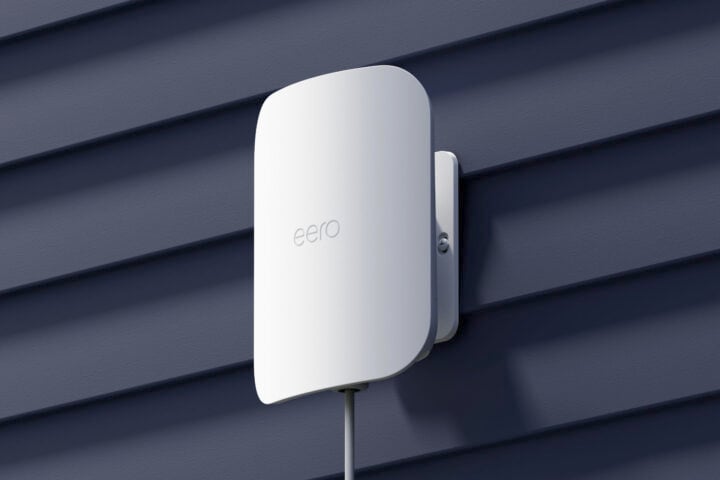
Eero Outdoor 7 mesh unit on corrugated wall

The eero Outdoor 7 isn’t an alternative to the three models above. It’s an addition to an indoor eero system, and you only need it if you have a large property or sprawling outdoor areas where you want reliable Wi-Fi coverage.

Think of the detached studio, the garage, or the granny flat, along with the robot mower, the pool cleaner, security cameras, and the irrigation system. There’s actually a lot to explore with a serious outdoor Wi-Fi system.

Anyway, a single eero Outdoor 7 unit covers a massive 1,390 square metres (that’s roughly a circle with a 21-metre radius) at wireless speeds of up to 2.1Gbps, eero says. The unit’s IP66 rating means it can take the Aussie sun, and mounted as eero directs, it can handle rain, dust, and snow. It can operate at up to 55 degrees Celsius, so not even a Queensland summer should shake it.

Why eero?

The pros to an eero system are comprehensive, but they boil down to these:

Every eero model uses mesh technology, so multiple units work together to create a single Wi-Fi network that grows as you add more units. As far as your phone or laptop is concerned, it’s all just the same Wi-Fi. You can read more on this in our guide to maximising home Wi-Fi performance.

Security is built in. Every model comes with a firewall, WPA3 encryption, and automatic updates to help protect against the latest threats.

The eero app is where you name every eero and device, see what’s connected to what, block sites, manage screen time, and even pause a device off the Wi-Fi altogether. If you want even more dials to twiddle and sliders to… uh… slide, an eero Plus subscription upgrades the app to add advanced threat blocking, password management, parental controls, content filters, and more.

Internet that just works

Dealing with your home Wi-Fi used to be a pain. Now here’s eero’s Wi-Fi 7 range, built around the very sensible idea of internet that just works.

Most homes will be well served by the eero 7. Busier households should look at the eero Pro 7, and power users with big houses at the eero Max 7. Add an eero Outdoor 7 if you want to get serious about outdoor Wi-Fi.

Going by the statistics, there’s a fair chance you’re one of the many Aussies due for a router upgrade. Don’t put it off any longer. Pick the eero that fits your home, and enjoy the internet you’re already paying for.

The post Which eero is right for me? How to choose the best mesh router appeared first on GadgetGuy.


Roborock F25 Lite Combo review: A whole-home tag-team clean

Roborock F25 Lite Combo review: A whole-home tag-team clean

7.4

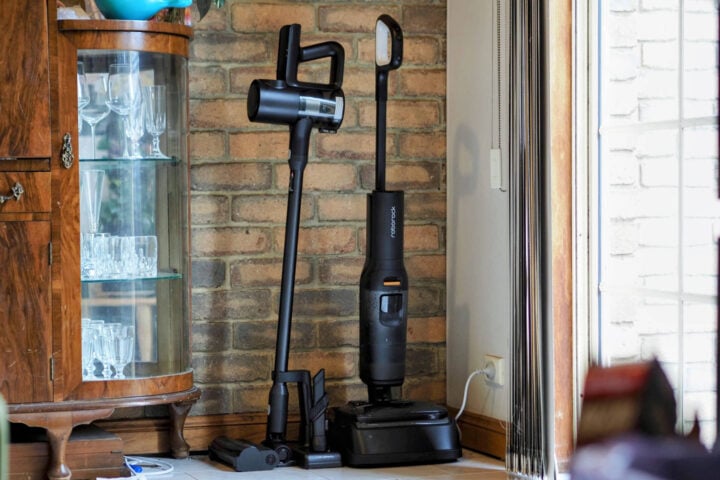
Combining a wet roller vacuum cleaner and a stick vac unit into a single product is a good idea, given the former is strictly for hard floors, and the latter comes in handy for carpets or when you just need to pick up dust and crud without getting water involved. Roborock’s solution here isn’t strictly a single product though; it’s a take on its existing power mop, modified so you can remove the guts (the motor and battery) and cram it into a stick vac shell. So you only have to charge one thing, and it all sits together in a bespoke stand.

The question is whether this is cheaper, better, easier or more convenient than getting either or both as standalone units, and it really depends on your situation. One part of the F25 Lite Combo is a nifty wet-dry vac that can clean up spills and keep your hard floors shiny, and is a lot easier on your back than pushing a mop around. Meanwhile the stick vac included here isn’t top-of-the-line, but it does a good job.

Neither are as fancy as the kind of self-emptying vacuum or mopping robot you could get for $1,000. But then again, Roborock’s constant sales mean you will not be paying $1,000, and if you have a genuine need for both kinds of vacuum, this is a great package.

First impressions

The Combo comes in a hefty box full of shiny things, and some guides and manuals that — as always — are totally useless beyond offering a long list of part names and supplying the legally required safety precautions. It’s not difficult to figure out how it all goes together though. The wet-dry unit has a tank for clean water built into the head, under which sits a fluffy roller. The body has a big dirty water canister and a slot for the power unit. It all sits upright in a chunky base for charging, self-cleaning and drying, although it does take up quite a bit of room.

Roborock F25 Lite Combo plugged into wall
Image: Tim Biggs.

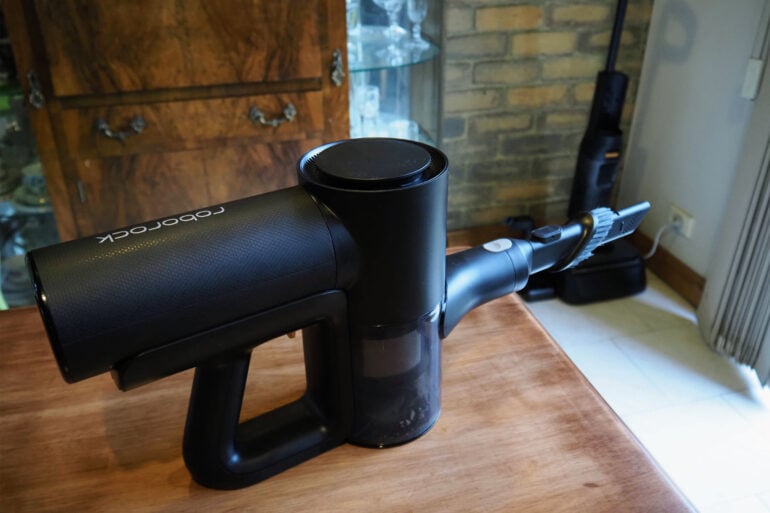
The stick vac is just a long tube, a standard roller head, a crevice tool and a body with a handle and dustbin. You can combine them however you want depending on if you need long reach or a compact dustbuster unit, and the power brick slots in the top. The stick vac clips to the side of the base, though it should be noted you can’t store it with the power unit installed; it’s too top-heavy, and it only charges when attached to the wet-dry. Also in the box is a scrubbing brush, which you will absolutely need.

When you first turn it on you will realise this is one of those chatty home appliances that likes to inform everyone about what it’s doing and what mode it’s in. There is no Wi-Fi or app connectivity on this device, which is good, but that also means there’s no way to turn off the voice.

Roborock F25 Lite Combo specifications and price

Price (RRP)$999
Official websiteRoborock Australia
Warranty12 months
Max suction power25,000 Pa
Max battery life60 minutes
Water capacity> 800ml
Stick vac dust capacity500ml

The wet-dry cleaner included in this bundle is just one of many modified versions of the F25, so if you don’t need the stick vac you might save some money or get some extra features picking up one of the others standalone. Some of the models have automatic detergent dispensers, power-assisted wheels, app control, steam cleaning, or bigger water tanks. While the stick vac included here is not exactly like any other Roborock model, it’s pretty close to the old H5 in specs.

Price-wise things get tricky because Roborock devices are almost never sold at their RRP. So ignoring the sticker price and looking at what you would actually pay right now, the F25 Gen 2 is $300, and a H5 is $200. This combo is currently discounted to $500. So you’re not saving money over buying two units separately, you’re just getting the convenience of putting them all together into a single unit.

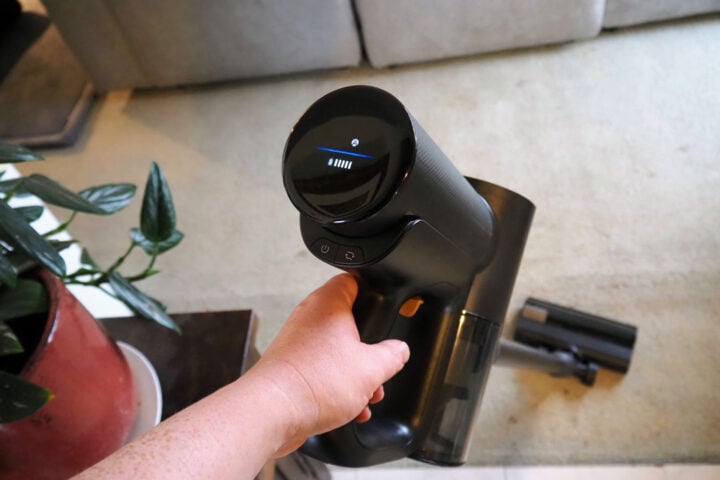
Roborock F25 Lite Combo display
Image: Tim Biggs.

Because the motor and battery are part of one unit that can go in either shell, it’s also the bit that has the LEDs showing charge level and power mode. Roborock gives a battery life estimate of up to an hour, which is obviously in eco mode. I left it in auto across both the wet-dry and stick vac and reckon I got close to 40 minutes a charge, which is great.

Wet-dry vacuum performance

First tests of the unit went very smoothly. Fill the water tank, add specialised detergent if you want (there’s some included), and get mopping. Dust, dirt and hair is pulled into the vac, while the roller spins to clean wet mess and lightly scrub the floor. Any goo is pulled off the roller too, so you’re left with a clean and slightly wet floor, relatively clean roller, and a disgusting slurry in the dirty water tank.

When you’re done, you put the unit back on its base and hit the self-clean button. The roller gets soaked and scrubbed, with the water also ending up in the dirty water tank, then the roller is dried. You have the option of quiet drying, which takes around 20 minutes, and quick drying which does it in five minutes but sounds like a vacuum cleaner the whole time. None of the cleaning and drying works if you remove the power unit, so if you want to use the stick vac you have to do it before you start the cycle.

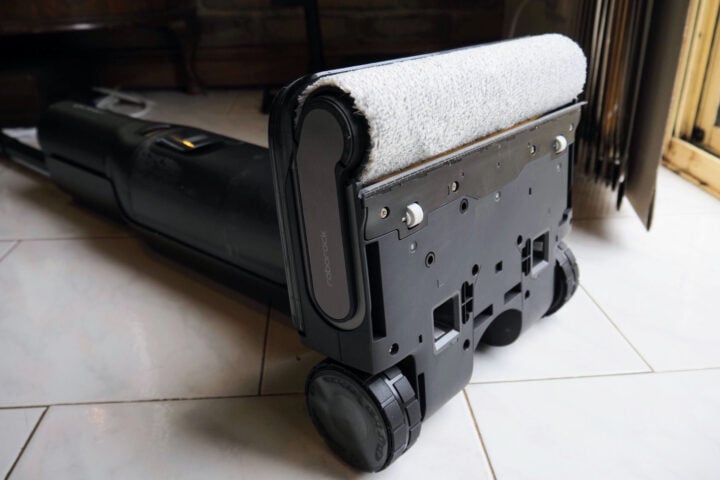
Roborock F25 Lite Combo mop roller
Image: Tim Biggs.

I was impressed with how easy the unit is to drive around. The weight is all down low, and the roller pulls the head forward, so it’s barely any effort at all. You can easily steer by twisting your wrist left and right. You can also lower the handle all the way to the ground, but you need around 13 centimetres of clearance to get the unit under cabinets.

The roller handled any deliberate wet spill I tested it on very well, without spreading mess around. On harder-to-clean unidentified marks that have sat for a few days and would usually require scrubbing, the F25 needed to be held in place or moved back and forth a bit, but it removed them eventually. If you have an area with a bit of dust, dirt, lint or hair (i.e. you have pets and children), the roller can sometimes get it before the vac does and you’ll end up with a wet line of lint on the floor, but I always managed to get it on a second pass.

Stick vacuum performance

The stick vac certainly seems like a tacked-on extra, as it’s extremely light and simple. It drives around on dinky plastic wheels, so it doesn’t feel especially nice to use. The head doesn’t have any stiff bristles, rubber rollers or teeth, so it doesn’t have the deep pull on carpets that the best Shark or Dreame or Dyson units do. It doesn’t have a light, or any fancy motorised attachments. But it still did a pretty good job keeping the carpet and rugs looking nice, or picking up dry spills on hard floors, with the pole and standard head attached.

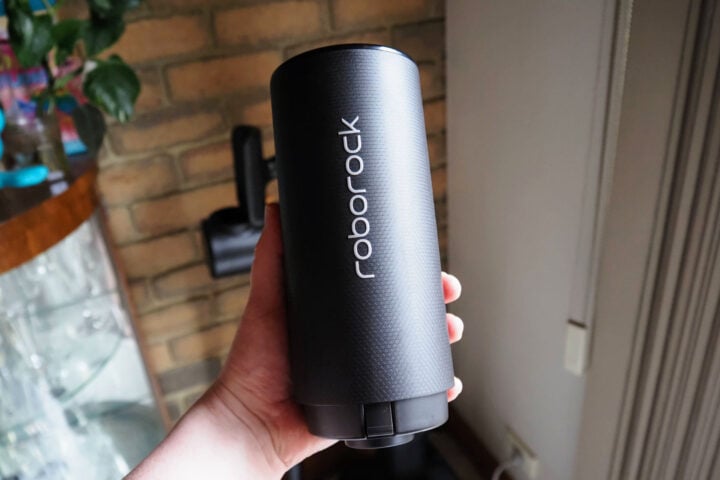
Roborock F25 Lite Combo cannister
Image: Tim Biggs.

It also has one of those crevice tools with the retractable brush, which you can use with the pole or attached directly to the handle, which is handy for the car, or in between couch cushions, or getting cobwebs off the roof. I didn’t feel like it had a lot of pull with the crevice tool attached. For example it wasn’t great at getting all the dog hair off a pet bed. But for general dust and dirt it did well.

The dustbin does seem a little small, and if I was cleaning the entire house I would certainly have to stop at least once to empty it out. Compared to the generous clean and dirty water tanks on the wet-dry unit, that does feel like a shame. But then again, all the weight of the stick vac unit is right up near your hand when you’re using it, so lighter is probably better.

Maintenance and consumables

These kinds of devices always seem so much cleaner and easier than using an old-school mop or a pan and brush, until you consider how much extra you need to do to keep the complicated machines in top shape. The F25 Lite Combo is not the worst in this regard — I have some horror stories from testing robot vacuum and mop combo units — but you are in for some gross maintenance and some ongoing costs.

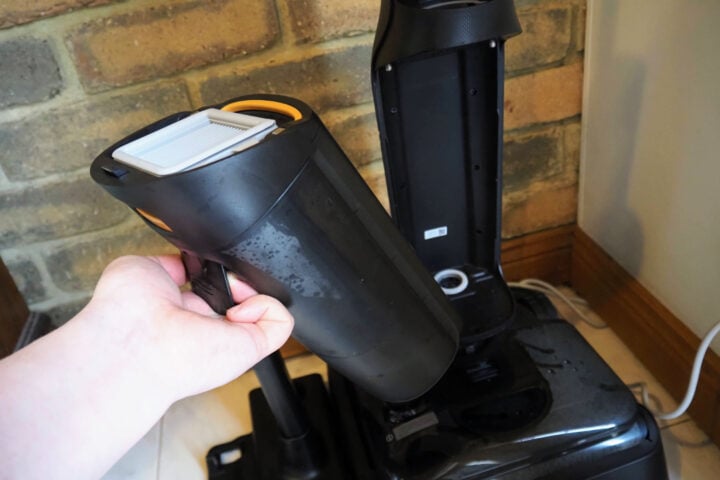
For the wet-dry unit, you’re going to want to empty out the dirty water tank every time you use it, because it will stink up your house if you don’t. The water is foul, and there are a lot of lips and crevices inside the tank that hair and other bits like to stick to, so get that scrubbing brush. The clean water tank will only need cleaning every few weeks, at which point you’ll also want to do the cleaning tray, because there will be matted gunk there. The filter is hand-washable if it gets clogged, but Roborock suggests completely replacing the roller (it asks $50 per roller) every three months.

Roborock F25 Lite Combo water tank
Image: Tim Biggs.

The stick vac is easier; you just open up the unit over your bin when it’s full to let all the dust out. The cyclone element pulls out easily, which is good because it will have long hair wrapped around it, and the two filters are hand washable.

Who is the Roborock F25 Lite Combo for?

In the end, this combo is most appropriate for someone who needs both a wet-dry vac and a stick unit, and is able to snap this bundle up at its discounted $500. If you could make do with just the one kind of vacuum you could do better for the money. Or, if you’re happy to spend more, you could probably get an F25 and a much nicer stick vac.

There is something to be said for the utility of only needing one charger and one battery, with a stand that holds both the units. And the F25 is genuinely impressive, even in this Lite edition. But this would be a tough combo to argue for if it was selling for the full listed RRP.

Roborock F25 Lite Combo
Roborock’s F25 Lite Combo cleverly uses one battery and one motor to power both a great wet-dry cleaner and a good stick vac, for around the same price as buying them separately.
Features
7
Value for money
7
Performance
7.5
Ease of use
8
Design
7.5
Positives
F25 Lite Combo is a very effective hard floor cleaner
Base charges, stores, cleans and dries
Power unit easily swaps between devices
Negatives
Requires a bit of maintenance and upkeep
Stick vac is underwhelming
Whole thing takes a decent amount of floorspace
7.4

The post Roborock F25 Lite Combo review: A whole-home tag-team clean appeared first on GadgetGuy.


Friday, 20 November 2026

Up to 59% off in BLUETTI Black Friday 2026 deals

Up to 59% off in BLUETTI Black Friday 2026 deals

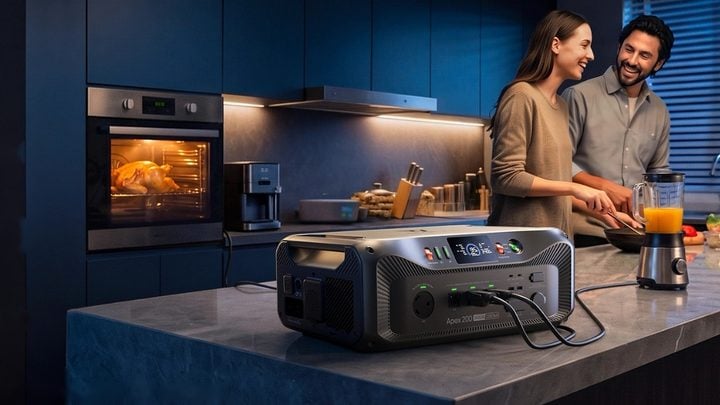
BLUETTI is unlocking sitewide Black Friday 2026 deals, with up to 59% off its range of power solutions from 19–30 November. The brand’s biggest sale of the year also welcomes the new Apex 200, a versatile 2.5kWh unit with special pricing. For anyone who misses out, a Cyber Monday sale follows from 1–5 December, but with smaller discounts, offering a second chance to gear up for free camping, caravan trips, and the coming bushfire season.

BLUETTI has lined up a special deal just for GadgetGuy readers, and it sits on top of the Black Friday sale prices. Enter your code at checkout:

6% off all Elite 100 Mini, Elite 300 and FridgePower Series products: GGBFCM6

8% off all Apex 200, Apex 300 and Elite 400 Series products: GGBFCM8

5% off all BLUETTI products: GGBFCM5

These codes are for GadgetGuy readers only, so get in before the sale ends.

New launch: BLUETTI Apex 200

Launching on 24 November, the Apex 200 power station has 2,560Wh of LFP (lithium iron phosphate) battery capacity and 3.2kW of AC output, rising to 3.6kW under select conditions. That’s enough to keep essentials like the fridge, lights and Wi-Fi running during a blackout. Versatile like the Apex 300 yet more portable at 26.9kg, it can scale up to 100kWh as your needs grow. And it offers up to 3kW solar charging, plus three 15A AC outlets that let you plug your carvan’s power lead straight in.

Apex 200. Image: BLUETTI

Best BLUETTI Black Friday 2026 deals

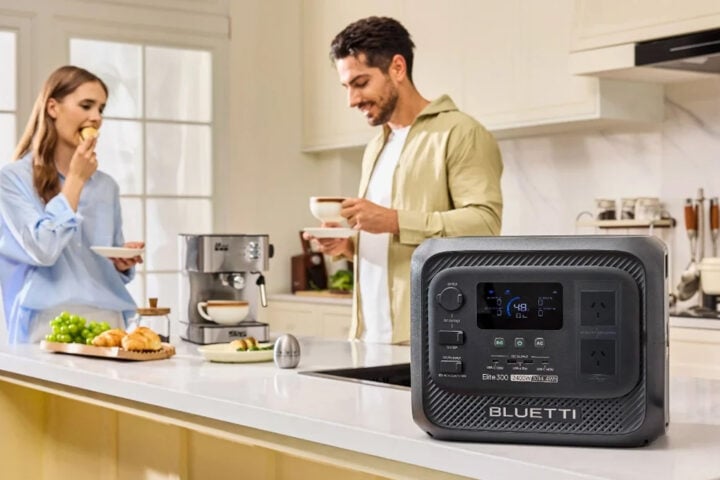
Elite 300: Smallest 3kWh for every situation

Delivering 2.4kW of power from a 26.3kg body, the Elite 300 is easy to move around for every scenario. At an unpowered campsite, it can run a 12V fridge, Starlink, laptops, and a coffee machine. At home, it keeps the chest freezer and lights alive through a storm outage.

Bluetti Elite 300
Elite 300 provides compact power for campsites and homes. Image: BLUETTI

Elite 200 V2: Compact power for 4WD and weekend camping

The Elite 200 V2 is a balanced 2kWh unit for quiet power at the beach or in the bush. It uses EV-grade LiFePO4 battery cells for over 17 years of rugged use. Fully recharge it in only 1.5 hours and keep your 50W portable fridge running for over 26 hours. 

Apex 300: Expandable backup for off-grid power 

For homes in storm-prone areas or remote farms, the Apex 300 delivers 3.84kW for high loads like an oven or air conditioner, and takes in up to 19.2kW of solar using the SolarX 4K. Adding expansion batteries allows you to store more daylight solar for later use. 

  • Apex 300 + B300K (A$4598) with a Free 200W Solar Panel: Doubles capacity to about 5.5kWh for longer off-grid living.
  • Apex 300 + Hub D1 (A$3198) with a Free Elite 10: Adds USB-C, 12V and Anderson ports for camper trailer or shed fit-outs.
  • Apex 300 + 350W Solar Panel (A$3699) with a Free Elite 10: Refills from the backyard sun between outages.

Other great-value recommendations

  • Elite 100 mini (29% off): Freshly launched earlier this month, packs 1kWh and a built-in LED light, making it the ideal lightweight companion for weekend camping and on-the-go adventures.
  • Elite 400 + Charger 2 (17% off): Featuring a lightweight wheeled design, a 3840Wh capacity, 3900W Lifting Power, Elite 400 delivers effortless, grab-and-go power for home backup, RV camping, outdoor work, and off-grid adventures.
  • Fridgepower (28% off): With its ultra-slim 75mm design, 1800W output (3600W surge), and ultra-efficient capacity expandable up to 8064Wh, it keeps your refrigerator and essential appliances running uninterrupted for days during outages.

More savings from BLUETTI Black Friday sale 2026

Australian shoppers can save more with BLUETTI Black Friday 2026 offers:

Spend-and-Gain gifts: 

    • Spend A$3,000 and get a free Elite 10 (valued at A$279).
    • Spend A$4,000 and get a free 200W Solar Panel (valued at A$699).

    Gifts are limited in quantity and are available on a first-come, first-served basis while stocks last.

    Lucky Draw: For every A$1,000 spent, you get a chance to win an Elite 10, 1,000 BLUETTI Bucks, or coupons of up to 15% off selected products. New subscribers can win 5% to 8% off coupons.

    Triple BLUETTI Bucks on every dollar spent on the official site during the sale.

    Extra 10% off sitewide accessories.

      Lock in the lowest prices of the year with BLUETTI Black Friday 2026 deals and stay prepared early for summer storms and heatwaves.

      About BLUETTI

      Established in 2013, BLUETTI has evolved into a pioneer in the clean energy sector. Driven by robust in-house R&D and sustainable innovation, the brand empowers millions across 120+ countries to stay powered during outages, emergencies, and outdoor adventures.

      The post Up to 59% off in BLUETTI Black Friday 2026 deals appeared first on GadgetGuy.

      Thursday, 19 November 2026

      Amflow UE Carbon: Amflow’s first commuter e-bike arrives from $4,999

      Amflow UE Carbon: Amflow’s first commuter e-bike arrives from $4,999

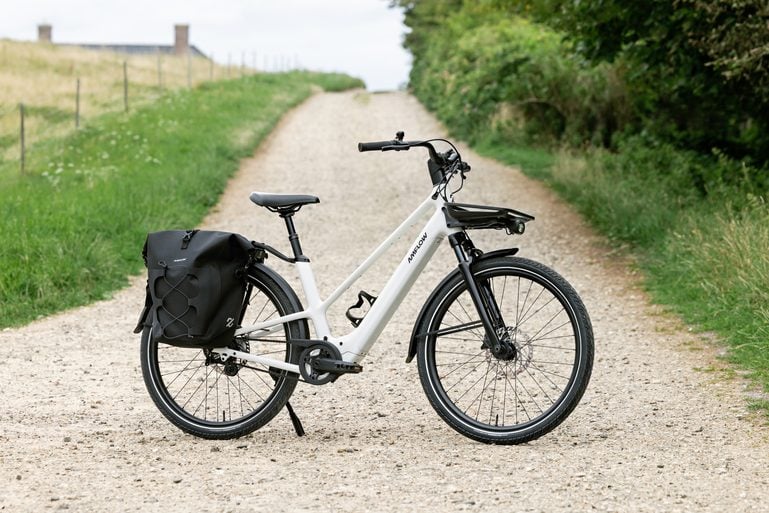
      Amflow, best known for its electric mountain bikes, has launched its first commuter e-bike, the Amflow UE Carbon series. It’s on sale now in two versions, the UE Carbon at $4,999 and the UE Carbon Pro at $5,599.

      Built around a 2.35kg carbon fibre frame, the UE weighs 20.9kg in total, with a low step-through design and an upright riding position. It’s powered by the Avinox M2 drive system with 125Nm of torque, and Amflow claims up to 132km of range from the removable 600Wh battery, which fast charges from empty to full in just under two and a half hours.

      The main difference between the two models is the drivetrain. The Pro uses a three-speed electronic internal hub with a Gates carbon belt for quieter, low-maintenance riding, while the standard model has a 10-speed electronic derailleur. Full specifications are on Amflow’s website.

      Built for comfort

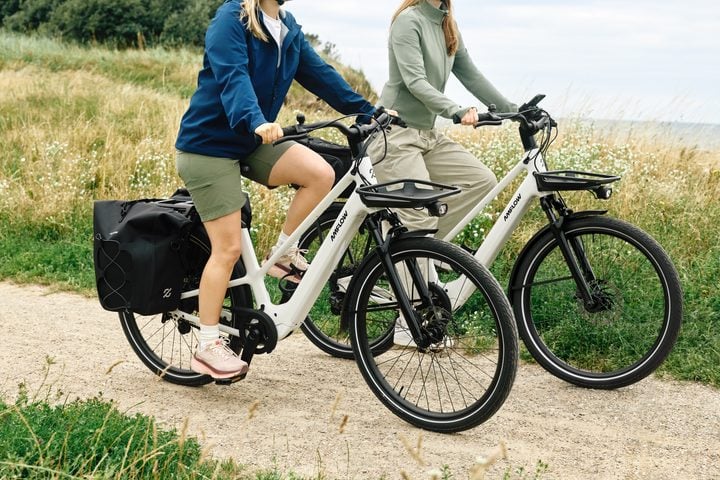
      Comfort is a big focus for the UE. The front fork has 65mm of travel, with a lockout for smooth roads, and the dropper post adds about 30mm of cushioning plus 125mm of height adjustment, so you can change your saddle height on the move. Stopping comes from Magura 180mm disc brakes front and rear, and the 26 x 2.0-inch Maxxis tyres are wide enough to roll over kerbs and rough patches.

      The standard frame suits riders from 155cm to 190cm, and two stem heights are included, so it can be shared between family members. A smaller version for riders from 140cm to 160cm is expected in 2027.

      Smart features and security

      Both models get electronic shifting with an automatic mode, and an Auto Boost feature that adds extra power when you’re climbing or pulling away from the lights with a loaded bike. A traction control system reads how you’re pedalling to smooth out power delivery in stop-start traffic.

      Credit: AMFLOW

      On the handlebars you’ll find a 1.4-inch touchscreen display and a phone mount with 15W wireless charging. The lights switch on automatically at dusk and the rear light brightens when you brake. The Avinox Ride app adds a few extras worth knowing about:

      • Apple Watch support: check the bike’s status, sync health stats and unlock it from your wrist.
      • Heart rate control: pair a heart rate monitor and set a target zone, and the bike adjusts its pedal assist to keep you in it.
      • Theft protection: Apple Find My tracking, a Lost Mode that locks down key components, and one key that locks both the frame and the battery.
      • Camera control: start recording on a compatible DJI Osmo camera from the bike’s controls.
      Credit: AMFLOW

      For errands, the front rack carries up to 20kg and the rear rack up to 27kg. The rear rack uses the MIK HD mount, so it works with compatible quick-release bags, baskets, panniers and child seats. The UE Carbon and UE Carbon Pro are available now from Amflow and authorised retailers.

      The post Amflow UE Carbon: Amflow’s first commuter e-bike arrives from $4,999 appeared first on GadgetGuy.

      Wednesday, 18 November 2026

      eero mesh Wi-Fi system: What makes it better?

      eero mesh Wi-Fi system: What makes it better?

      Are you the one who always has to “fix the Wi-Fi”? You know which mesh unit is “the router”. You can wrangle the app, or even a web interface, without blinking. You know whether your 2.4 GHz channel is on. You are a Wi-Fi prosumer, and your needs are specific: simple setup, fast speed, security, and smart features. eero offers all of that and more, but what makes eero mesh Wi-Fi different?

      That’s not a rhetorical question. An eero mesh Wi-Fi system isn’t just a box. It’s a suite of features aimed at making Wi-Fi easy, reliable, and secure.

      But as easy as eero routers are to use, they also support a range of advanced features to make the experience your own. And if you do need it, eero provides customer support and features to help you get the most out of your home network.

      Let’s take a look under the hood.

      Wi-Fi that “just works”

      When you’re the one who always has to “fix the Wi-Fi”, it’s natural to be suspicious of plug-and-play. Back in the day, simple to set up meant a system that did things ITS WAY, and you got limited access to the settings. Now eero mesh Wi-Fi is out to give the prosumer the best of both worlds. You get set up in minutes via an app, and the same app serves you a settings page with all the knobs and switches a Wi-Fi prosumer demands.

      The setup really is that short. Plug the cable from your modem or NBN box into one eero mesh Wi-Fi unit (use either port, no need to squint for a little globe icon). Then install the eero app, watch it find the unit and create the network, and then it asks you to name the SSID (Service Set Identifier, or in plain terms, the name of your Wi-Fi network, the one you see in the list when you go to connect a device) and set the password. Plug the other units in around the house, approve each one in the app as it appears, and the mesh is up.

      As a Wi-Fi prosumer, you know what Ethernet backhaul is and when you need it. The eero 7 range is built for Wi-Fi 7, and the upgrades start where the plug meets the port: the eero Pro 7 has two 5 GbE ports and the eero Max 7 has two 10 GbE ports. This means you get 4.7Gbps wired throughput on the eero Pro 7, and 9.4Gbps on the eero Max 7. Both can take the fastest NBN plans on sale today, and with a wired backhaul every access point in the house starts with the full speed your internet provider is serving you (minus the usual small routing losses).

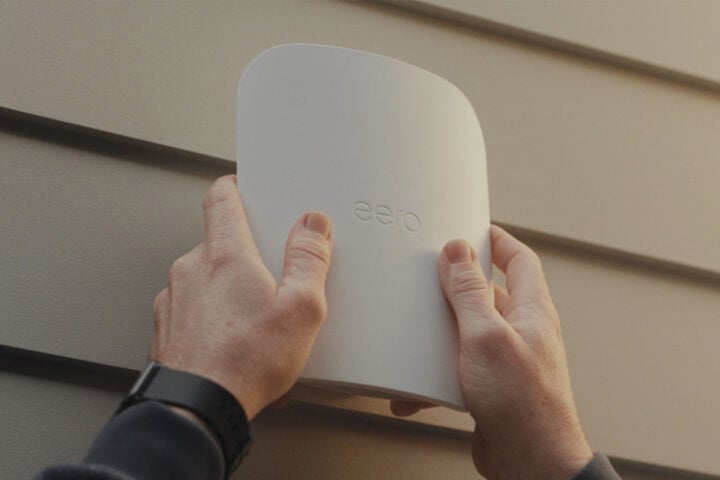
      Eero Outdoor 7 router being placed on wall

      Meanwhile, the Wi-Fi is plenty fast too. The eero Pro 7 is rated at up to 3.9 Gbps over Wi-Fi 7 and about 190 square metres per unit, and the Max 7 at up to 4.3 Gbps and 230 square metres. Older Wi-Fi devices are fully compatible and will connect fine; they just don’t get the full speed. Out on the verandah there’s the eero Outdoor 7, rated by eero at up to 2.1 Gbps and covering 1,390 square metres outdoors, with an IP66 rating and an operating temperature range of -40 to 55 degrees. Okay, you might not see -40 in Australia, but that 55 means you can stop worrying about scorchers.

      Then there’s the radio management, which is where a mesh lives or dies. Core tech gets named, so you know what’s doing what — TrueChannel picks the channel with the least interference, TrueRoam hands your phone not just to the nearest unit, but to the unit that will give you the best connection, and TrueMesh improves latency and speed on Wi-Fi 7 devices with Multi-Link Operation, or MLO (more on that below). Together, they’re a real Wi-Fi dead-spot killer: more coverage, the best path, the cleanest channel, and a seamless handover as you move around. All in the background, with nothing to configure.

      That mesh setup phase — arrange the units, plug them into power, add them to the app, connect via Ethernet if you’re using backhaul — doesn’t require networking expertise, and that’s the whole point of the design. But as a Wi-Fi prosumer, you know what’s going on under the hood, and what it’s doing is serving your home a reliable network. Not just on day one, week one, or even year one, but as its ongoing, number one job.

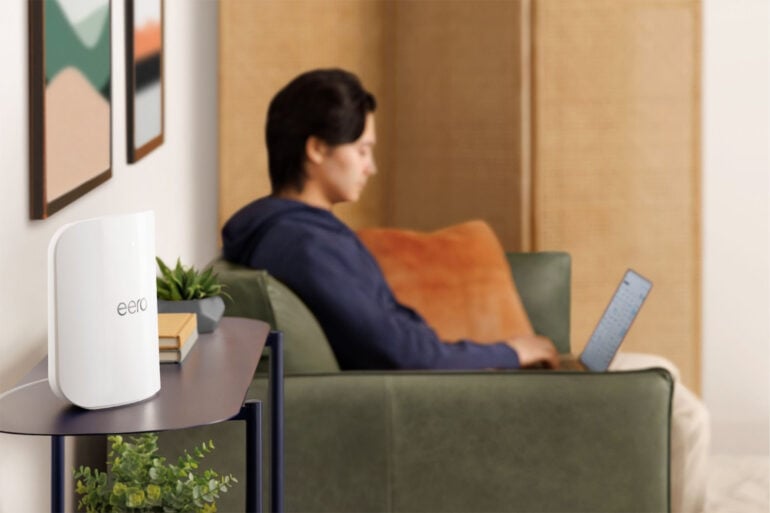
      Man using eero network in lounge

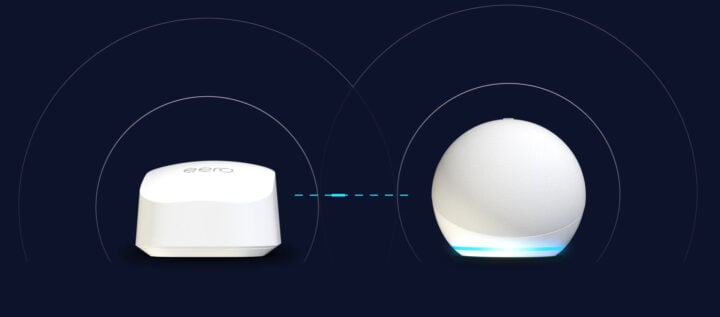
      Backwards compatibility is a big thing too. You don’t have to upgrade all your eero devices at once, just add a new unit to get its benefits. Plus you can use eero Built-in features on select other Amazon hardware, like Echo devices.

      The design language of the eero mesh Wi-Fi units themselves is understated and stylish. Less “stealth attack bomber” and more a neat little art object poised on a shelf. But still doing the job like something bristling with antennae.

      Simple, without sacrificing depth or customisation

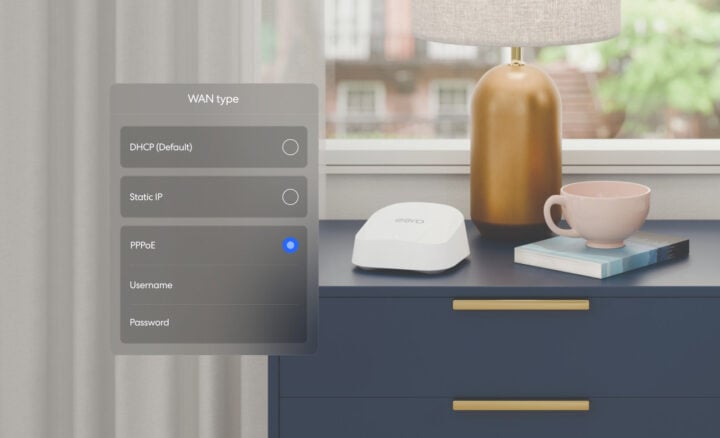
      Sure, an eero mesh Wi-Fi system is simplicity itself to set up, but as we said, that doesn’t mean all the customisation and Wi-Fi prosumer features are locked away. You want the good stuff? Here’s the good stuff. You can access and configure: static IP, VLAN tagging, PPPoE, upstream IPv6, custom DNS, IP reservations and port forwarding, UPnP, Dynamic Frequency Selection, client steering, WPA3, local DNS caching, Dynamic DNS, and more. One of these, Dynamic DNS, needs eero Plus (a by-subscription service that expands the capabilities of the app, more on this below) but that’s still a comprehensive list.

      And a lot of that list is about security, which is a priority for eero too. Especially constant security support, which eero delivers via free software updates – in a mesh unit context that means firmware updates too, and they usually get delivered early in the morning (think, 2-4am) so your system gets all its goodies while you slumber, and you don’t even notice it reboot after the update.

      eero WAN type graphic

      As a prosumer-worthy Wi-Fi system, eero offers multiple layers of security to protect your home network. Even without an eero Plus subscription, you get WPA3 encryption, those automatic software updates, and what eero calls “network health check”.

      If you do step up to eero Plus, then you get more layers of security, as well as VPN features, and things like site blocking, ad blocking, and other things you usually need to buy a whole separate software package for.

      As eero lists them, you’ll get: Active Threat Protection, Ad Blocking, Content Filters, VPN by Guardian, Malwarebytes antivirus on up to 20 devices, 1Password, and identity protection. eero Plus needs Wi-Fi 6 or later eero devices, which is every current model.

      It doesn’t stop there, though. The eero Plus tier gives you data insights and more tools for the prosumer. These all get official names from eero but it’s easy to see what’s on offer: Network Insights, Activity History, Remote Network Access, Internet Backup, and plenty more.

      All of that’s in the backend for you to twiddle with, but there’s important tech at work in the units themselves. These latest eero 7 units are packed with advanced features including Dynamic Path Selection and Multi-Link Operation.

      eero and Echo Dynamic Frequency Selection graphic

      Dynamic Path Selection is eero’s TrueMesh system we mentioned above. With TrueMesh Technology, the eero your device is currently connected to is already looking for the optimal path to route data around your mesh network to wherever you’re physically located. That’s why sometimes, in the eero app, you’ll see your device connected to an eero mesh Wi-Fi unit that isn’t the closest one. TrueMesh, with TrueRoam doing the handover, has worked out that, right now, even though you’re in the study, the lounge room unit is going to give you a better Wi-Fi signal than the bedroom unit down the hall.

      Multi-Link Operation (MLO) enables eero mesh Wi-Fi 7 units to simultaneously send or receive data across multiple Wi-Fi frequency bands and channels, instead of having to pick one Wi-Fi band at a time. Your device has to have MLO too, but if it does, you get a stable link and speeds are maximised. If you’re currently getting 150 Mbps to your (MLO capable) phone off a router wired to a 500 Mbps NBN plan, this is a feature you’re probably going to notice right away – especially if latency is also a big problem for you, not just raw speed.

      You’re supported every step of the way

      Imagine. You’ve been living with eero for a few months now. And the Wi-Fi just never goes down. There is no “fix the Wi-Fi”. Or at least that’s eero’s intent, by helping to provide a fast, secure, and safe network out of the box, and throughout the life of your eero mesh Wi-Fi units.

      And it’s not just clever radio tech. It’s important, human-level security too. Parental controls let you determine what’s appropriate for your family. You can set up dedicated profiles, pause device access (that means you have control of “screen time”), block specific devices, limit what can be accessed online, and create a guest Wi-Fi so visitors can scroll without you needing to hand over the main password.

      With eero Plus there’s also content filtering, advanced Wi-Fi scheduling (no staying up to 0300h on the socials), and of course an activity history report.

      eero notebook on desk

      And all of this can be managed via the app. No weird web page with teeny tiny text, just an intuitively designed app that eero proudly describes as award-winning. It puts all the tools you need to stay on top of your network, right there in the palm of your hand.

      You don’t have to go it alone either. All of this is backed by world-class customer service and a three-year warranty. To help resolve any setup or Wi-Fi issues, eero encourages owners to email support@eero.com or call Australian support on 1800 029 708. You can also find written guides and explanations on the eero support site at eero.com/support.

      An eero sense of calm

      Simplicity, great performance, and the resources you need to make Wi-Fi easy: that’s the eero difference in a nutshell, and why eero now powers homes and businesses across more than two dozen countries. No matter how far you want to take your home network, eero has the capacity to keep up.

      The post eero mesh Wi-Fi system: What makes it better? appeared first on GadgetGuy.