
For some years now, whenever I travel or need computing power away from home, I have been using a Google Chromebook. With everything in the cloud, I can work quite happily on a small screen and with low-spec computers. Indeed, the Chromebook in question was released in November 2021.
This got me thinking, will a Google tablet work just as well as a Chromebook? I take a look at the Xiaomi Pad 8 tablet to find out.
Why am I even considering a tablet as a notebook PC?
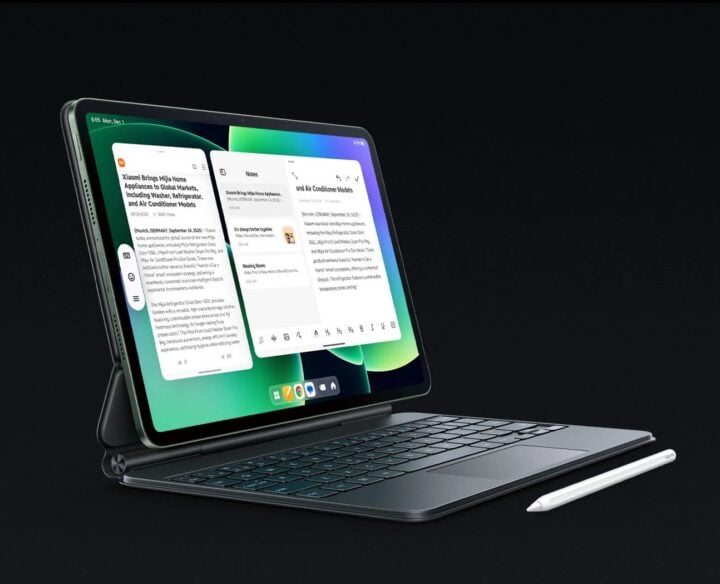
When the Pad 8 arrived for GadgetGuy to review, it came with three covers. Two included a keyboard, and one just a cover. One keyboard (the Pro Case) is so impressive that it looks like a notebook with illuminated keys, a trackpad, and reasonable key travel. The responsiveness is faster than on my Chromebook, and the specs are much better. Thus, my next thought is, could I use this instead to travel?
Xiaomi Pad 8 features
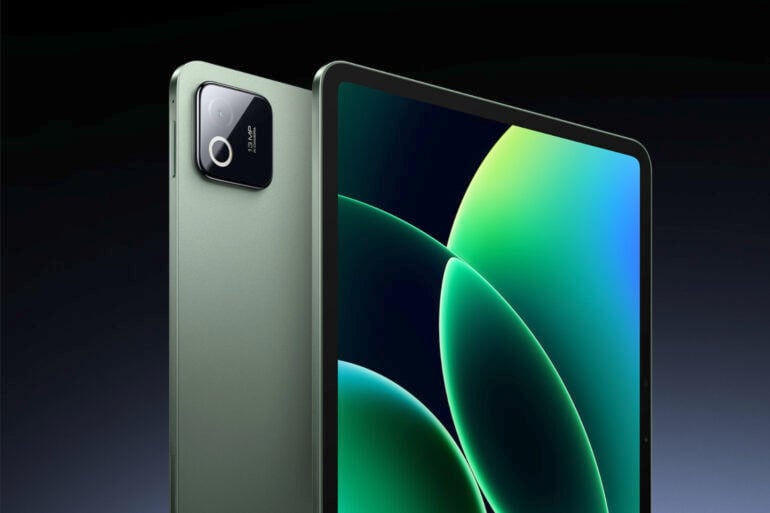
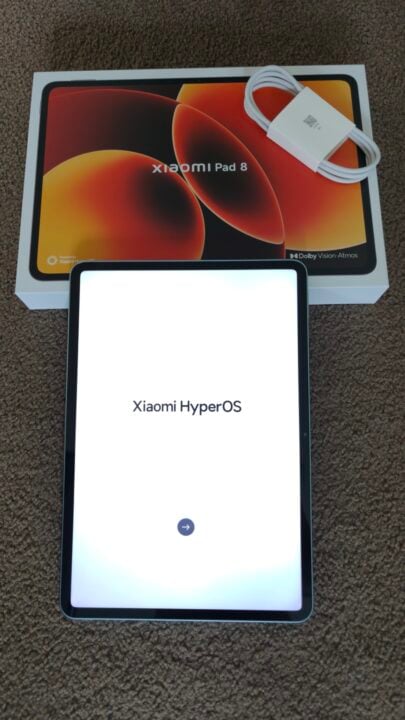
The Xiaomi Pad 8 is an 11.2-inch Android tablet with a fast Snapdragon 8s Gen 4 processor, a large battery, and four speakers. In the box, you will find the tablet and a USB-C cable. Various accessories are available for it, including a smart pen, protective cover, standard case keyboard, and a Pro Case keyboard.
The tablet weighs less than half a kilogram and measures less than 6mm thick. Note that it does have a camera bump, which is flush when you add one of the cases mentioned above. Packed inside this thin body is a 9200mAh battery, which is quoted with up to 17 hours of video streaming. With multiple tasks, the useful life is closer to eight hours, which is still much better than the competition, at around five hours. Charging takes up to an hour and 10 minutes.
The display is a 3:2 aspect ratio, which is standard for tablets. Still, since most video is produced in 16:9 these days, you will have black bars above and below the video you are watching to maintain the correct aspect ratio. The screen itself is a 3K LCD supporting up to 144Hz refresh rate. This means it’s not as good as your 4K TV display, but it’s good for fast-moving video like sports. Because it is so much smaller than a TV, the actual resolution appears better to your eyes.
The tablet’s Snapdragon 8s Gen 4 engine is about a third faster than the Xiaomi Pad 7’s processor. This, together with 8GB of RAM and 128GB of storage, gives you a fast, well-performing tablet that supports many of the latest games, video editing, and everyday responsiveness when moving between apps. Note that the 128GB of storage can fill up fast with apps or photos.
Various AI tools, split-screen tricks, and the ability to manage more open apps mean this tablet’s productivity is more PC-like than previous tablets.
Not that I am an Apple user, but it was interesting to read that you can use the tablet as an external display for a MacBook and seamlessly transfer files between it and an Apple device.
A big plus is that the Pad 8 ships with WPS Office, which lets you create, view, and edit documents, spreadsheets, presentations, and PDFs.
Xiaomi Pad 8 specifications and price
| Screen | 11.2-inch 3.2K (3200 x 2136) LED 144Hz refresh rate |
| Processor | Snapdragon 8s Gen 4 |
| Storage | 128GB |
| Memory | 8GB |
| Dimensions & weight | 25 x 17 x 0.6 cm 485 grams |
| Price (RRP) | $699 |
| Website | Xiaomi Australia |
| Warranty | 2 years |
Using the Xiaomi Pad 8
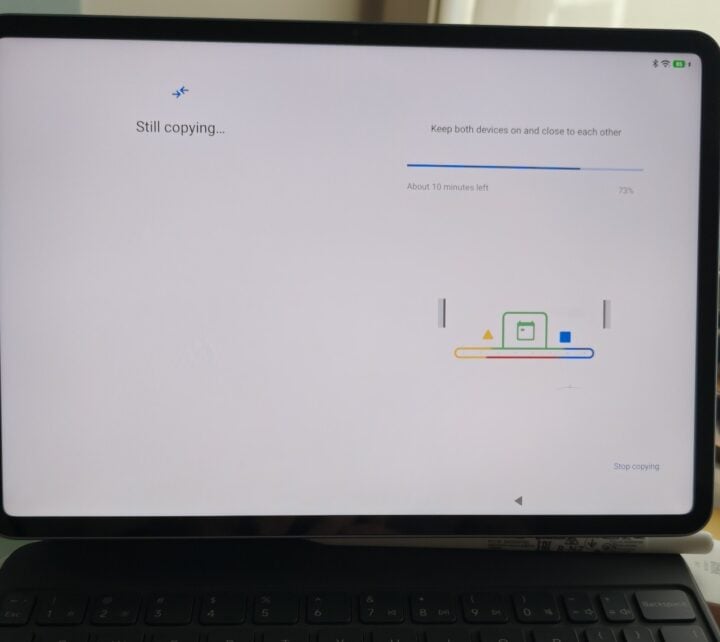
Setup is super easy, assuming you are already in the Google ecosystem. In my case, I set up the tablet based on my smartphone configuration.
As we all do, I sit and watch TV at night with my phone in hand, scrolling as I pretend to watch TV (I really cannot multitask). Having the Pad 8 on hand, I now find myself using it over my mobile. I almost feel guilty, but the bigger screen is so much better for doomscrolling as you relax at night.
I guess you expect it with a new device, but the speed at which apps opened, loaded, and tasks completed blew my expectations out of the water. Maybe my top-tier phone has too much bloatware, since the tablet was much faster.
I have been playing with the three case options, and at this stage I am leaning towards the non-keyboard one. I like the keyboard, but my use has ended up not being at a desk. This, of course, is a spoiler: I have decided this tablet, although lightning-fast, will not replace my five-year-old Chromebook. If I compare the screen, the vertical height is similar, but the Chromebook is wider. That extra screen really does make a difference. I can manage dropping back from the large-screen dual-display setup I use at home to cope with the Chromebook whilst travelling, but to write and do a sales job on the road, I do need more screen real estate than the tablet offers. I did try reducing the font size, but it became too small.
The second showstopper for me was using Microsoft 365 on the tablet. I can load Outlook in a browser, read my email, write emails, but when I press send, it does not work. Turns out the email did go, but it sat there as if it had not been sent. No doubt this software issue will be fixed, but for now, the tablet I really wanted will not be my remote work computing device.
For personal use, I am very excited about this tablet. Whether at home or exploring a new city, the size, battery life and ability to research and consume are amazing. The cameras on this tablet are very average, but everyone uses their smartphone, so it’s no big deal.
As part of my testing, I also used a Xiaomi Focus Pen Pro, a stylus pen that magnetically attaches to the top of the tablet and also wirelessly charges there. If I could draw, then I would see a lot of benefit, but I found myself going back to just using my finger rather than using the stylus to navigate. It has some innovative, customisable controls: pinch the pen or slide a finger along the body, or rotate the body. There was no latency when using it, and you do not have to touch the screen to interact; you can hover over it.

A feature I love about the bigger screen (compared to my smartphone) is that, if you watch TV and scroll at home, you can split the screen on the Pad 8 to stream video while scrolling through email on the train, for example. Best turn the tablet to portrait orientation so you maximise available screen size.
Who is the Xiaomi Pad 8 for?
On paper, this tablet has all the potential to be a do-it-all computer and a desktop replacement on the road. In practice, for me, it did not quite get there, maybe if I forced myself to persist, but a product should aspire for you to love it from day one.
Speaking of which, I do love this device for ‘me’ time; it can be used for scrolling whilst I watch TV, streaming movies on a plane, navigating a foreign city, working out where the best gelato is, or reading your Gmail.
I see the Xiaomi Pad 8 is an amazing companion for leisure travel and a home device for browsing websites or getting instructions from YouTube videos. If you do all this on a phone today, you will be blown away by the Pad 8’s larger screen and versatility.
The post Xiaomi Pad 8 review: Is this tablet better than a Chromebook? appeared first on GadgetGuy.


0 comments:
Post a Comment