
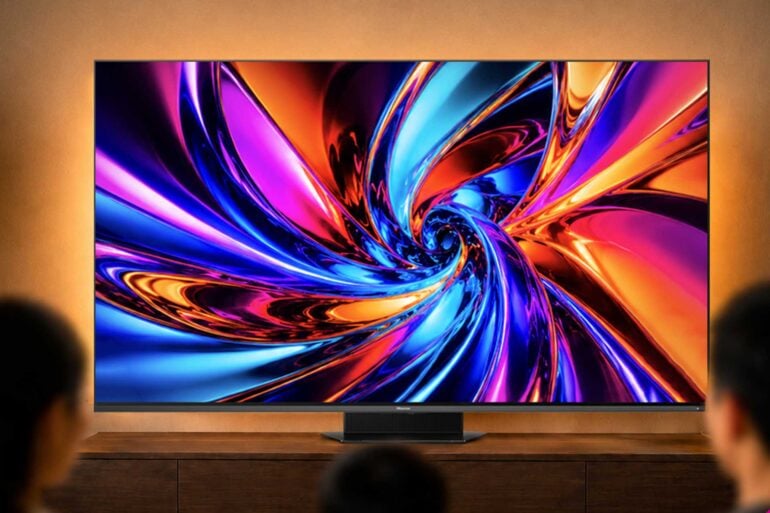
Around this time last year, Dolby Laboratories announced ‘Dolby Vision 2’, a new version of its proprietary HDR technology. It’s meant to make it easier to get the best TV picture quality in your living room, while preserving the creator’s original vision. Almost a year later, Dolby Vision 2 is here, arriving on several Hisense televisions before anywhere else. Meanwhile, Samsung is sticking with the open-source HDR10+ Advanced format. So, what does Dolby Vision 2 do differently compared to its predecessor?
Designed to bring out the best in modern TVs, Dolby Vision is a licensed high dynamic range (HDR) technology that, among other things, helps bring out an image’s contrast and colours. One of HDR’s core features is its ability to display bright highlights and deep shadows on compatible TVs without blowing out the rest of the picture.
Dolby Vision 2 builds on this foundation, adding more content-specific optimisations like ‘Authentic Motion’ and ‘Precision Black’. According to Chris Mayer, Hisense National Training Manager, the technology is meant to save you from drowning in settings menus.
“Dolby Vision 2 delivers brighter, clearer and more lifelike picture, so you always see exactly what you’re supposed to see,” said Mayer. “It works automatically in the background to adjust the TV’s picture to suit what you’re watching, so content looks its best without having to change any settings.”
Mayer added that Dolby Vision 2 steps up “from primarily dynamic HDR into a more intelligent, content and environment-aware picture system”. In its original announcement, Dolby claimed that the updated HDR format uses metadata provided by the creator to adjust a TV’s image automatically based on several factors, including ambient lighting and the specific type of content shown.
Which Hisense TVs are compatible with Dolby Vision 2?
At the moment, several Australian Hisense TVs support Dolby Vision 2. This includes the brand’s new RGB Mini LED range, like the UR8S, and some of its ‘ULED’ TVs. TCL has also publicly backed Dolby Vision 2, but hasn’t confirmed when it’ll arrive on its TVs.
Here are the Australian Hisense TVs currently compatible with Dolby Vision 2:
Just to add another variable to the equation, each of these TVs supports what’s called ‘Dolby Vision 2 Max’. As explained by Dolby, some features are exclusive to the Max version of its new HDR format. Dolby Vision 2 Max requires more processing power, thus unlocking Authentic Motion, the ambient-light detecting ‘Light Sense 2’ feature, and a range of pro-level settings.
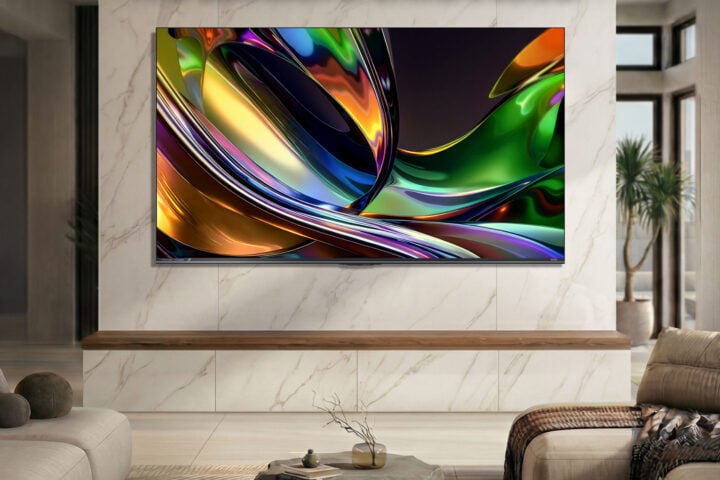
Set to appear on other TVs later, Dolby Vision 2 (sans ‘Max’) still uses the latest image engine powering the HDR technology. It also supports ‘Content Intelligence’, the feature that uses a content’s metadata to adjust the picture scene-by-scene in a way that respects the creator’s intent.
Where is the Dolby Vision 2 content?
Here’s the kicker: Australians don’t have much access to Dolby Vision 2-native content. Overseas, Peacock, Canal+, and iQIYI have committed to streaming Dolby Vision 2 content, but no major local streamers are on board yet.
Fortunately, Dolby’s latest HDR format is backwards-compatible. Even if a piece of media doesn’t yet have Dolby Vision 2 metadata, existing content can still benefit.
“As Dolby Vision 2 continues to roll out, customers can expect to see more compatible movies, TV shows, live sports and other content becoming available in the coming months,” said Mayer. “Existing Dolby Vision titles can also benefit from Dolby Vision 2’s upgraded image processing on compatible TVs.”
As reported by TechRadar, much of the process for updating existing Dolby Vision content can be automated, making it easier for creators to get on board. However, features like Precision Black and Authentic Motion — the latter of which reduces judder without inducing the dreaded ‘soap opera effect’ — require a manual touch.
“That feature is so sensitive that we don’t generate that metadata, it has to be manually authored,” Dolby’s Jonas Klittmark told TechRadar.
Although sports and video games are also compatible, movies and TV shows are the main beneficiaries of Dolby Vision 2. Major streaming platforms, like Netflix, Disney Plus, and Prime Video, already support Dolby’s earlier HDR format. In other words, if you have a Dolby Vision 2-compatible TV, you can start putting the upgraded image engine to work.
For gamers, it’s a different story. Both the PlayStation 5 and Nintendo Switch 2 use the open-source HDR10 format rather than Dolby Vision. PC is much the same, with minimal Dolby Vision support. Xbox Series X and Series S, on the other hand, are Dolby Vision-compatible across games and media playback. So, unless you’re an Xbox player, there isn’t much native support for Dolby’s HDR standard.
Dolby Vision 2 in action
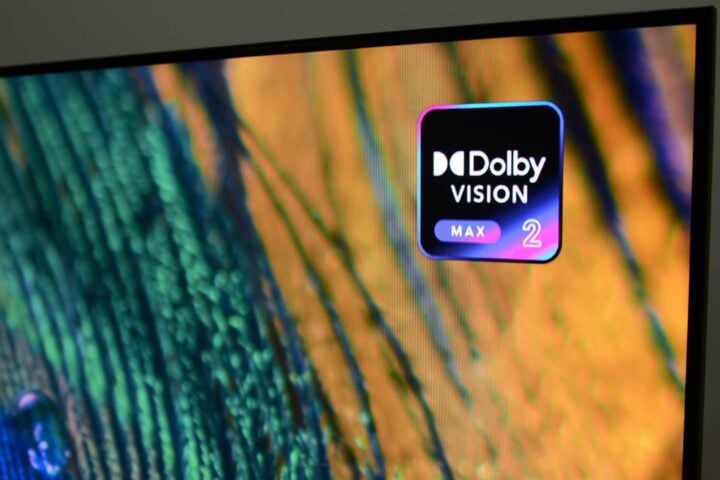
In a nice quirk of timing, I’m currently reviewing the Hisense U7SAU, one of the models that received the Dolby Vision 2 update earlier this month. When booting up Dolby Vision-compatible content, the Dolby Vision 2 Max badge appears on the screen as the HDR mode kicks in.
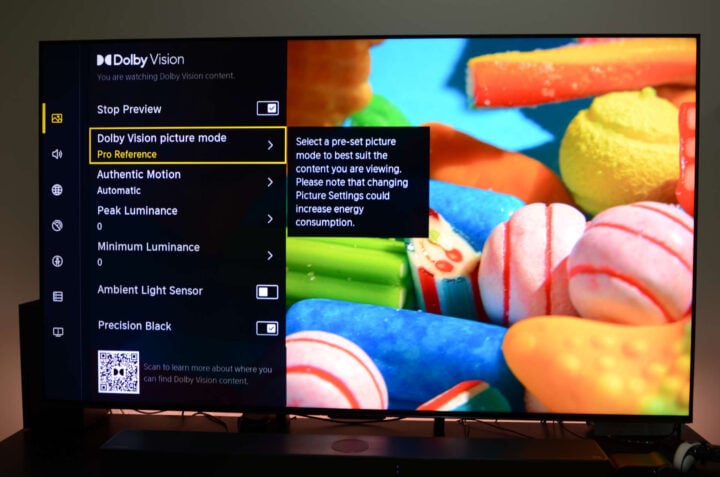
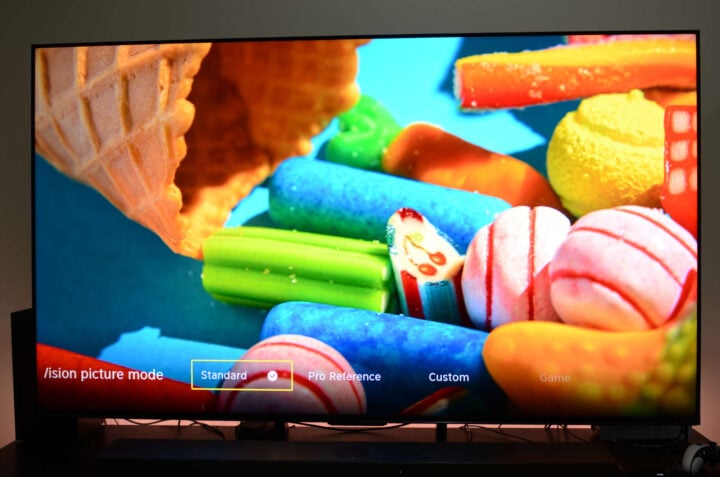
Although I didn’t have access to any content that uses Authentic Motion or Precision Black, the settings menu showed a simplified approach to HDR. On the Hisense U7SAU, Dolby Vision 2 comes with four modes: Standard, Pro Reference, Custom, and Game. When playing the built-in demo footage, Game was inaccessible, but I could poke around the other modes.
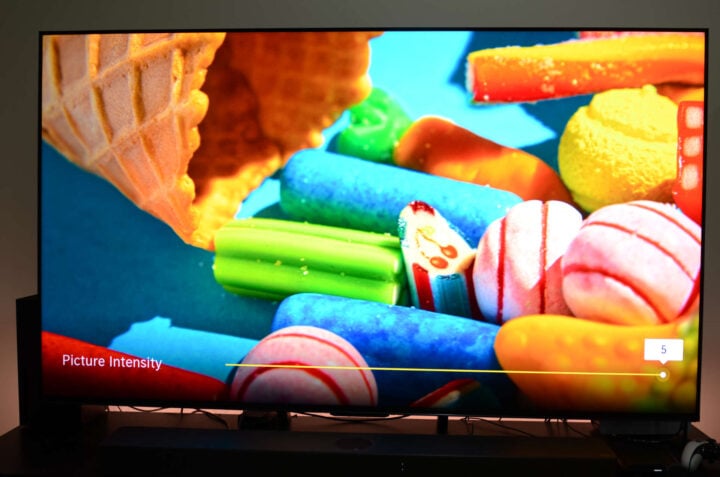
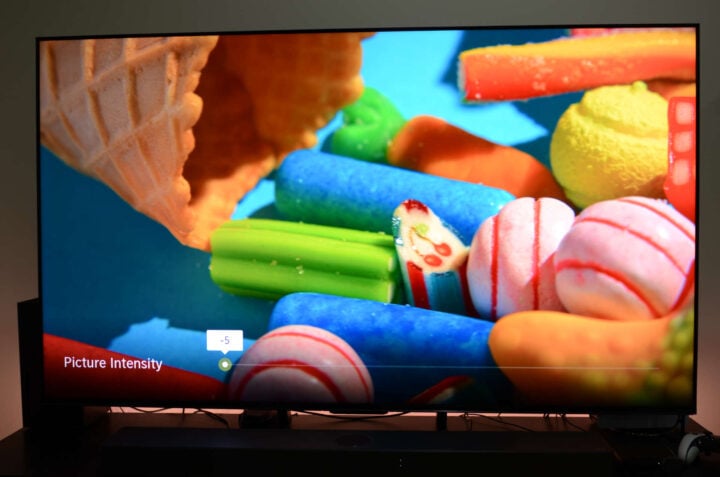
When set to Standard, the customisation exists on a simple sliding scale. Dubbed ‘Picture Intensity’, you can set a value between minus five (the lowest) and five (the highest). To my eye, it looked like Picture Intensity adjusted the picture’s brightness, contrast, and colour saturation levels. By default, Standard looked a bit too vivid, but dialling the slider down produced an image I was happier with.
Conversely, Pro Reference looked the best before any tweaks. It’s the closest thing to ‘Filmmaker Mode’, setting the colour temperature to ‘Warm 1’ and presenting a more natural-looking picture. Interestingly, Pro Reference doesn’t let you change the colour temperature, while Standard has no such restrictions.
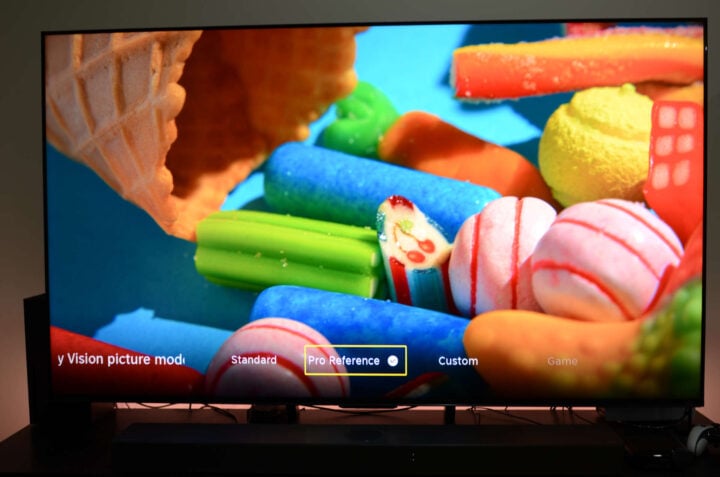
Also, instead of Picture Intensity, Pro Reference gives you two separate sliders. One is for peak luminance, the other for minimum luminance. Otherwise, it’s less modular than Standard, likely to preserve the cinema-like reproduction. As its name suggests, Custom is more of an open buffet, but the philosophy behind Dolby Vision 2 is to simplify HDR, so I can’t imagine many people touching it.
It’s early days, and I’m keen to test Dolby Vision 2 with more content, but it’s a refreshingly simple way to customise HDR visuals. Now all it needs is broader support.
GadgetGuy occasionally uses affiliate links and may receive a small commission from purchased products.
The post Dolby Vision 2 debuts on Hisense TVs, but how does it work? appeared first on GadgetGuy.


0 comments:
Post a Comment