
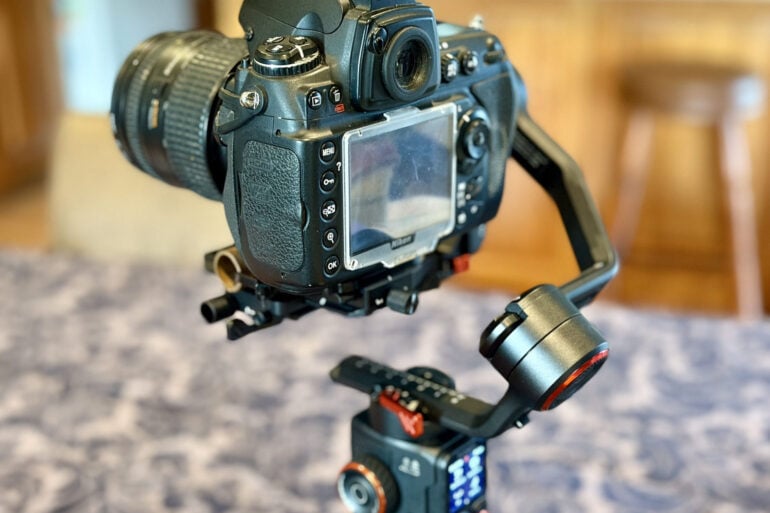
Super-charging your DSLR, action camera or smartphone with AI subject tracking, the Hohem iSteady MT3 Pro Kit camera gimbal puts a rock-steady camera crew at your fingertips.
The ability to shoot impressive video on a range of consumer-grade gadgets has opened up a whole new world for would-be moviemakers. Of course, the next barrier to producing professional-looking video is capturing smooth shots and eliminating camera shake.
A motorised gimbal ensures your camera remains upright and steady, automatically compensating for movement to ensure silky smooth video. The $849 Hohem iSteady MT3 Pro Kit camera gimbal takes things to the next level with built-in AI video tracking, so your camera can follow subjects as they walk across the room.
Table of contents
First impressions
The Hohem iSteady MT3 Pro Kit camera gimbal comes in a sturdy carry case, with all the accessories required to attach different devices and control them remotely.
The gimbal supports easy switching between horizontal and vertical shooting, with a grip for handheld work and a three-footed base which screws into the bottom of the grip when you want to sit the rig on a flat surface.
The supplied paper quick start guide is a bit light on details, but thankfully it includes QR codes linking to detailed video tutorials, explaining how to set up and use the gimbal. Assembling it for the first time is fiddly, particularly if you’re using a hefty DSLR rather than an action camera or smartphone.
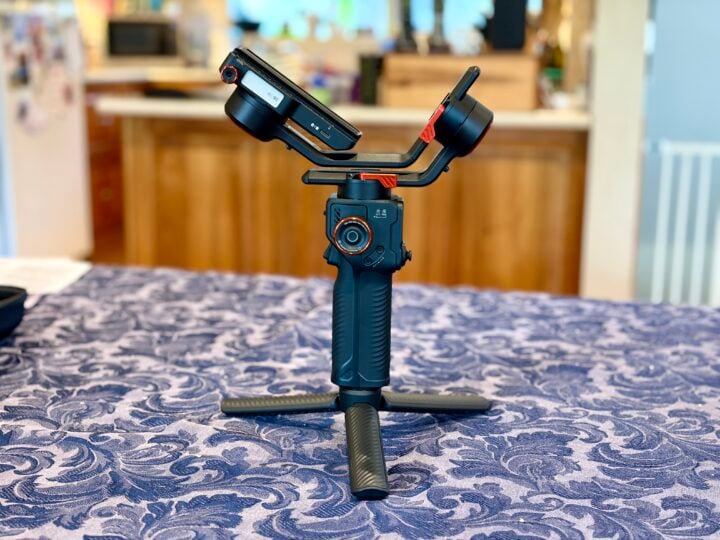
The challenge is that you need to manually balance the camera on the gimbal before you start, to reduce the strain on the motors as they work to constantly keep the camera level. This is where the video tutorials save the day.
Attaching a DSLR is the most complicated. The iSteady gimbal comes with a quick-release plate, which attaches to the tripod mount thread on the bottom of your camera, similar to the quick-release plate you might use to attach your camera to a tripod.
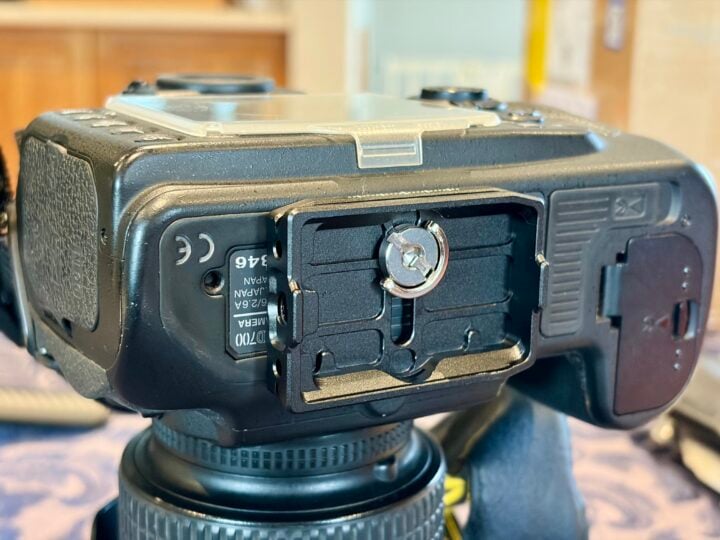
The quick-release plate then attaches to a long, thin plate which allows the camera to slide back and forward through the gimbal’s DSLR mounting base. There are also extra lens support braces to cope with long, heavy lenses.
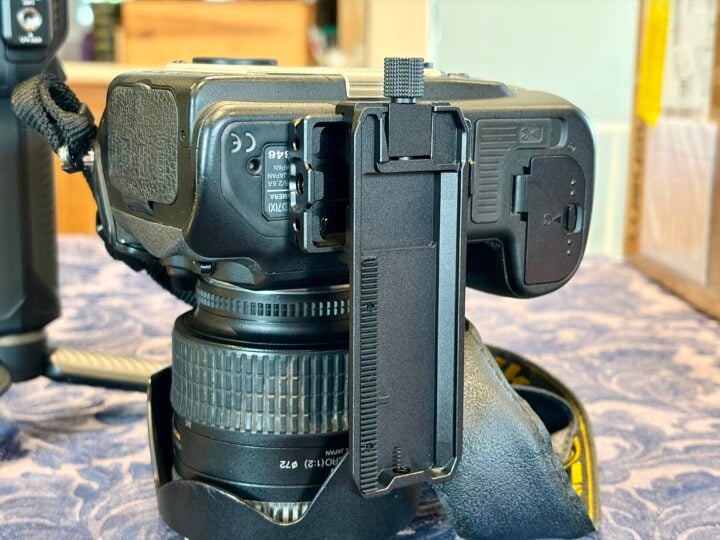
Once the DSLR is attached, you need to carefully balance the camera on all three axes by adjusting the vertical tilt, horizontal tilt, roll and pan one by one.
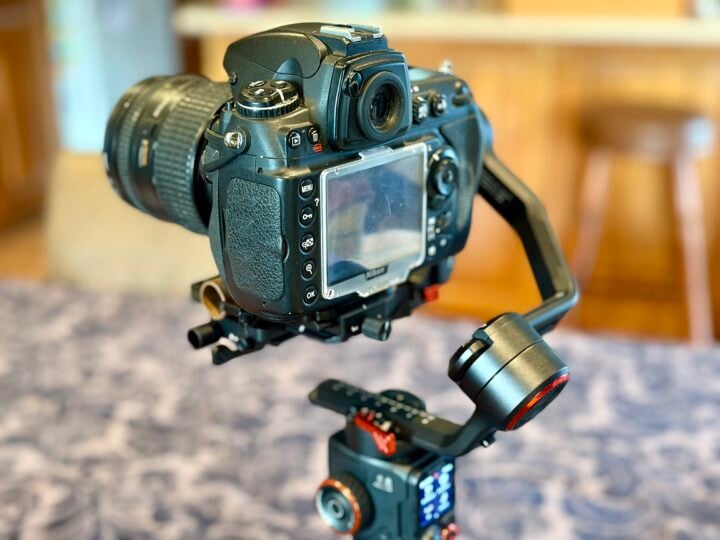
First, you unlock the tilt axis so the camera hangs free. Next, you make tiny adjustments so the camera is perfectly balanced both when pointing upwards and when pointing forward. Now you can lock the tilt axis and repeat for the roll and pan axes.
It’s a long and fiddly process; making microadjustments is tricky, so you wouldn’t want to be switching between cameras or lenses regularly. Some kind of built-in readout or feedback to help you judge when it was perfectly balanced would be useful.
The iSteady gimbal supports cameras up to 2.5 kg, which should be fine for most DSLRs unless you have a particularly hefty lens. The rig itself weighs another 1 kg, ensuring it’s not too heavy to hold for extended periods.
I ran into trouble attaching an old Nikon DSLR, which is quite top-heavy. No matter how far I slid the gimbal’s adjusters to shift its centre of gravity, it couldn’t quite compensate enough to keep the camera level.
Unfortunately, Hohem doesn’t include counterweights in the box to help deal with this issue, although all is not lost because you can buy third-party counterweights to help balance your camera. This might also be necessary if your camera is particularly front-heavy due to a hefty lens.
Rather than buy counterweights, I MacGyvered a solution by zip-clipping a short length of copper pipe to the front of the base. After some trial and error, it was almost enough to keep the camera level.
The gimbal can supply power to your device via USB-C, plus it supports cable and Bluetooth control for your dSLR, with a list of compatible cameras available online. There’s also a three-speed spot mini motor attachment for automatically adjusting the manual focus/zoom ring on a compatible DSLR, plus an 1/4-inch expansion port on the side of the grip.
Hohem iSteady MT3 Pro Kit specifications and price
| Axes | Pan, Tilt, Roll |
| Compatibility | dSLR, action camera, smartphone |
| Maximum payload | 2.5 kg |
| Smartphone width | 58 to 90mm |
| Connectivity | USB-C, Bluetooth |
| Battery life | Up to 20 hours (without AI tracking) |
| Dimensions | Folded: 216 x 295 x 65mm Unfolded: 338 x 150 x 199mm |
| Weight | 1.07 kg + camera and accessories |
| Price (RRP) | $849 |
| Warranty | 1 year |
| Official website | Hohem Australia |
Features
Once your camera is attached and balanced to the Hohem iSteady MT3 Pro Kit, you can unlock all three axes and see how it sits unsupported. Power up the gimbal and the built-in motors kick in to ensure the camera sits perfectly level.
While the camera would sit level on a flat surface, the motors still struggled to stabilise the camera when moving. Running the auto calibration made a big difference, increasing the motor strength on all three axes for more stable results – helping compensate for the fact the camera’s design made it difficult to get a perfect tilt balance.
At this point you can simply use the iSteady as a handheld gimbal, following around your subject while ensuring the camera remains stable, but it’s capable of much more.
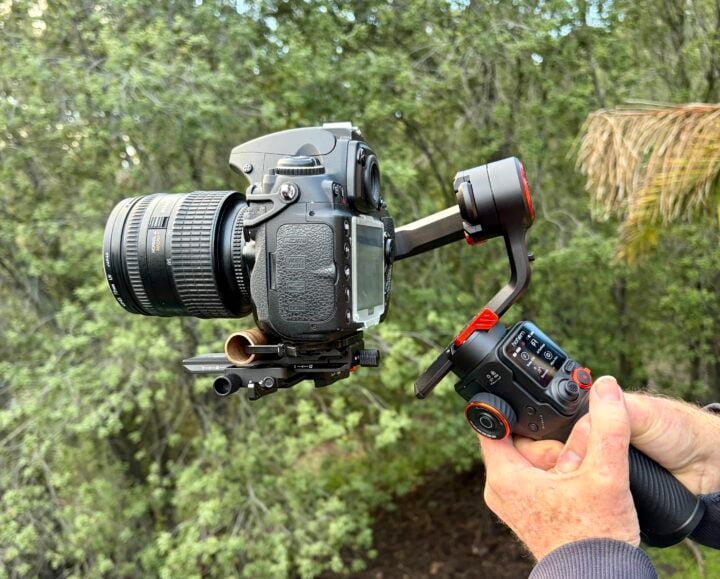
On the back of the handle grip you’ll find a 1.4-inch full colour touchscreen, which acts as a live viewfinder and also offers access to the iSteady gimbal’s advanced settings.
Keep in mind, the video feed is not actually coming from your camera; instead, it is coming from a lens built into the gimbal’s tilt arm. That’s actually a good thing, because it means you’re not limited by device compatibility, even if your camera won’t play nicely with features like using the handle’s trigger to stop/start recording via cable or Bluetooth.
The tilt arm also features a built-in fill light with temperature options from 2700-6500k, as well as a wide range of RGB colours.
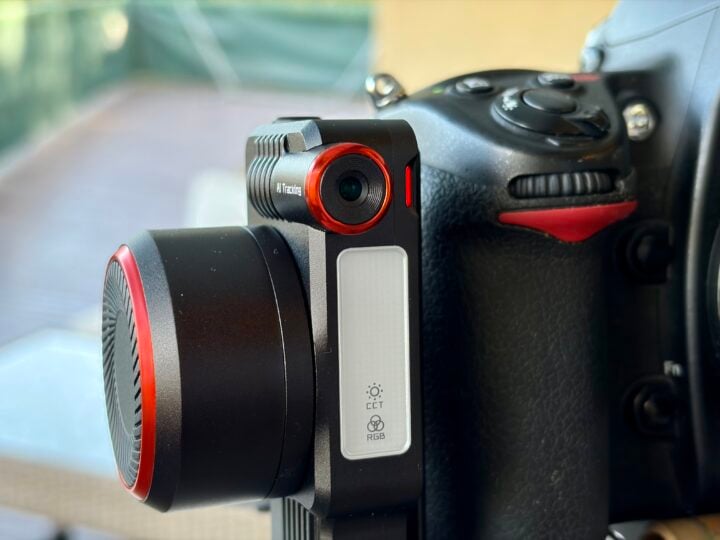
Below the viewscreen is a tiny joystick you can use to manually move the camera. You can also activate configurable pre-programmed manoeuvres such as rotation, panorama, timelapse and tracking between two fixed points.
It’s possible to switch between modes which lock different axes, such as pan follow, which locks the tilt and roll axes for smooth horizontal tracking shots.
Along with a multi-purpose trigger on the front of the grip and action button on the side, you’ll find focus controls on the side and a shutter button on the back with built-in zoom controls. Plus there are A/B buttons to trigger pre-programmed tracking or timelapse shots.
All of this offers an impressive level of control, assuming the device attached to the gimbal is fully compatible, meaning you should rarely need to actually touch your camera. One drawback of the compact design is that you need to memorise multiple button presses and long presses to access some advanced features.
It would take a while to master all the iSteady MT3 Pro Kit’s advanced features, but once you’ve got it sorted, you can plan and execute very sophisticated shots even when you’re shooting solo.
Even more impressive, the display and controls detach from the back of the grip, so you can see the viewfinder and control almost everything remotely. Or you can mount the display on an extra arm extending from the grip, so it’s easier to see during handheld work when you’re not holding the rig near eye level.
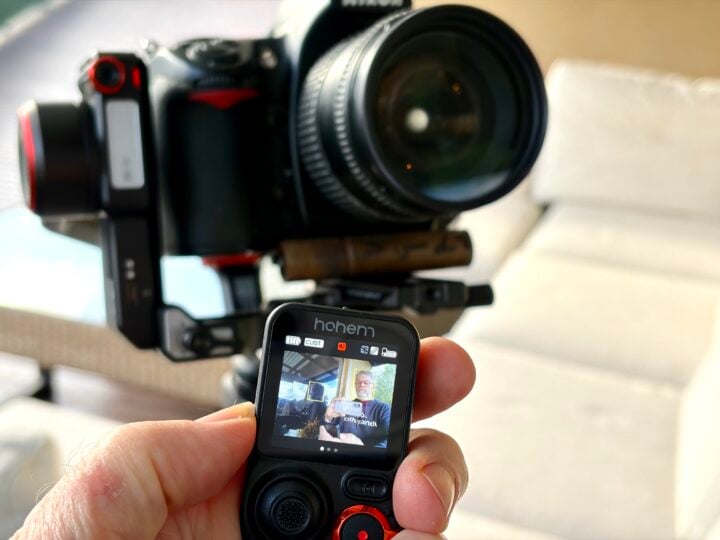
If all that wasn’t enough, the icing on the cake is the built-in AI tracking, which supports people, pets, vehicles and other objects. You simply double-tap on the object on the viewfinder to engage the AI tracking, which includes facial recognition so it can follow your subject through a crowd.
Tapping to activate the tracking can be a bit fiddly, but once it’s locked in you can walk circles around an object and trust the camera to always be pointed in the right direction.
Dive into the touchscreen’s advanced menus, and you have a lot of granular control of follow speeds and other tracking behaviour. The subject can even enable and disable AI tracking using hand gestures, but it’s a shame a few more features can’t be controlled via hand gestures to make it more useful.
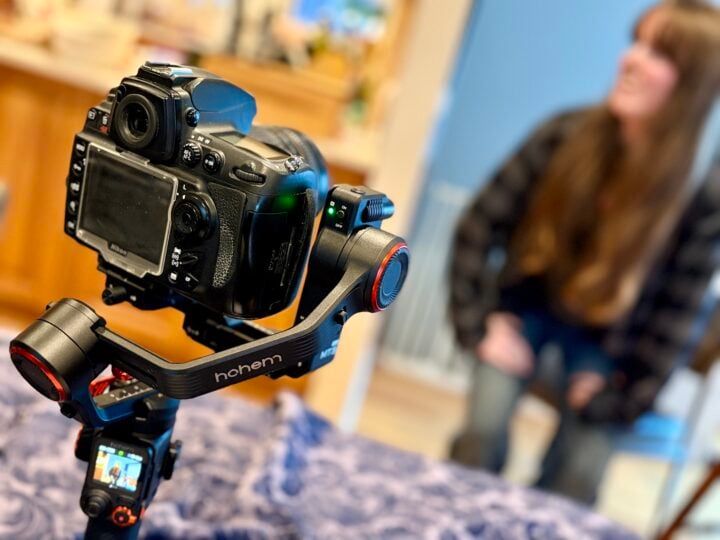
One of the great things is that all of this functionality is built into the iSteady gimbal, rather than relying on a smartphone app, which sometimes can introduce lag, disconnections and compatibility limitations.
If you’re shooting with a smartphone on the gimbal, the Hohem Joy app offers access to a lot of advanced features. The app can also act as a remote control if that suits your needs.
It’s worth mentioning the more affordable iSteady MT3 and MT3 Pro models, if you don’t need everything on offer in the Pro Kit.
The $529 iSteady MT3 has a 1.4 kg maximum payload, 0.4-inch display and only supports AI tracking for human subjects. The $699 iSteady MT3 Pro steps up to a 2.5 kg payload, 1.4-inch display with live preview and AI tracking for people, pets, vehicles and other objects.
This $849 iSteady MT3 Pro Kit includes all the features of the Pro but comes with additional accessories such as the Spot Mini Motor for focus/zoom control and Bi-Directional Twist Handle for greater control of the gimbal. It’s designed for side-handle and low-angle shots where you need to hold the rig at different angles.
Who is the Hohem iSteady MT3 Pro Kit for?
The Hohem iSteady MT3 Pro Kit camera gimbal is an amazing bit of gear, offering the kind of flexibility that would-be moviemakers and others who shoot video could only dream of a few years ago.
The AI tracking is impressive and, once you master the remote control and programmable shots, the possibilities are limitless. Especially if you’re flying solo and trying to punch above your weight in terms of production values.
The MT3 Pro Kit might be overkill for some people who wouldn’t make the most of its advanced features; you really need to be using a DSLR to make the most of it.
GadgetGuy occasionally uses affiliate links and may receive a small commission from purchased products.
The post Hohem iSteady MT3 Pro Kit camera gimbal review: Shoot like a pro appeared first on GadgetGuy.


0 comments:
Post a Comment