
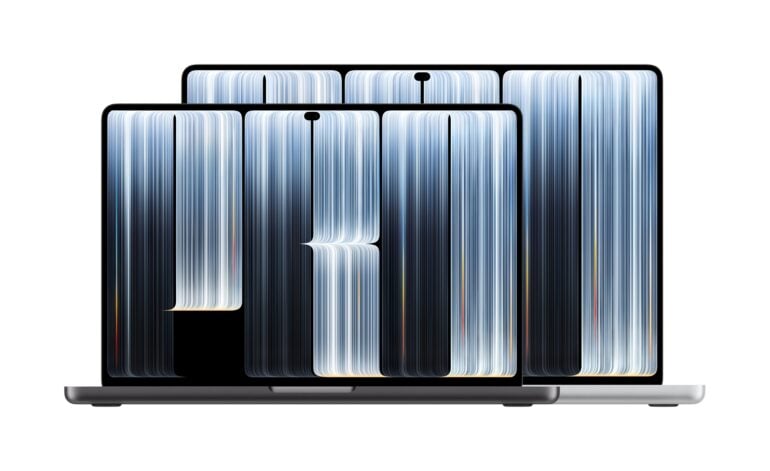
Apple has unveiled its new MacBook Pro with PROLED XDR Display, bringing a tandem OLED screen, touch and the Dynamic Island to the Mac for the first time.
Available in 14-inch and 16-inch models with Apple’s M5 Pro or M5 Max chips, the new MacBook Pro is also thinner and lighter than before, and Apple claims up to 24 hours of battery life. Pre-orders are open now, with the new models arriving from Friday 6 November, priced from A$4,599.
It sits at the very top of Apple’s laptop range, above the existing MacBook Pro with Liquid Retina XDR display, which stays on sale. I haven’t had hands-on time with it yet, but based on what Apple has announced, here’s what we love, what we’re mixed on and what we don’t love.
1. Love: the PROLED XDR tandem OLED display
Love, love, love. Short answer, this will be the best-looking screen any MacBook Pro has ever had, and OLED is a great tech for a laptop thanks to incredible contrast, ultra-quick pixel response times and wide viewing angles.
Tandem OLED is a fantastic technology that gives you the best of OLED while keeping it bright using a tandem panel. For tasks like colour grading, which I do a lot on my MacBook Pro, the colour calibration out of the box sounds fantastic too, and it looks like there’s lots of tech to ensure that your OLED display resists burn-in and stays healthy.
Apple quotes up to 2000 nits peak brightness for both HDR and SDR content, a 10,000,000:1 contrast ratio, 10 to 120Hz ProMotion, and coverage of both P3 and Adobe RGB colour, with more than 80% of Rec. 2020.
I also love the maximum brightness of 2000 nits, which is fantastic for outdoor use. Interestingly, Apple’s sustained full-screen brightness figure of 1000 nits only applies in temperatures below 25°C, which kind of makes sense.
Through what Apple calls Colour Matching Function 2026, the PROLED XDR display also delivers a seamless visual experience when paired with iPhone 18 Pro or Studio Display XDR, which is great for keeping things consistent.
2. Love: nano-texture etched into the glass
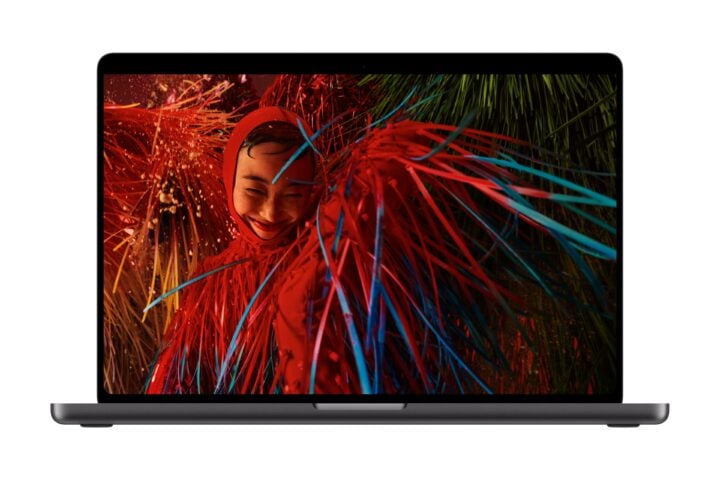
Having a matte-like surface will certainly appeal to some, while others will prefer a glossy screen. Etching it into the surface of the display will help with clarity and reduce colour casting.
Nano-texture glass is an option on every model and adds A$225 to the price. All models also get a new antireflective coating.

3. Love: more screen in the same footprint
Thanks to their slimmer bezels, both the 14-inch and 16-inch MacBook Pro fit more screen into a similar size, so the actual measurements are now 14.2 and 16.3 inches.
4. Love: thinner and lighter
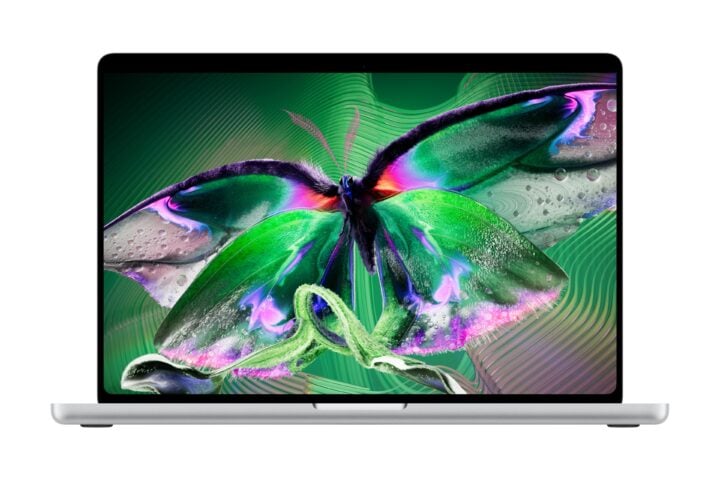
The current MacBook Pro is hefty and can weigh on you after a while, especially the 16-inch model. It’s fantastic to see that the new MacBook Pro gets lighter, meaning it’s more comfortable to tote around.
Apple says the 14-inch model is half a pound (about 0.23kg) lighter than before and the 16-inch model 0.7 pounds (about 0.32kg) lighter. The 16-inch is also nearly a millimetre thinner, and the 14-inch half a millimetre thinner.
| Model | M5 Pro | M5 Max |
|---|---|---|
| 14-inch MacBook Pro with PROLED XDR | 1.38kg | 1.40kg |
| 16-inch MacBook Pro with PROLED XDR | 1.82kg | 1.84kg |
Weight varies by configuration, according to Apple.
5. Love: M5 Pro and M5 Max performance
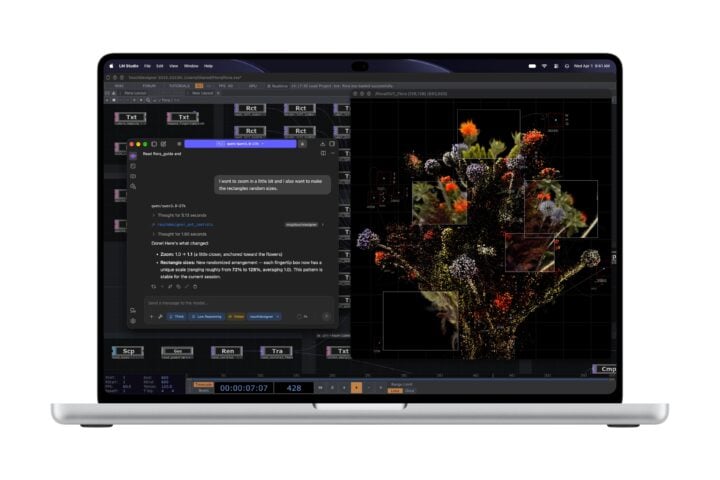
The M5 Pro and M5 Max are both very powerful. The Max is an absolute beast and there’s probably nothing on the market that’s faster. The M5 Pro is the go-to for most people, while the M5 Max specs are no joke when combined with up to 128GB of unified memory and a massive 16TB SSD. Just don’t look at the price tag.
The M5 Pro tops out at an 18-core CPU, 20-core GPU, 64GB of memory and 4TB of storage. The M5 Max goes up to an 18-core CPU and 40-core GPU, and is the only way to get 128GB of memory or 8TB and 16TB SSDs. Both chips have a Neural Accelerator in each GPU core and a third-generation ray-tracing engine.
6. Love: up to 24 hours of battery life
Of course, your battery life will vary based on what you’re doing, but the M5 silicon is incredibly efficient while maintaining high performance, and there’s nothing wrong with topping up the battery to 50% in half an hour.
The 24-hour figure applies to the 16-inch M5 Pro model. Here’s how Apple’s battery claims and in-box chargers break down across the range.
| Model | Video streaming | Wireless web | Power adapter in the box |
|---|---|---|---|
| 14-inch M5 Pro (15-core CPU) | Up to 22 hours | Up to 14 hours | 70W |
| 14-inch M5 Pro (18-core CPU) | Up to 22 hours | Up to 14 hours | 96W |
| 14-inch M5 Max | Up to 20 hours | Up to 13 hours | 96W |
| 16-inch M5 Pro | Up to 24 hours | Up to 17 hours | 140W |
| 16-inch M5 Max | Up to 22 hours | Up to 16 hours | 140W |
Apple’s 50% in 30 minutes fast-charge figure was tested with the 96W adapter on the 14-inch and the 140W adapter on the 16-inch, so the entry 14-inch model with its 70W adapter may take longer.

7. Love: six-speaker audio
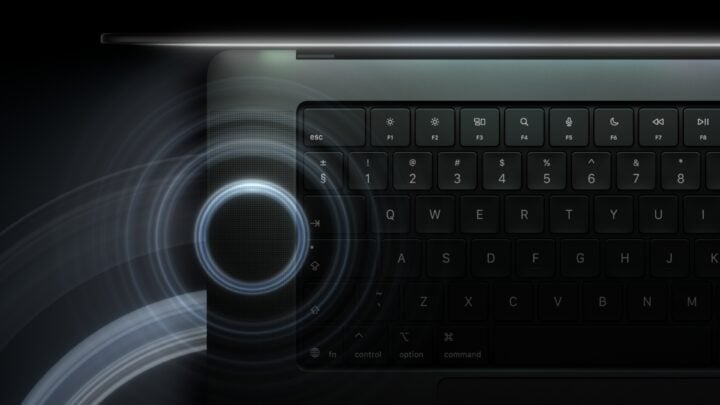
The MacBook Pro’s speakers are already quite good, and while I haven’t heard them yet, extra bass will be a very welcome addition. Apple claims 50% deeper bass from new woofers, with new tweeters for clarity. I also absolutely love that the speakers are now tuned for use with the lid closed, which is a common configuration for me when connected to a monitor.
8. Love: ports and connectivity
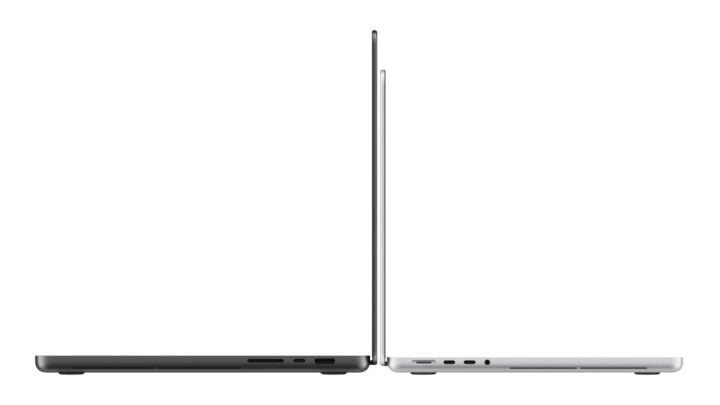
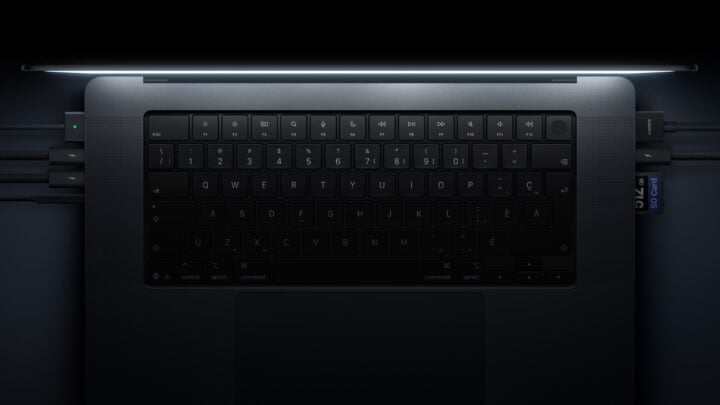
Pretty much everything I’d want is here: three Thunderbolt 5 ports, HDMI, an SDXC card slot, MagSafe 3 and a headphone jack, plus Wi-Fi 7 and Bluetooth 6. These are all the latest specifications, so you’re not left wanting when it comes to wireless and wired ways of connecting your MacBook Pro.
The M5 Pro models support up to three external displays, and the M5 Max models up to four.
9. Mixed: the Dynamic Island moves to the Mac
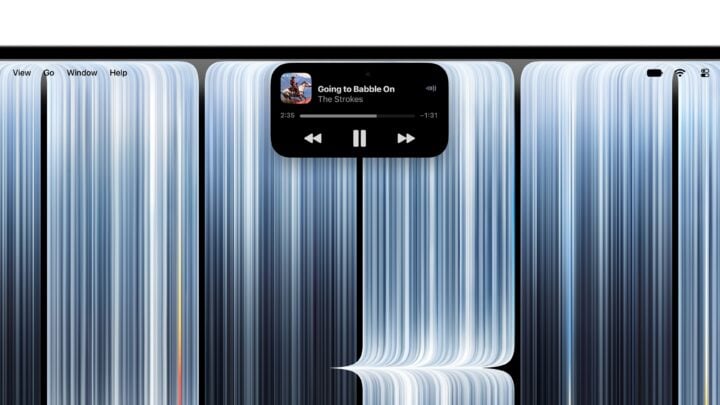
Great that the Dynamic Island shrinks in size and loses the notch look. I like that Siri and other quick bites of information are all centralised here, but I don’t tend to use Siri on my MacBook much, so it might not add a lot of functionality other than looking better visually.
The Dynamic Island becomes the home for Spotlight, Live Activities and Siri AI, though Spotlight only moves there if Siri AI is available and switched on.
10. Don’t love: touch on the Mac
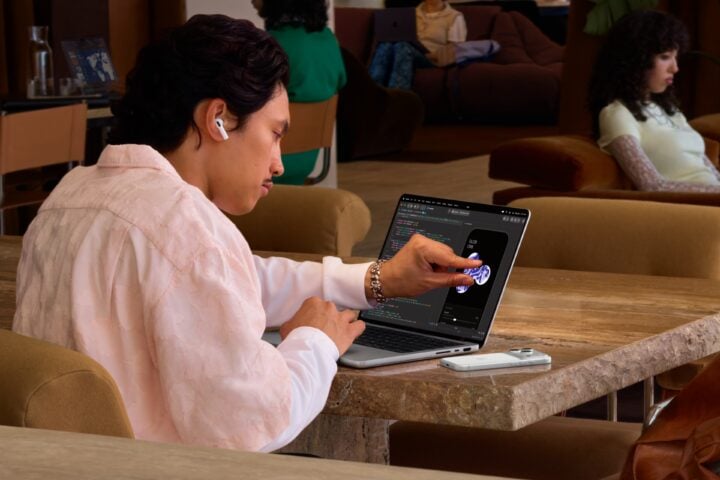
I don’t see the point of this one really. It’s one of those things that I don’t think will bring much extra benefit to most people who use a MacBook Pro. With the touchscreen laptops I have used, I generally forget the feature is there unless you can fold it backwards into a tablet.
It’s good that there are software enhancements to make it easier to use with your fingers and that it supports multi-touch, but apps will need to follow suit and it will probably only directly improve a small handful of uses. I can’t see myself scrubbing a timeline in DaVinci Resolve with my finger, what’s the point, I can just use the touchpad. Apple has built the touch sensor into the display panel and redesigned the hinge for more stability when you tap the screen.

11. Don’t love: third-party touch apps aren’t ready at launch
Nothing worse than waiting for the touchscreen to become useful, especially with your new toy!
Apple’s own apps are optimised for touch, and macOS translates touches into clicks in existing apps. But Apple says third-party apps including Microsoft Word, Excel and PowerPoint, Adobe Lightroom, DaVinci Resolve and Blender will add touch support later this year.
12. Don’t love: Siri AI is still in beta
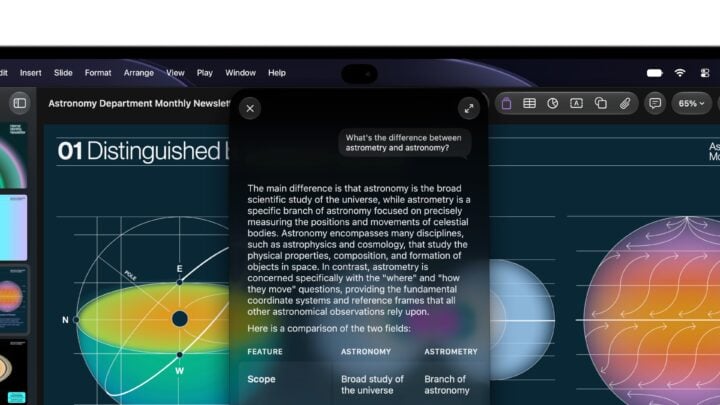
Siri AI still needs some work, and it would be great for this to be ready now. I’m also not sold on the integration into macOS, so it would be good to see some genuinely useful ways of using it.
Siri AI arrives in beta with macOS 27.2. Apple also says some server-side Apple Intelligence features, including Siri AI, are subject to daily usage limits, with expanded access to be offered for a fee in future.
13. Don’t love: the familiar design
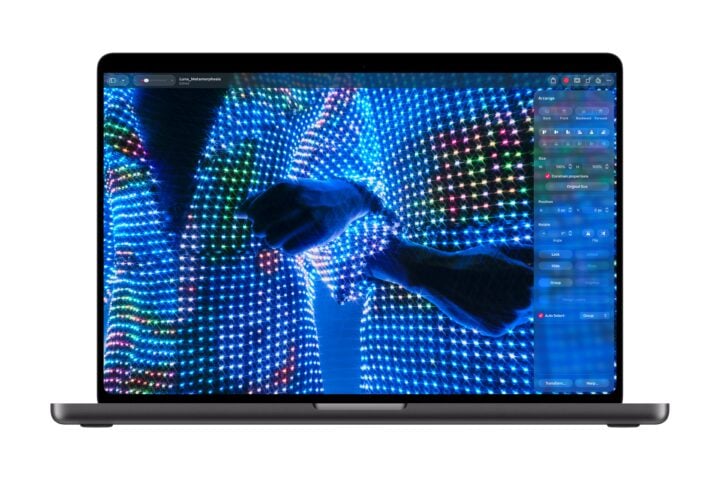
There’s absolutely nothing wrong with the look of the new MacBook Pro, but I don’t know, maybe something a little different might be nice here? New colours, etc? Yes, the Mac logo lights up, which is a throwback to older MacBook Pros, so that’s cool, I was just hoping to see revolution instead of evolution.
14. Don’t love: the price
The new MacBook Pro costs A$600 more than the existing 14-inch MacBook Pro with the same M5 Pro chip, memory and storage, and A$700 more at the 16-inch entry point, so we’re all taking a major hit thanks to the memory and chip shortage. A fully specced MacBook Pro is incredibly expensive, and of course not necessary for just about everyone except for the most specialised uses, but these devices are getting expensive!
MacBook Pro with PROLED XDR Australian pricing
| Model | Starting configuration | RRP | Education |
|---|---|---|---|
| 14-inch M5 Pro | 15-core CPU, 16-core GPU, 24GB memory, 1TB SSD | A$4,599 | A$4,359 |
| 16-inch M5 Pro | 18-core CPU, 20-core GPU, 24GB memory, 1TB SSD | A$5,499 | A$5,179 |
| 14-inch M5 Max | 18-core CPU, 32-core GPU, 36GB memory, 2TB SSD | A$6,999 | A$6,529 |
| 16-inch M5 Max | 18-core CPU, 32-core GPU, 36GB memory, 2TB SSD | A$7,699 | A$7,219 |
What the top configuration costs
Max out every hardware option on Apple’s Australian online store and the 16-inch MacBook Pro with PROLED XDR comes to A$22,424.
| Option | Selection | Price |
|---|---|---|
| Base model | 16-inch M5 Max, 18-core CPU, 32-core GPU, 36GB memory, 2TB SSD | A$7,699 |
| Chip | M5 Max with 18-core CPU and 40-core GPU (requires 48GB memory) | +A$1,000 |
| Memory | 128GB unified memory (from 48GB) | +A$3,000 |
| Storage | 16TB SSD (from 2TB) | +A$10,500 |
| Display | Nano-texture glass | +A$225 |
| Power adapter | 140W USB-C Power Adapter | Included |
| Total | A$22,424 |
That’s before adding optional preinstalled Final Cut Pro (A$499.99) or Logic Pro (A$299.99), or AppleCare.
If you don’t need the new screen, Apple continues to sell the MacBook Pro with Liquid Retina XDR display, including a new 14-inch model with the M6 chip from A$3,199.
The MacBook Pro with PROLED XDR Display is available to pre-order now from apple.com/au and the Apple Store app, with availability from Friday 6 November.
The post MacBook Pro with PROLED XDR: 14 things we love and don’t love appeared first on GadgetGuy.


0 comments:
Post a Comment