
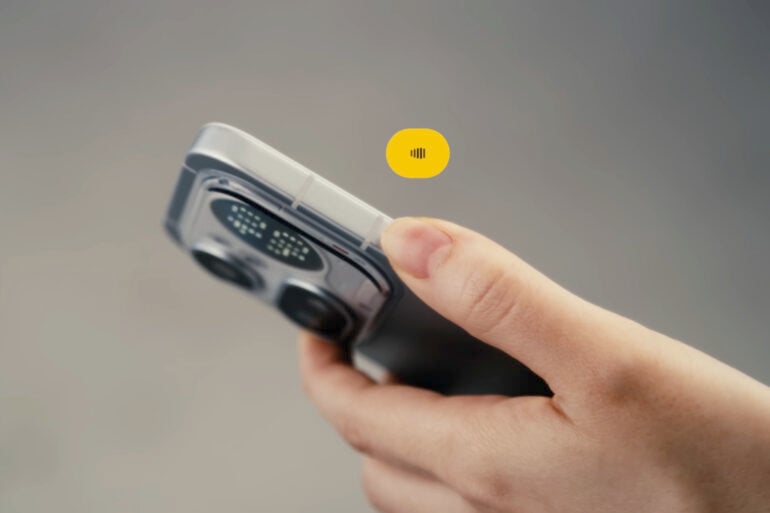
I wrote most of this article without touching a keyboard, and a little bit of editing. When UK phone brand Nothing recently announced ‘Essential Voice’, a feature that promises to upend traditional dictation, I was curious. Voice-to-text has been around for years, so how much could Nothing tangibly improve?
Based on my early tests, it has the potential to be the best phone dictation tool out there.
What is Essential Voice?
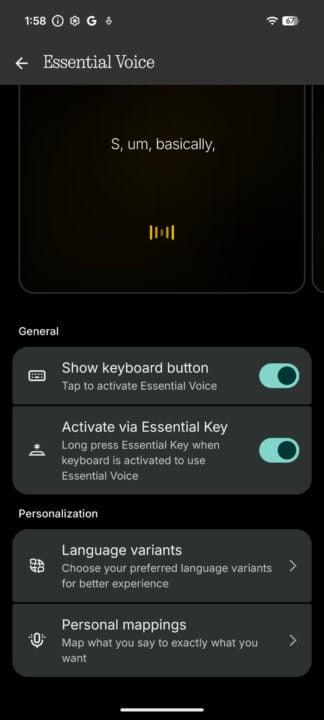
Available as a native tool within the phone’s keyboard as part of Nothing OS 4.1, Essential Voice transcribes spoken words into neat sentences, paragraphs, and dot points. Most native dictation tools, like the one you can use on an iPhone, transcribe everything you say verbatim.
Nothing claims that its latest feature cuts out ‘ums’, ‘ahs’, and any filler words
I tried using Essential Voice on the recent Nothing Phone (4a) Pro, but it wasn’t available at the time of testing (it’s meant to arrive by the end of the month). Fortunately, I had last year’s Nothing Phone (3) on hand, which is compatible.
Whenever the phone’s keyboard is active, tapping the symbol in the bottom-left corner or holding down the Essential Key activates Nothing’s new transcription feature. From there, you chat away, letting your stream of consciousness fly. After a few seconds, Essential Voice pastes the transcribed text, without any stutters or silences along the way.
However, unlike some dictation tools that operate locally, this tool uploads your audio to a server for processing. According to Nothing, recordings are “encrypted” and not stored on the company’s servers.
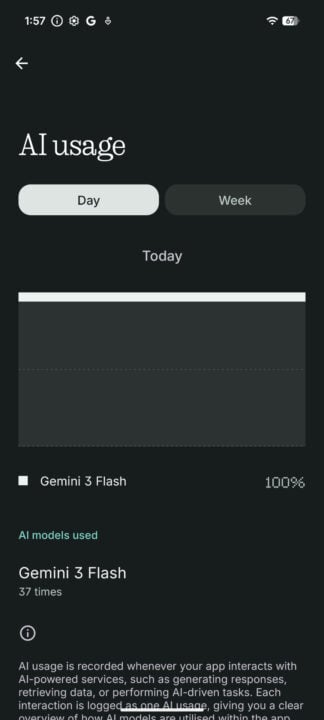
Based on the ‘AI Usage’ menu (located within Settings > Intelligence Toolkit), it appears that Essential Voice uses Google’s Gemini 3 Flash AI model to generate transcriptions. Unfortunately, that means no local processing, so no native transcriptions without an internet connection.
How well does it work?
It’s quite remarkable how well and how accurately Essential Voice works. It’s also quite quick, generating text within seconds. Even after I rambled on for a solid minute, text appeared within seconds, arranged in a neat and easy-to-read format.
While not perfect, Nothing’s dictation can reasonably figure out different trains of thought, separating chunks of text into paragraphs. I’ve dictated notes before on my iPhone that just end up being an overwhelming mass of letters, replete with filler words. By that measure, Essential Voice is great at accurately capturing what you say and instantly making it easy to parse.
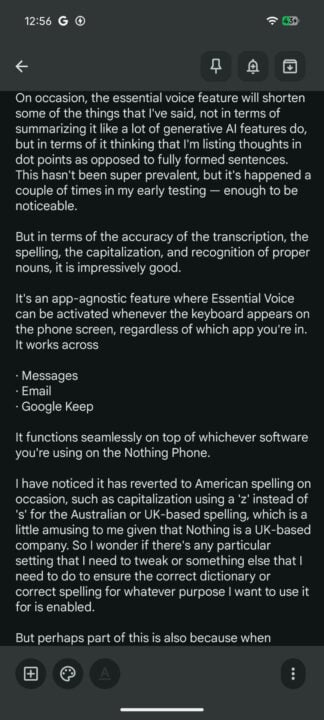
One limitation I’ve found so far is needing to hold the Essential Key down the entire time while dictating longer notes. When I just pressed the button via the on-screen keyboard, the recording would end, and start processing the audio, whenever I went silent to gather my thoughts. Holding down the physical side button solved this problem, but my hand would get sore after a while.
On occasion, Essential Voice condensed some of what I said. Not in terms of summarising my words like some generative AI tools do, but instead placing some text in dot points as opposed to fully formed sentences.
More importantly, though, Essential Voice’s accuracy was impressively good. It nailed spelling, including the recognition and capitalisation of proper nouns. Cutting out gaps in speech stutters was also extremely helpful, as was the automatic sorting of paragraphs.
How Essential Voice could improve
Pretty much every modern device has some form of native dictation functionality. You can even download separate apps or subscribe to premium services that claim to be more accurate. What I like about Nothing’s take is that it’s app-agnostic and is seamlessly integrated at the system level. That means it works across messaging apps, emails, and anywhere you can input text.
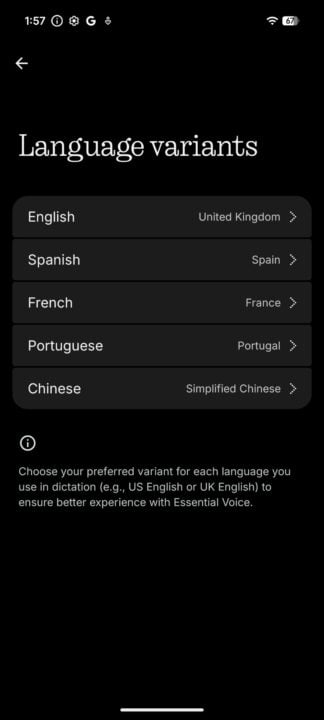
By default, Essential Voice used American spelling, even though I had already designated Australia as my location. Changing this required diving deep into Nothing’s Intelligence Toolkit settings, where I could choose UK English instead.
Because the Essential Voice icon replaces what you’d normally press on the screen to dismiss the keyboard, it’s tricky to swap between typing and scrolling. You can swipe the keyboard away by using the ‘back’ gesture, but sometimes it’s easier to press the hide keyboard button.
Even though Nothing claims that its server-based processing is encrypted and isn’t stored, I’d at least like a local offline option. These days, you can download AI models that don’t take up much storage, and they’d do a pretty good job. Perhaps that’s in the Nothing pipeline as Essential Voice rolls out to more of the brand’s phones in the future.
I’d also like the option to save audio recordings for future reference. Nothing’s phones have an audio recording app, but it’s separate from Essential Voice. As much as the accuracy of the dictation impressed me, it’d be handy to refer to recordings to verify accuracy, like when using regional or highly technical terminology.
There’s nothing that Essential Voice does that you can’t already do via dedicated AI apps like ChatGPT or Gemini. However, the appeal is in having a highly accurate native dictation feature that works seamlessly across apps. Plus, it doesn’t cost a cent.
The post Nothing’s Essential Voice is the best phone dictation tool I’ve used appeared first on GadgetGuy.


0 comments:
Post a Comment