
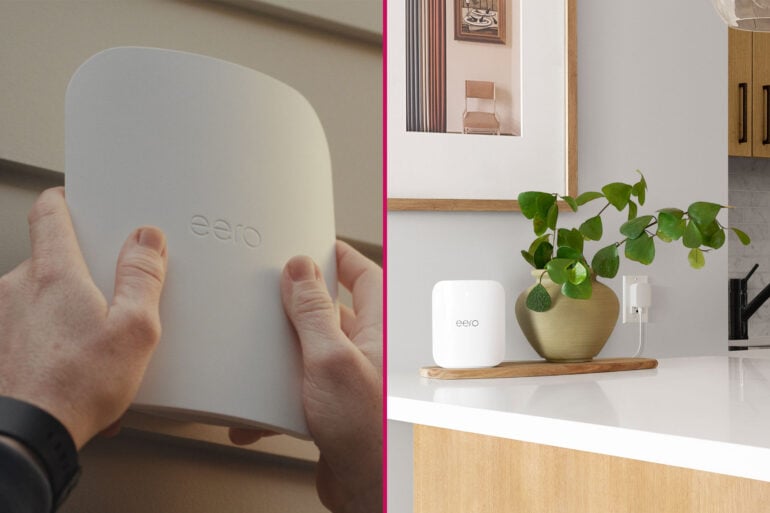
Despite recent major upgrades to internet speeds, Amazon recently found that a whopping 66% of Australians still experience issues getting home internet running as it should. With how much of our lives rely on online connectivity, that’s a big concern. So, if you’re one of these many Aussies facing daily internet troubles, what can you do? One of the best things you can do for your home network (and your sanity) is install a mesh Wi-Fi system.
Mesh Wi-Fi sits at the centre of the eero experience. One router might be enough to spread internet throughout a small area. For modern homes with lots of connected devices, multiple storeys, and big backyards, multiple interconnected routers are a must.
Helping strengthen Wi-Fi coverage, a mesh network helps reach more corners of a home, well into your backyard, and beyond. It also makes the most out of your internet speeds and reduces annoying dropouts. By connecting multiple routers, you ensure that everyone gets their fair share of internet access for work and play.
But how does mesh Wi-Fi work, and why should you use it? Let’s go over the technology, how it improves home networks, and the various eero-specific features that make Wi-Fi even easier.
How does mesh Wi-Fi work?
Traditional Wi-Fi technology transmits its signal in 360 degrees, creating something of a sphere of internet coverage. Depending on various factors, including the strength of the router, any walls or floors in the way — and even the weather — this signal can only reach so far. It’s why you’ll likely get a great Wi-Fi signal in the office near a router but encounter slower speeds and dropouts at the other end of the home.
Instead of relying on a single router to do all the heavy lifting, a mesh Wi-Fi network uses two or more routers to create a stronger connection that acts as a blanket of coverage indoors and outdoors. One router has direct access to the internet — in Australia, this is commonly via an Ethernet cable to a Network Termination Device (NTD) installed by the NBN — while additional routers connect to the first router.
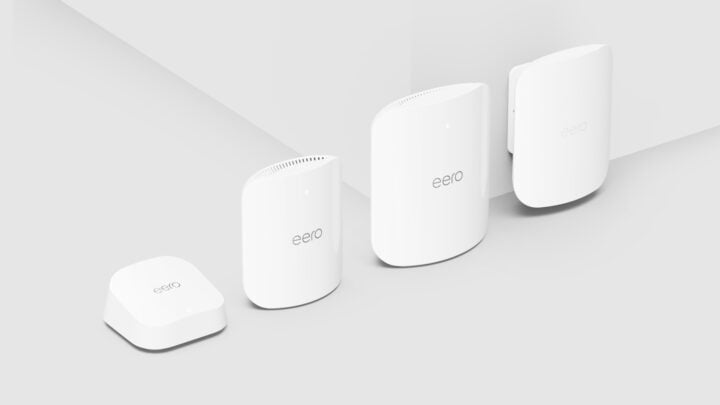
From here, the routers create one stronger network that’s greater than the sum of their parts. It’s like casting a big virtual net of Wi-Fi over your home, hence the ‘mesh’ label. Your smart devices then automatically connect to whichever router provides the best signal, all using the same Wi-Fi login details.
Modularity is also one of the most helpful aspects of mesh Wi-Fi. You can always start with one or two routers, and then add to them over time as your needs evolve. For example, one eero device might do the trick in a small apartment. If you move into a larger home, you can add another eero to establish a mesh network and continue enjoying reliable Wi-Fi across a broader distance.
The eero TrueMesh difference
Although mesh Wi-Fi is a common label applied to technology used by many different networking brands, not all tech is created equal. Going further than industry standards, eero uses several patented technologies that power its routers: TrueMesh, TrueRoam, and TrueChannel.
Each one works seamlessly in the background, leaving you with as little work to do as possible. All eero routers are built with TrueMesh, a smart technology that automatically connects to all nearby eero devices within your network. At every moment, TrueMesh identifies the best way to route internet traffic, ensuring the best possible connection.
With tri-band routers (with 2.4GHz, 5GHz, and 6GHz network bands), like the eero Max 7 and eero Pro 7, TrueMesh goes even further. Combined with the smarts of Wi-Fi 7, it directs traffic through the best network band at any given moment for each device, instead of just throwing everything at the wall to see what sticks. eero also takes advantage of multiple frequencies simultaneously to increase throughput, equalling the best speeds possible.
Home Wi-Fi is also no longer confined to within the walls of your home. With the eero Outdoor 7, your network can cover even larger properties, reaching up to 1,390 square metres. It uses the same TrueMesh technology as the rest of the eero range, creating a seamless mesh network in and out of the home.
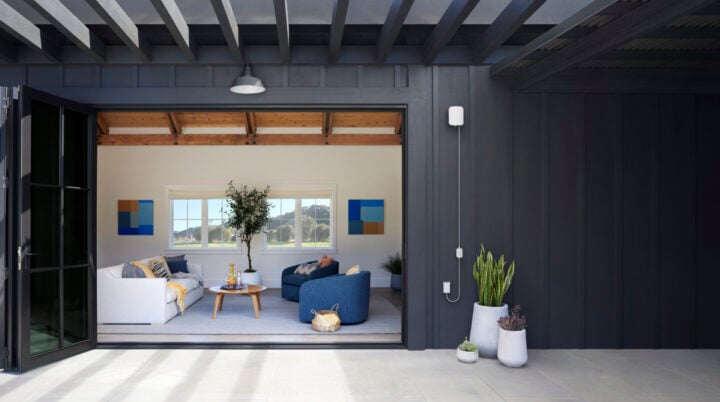
With TrueMesh, you get better network reliability, meaning reduced latency or lag, keeping pesky buffering times at bay. You also benefit from the best possible speeds, because choosing the optimal network band means letting more data through.
Meanwhile, TrueRoam uses software to connect your device to whichever eero router provides the best connection. Rather than getting your phone stuck using the upstairs router when moving downstairs (and vice versa), TrueRoam automatically swaps devices over in a flash without any downtime. Like much of eero’s technology, it works in the background to create a better, more user-friendly network.
What if you reside in high-density living? Apartment blocks and uni dorms are rife with competing routers and networks, with different signals often causing interference. TrueChannel is eero’s solution, automatically assigning the least-congested channels to sidestep any clashes with your next-door neighbours.
No need to be a networking expert to have good Wi-Fi
In the early days of Wi-Fi, you had to have some pretty specialised knowledge to get the most out of a wireless network. Connecting devices, adding guests, setting screen limits — it wasn’t a simple process.
eero is the complete opposite. Everything about setting up routers, connecting to Wi-Fi, and managing your family’s internet use is effortlessly simple. The eero app walks you through the setup process, letting you get a comprehensive mesh Wi-Fi network up and running in just a few minutes.

These days, it’s also much simpler to get reliable internet outdoors. Amazon’s research found that half of Australians frequently head back indoors to get connected, or swap to mobile data to avoid dealing with Wi-Fi frustrations. With stronger routers, including those made to withstand outdoor conditions, like the eero Outdoor 7, that problem simply vanishes.
With eero, everything works out of the box with no further tinkering required. For a technology so complex under the hood, that level of simplicity lets you enjoy the fruits of reliable internet. Many of eero’s network-boosting technologies work in the background, too. The less time spent in menus, the better.
Keeping you and your family safe
Reliable and speedy internet is important; it underpins so much of our work life, while giving us access to plenty of fun stuff, like streaming videos and playing online games. Equally as important is security and keeping safe online.
Many mesh Wi-Fi systems include various security features and parental controls to provide a secure, customisable online experience. Consistent with everything else about eero, Wi-Fi security and content moderation aren’t an afterthought; it’s baked into the system as a set of easy-to-use features.
By default, an eero mesh Wi-Fi system automatically updates itself with the latest software. This serves multiple purposes: one is to keep your Wi-Fi running without interruption. Secondly, it applies up-to-date security patches that protect every connected device at the router level.

For even further protection, an eero Plus subscription ($15.99 per month or $159.99 annually in Australia) adds more features aimed at protecting the whole family. Content filters can be applied to each family member’s profile as needed, ensuring only age-appropriate content is accessible.
Additional premium eero Plus features enhance your online experience, like ad blocking, VPN access, and password management. There’s also even more security, as your mesh Wi-Fi system works to block viruses and phishing attempts online.
If you do need a hand at any stage, eero has local support available through the app and via telephone. Even after hours, you can reach customer support, so no waiting around until the next day. You can also access a wealth of helpful information through eero’s support site.
Wi-Fi should be simple, automatically keeping you connected around the home. Mesh Wi-Fi is even better, connecting more devices across greater distances. For a simple mesh Wi-Fi system that works out of the box, eero is one of the best options.
To make it even easier to get started, the eero range is discounted during the end of financial year sales:
- eero 6 (1-pack): $149.99 (was $199.99) – save 25%
- eero 6 (3-pack): $374.99 (was $499.99) – save 25%
- eero 6+ (1-pack): $187.49 (was $249.99) – save 25%
- eero 6+ (3-pack): $449.99 (was $599.99) – save 25%
- eero 7 (1-pack): $239.99 (was $299.99) – save 20%
- eero 7 (3-pack): $519 (was $649.99) – save 20%
- eero Pro 7 (1-pack): $397.49 (was $529.99) – save 25%
- eero Pro 7 (3-pack): $899 (was $1,199) – save 25%
- eero Max 7 (1-pack): $824.99 (was $1,099.99) – save 25%
The post 66% of Aussies still face internet issues: Mesh Wi-Fi is the answer appeared first on GadgetGuy.


0 comments:
Post a Comment