
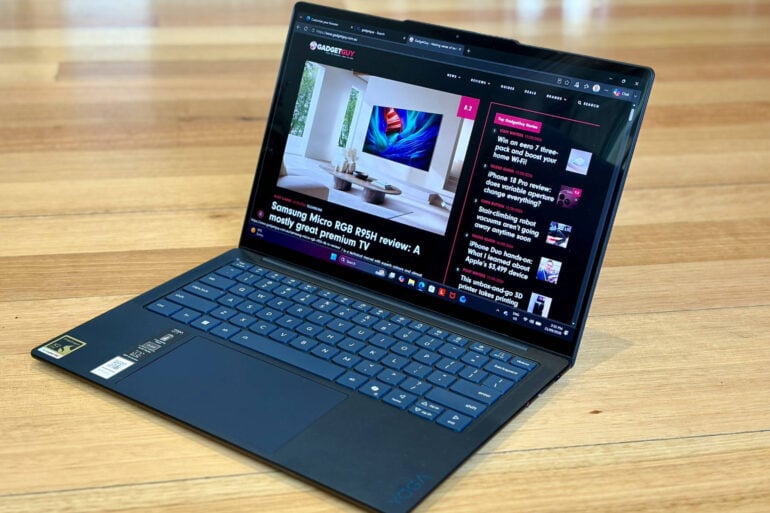
Sporting Qualcomm’s latest Snapdragon ARM processor, rather than a traditional Intel/AMD x86 chip, the Gen 11 Lenovo Yoga Slim 7x packs quite a punch.
Qualcomm is better known for making flagship smartphone processors, but its silicon also sits at the heart of many new ‘Copilot+ PC’ computers. They’re optimised for AI tasks, but the trade-off is that they run a special ARM-based version of Windows 11 which supports the Microsoft Office suite and Edge browser but not all third-party Windows applications.
Microsoft’s previous effort to sell the public on ‘Windows RT’ ARM-based PCs was an unmitigated disaster. Even though Windows RT machines were cheaper than Intel/AMD alternatives, their lack of grunt and very limited support for non-Microsoft software saw them doomed to fail.
This time around, the big selling point is that Copilot+ PCs running Qualcomm chips are actually more powerful than their Intel/AMD rivals. Especially when it comes to AI tasks, which are handed off to the dedicated onboard Neural Processing Unit (NPU).
Since the Copilot+ PCs arrived a few years ago, more work has gone into supporting third-party Windows apps. This makes the new Qualcomm-powered Lenovo Yoga Slim 7x (14-inch, Gen 11) a serious contender starting at $2,169 – a little more expensive than what you might pay for the Intel/AMD equivalent.
Lenovo Yoga Slim 7x first impressions
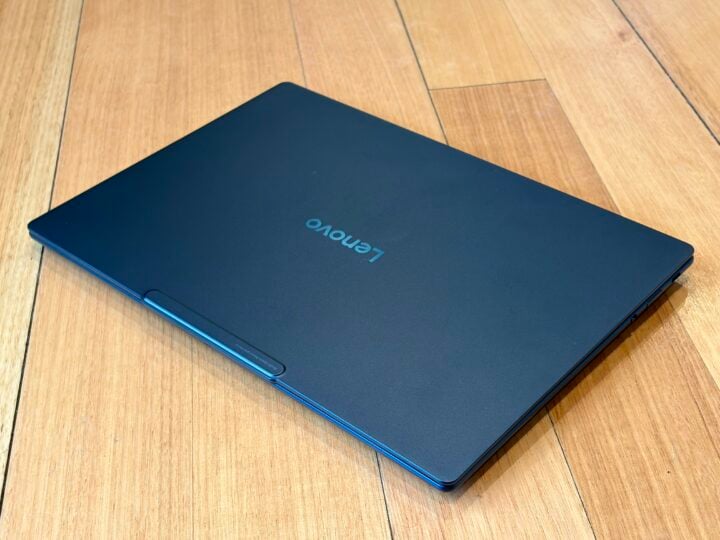
The Lenovo Yoga Slim 7x has a very slender profile, thanks to the common notebook design trick of tapering the edges to make it seem thinner. While it sports a slimline design, it’s not a flashy fashion statement and wouldn’t look out of place in the boardroom.
The Yoga Slim 7x tips the scales at a respectable 1.17 to 1.24kg, depending on the exact configuration, but feels a tad heavier than it looks. It would still slip comfortably into a travel bag, but if you’ll spend more time carrying it than using it, you might look for something closer to the 1kg mark.
Thankfully, the supplied 65W USB-C AC power adapter only weighs an extra 180g, unlike the beefy notebook power bricks of old.
Those slender edges were never going to leave much room for connectors. You get three USB4 type-C ports, which is more generous than some, but forget about squeezing in USB-A, HDMI, Ethernet, an SD card slot or even a headphone jack. So you might need to make room in your travel bag for a USB-C hub and Bluetooth wireless headphones.
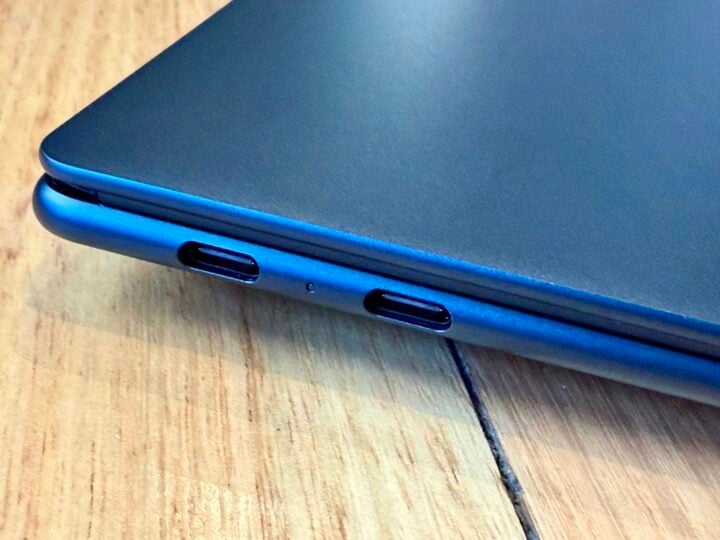
That tapered design also allows for locating the cooling fan intakes on the bottom of the laptop, rather than along the back edge.
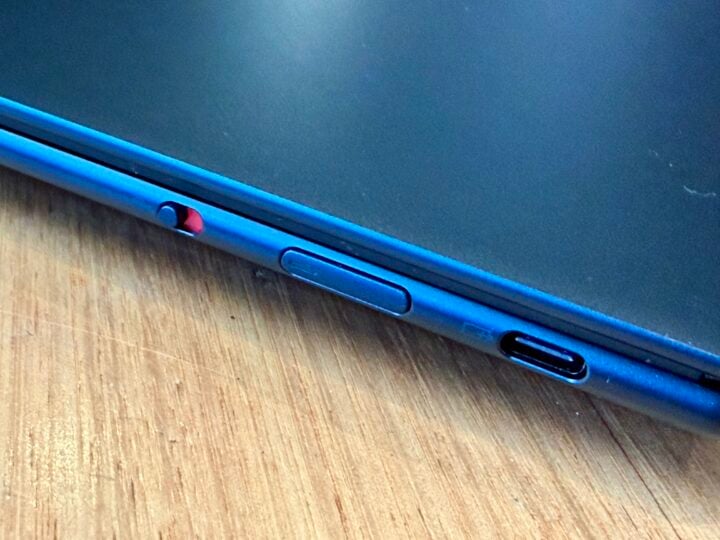
A perfectly balanced notebook offers the ideal amount of resistance from the hinge when you push the screen open with one thumb. Here Lenovo just misses the mark: the screen lifts most of the way up, but you need to hold the keyboard down with your other hand to push the screen back.
Fire up the Lenovo Yoga Slim 7x, and you’re presented with a gorgeous 14-inch OLED display. You’ve the choice of 10-point touch or non-touch 1920 x 1200 panels with a 60Hz refresh rate and 600-nit peak brightness, earning DisplayHDR True Black 500 certification.
Alternatively, you can step up to the sharper 2880 x 1800 OLED touchscreen panel with a 120Hz refresh rate and 1100-nit peak brightness, earning DisplayHDR True Black 1000 certification. Whichever way you go, there’s no support for a stylus.
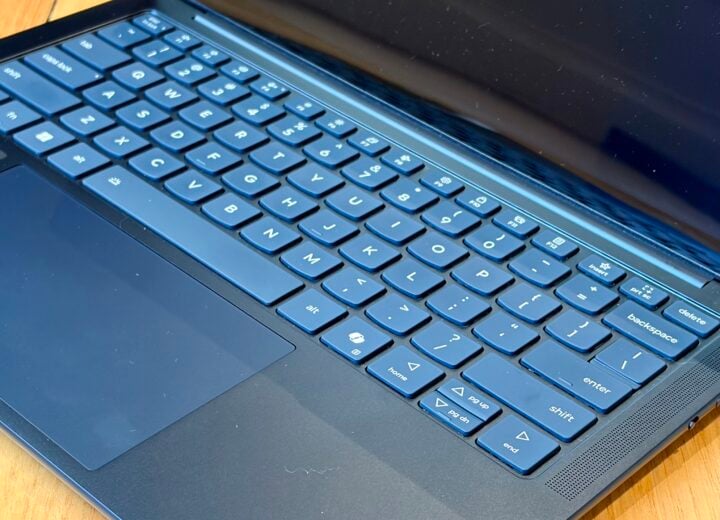
Below the screen, you find a decent backlit keyboard and generous trackpad, which is slightly off-centre. Serious typists will appreciate full-sized Shift keys and half-sized arrow keys, rather than a half-sized right Shift key which can frustrate touch typists. The keys have plenty of travel but perhaps a little too much give for some wordsmiths.
As you’d expect, there’s also a dedicated Copilot button (a repurposed right Control button) for calling upon Microsoft’s AI-powered smart assistant.
Lenovo Yoga Slim 7x specifications and price
| Display size | 14-inch, 16:10 aspect ratio |
| Display resolution | 1920 x 1200 or 2880 x 1800 |
| Display technology | OLED |
| CPU | Snapdragon X2 Plus or Snapdragon X2 Elite |
| GPU | Integrated Qualcomm Adreno X2 series |
| RAM | Up to 32GB Soldered LPDDR5X-9523 |
| Front camera | 9.2MP + IR, with E-shutter and Human Presence Detection, fixed focus |
| Speakers | 4 stereo speakers, 2 x 2W (woofers), 2 x 2W (tweeters), optimised with Dolby Atmos, Smart Amplifier (AMP) |
| Microphone | Quad-mic array, 3D array |
| Onboard storage | 512GB or 1 B M.2 2242 PCIe Gen4 SSD |
| Connectors | 3 x USB-C (USB4 40Gbps) with USB PD 45-65W & DP 1.4 |
| Charging | USB-C Supplied 65W USB-C slim (2-pin, wall-mount) AC adaptor |
| Battery | 4-cell (70Wh), integrated Supports Rapid Charge Express (get 3 hours of runtime with a 15-minute charge) |
| Wi-Fi | Wi-Fi 7, 802.11be 2×2 Wi-Fi |
| Bluetooth | Bluetooth 5.4 |
| Operating system | Windows 11 Home 64 or Pro 64 |
| Security | Firmware TPM 2.0 integrated in SoC No fingerprint reader Administrator password, Master hard disk password, User hard disk password, User password Self-healing BIOS E-shutter IR camera for Windows Hello (facial recognition) |
| Dimensions | 312 x 221 x 13.9mm |
| Weight | Non-touch models: Starting at 1.17kg Multi-touch models: Starting at 1.24kg |
| Price | From $2,169 |
| Warranty | 12 months (optional Onsite Support or Premium Care Onsite Support) |
| Official website | Lenovo Australia |
Features
Under the bonnet, the Lenovo Yoga Slim 7x offers a choice of three Qualcomm power plants: the 4.0GHz Snapdragon X2 Plus, 4.4GHz X2 Elite and 4.7GHz X2 Elite. Stepping up to the top-of-the-line will set you back $3,099.
All that grunt is accompanied by 16 or 32GB of LPDDR5X RAM, which is soldered in place, along with a 512GB or 1TB M.2 2242 PCIe Gen4 SSD.
Once again, be warned that these Snapdragon ARM chips can’t natively run some third-party Windows desktop software, which could come as a shock if you didn’t understand what you were buying.
Reliance on ARM architecture could be a deal-breaker, depending on which applications you require to be productive. If you’re just using Edge and the Microsoft Office suite, you’re fine, plus most major web browsers and communication tools are ARM compatible.
Thankfully, most Adobe software now runs natively on ARM-based Windows, but you’ll also want to double-check any third-party plug-ins you rely on.
If you depend on any other specialist software, then it’s important to check compatibility before you take the plunge, especially if it’s old software that doesn’t tend to get updated.
If you get stuck, thankfully Windows 11 on ARM supports emulation of both x86 and x64 apps. The Prism emulator runs automatically in the background when required, similar to how Silicon Macs run Rosetta to handle older applications.
Prism might save the day, depending on how well your old x86/x64 desktop applications run on the emulator. Improvements to Prism and the extra grunt of the latest Qualcomm Snapdragon chips certainly help. That said, gamers should definitely proceed with caution.
On the upside, ARM-based machines have the advantage over Intel/AMD when it comes to performance and power consumption. Plus, the Snapdragon X2 series processors are a major upgrade over their predecessors.
As a result, you should easily squeeze 20 hours out of the 4-cell (70Wh) battery, probably closer to 25 hours. That’s decent, but perhaps not as impressive as you might expect considering the power efficiency claims. Three hours of juice from a 15-minute charge is certainly welcome.
Quality
Thankfully, Geekbench has run natively on ARM-based Windows PCs since 6.2, so benchmarks aren’t hampered by reliance on Prism emulation.
Packing the top-of-the-line Snapdragon X2 Elite X2E-88-100, the Lenovo Yoga Slim 7x returns Geekbench 7 results of 3,120 single-core, 22,483 multi-core and 30,517 OpenGL. Switching back to Geekbench 6 sees 3,577 single-core, 19,213 multi-core and 33,259 OpenGL.
That kind of CPU performance outguns what you’ll get in the Intel/AMD world for around the same price. Of course, you’ll see a hit if you’re relying on Prism to run Windows apps that aren’t ARM-compatible. It’s less impressive when comparing GPU results.
Who is the Lenovo Yoga Slim 7x for?
You need to go in with your eyes open. If you’re absolutely confident that ARM-based Windows can meet all your needs, then the Lenovo Yoga Slim 7x is certainly a worthy contender.
That said, there’s still no compelling reason to make the switch and take that risk when it’s still reasonably expensive. The OLED display, battery life and graphics performance are not that impressive weighed up against what you could get from Intel/AMD at a similar price.
The CPU performance is where the Yoga Slim 7x stands out, assuming you need all that grunt and you’re relying on ARM-compatible applications that can make the most of it. I’m not completely sold, but I’d certainly be more prepared to make the leap today than back when the first ARM-based Copilot+ PCs hit the shelves.
The post Lenovo Yoga Slim 7x (Gen 11) review: Lean and mean appeared first on GadgetGuy.


0 comments:
Post a Comment