
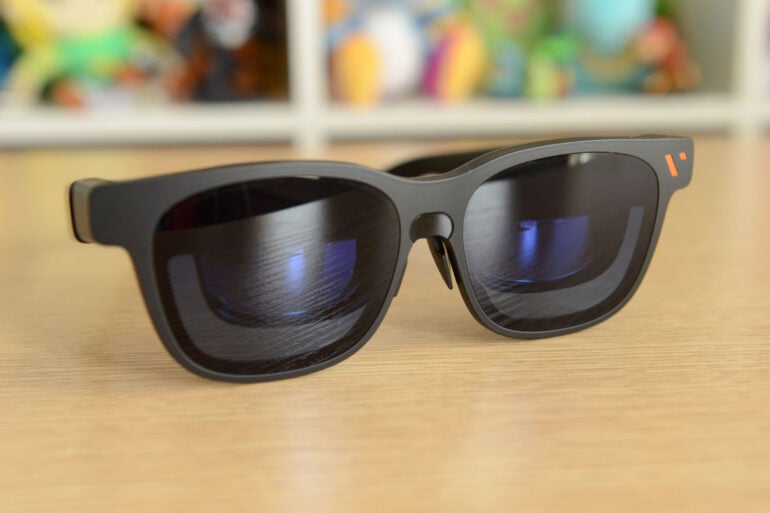
It’s no wonder virtual reality never took off: who wants to wear a bulky headset for any length of time? Smart glasses and extended reality glasses have already attracted more support from both the public and tech companies keen to make the next big thing. Somewhere in between is the Viture Pro 2, a set of XR specs that replicates the big-screen experience on your face.
As simple as it gets, the Viture Pro 2 can display content from your phone, computer, and most handheld gaming devices via a USB-C cable. Eschewing the AI-infused smart features of many other wearables, these glasses only want to give you a big picture as close to your eyes as possible. And at $499, you won’t find many cheaper XR glasses in Australia.
Finding the sweet spot is the tricky part, however. When you find the perfect fit, the Viture Pro 2’s inner screens look spectacular. This isn’t as simple as it seems, though, and mileage may depend on the shape of your face.
My screen’s bigger than yours
My dad has an ongoing joke that he always has the biggest screen in the house. When I upgraded from a 55-inch to a 65-inch TV some time ago, he held his phone centimetres from his face and proclaimed that his screen was bigger, all the while chuckling like Ernie from Sesame Street.
As well-worn as the joke has gotten over the years, my dad has a point. When you factor in viewing distance, a 6.7-inch phone screen nearly touching your eyeballs will look bigger than a 65-inch TV.
In a similar vein, the Viture Pro 2 glasses house relatively tiny Micro-OLED displays that, by virtue of sitting millimetres from your eyes, look huge. It might take a bit of effort to get the best-looking picture, but the lightweight build sure beats holding your phone up to your face for ages at a time.
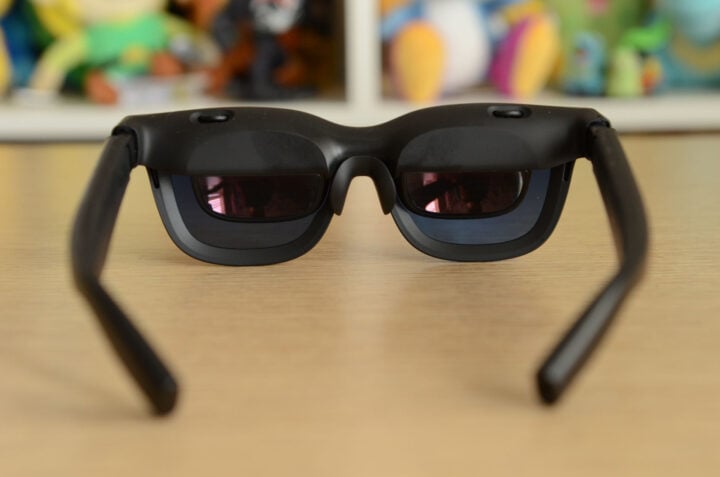
Viture claims the display produces the equivalent of a 146-inch screen. I have no way of verifying this claim, but 146 inches seems generous. It’s certainly a big screen, though, and a pretty one at that. You get the equivalent of 1920 x 1080 per eye, which is plenty sharp enough for most content.
Battery life isn’t a concern, either. The Viture Pro 2 doesn’t have a built-in battery, instead drawing power via whichever USB-C device it’s connected to. It’s somewhat restrictive, having a cable draped down the back of your head. At least it’s a physical reminder not to suddenly walk away, lest the connected device goes flying.
Viture Pro 2 specifications and price
| Display technology | Sony Micro-OLED 1920 x 1080 per eye 120Hz Up to 1,600 nits of brightness Colours: 108% sRGB |
| Field of view | 50 degrees |
| Size | 63g |
| Dioptre adjustment | 0 to -5.00D per eye |
| Included accessories | Lens shade Nose pads USB-C cable Glasses case and cloth |
| Price (RRP) | $499 |
| Warranty | 12 months |
| Official website | Viture Australia |
Design
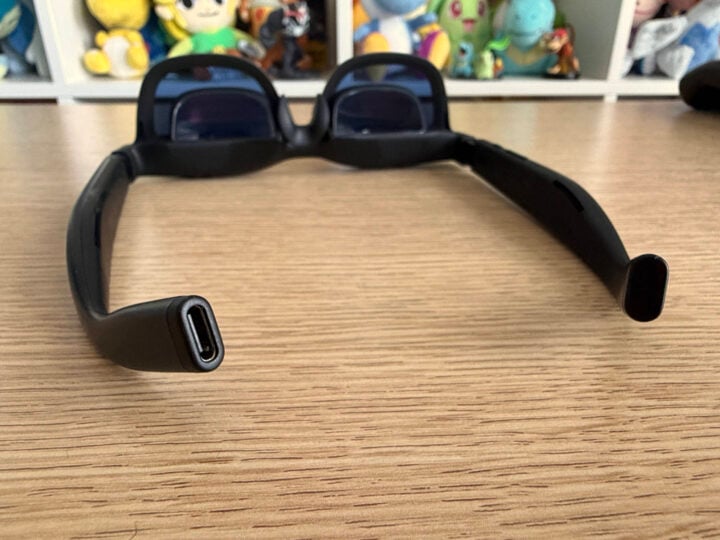
Weighing a svelte 63 grams, there’s not much to the Viture Pro 2. Slightly thicker and bulkier than display-less smart glasses, like Meta’s wearables, they’re not quite like wearing a pair of sunnies. Although, much to the delight of my partner, the Viture Pro 2 doesn’t have a built-in camera, avoiding the dreaded ‘pervert glasses’ connotations.
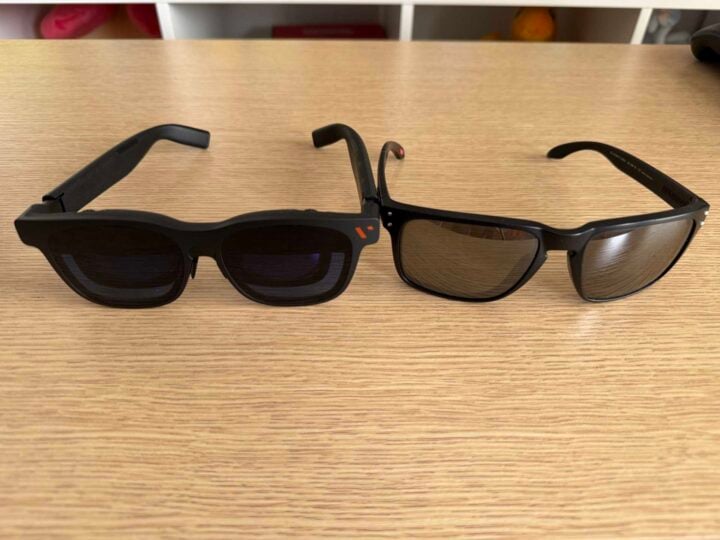
Compared to my regular set of dumb sunglasses, Viture’s AR specs have noticeably chunkier temples, while the top of the frames (the part that houses the Micro-OLED displays) protrudes slightly. Because of this, the glasses don’t sit completely flush against my face. There’s more of a gap between the lenses and my eyes, which I notice when wearing them. They also make me look a bit goofy with them on, but this could be less about the glasses and more about my appearance.
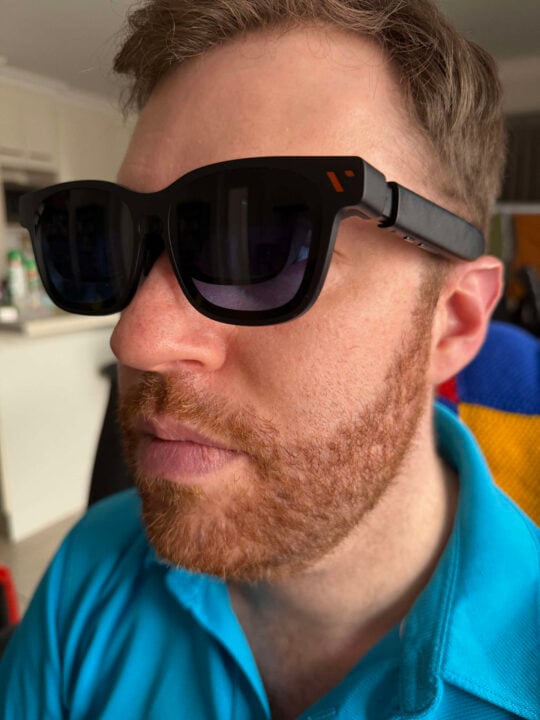
Fortunately, the Viture Pro 2 accommodates a reasonable degree of customisation. Included with the glasses are three sets of different-sized nose pads. Two of the pads use small flexible prongs with rubber tips on the end, designed to sit on the bridge of your nose. These two nose pads also let you adjust how high they sit, with three different height settings for each. When you find the right combination, these glasses are pretty comfy.
For my use, the third nose pad option proved to work the best. It also happened to be the smallest, closing the gap between the displays and my eyes more than any other option.
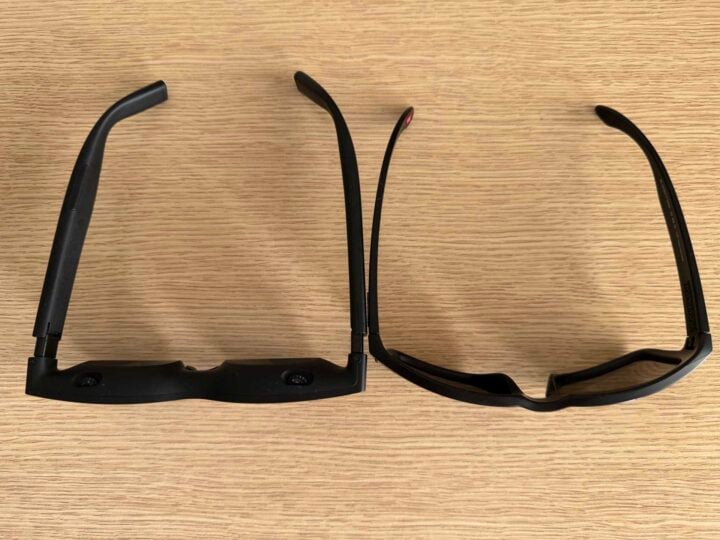
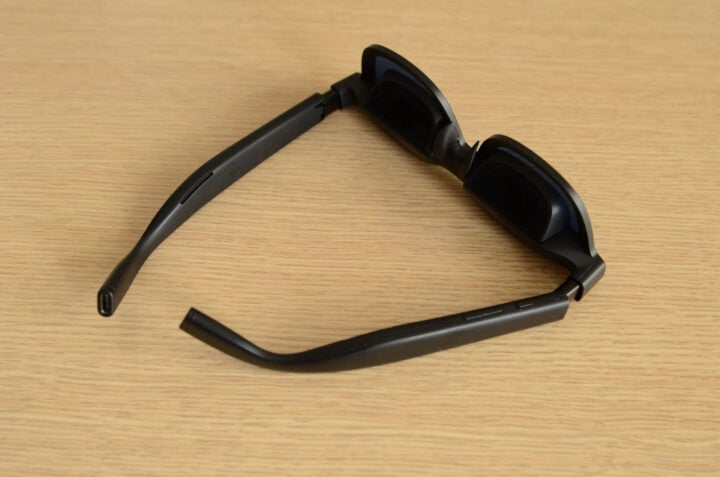
You can also adjust each temple independently to one of three angles. Raising or lowering the temple snaps it into a different angle, either higher or lower. It’s supposed to help the glasses fit more naturally depending on the position of your ears, the shape of your nose, and so on. Initially, I was worried about snapping one of the temples off entirely, but they’re reasonably sturdy, given the plastic design.
I don’t need prescription glasses, but the built-in dioptre dials still proved handy. On top of the frames, two dials — one for each eye — let you adjust the dioptre settings between 0 and -5.00D, providing some built-in adjustment to sharpen up the image. For those who need a stronger adjustment, Viture sells a separate attachment that lets you add your own prescription lenses.
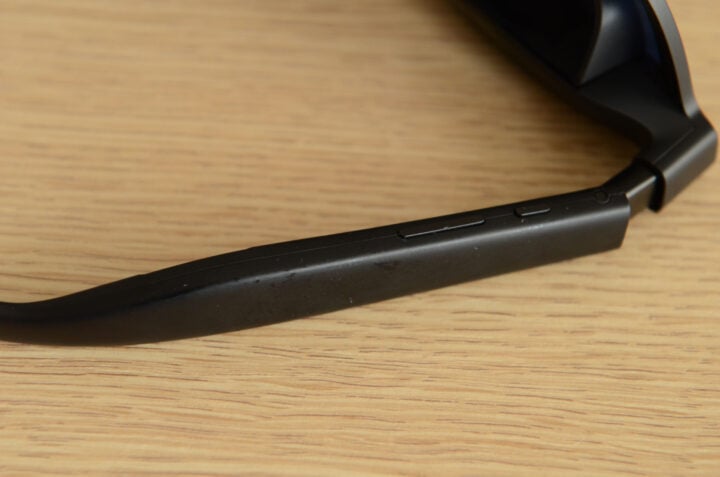
Under the glasses’ left temple are buttons for quickly adjusting brightness and volume, among other settings. A rocker button, similar to what you’d find on a phone, increases and decreases your chosen setting, with a smaller button toggling between each setting. With this smaller button, various combinations of double-presses and holds cycle between different options, including colour settings, interpupillary distance (IPD) adjustments, and even a 3D mode.
It’s a well-considered layout on a reasonably comfortable pair of glasses that makes using the Viture Pro 2 as plug-and-play as possible.
Getting started with the Viture Pro 2
Like most display technology I test, the Viture Pro 2 saw its fair share of sports and video games. In most instances, using these glasses was as simple as plugging in a USB-C cable. With minimal friction, phones, laptops, and gaming devices simply treated the Viture Pro 2 as an external display. From there, it’s easy to get lost in whatever you’re watching. Several times when testing these specs, my partner walked in on me wearing them, seemingly staring vacantly into space. To be fair, me staring blankly at nothing isn’t an uncommon sight for her.
Watching an AFL stream on Kayo Sports was like viewing it on a personal projector. It was big, vibrant, and pleasingly crisp. If anything, these glasses are too bright. In a dim room, I squinted at even the lowest brightness setting. During the early stages of trying the glasses, I couldn’t quite see the whole picture without slightly cutting off the top or bottom.
Viture’s built-in speakers also took me by surprise. Footy commentary came through clearly, even on top of the crowd noise, with more volume and fullness than I was expecting. You won’t encounter skull-rattling bass through these speakers, but you don’t miss out on the low-end entirely, which is a fair compromise for the portable form factor.
Even on lower volumes, though, there was noticeable audio bleed. My partner could clearly hear the broadcast when I was in the same room, so headphones are essential to avoid disturbing others. Do not be one of those pricks on public transport who plays their phone audio for everyone else to hear.
I also noticed a slight hissing sound whenever the built-in speakers played a brief sound followed by silence, like when navigating a game console’s menu. However, this wasn’t noticeable when playing anything with consistent audio.
Unlike Viture’s higher-end glasses, the Pro 2 doesn’t support head-tracking or the ability to fix visuals in place. Whenever you move, the image moves with you, so any twitch or jostle is momentarily jarring. Meanwhile, the $1,199 Viture Beast XR glasses can track movement, letting you lock virtual screens in position, akin to a mini Apple Vision Pro experience.
The closest the Viture Pro 2 gets to this level of ‘spatial computing’ is when paired with the SpaceWalker companion app. Available on mobile and desktop, it enables a pseudo-multi-display environment that you can swipe between via a digital trackpad or virtual laser pointer controls. It’s a neat novelty, but not one I found particularly useful with these glasses.
Almost, but not quite
Once the initial novelty of the Viture Pro 2’s impressive display wore off, I was left with a lingering annoyance. When I couldn’t quite see the top or bottom of an image when trying the glasses for the first time, I assumed I’d eventually find the right combination of settings and adjustments.
Unfortunately, this never came to pass. Despite countless hours of tinkering and troubleshooting, I could never get the entire image to my liking. It was good, but not perfect.
At best, I’d estimate that I could see roughly 90 per cent of the image in full detail. Anything within this 90 per cent looked fantastic. I can’t speak highly enough of Sony’s Micro-OLED technology. Every colour looked rich and deep, accurately portraying the source material in the best light.
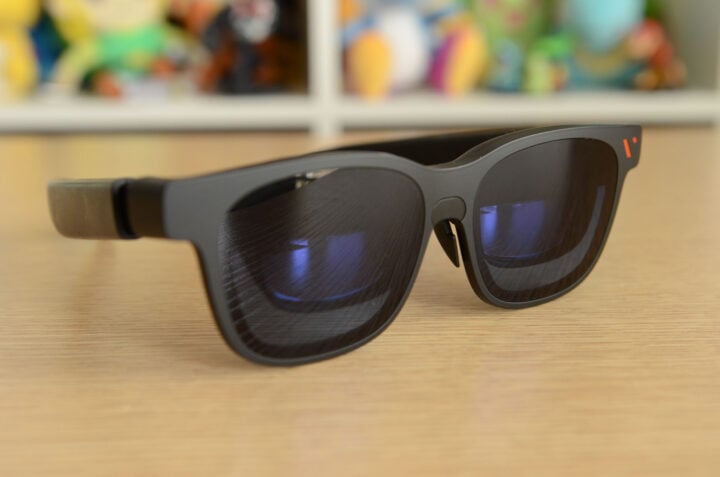
As for the remaining 10 per cent, the way my eyes lined up with the built-in displays meant that the top of the frames would slightly cut off a tiny part of the image. When I attempted to compensate, I’d lose a small bottom part of the image.
I also noticed slight blurring and chromatic aberration towards the edges of the displays. No matter what I tried, I couldn’t get complete perfection.
Viture advertises “edge-to-edge sharpness” stemming from its latest technology. This unfortunately wasn’t the case for me, but multiple overseas reviews from earlier in the year reported no such issues.
I believe that it’s impossible for one pair of glasses to account for every face shape, eye distance, and any other element of human variation. Maybe my schnozz is too big to get a proper fit? Are my ears weirdly shaped, preventing the glasses from sitting at the right angle? Spiralling with these thoughts only frustrated me more, rather than conceding I wasn’t going to have the same experience as others.
Learning to have fun with imperfection
Every device is a collection of design choices. Compromises are a natural part of this process. No single gadget can be everything to everyone. In my case, I wouldn’t use the Viture Pro 2 as a productivity device. Trying to read paragraphs of text and accounting for slight blurriness would quickly give me a headache.
Paired with something that didn’t require such singular attention, though, I enjoyed Viture’s glasses a lot more.
I spent hours reclined in a comfy chair, the Viture Pro 2 connected to my Steam Deck, enjoying my virtual farm in Fields of Mistria. Between my Steam Deck and Nintendo Switch 2, I spend a lot of handheld gaming time either craning my neck looking down or holding my hands up for extended periods. Both leave me feeling stiff and sore afterwards.
But the Viture Pro 2 lets me kick back and nestle into the comfiest position imaginable. Head on a cushion, eyes looking straight ahead at the ceiling, and hands relaxed in my lap holding the game console — it’s bloody nice, I tell ya.
Despite Fields of Mistria being a UI-heavy game, its bright and colourful visuals made the slightly blurry edges easier to ignore. When my partner wanted the TV, I could retreat into my glasses oasis and still enjoy a big screen experience.
For the Switch 2, this was slightly more complex, only through Nintendo’s doing. Unlike a Steam Deck or a phone, which can output to an external display via a compatible USB-C cable, Nintendo’s handheld relies on a proprietary dock.
Viture’s workaround is the $179 Mobile Dock Mini, which doubles as a video passthrough device and a power bank. That latter element means it can’t be used on flights, sadly. However, it lets you pair the Viture Pro 2 with the Nintendo Switch 2. It’s just a bummer that Nintendo’s restrictions necessitate an extra accessory.
Once set up, though, Viture’s specs are a treat for gaming.
Who is the Viture Pro 2 for?
The Viture Pro 2 is almost a great pair of XR glasses. It does almost everything right: a light and comfortable design, plug-and-play simplicity, and gorgeous-looking Micro-OLED displays.
But the promises of edge-to-edge clarity aren’t a guarantee. It takes a lot of trial and error to get the best results, and even then, I still encountered slightly blurry edges across most types of content.
When you find that sweet spot of clarity, though, paired with a good game, the Viture Pro 2 is a joy to use.
The post Viture Pro 2 review: So close to XR glasses brilliance appeared first on GadgetGuy.


0 comments:
Post a Comment