
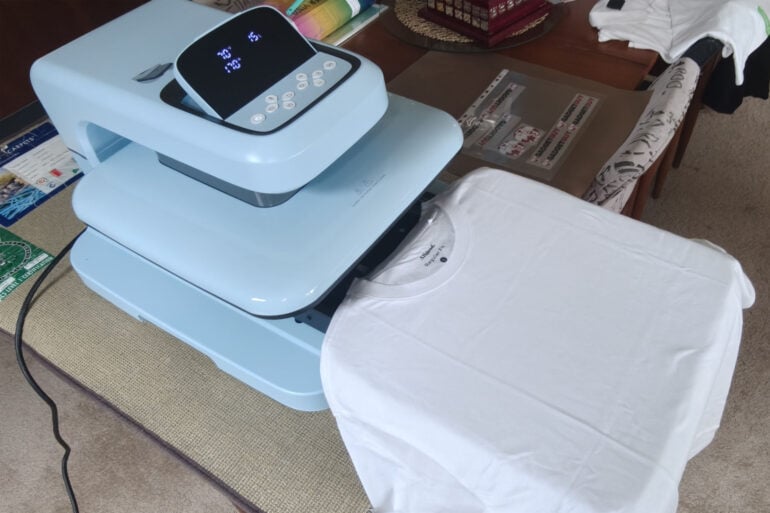
Have you ever wanted to print your own T-shirts? In a quirk of good timing, I recently talked with the GadgetGuy team about having some branded gear to wear to events. Then, a company called HTVRONT reached out with a home heat press product that can print designs on T-shirts. I knew nothing about heat presses and designing T-shirts, and it turns out there’s a fair bit to it.
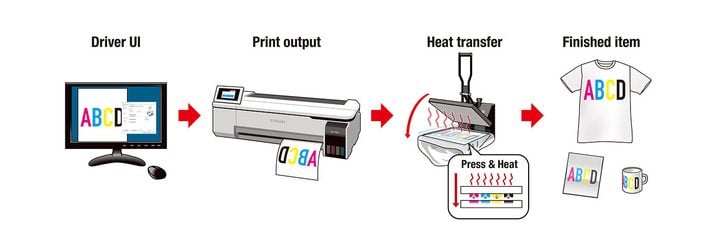
The process is simple but requires specialised equipment across three specific steps.
To begin with, you need to create a design of what you want to print onto a shirt. In my case, the GadgetGuy logo already existed. You can, of course, make your own design with software like Canva.
Then, you need to have the image, or in my case, logo, printed. You can do this in several ways. I paid an online company to print my requested designs on their dye sublimation printer (it cost $22 for a 35 x 45cm sheet with lots of designs on it) and post us a sheet of images we then cut up to use. Designs can include logos or graphics as detailed as a photo.
Alternatively, you could buy your own dye sublimation printer. Epson sells the SureColor F160 for $799. If you are super crafty, you can create your own designs with a Cricut electronic cutting machine and place the individual cut coloured vinyl pieces on sublimation paper.
Finally, you use a heat press to transfer the design onto your shirt or other object you wish to print on.

The heat press, which runs at between 100 and 210 degrees Celsius, turns the dye on the sublimation paper into a gas that penetrates the material you are printing on. You can print onto fabric or polyester-coated hard goods. For hard goods, you’re better off going to a specialised supplier to ensure you are printing on a polyester-coated product, such as a mug. Also consider the colour of the product you are printing on, with lighter colours working best.
Testing the HTVRONT heat press
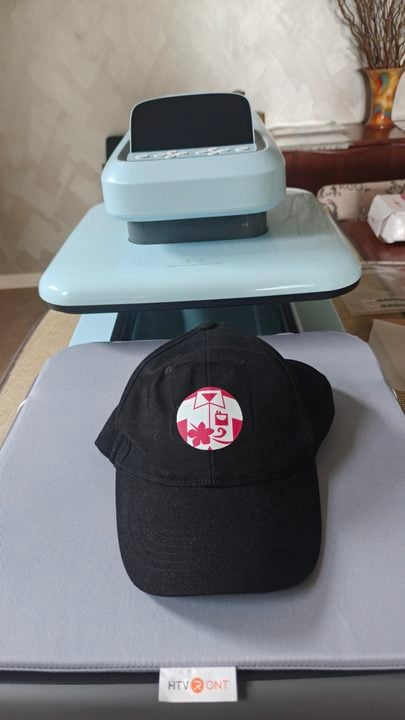
I trialled the HTVRONT Auto Heat Press 2, a $599 flat press, which is good for T-shirts and phone cases. There are also other models suited to curved objects, like hats. Using a towel, though, I did manage to print a hat on the flat press.
The press comes with a pre-installed heat press mat and a Teflon sheet. The standout feature of this press is that it takes the complication out of how long and how hard you press your garment.
When you are ready to press, you set the temperature, pressure, and time you want to press for. You add your garment to the pull-out drawer, then slide the drawer back into the machine and press a start button. The machine then takes care of the rest. If you want to further automate the process, closing the drawer can also trigger the press.
In my case, my wife is much more precise than I am at positioning the shirt, which you then press to ensure a flat, ironed surface. Then you position the design and press the image. Slide the drawer back out and wait for the transfer to cool before removing the paper. To seal your transferred image, repress it with the provided Teflon sheet between the design and the hot plate. This ensures your hot plate remains clean.
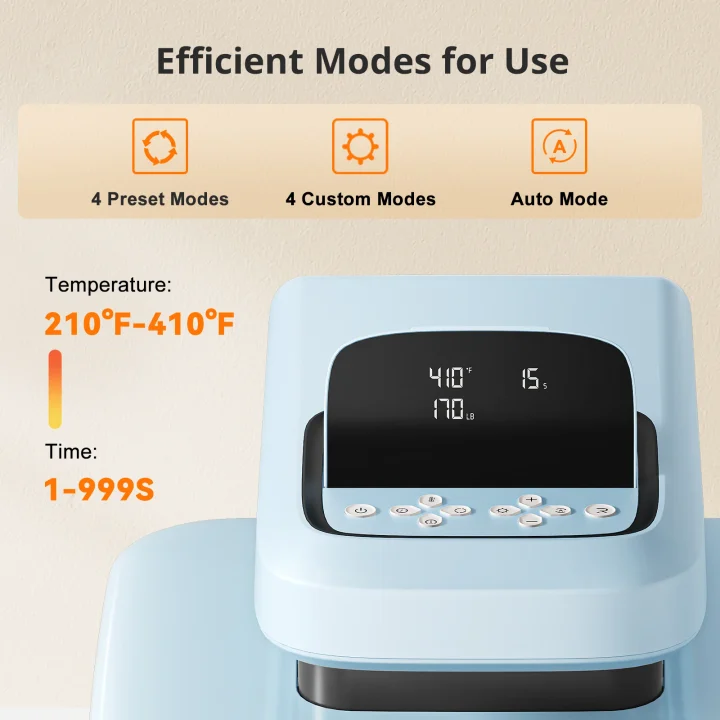
If you plan to do lots of pressing, you can set four custom modes with your desired temp, pressure, and time. This unit can handle a pressure range of 20-80 kg, which results in better colour transfer than cheaper machines. This also means the colour locks in better during washing. The 4.5cm printing height also meant I could print that hat. For safety, the machine turns off after 15 min of inactivity.
The HTVRONT heat press works with various materials, including heat transfer vinyl, heat transfer paper, sublimation paper, and DTF transfer film. The unit ships with imperial measurements but can be converted to metric by long-pressing the corresponding button.
If you want to try it for yourself, you can save $70 by using the code ‘Angus10’ on the HTVRONT website. GadgetGuy merchandise isn’t available for sale, but with a heat press now on hand, you never know.
The post Printing your own T-shirt designs at home is easier than ever appeared first on GadgetGuy.


0 comments:
Post a Comment