
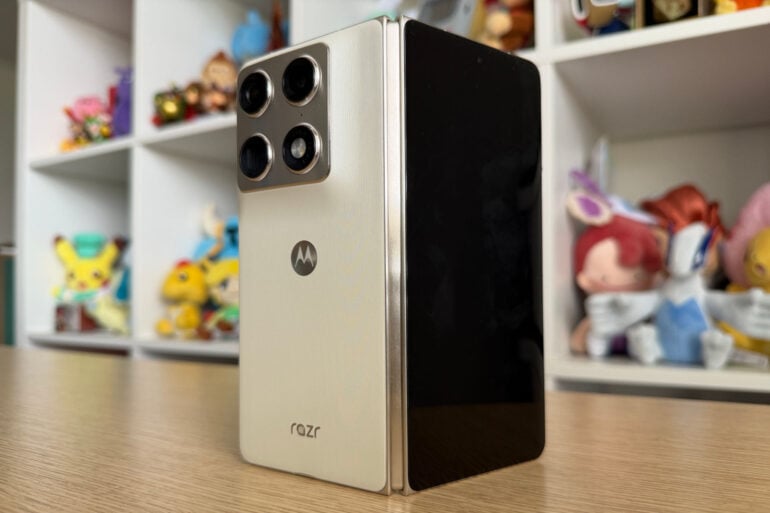
Despite its rich history with flip phones, Motorola took its time before entering the foldable market. Content to watch others experiment with the form factor first, the company’s decision was a smart one, based on the Razr Fold. It’s a well-rounded phone that takes full advantage of the form factor, without pushing things to the extreme.
Australia was once a desert for foldables. Samsung flew the novel phone design’s flag for several years here, largely in a solo effort. As the form factor has improved, become more durable and — most importantly — more useful, others have entered the competition.
With the Razr Fold, Motorola is the latest phone company to debut a foldable in Australia. Aimed at those with cash to spare and a hunger to optimise every inch of their lives, it’s not a device for the masses, but it’s strong evidence for why foldables aren’t a mere novelty.
Plus, as this millennial found, the Razr Fold helpfully bridges the gap between small-screen and big-screen activities. In other words, no more running to the laptop to buy plane tickets.
Table of contents
- Motorola Razr Fold compared to the competition
- Specifications and price
- Design
- Making big screen purchases on the Fold
- Performance
- Camera quality
- Who is the Motorola Razr Fold for?
Motorola Razr Fold compared to the competition
Previously a niche domain, foldable phones are a much bigger deal. Some brands didn’t bring their folding devices to Australia at first, but it feels like the competition doubled in size in the blink of an eye.
At launch, the Motorola Razr Fold is the second-most affordable foldable phone you can get from an Australian retailer, just behind the Google Pixel 10 Pro Fold. Affordable is a relative term, of course: $2,799 (discounted to $2,399 at launch) is still an expensive device, no matter which way you look at it.
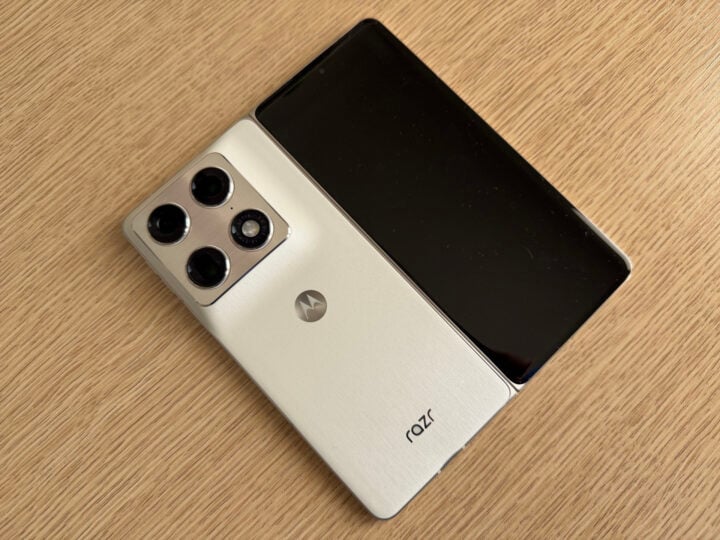
Still, as far as foldables go, the Razr Fold represents reasonable value. Its battery is bigger, or at least as big as, competing devices. Both its inner and outer screens are near-identical in size to those from other brands. If anything, the only physical element it concedes ground on is bulk.
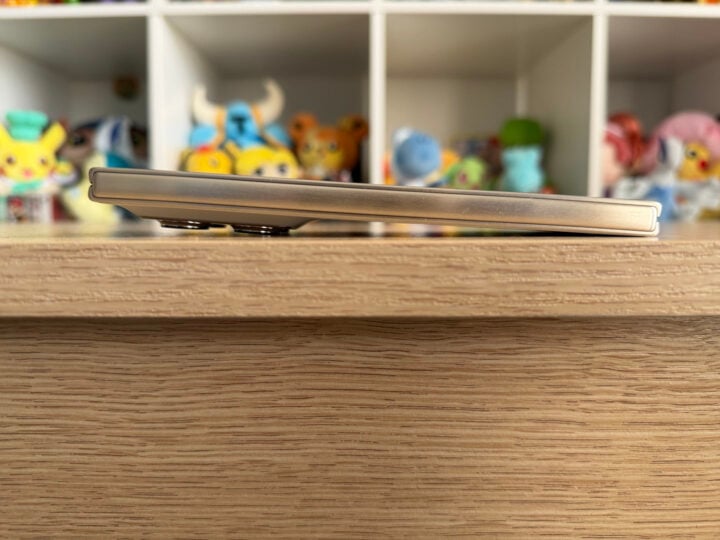
When unfolded, the Razr Fold is almost as thin as any phone. But when snapped shut, its advertised 9.89mm thickness is comparatively chunky. One millimetre may not sound like much, but when you’re dealing with extremely thin devices, every decimal point matters.
| Motorola Razr Fold | Samsung Galaxy Z Fold 7 | Google Pixel 10 Pro Fold | Oppo Find N6 | Honor Magic V6 | |
|---|---|---|---|---|---|
| Display | Main display: 8.1-inch External display: 6.6-inch | Main display: 8-inch External display: 6.5-inch | Main display: 8-inch External display: 6.4-inch | Main display: 8.1-inch External display: 6.6-inch | Main display: 8.1-inch External display: 6.6-inch |
| Size | Folded: 160.05 x 73.6 x 9.89mm Unfolded: 160.05 x 144.46 x 4.55mm 243g | Folded: 158.4 x 72.8 x 8.9mm Unfolded: 158.4 x 143.2 x 4.2mm 215g | Folded: 155.2 x 76.3 x 10.8mm Unfolded: 155.2 x 150.4 x 5.2mm 258g | Folded: 159.87 x 74.12 x 8.93m Unfolded: 159.87 x 145.58 x 4.21mm 225g | Folded: 156.7 x 74.5 x 8.75mm Unfolded: 156.7 x 145.6 x 4.0mm 219g |
| Battery | 6,000mAh | 4,400mAh | 5,015mAh | 6,000mAh | 6,660mAh |
| Price | $2,799 | $2,899 | $2,699 | $3,299 | $2,999 |
It’s also worth pointing out that phone companies measure thickness at a device’s thinnest point. My rough measurements using a ruler found the 9.89mm figure pretty spot-on towards the bottom of the phone. However, when measuring the top, accounting for the Razr Fold’s very prominent camera ridge, it was closer to 10.5mm.
That’s still thinner than the foldable Pixel, but the difference between the Razr’s thinnest and thickest points creates quite the imbalance. When placed on its back, the phone wobbles a lot, especially when unfolded.
Motorola includes a protective case — more of a frame that borders the phone — in the box that can mitigate some of this. But, as I’ve found when testing foldable phones before, removing a case once applied is frustratingly difficult, so I opted not to use the protective covering.
What isn’t included is the Moto Pen Ultra stylus, which is compatible with the Razr Fold. Instead, it’s a $139 add-on, so factor that in if a pen accessory is a must. Motorola includes the pen as part of a bundle in the UK, but a straight currency conversion has the overall package at a much higher price than here in Australia.
In better news, Motorola’s guarantee of seven years of operating system and security software updates is a good move. It puts the Razr Fold at the same level as Samsung and Google’s top-tier phones, providing the post-launch support you should expect from a phone at this price.
Motorola Razr Fold specifications and price
| Display | Main display: 8.1-inch 2484 x 2232 LTPO 120Hz External display: 6.6-inch 2520 x 1080 pOLED 165Hz |
| Processor | Snapdragon 8 Gen 5 Mobile Platform |
| Storage | 256GB |
| Memory | 12GB LPDDR5X |
| Size | Folded: 160.05 x 73.6 x 9.89mm Unfolded: 160.05 x 144.46 x 4.55mm 243g |
| Cameras | 50MP main camera: Sony Lytia 828 sensor, f/1.6 50MP Ultra-wide camera: 122.1-degree field of view, f/2.0 50MP telephoto: 3x optical zoom, 100x ‘Super Zoom’, Sony Lytia 600 sensor 32MP internal front camera: f/2.4 20MP external front camera: f/2.4 |
| Battery | 6,000mAh silicon-carbon battery 80W wired charging 50W wireless charging 5W reverse charging |
| Connectivity | USB-C Dual SIM: physical and eSIM Wi-Fi Bluetooth |
| Durability | IP49 |
| Software updates | Seven years of OS and security updates |
| Price (RRP) | $2,799 |
| Warranty | Two years |
| Official website | Motorola Australia |
Design: Maybe bigger is better
I’m not normally one for plain white or black devices. Give me bright and bold colours every day of the week. But the silky white Razr Fold review unit loaned to me is a stunner. I didn’t expect to be such a big fan of the smooth, fabric-like texture, either, but here we are. I think it’s the almost-rose gold metallic accents around the sides and rear cameras that sealed the deal.
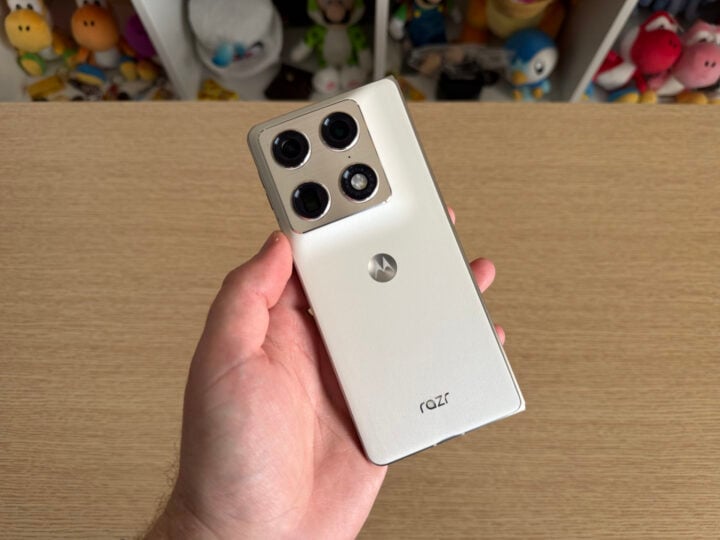
When folded, the phone looks quite tall but is easy to hold in one hand. Everything, including the combined power button and fingerprint sensor, plus the volume buttons, is within quick reach. So is the AI Key, but, as I mentioned in my Motorola Signature review, the inability to reprogram it to other functions — like a camera shortcut — limits its usability.
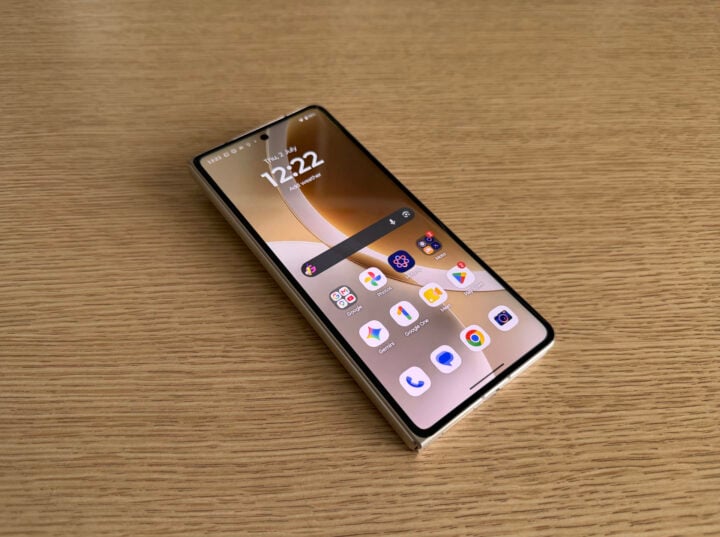
The 6.6-inch outer screen is quite the looker, too. It’s bright and colourful, with a slightly thick black bezel my only nitpicking criticism. You could justifiably use the external screen exclusively, but then you’d miss out on the joys of a big ol’ inner display.
And that 8.1-inch inner display is pretty damn nice. It also has a bit of a bezel, but there’s still plenty of room to arrange apps, watch videos, and do your daily scrolling. Compared to the early days of foldable phones, there’s much more software that takes advantage of the bigger form factor.
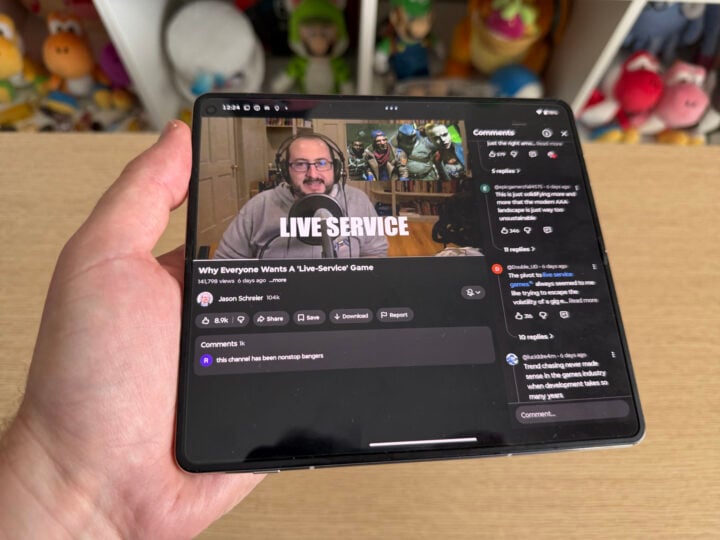
However, because of the quirky 8:7:2 aspect ratio, you’ll still encounter plenty of apps that don’t take up the whole screen. Full-screen YouTube videos, for example, have the letterboxed black bars at the top and bottom. Instead, you can put the video on one half of the screen, and read the comments or keep browsing on the other half.
What about the crease?
Any company that claims its foldable has a ‘crease-free’ screen has something to sell you. As does every other company, funnily enough, but my point is that every foldable screen has some form of visible crease. The Motorola Razr Fold is no exception here; hold it at an angle or shine a light on the display, and a subtle crease can be seen. When viewed front-on, it’s barely noticeable.
That crease is partly why the phone doesn’t fall to pieces when someone breathes on it. Every foldable phone has a hinge mechanism responsible for keeping things nice and taut, while being able to hold up to thousands of folds across its lifetime.
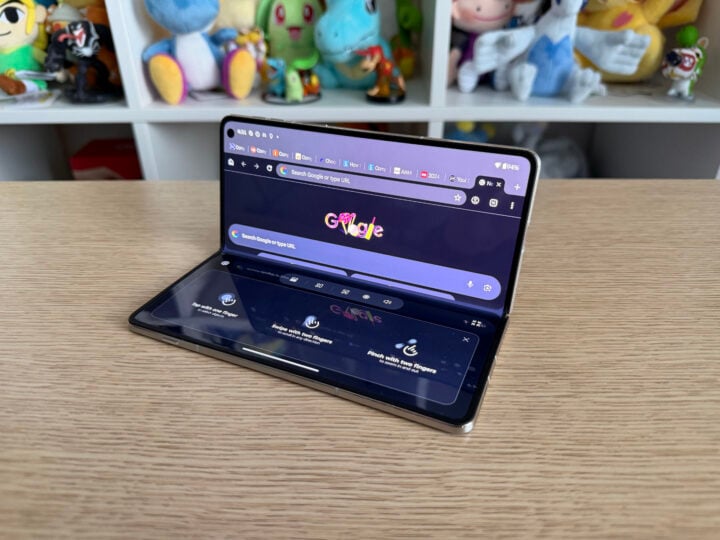
It’s remarkable how a device so thin still feels so rigid and sturdy. Folding and unfolding the Razr Fold takes a tiny bit of effort, offering just enough resistance to feel durable, but not too much that it’s inconvenient. You can also leave the phone half-folded in a little tent shape, which automatically transforms the outer screen into a clock display when asleep.
Alternatively, the phone can fold to be a pseudo-laptop, with the bottom half of the inner screen functioning as a trackpad. It’s a neat party trick, but I only used it to play YouTube videos without needing to prop the phone up myself. For the most part, keeping the screen flat and in full view was the way to go. How quickly the Razr Fold automatically transitioned between viewing modes was impressive, though.
Making big-screen purchases on the Fold
My defining real-world test for the Razr Fold was whether it was capable of making ‘big-screen’ purchases. I’m in the market for car insurance, something I’d typically use my laptop to research. So, is the Razr Fold a device I’d happily use for activities and shopping I’d normally reserve for my laptop?
For a bit of background — and to share my millennial culture with you — an online trend emerged in recent years highlighting the clear divides between how people use different devices.
Essentially, little purchases (new clothes, food delivery, low-value items) are made on a little screen, like your phone. But big purchases (plane tickets, accommodation, home appliances) must be made on a big screen, like a laptop or desktop computer.
Apparently, segmenting your screen usage this way is deeply millennial behaviour. It’s a popular discussion point online, and there’s supposedly some science behind the trend.
Car insurance is complex and multi-faceted, which makes it a ‘big-screen’ activity in my mind. But instead of opening my laptop, I opened the Razr Fold and put it to work.
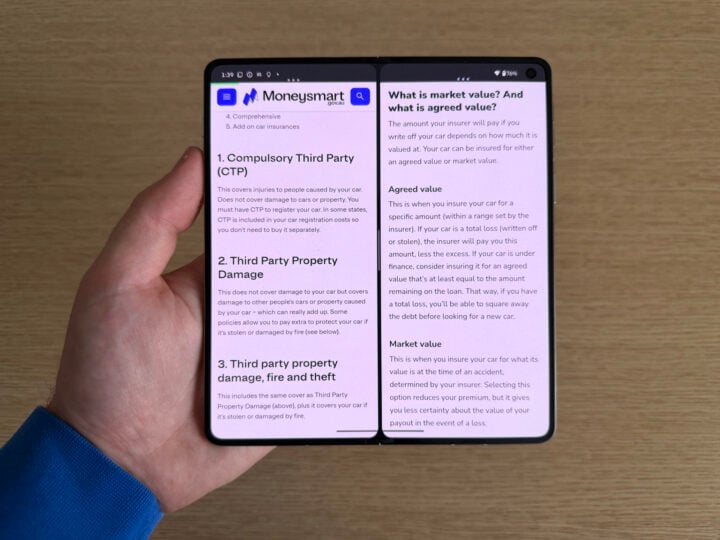
On one half of the screen was Google Keep, which had various notes, car registration details, and so on. On the other half was Google Chrome, open to various car insurance websites.
Multitasking on the Fold was much easier than on my usual phone, let me tell you. Using the main inner screen, you can drag and drop apps into place, or press the three dots at the top of the window to automatically open a neatly segmented multitasking view. A couple of quick taps were all it took to arrange the apps to my liking, giving me full access to multiple windows without interruption.
With my notes on the left, I could quickly copy and paste my rego number into the countless forms thrust upon me by the car insurance sites on the right. When I needed to read insurance documents in more detail, a tap and swipe temporarily gave Google Chrome most of the screen. Once I was done, a swipe back put both apps side-by-side again.
It was a lot quicker than swiping between multiple apps on a conventional phone’s display. Copying information was quicker, but equally as helpful was seeing all of the information in one view.
Rather than flipping open my laptop, I didn’t need to move. All it took was unfolding the phone that was in my pocket.
I might still be mentally bound to using an even bigger screen for more costly purchases — like buying the car itself — but the Razr Fold was excellent at bridging the gap between phones and computers, in a form factor that still fits in your pocket.
Performance
Motorola’s only clear weakness with the Razr Fold is the phone’s processing power. By choosing the Snapdragon 8 chipset versus the ‘Elite’ variant seen in Samsung, Oppo, and Honor’s foldables, the Razr doesn’t wield the same level of raw power.
Realistically, it doesn’t make much difference in real-world usage. Everything the Razr Fold does is quick, responsive, and lag-free. But when you’re spending top dollar on a phone, it’s reasonable to expect a top-shelf processor to match.
| Device | Geekbench 6 CPU Single-Core | Geekbench 6 CPU Multi-core | Geekbench 6 GPU |
| iPhone 17 Pro Max | 3,768 | 9,443 | 45,451 |
| Samsung Galaxy S26 Ultra | 3,770 | 11,422 | 23,805 |
| Samsung Galaxy Z Fold 7 | 2,663 | 8,586 | 19,567 |
| Motorola Razr Fold | 2,617 | 9,177 | 17,754 |
| Samsung Galaxy Z Flip 7 | 2,375 | 8,038 | 19,121 |
| Honor Magic V5 (performance mode) | 2,334 | 8,313 | 18,025 |
| Google Pixel 9 Pro Fold | 1,949 | 4,698 | N/A |
Based on benchmarking software, the Motorola Razr Fold is roughly on par with last year’s Samsung Galaxy Z Fold 7 in terms of power. It has slightly less graphical punch, but it’s no slouch in that area. It returned a 5,542 score on 3DMark’s Wild Life Extreme benchmark, indicating its gaming performance matches that of the Motorola Signature and Samsung Galaxy S25 Edge, two quite powerful phones.
But the real test is sustained performance. Gaming and graphically intensive workloads, like video editing, tax a processor for longer stretches of time. Any drops in performance, usually because a phone needs to prevent overheating, are noticeable.
I ran the Motorola Razr Fold through both the Wild Life and Wild Life Extreme stress tests, which play a simulated gameplay loop for 20 consecutive minutes each. It did reasonably well across both tests, gradually dipping in performance during the first few minutes before remaining stable for the remaining loops.
But what was most impressive was the Razr Fold’s heat management. After each test, I picked up the phone, only to find it was slightly warm. Not hot, but pleasantly warm to hold in my hand. I’ve tested phones that get scorchingly hot after working hard, to the point where I can’t comfortably hold them until they cool down. That wasn’t the case here.
The 6,000mAh battery is pretty good, too. Regular use, including web browsing, social media, and multitasking between apps, saw me go well into a second day without needing to recharge.
Motorola’s foldable guzzles a bit of juice when pushed, though, draining 10 per cent of its battery during the Wild Life stress test, and 15 per cent throughout the Extreme version. I put that down to how thin the phone is, and how hard the thermal management works to keep things cool.
Camera quality
Motorola has been on a tear with its cameras lately. With the Razr Fold, you get five cameras all up: a 50MP main wide-angle, 50MP ultra-wide, and a 50MP telephoto 3x optical zoom camera adorn the back of the device. Then there’s a 20MP selfie lens on the front screen, plus a 32MP selfie camera on the inner main display.
It’s the main trio of cameras that does the best work here. Details are sharp, colours are bright, and the exposure is nice and even while retaining lowlights and highlights.
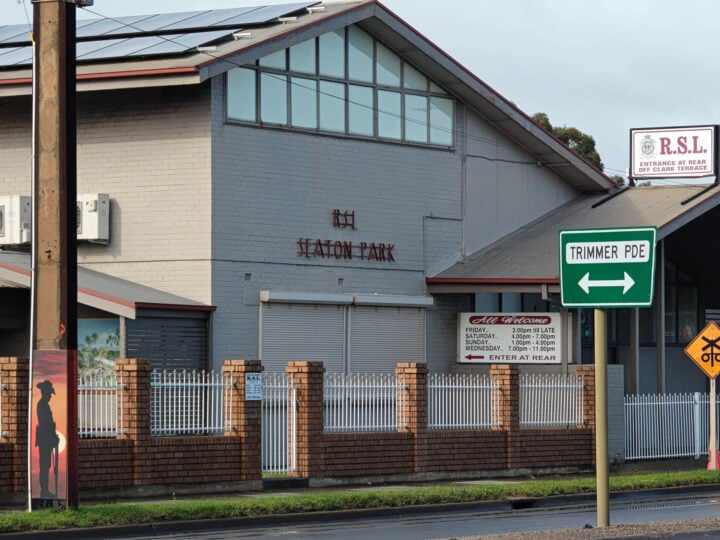
With Adelaide’s recent miserable wet weather, my outdoor photography opportunities were limited, but a quick dash in between rainfall to the nearby RSL gave a good indication of the Razr Fold’s camera chops.

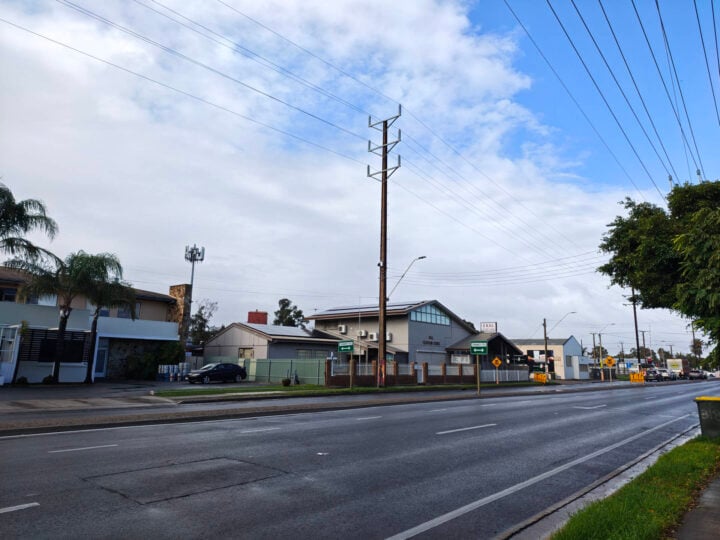
Both the ultra-wide and wide-angle cameras did a nice job of depicting the contrast between the blue sky and the clouds passing by. I like that the shadowy parts in the bottom left remained dark, instead of the post-processing attempting to artificially brighten everything up.
Similarly strong performance came from the telephoto lens, even with the software-aided 6x zoom. As you can see with the 100x digital zoom, there’s not much practical use besides showing off what you can see from a long distance away, visual artifacts and all.
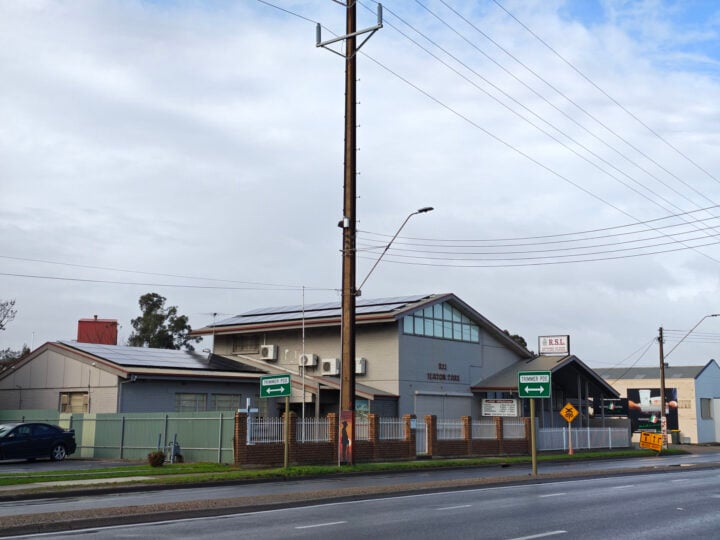
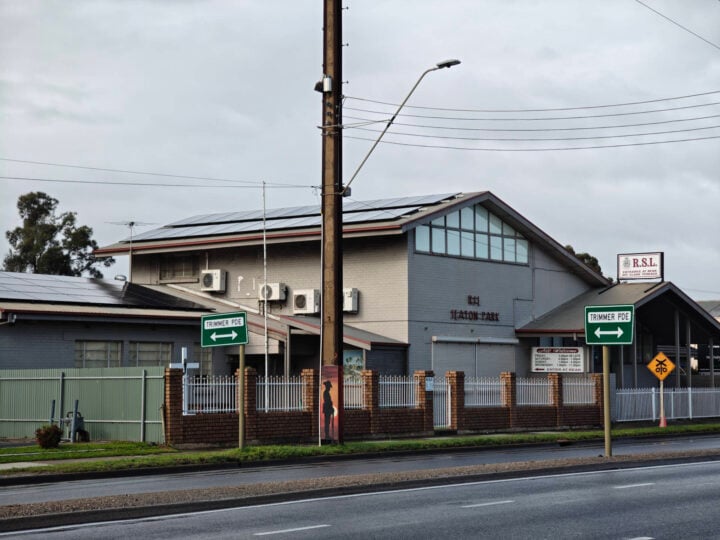

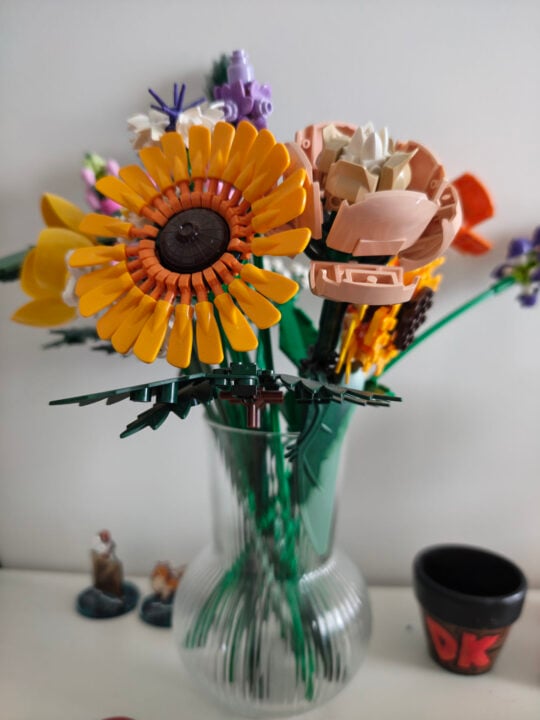
As expected, the main 50MP camera is the best overall performer. It produces a nice, natural-looking depth of field, gently blurring the background behind subjects, whether they be Lego flower sets or fluffy friends.

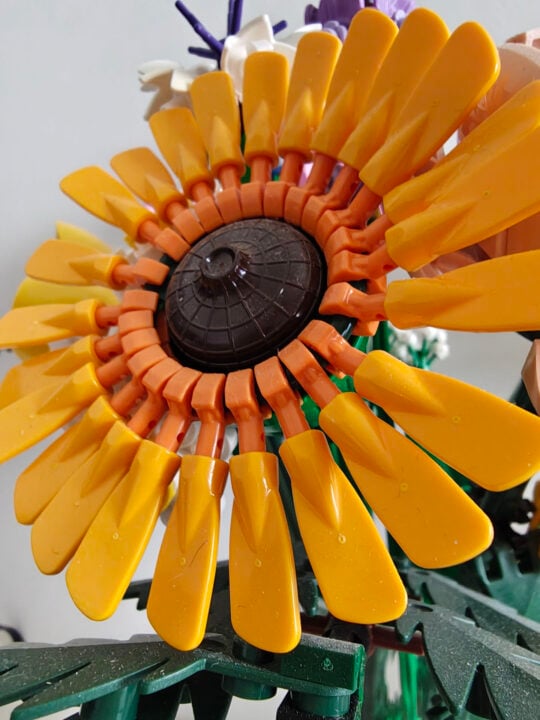
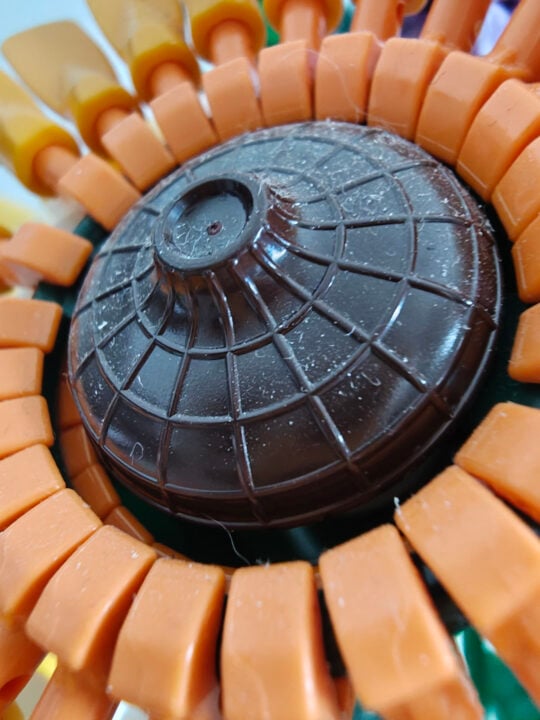
You can get pretty close with the ultra-wide camera that doubles as a macro shooter, too. It lets you capture good levels of detail. This includes the dust and particles visible on the Lego flower — I was practically touching it with the phone when I took the extreme close-up shot.
One of the benefits of the Razr Fold’s form factor is easily accessing the main camera when taking selfies. Compared to the two selfie cameras, it reproduces the best colours and sharpness.



Interestingly, I found the 20MP selfie camera on the outer screen more aesthetically pleasing than the 32MP inner screen camera. Its photos aren’t as sharp, but it got the colours better than the inner screen snapper that took all the colour from my face as if I’d just woken up from the morgue.
Who is the Motorola Razr Fold for?
Foldable phones are typically aimed at business types, folks with disposable income who can afford to spend more than $2,500 on a phone. The Motorola Razr Fold doesn’t change that suitability, but it’s a fine example of what a premium foldable phone can do.
It’s a well-rounded package of good hardware, smooth software integration, and top-quality cameras. Multitasking is smooth, making the Razr Fold well-suited to small-screen and big-screen activities.
Motorola’s debut foldable is quite the investment, but it’s worthy of the Razr name, something that’s long been synonymous with tech that flips and folds in fun ways.
The post Motorola Razr Fold review: Goodbye to small-screen anxiety appeared first on GadgetGuy.


0 comments:
Post a Comment